
Building a presentation from scratch can take hours. You write the outline, hunt for templates, adjust fonts, align boxes, and still end up with slides that look uneven. The best AI presentation tools in 2026 change that workflow entirely. They turn a short text prompt or bullet outline into a designed deck in minutes.
In this guide, we compare the top AI presentation tools: Gamma, Beautiful.ai, Tome, SlidesAI, and Canva Magic Presentations. We cover what each tool does best, how much it costs, and which one fits your workflow.
Key Takeaways
- Gamma excels at narrative, document-style decks with interactive sharing.
- Beautiful.ai enforces clean slide design through smart templates.
- Tome is ideal for storytelling, pitch decks, and visual narratives.
- SlidesAI turns text outlines into Google Slides without leaving your workspace.
- Canva Magic Presentations offers the strongest free plan for quick visual decks.
What to Look for in an AI Presentation Tool
Before choosing a tool, think about your real use case. Students need fast decks for class projects. Founders need investor-ready pitches. Marketers need on-brand sales collateral. Educators need lecture slides that are easy to update.
Here are the features that separate a useful AI presentation tool from a basic template library:
- AI content generation. The tool should turn a prompt or outline into full slide content, not just placeholder boxes.
- Design intelligence. It should auto-adjust layouts, fonts, and spacing so slides look consistent without manual tweaking.
- Customization. You should be able to apply brand colors, logos, and fonts without starting from scratch.
- Export flexibility. Look for PPTX, PDF, and shareable link options.
- Collaboration. Teams need commenting, editing, and real-time co-authoring.
- Free-tier limits. Many tools cap exports, slide counts, or AI generations on free plans.
Additionally, consider where you work. Some tools are standalone web apps. Others live inside Google Slides or Canva, which can save time if you already use those platforms.
The Top 5 AI Presentation Tools Compared
1. Gamma — Best for Narrative and Document-Style Decks
Gamma treats a presentation more like a dynamic document than a slide deck. You write in a simple text editor, and Gamma generates a scrolling, interactive presentation with cards, images, and embedded media. The result feels closer to a modern web page than a traditional PowerPoint.
Why it stands out:
- Creates interactive, scrollable decks instead of static slides.
- Supports embedded videos, live web pages, and interactive polls.
- Offers clean, minimal templates that adapt to your content automatically.
- Sharing is simple: send a link, and viewers scroll through on any device.
- Analytics show who viewed your deck and for how long.
Pricing: Gamma offers a free plan with unlimited decks and basic AI generation. Paid plans start around $8 per user per month and unlock advanced analytics, custom domains, and higher AI usage limits.
Best for: Founders sharing product updates, educators building interactive lessons, and teams that want a modern alternative to slide-based meetings.
Privacy note: Gamma processes content in the cloud. Avoid pasting confidential financial data or sensitive client information unless your organization approves cloud AI tools.
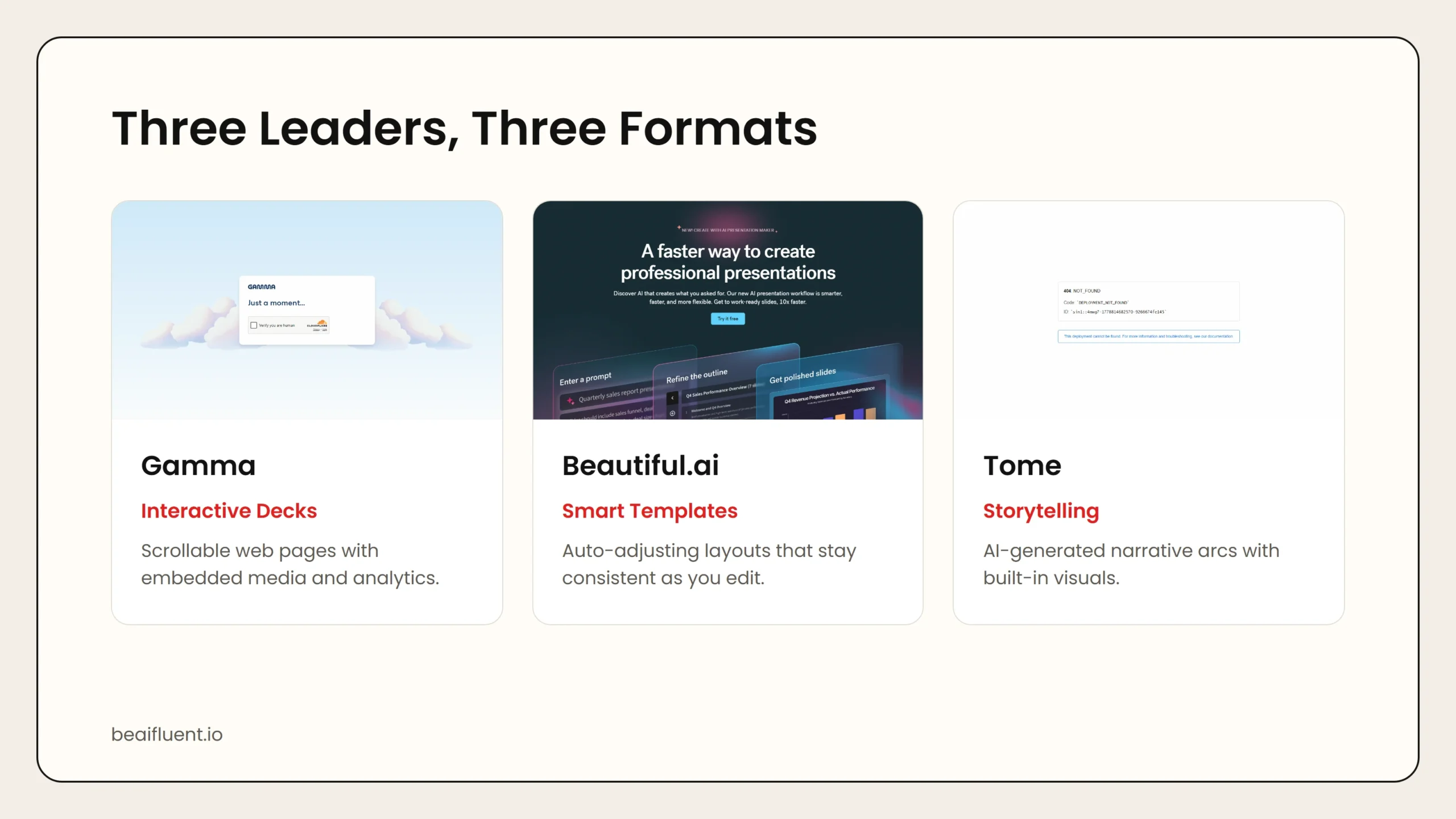 Caption: Gamma leads on interactive sharing. Beautiful.ai wins on traditional slide design. Tome dominates storytelling and pitch formats.
2. Beautiful.ai — Best for Clean, Professional Slide Design
Beautiful.ai focuses on one problem: making traditional slides look great without design skills. You pick a smart template, add your content, and the layout engine adjusts spacing, alignment, and font sizing automatically. If you delete a bullet point, the rest of the slide rebalances instantly.
Why it stands out:
- Smart templates auto-adjust as you edit content.
- Design rules enforce consistent spacing, alignment, and typography.
- Large library of pre-built slide types: timelines, charts, team pages, and more.
- Exports to PowerPoint and PDF for offline sharing.
- Team plans include shared libraries and brand controls.
Pricing: Beautiful.ai offers a free trial. Paid plans start around $12 per user per month. Enterprise plans add SSO, advanced security, and dedicated support.
Best for: Business professionals, consultants, and teams that need polished, traditional slide decks for meetings and reports.
Privacy note: Beautiful.ai stores decks on cloud servers. For highly sensitive materials, confirm your company’s cloud storage policy before uploading.
3. Tome — Best for Storytelling and Pitch Decks
Tome is built for narrative-driven presentations. It uses AI to generate a full story arc from a short prompt, complete with images, section headers, and supporting points. The output feels like a polished pitch deck or editorial feature, not a bullet list on slides.
Why it stands out:
- AI generates entire narrative structures from a one-sentence prompt.
- Built-in image generation creates visuals that match your topic.
- Responsive layouts look good on desktop, tablet, and phone.
- Interactive elements let viewers click through details at their own pace.
- Strong community templates for fundraising, product launches, and creative portfolios.
Pricing: Tome has a free plan with limited AI credits. Paid plans start around $8 per month and unlock unlimited AI generation, custom branding, and analytics.
Best for: Startup founders pitching investors, creatives building portfolios, and anyone who wants a story-first deck rather than a data dump.
Privacy note: Tome uses cloud AI for both text and image generation. Review generated images for accuracy before presenting them as factual.
4. SlidesAI — Best for Google Slides Users
SlidesAI is a Google Slides add-on that turns text into slides without leaving your workspace. You paste an outline, pick a theme, and SlidesAI builds the deck inside Google Slides. From there, you edit, collaborate, and export exactly as you would with any Google presentation.
Why it stands out:
- Lives directly inside Google Slides. No new app to learn.
- Turns text outlines, paragraphs, or topics into full slide decks.
- Supports 100+ languages for multilingual presentations.
- Uses Google’s built-in collaboration, comments, and version history.
- Exports to PowerPoint, PDF, and shareable links through Google Drive.
Pricing: SlidesAI offers a free tier with limited slide generation. Paid plans start around $10 per month for higher usage and premium themes.
Best for: Students, educators, and teams already working in Google Workspace who want AI assistance without switching platforms.
Privacy note: Because SlidesAI runs inside Google Slides, your data stays within Google’s infrastructure. However, the add-on may process text through external AI services, so review its privacy policy for sensitive content.
5. Canva Magic Presentations — Best Free Option for Quick Visual Decks
Canva’s Magic Presentations feature turns a short prompt into a multi-slide deck using Canva’s massive template library. Because Canva already handles images, icons, charts, and video, the AI-generated decks tend to be more visually varied than simpler tools.
Why it stands out:
- Generates full decks from a single text prompt.
- Access to Canva’s full design library: millions of images, icons, and videos.
- Easy drag-and-drop editing after AI generation.
- Strong free plan with generous export options.
- Built-in brand kit support for colors, fonts, and logos.
Pricing: Canva Free includes Magic Presentations with a monthly cap. Canva Pro, around $13 per month, unlocks unlimited AI generation, premium assets, and advanced brand controls.
Best for: Small business owners, marketers, students, and anyone who wants a good-looking deck fast without paying upfront.
Privacy note: Canva processes AI requests in the cloud. Do not use Magic Presentations for confidential legal, medical, or financial documents unless your organization allows cloud-based design tools.
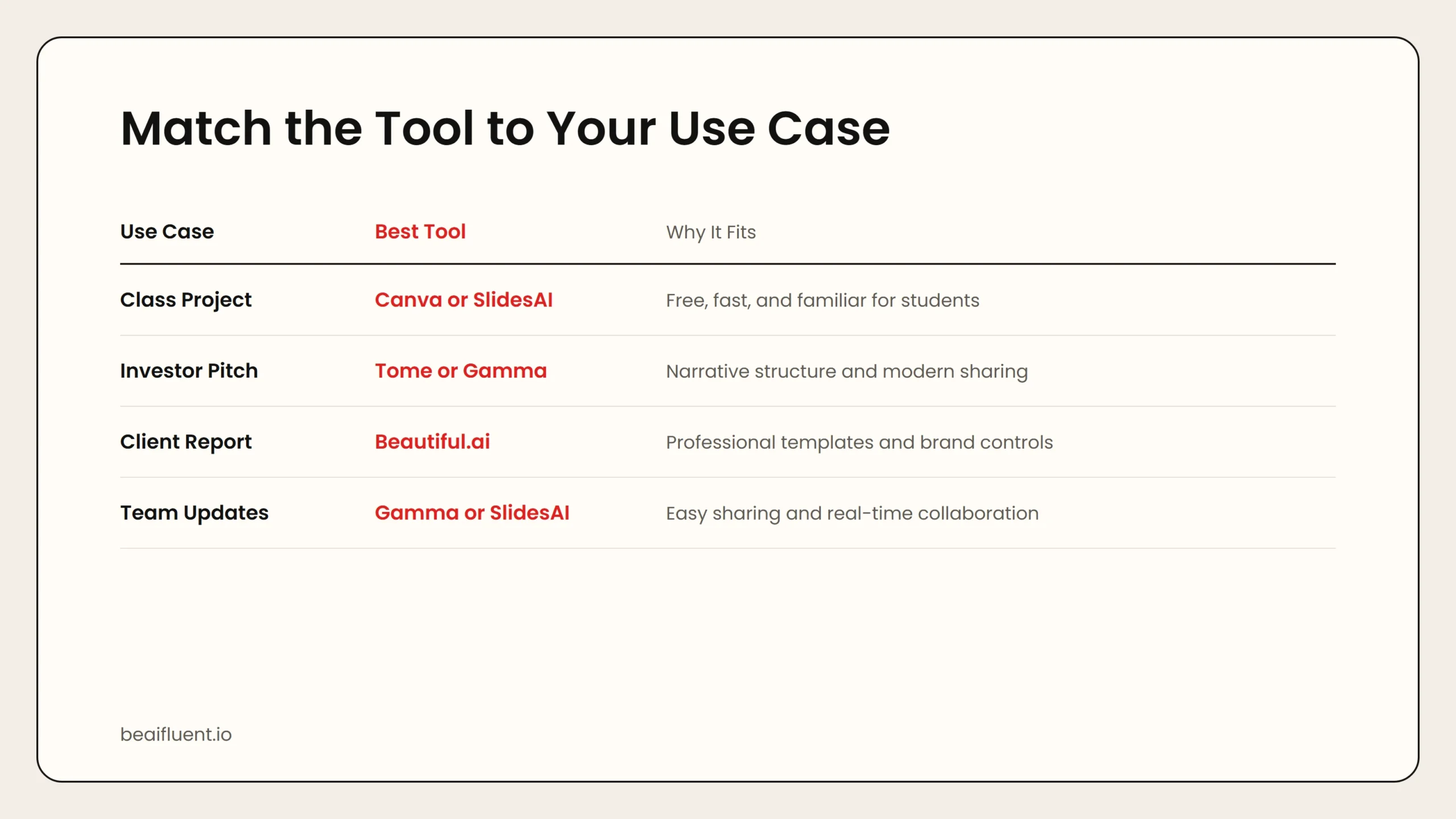 Caption: Students start with Canva. Founders pitch with Tome. Consultants report with Beautiful.ai.
Side-by-Side Comparison
| Tool | Free Tier | Best For | Standout Feature | Export Options |
|---|---|---|---|---|
| Gamma | Unlimited decks, basic AI | Interactive narratives | Scrollable web decks | Link, PDF, embed |
| Beautiful.ai | Trial only | Professional slide design | Auto-adjusting smart templates | PPTX, PDF |
| Tome | Limited AI credits | Storytelling and pitches | AI-generated narrative arcs | Link, PDF |
| SlidesAI | Limited generation | Google Slides users | Native Google Workspace integration | PPTX, PDF, Google link |
| Canva Magic | Generous monthly cap | Quick visual decks | Massive template and asset library | PPTX, PDF, video, link |
Use this table to narrow your choice. If you live in Google Slides, SlidesAI is the obvious pick. If you need a free, fast option, start with Canva. If you want something that feels like a modern web story, try Gamma.
How to Choose the Right Tool for Your Use Case
Different users need different outputs. Here is a quick matchmaking guide:
- Student pitching a class project → Canva Magic Presentations or SlidesAI. Both are free or low-cost and produce clean results fast.
- Founder raising funding → Tome or Gamma. Tome builds narrative pitch decks. Gamma creates interactive investor updates that feel fresh.
- Consultant delivering client reports → Beautiful.ai. The smart templates keep every slide professional and consistent.
- Teacher building lecture slides → SlidesAI or Canva. Both integrate with tools you already use and support image-heavy educational content.
- Marketing team updating sales decks → Beautiful.ai or Canva. Shared brand kits and team libraries keep collateral on-brand.
Tip: If you are not sure where to start, pick the tool that matches the platform you already use. Google Slides users should try SlidesAI first. Canva users should try Magic Presentations. Standalone users should test Gamma or Beautiful.ai.
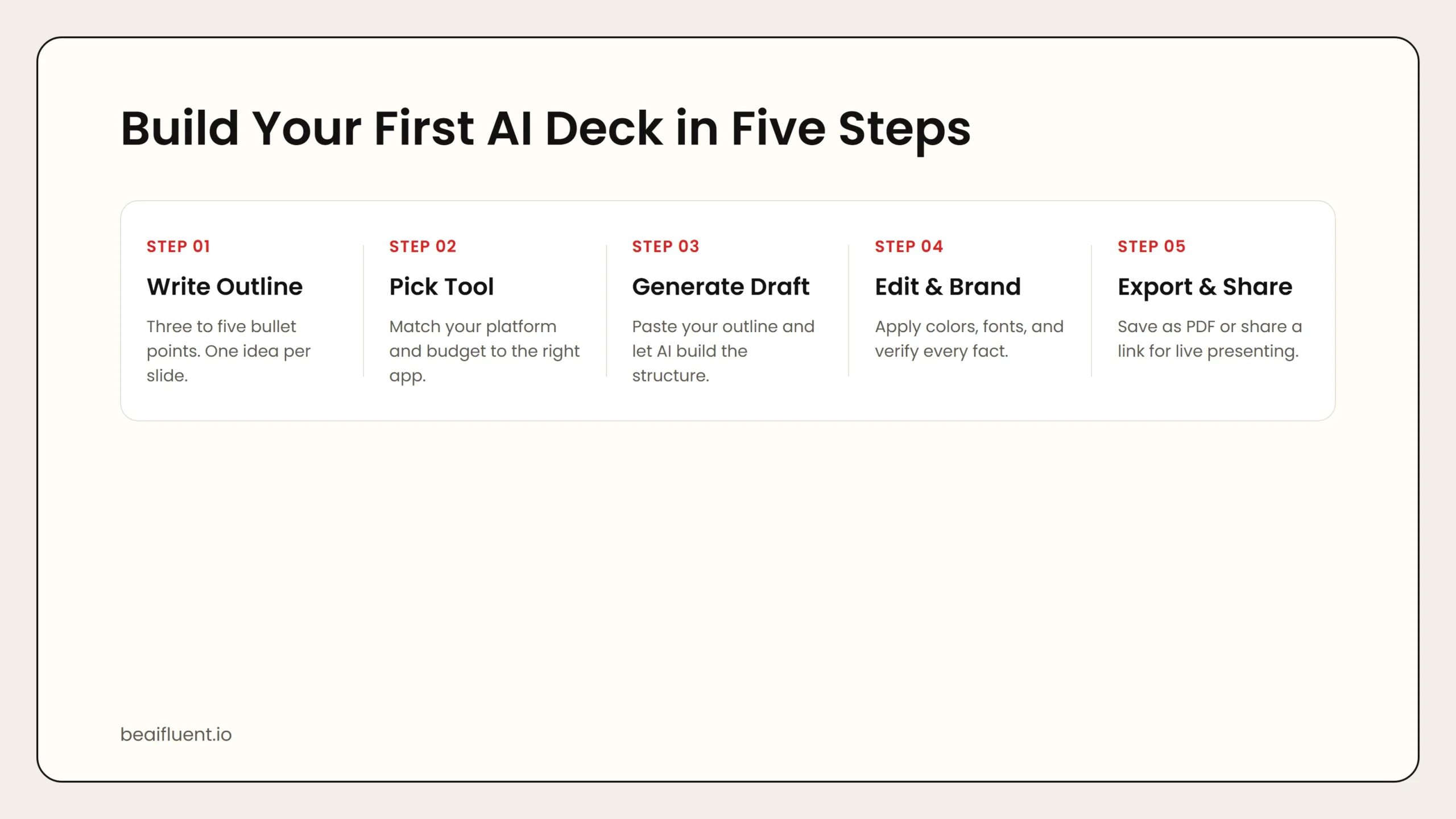 Caption: Write an outline, pick a tool, generate a draft, edit and brand, then export and share.
A Simple Workflow for Your First AI Presentation
Follow these steps to go from idea to finished deck without getting overwhelmed:
- Write a short outline. Three to five bullet points is enough. Focus on one main idea per slide.
- Pick a tool based on your platform. Google users choose SlidesAI. Canva users choose Magic Presentations. Everyone else tests Gamma or Beautiful.ai.
- Paste your outline into the AI generator. Most tools accept plain text or bullet lists.
- Review every slide for accuracy. AI can invent facts, misquote sources, or suggest irrelevant images. Treat the first draft as a starting point.
- Apply your brand colors and fonts. Use the tool’s theme or brand kit settings so the deck looks like yours, not a template.
- Add real data and images. Replace AI-generated placeholders with actual charts, screenshots, or photos.
- Export and share. Save as PDF for email distribution. Use a shareable link for live presentations.
Warning: AI presentation tools generate structure and design fast, but they can invent facts, misquote data, or create generic visuals. Always verify numbers, citations, and claims before presenting to an audience.
If you are new to AI-assisted work, our guide on how to start using AI as a complete beginner walks through safe first steps.
Common Mistakes to Avoid
Even with AI help, presentations can still miss the mark. Avoid these pitfalls:
- Trusting the first draft. AI-generated slides are starting points, not final products. Always edit.
- Overloading slides. AI tends to generate too much text per slide. Cut aggressively. One idea per slide is the goal.
- Ignoring brand consistency. A mixed bag of fonts and colors looks unprofessional. Apply a theme before sharing.
- Skipping fact-checking. AI can hallucinate statistics, quotes, and source names. Verify every claim.
- Choosing the wrong format. A scrollable Gamma deck may confuse an audience expecting traditional slides. Match the format to the setting.
Frequently Asked Questions
Are AI presentation tools free?
Most offer a free tier with limits. Canva and Gamma have the most generous free plans. Beautiful.ai requires a paid subscription after the trial.
Can I export to PowerPoint?
Yes. Beautiful.ai, SlidesAI, and Canva all export to PPTX. Gamma and Tome focus on shareable web links and PDF exports.
Will the slides look original or templated?
It depends on how much you customize. AI-generated decks often look similar out of the box. Adding your own images, brand colors, and edited text makes them feel original.
Is my content private when I use AI slide tools?
Generally no. Most AI presentation tools process content in the cloud. Avoid uploading sensitive legal, medical, or confidential business data unless your organization approves the tool.
Can I collaborate with my team?
Beautiful.ai, Canva, and SlidesAI (via Google Slides) offer strong team collaboration. Gamma and Tome support sharing links and comments but have lighter real-time editing.
Sources
- Gamma pricing and features
- Beautiful.ai pricing and features
- Tome pricing and features
- SlidesAI pricing and features
- Canva Magic Presentations
If you want to build a full AI workflow for research and planning, a strong presentation step is a natural extension. For marketers looking to expand their AI tool stack, see our guide to the top AI tools for marketing professionals.