
Marketing moves fast. In 2026, the difference between a team that keeps up and one that falls behind often comes down to which AI tools they actually use. The good news is that you do not need to adopt every new product. You need the right tools for the jobs that show up every week: writing, designing, posting, analyzing, and optimizing.
This guide covers the top AI tools for marketing professionals. You will see what each tool does, which marketing job it fits, and how real teams stack them together. If you are new to AI in general, start with how to start using AI as a complete beginner before picking marketing-specific tools.
Key Takeaways
- The best AI marketing tools are organized by job, not by brand. Content, design, social, SEO, analytics, and email each have their own strongest options.
- Most marketing teams use a small stack of three to five tools rather than one tool for everything.
- AI can speed up first drafts and initial analysis, but human judgment still owns strategy, tone, and final approval.
- The fastest way to get value is to match one AI tool to one recurring marketing task and test it for a week.
- Free tiers are often enough to test a workflow before committing to a paid plan.
How AI Tools Fit Into Marketing Work
AI does not replace marketing strategy. It reduces friction between idea and output. That matters because marketing work is repetitive: draft copy, resize images, schedule posts, check metrics, adjust, and repeat.
What AI changes: It turns the slow early stages into faster first drafts. The marketer still sets the direction, edits the tone, and decides what ships.
| Marketing job | What AI can do | What the marketer still owns |
|---|---|---|
| Content creation | Draft blogs, ads, emails, and captions | Strategy, tone, fact-checking, final edit |
| Design and visuals | Generate images, resize layouts, suggest variations | Brand standards, final selection, asset approval |
| Social media | Draft posts, suggest hashtags, schedule publishing | Community voice, engagement replies, crisis judgment |
| SEO and research | Keyword suggestions, content briefs, competitor scans | Search intent judgment, content quality, link strategy |
| Analytics | Summarize trends, flag anomalies, build quick reports | Insight interpretation, decision-making, action planning |
| Email marketing | Draft subject lines, segment copy, personalize sends | List health, offer strategy, send timing, compliance |
Important: AI-generated marketing content still needs review. For a clear-eyed look at where AI output is strong and where it breaks, read are AI tools accurate?
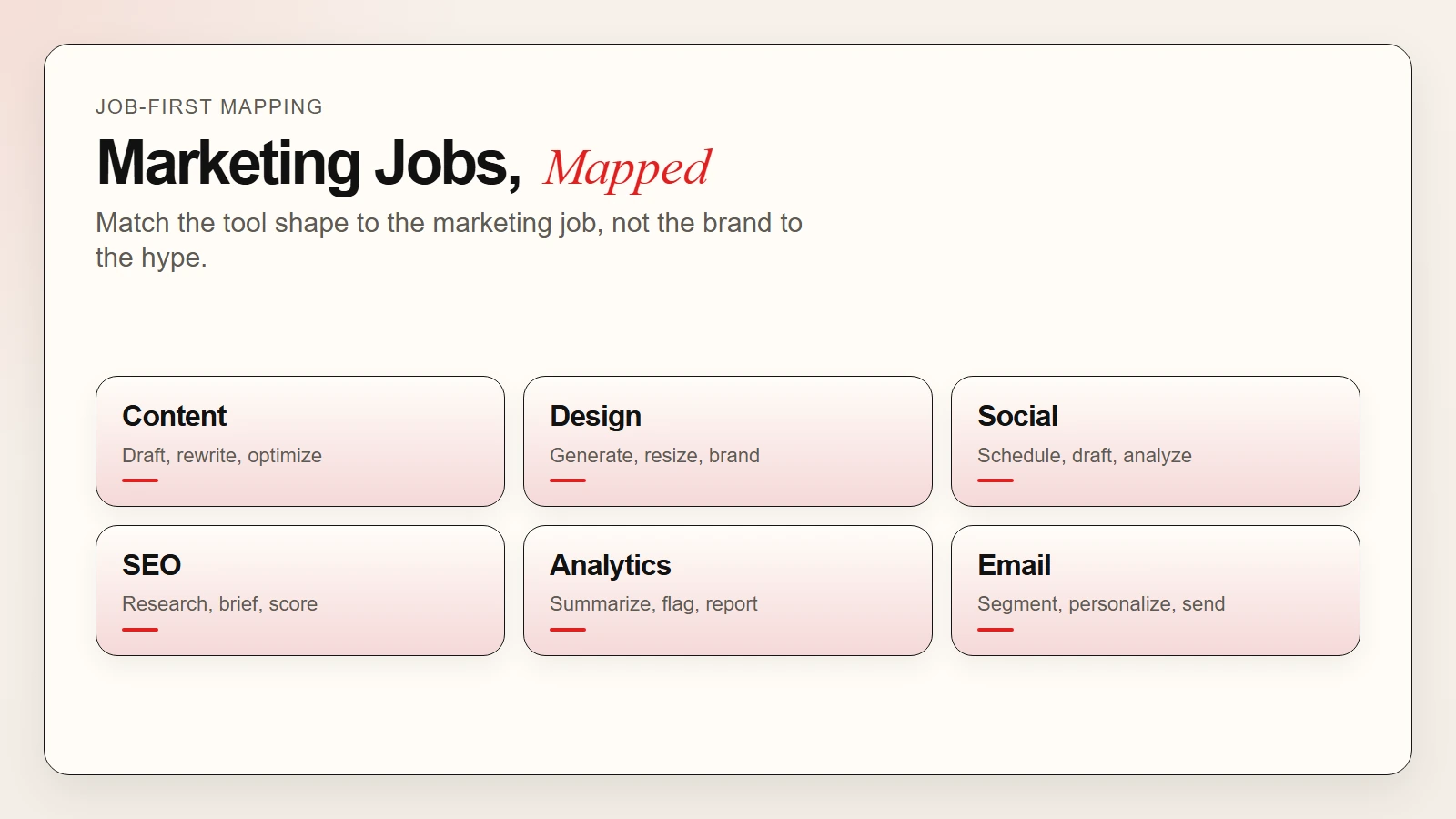 Caption: The useful distinction is matching the tool shape to the marketing job.
Top AI Tools for Content Creation
Content is the core of most marketing teams. AI writing tools have moved past gimmicks and now produce usable first drafts for blogs, ads, landing pages, and emails.
ChatGPT and Claude for marketing copy
ChatGPT and Claude are the most flexible starting points for marketing content. They handle brainstorming, drafting, rewriting, and tone adjustment in one interface.
ChatGPT fits mixed-format marketing work. Teams use it to:
- turn a brief into a blog outline
- draft ad copy variations for A/B testing
- rewrite long-form content for different channels
- generate email sequences from a single product description
Claude fits longer documents and careful rewriting. Teams use it to:
- tighten white papers and case studies
- explain technical products in plain language
- compare messaging options with structured reasoning
- summarize competitor content into briefs
For a deeper comparison of free plans, see best free AI assistants in 2026.
Jasper and Copy.ai for scaled content
Jasper and Copy.ai are built specifically for marketing teams that need volume. They include templates for ads, product descriptions, social posts, and email campaigns.
When they make sense:
- Your team publishes daily or weekly at high volume
- You need brand-voice training across multiple writers
- You want built-in SEO brief integration
Where they fall short:
- They cost more than general assistants
- They can produce generic output if prompts are vague
- Heavy editing is still required for anything strategic
Surfer SEO and Clearscope for SEO-driven content
Surfer SEO and Clearscope analyze top-ranking pages and suggest what your content should cover. They do not write the article for you, but they tell you which terms, structures, and lengths the current search results reward.
How marketers use them:
- Enter a target keyword
- Review the content brief and suggested terms
- Write or edit the draft to match search intent
- Score the draft against the tool’s benchmark
- Publish and monitor
 Caption: General assistants like ChatGPT and Claude are the fastest starting points for marketing copy.
Top AI Tools for Design and Visuals
Visual content is not optional in marketing. AI image and design tools now let small teams produce professional visuals without a full creative department.
Midjourney and DALL-E for image generation
Midjourney and DALL-E turn text prompts into images. They are useful for blog headers, social graphics, concept art, and ad visuals.
Midjourney tends to produce more stylized, artistic output. It is a strong fit for lifestyle brands, fashion, and editorial visuals.
DALL-E 3 integrates directly with ChatGPT and tends to follow prompts more literally. It is a strong fit for product scenes, illustrations, and structured layouts.
If you want to improve your image prompting skills, read how to write better image prompts.
Canva AI for fast design
Canva now includes AI features such as Magic Edit, Magic Write, and automatic resize. It is the fastest way for non-designers to produce social posts, presentations, and simple ads.
Common uses:
- Resize one design into multiple platform formats
- Remove backgrounds from product photos
- Generate first-draft copy inside a design template
- Translate designs into other languages
Adobe Firefly for brand-safe creativity
Adobe Firefly is trained on Adobe Stock and public-domain content. That makes it a safer choice for brands worried about copyright risk in generated images.
Best for: Teams that need commercial-safe visuals without legal ambiguity.
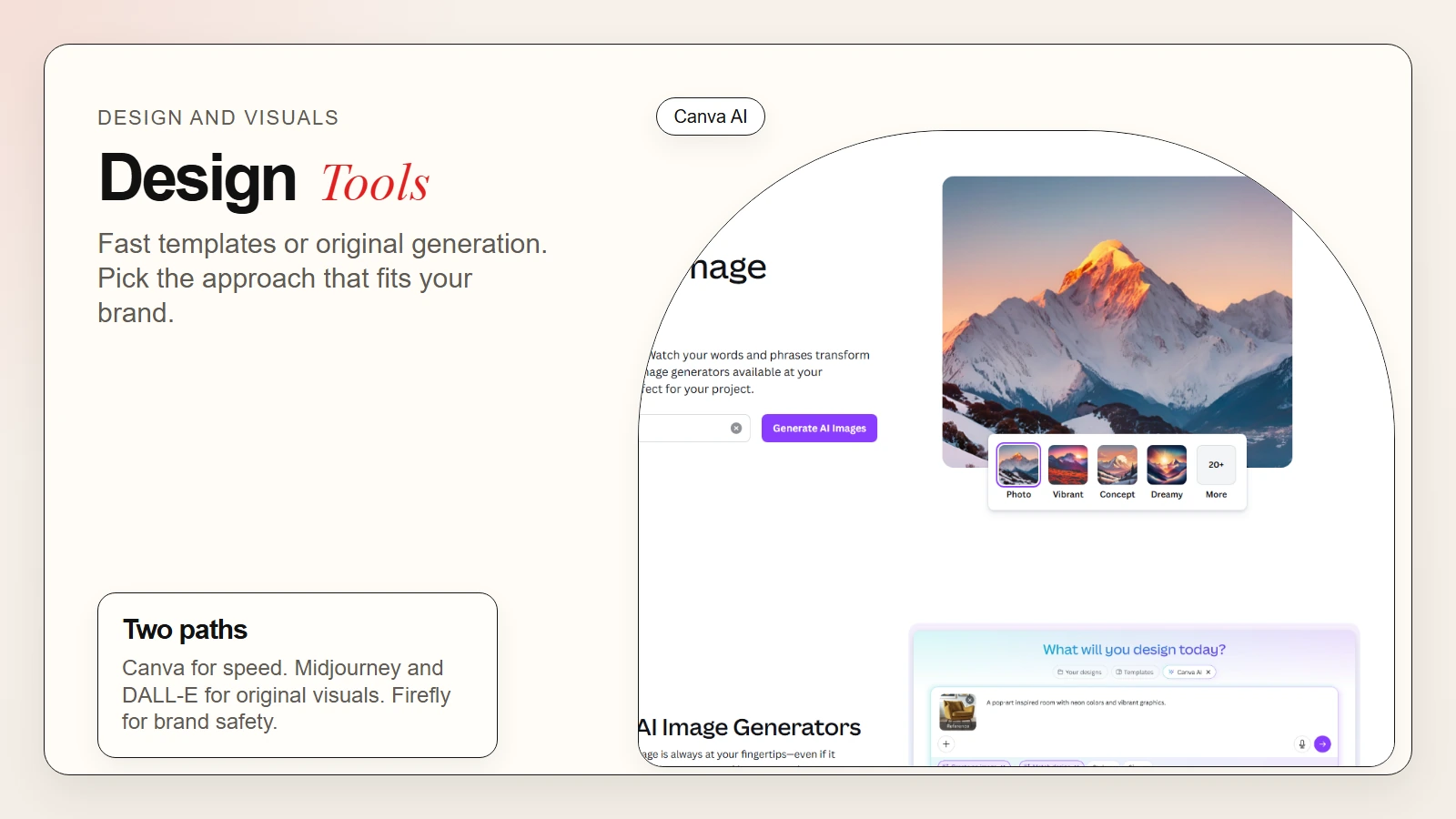 Caption: Canva AI speeds up templated work. Midjourney and DALL-E create original visuals.
Top AI Tools for Social Media Marketing
Social media work is high-volume and high-speed. AI tools help with drafting, scheduling, and analyzing performance.
Buffer and Hootsuite with AI features
Buffer and Hootsuite are scheduling platforms that now include AI drafting and suggestion features.
What the AI does:
- Suggests post copy based on a link or image
- Recommends optimal posting times from past data
- Generates hashtag sets
- Summarizes engagement trends
What the marketer still does:
- Chooses the brand voice for each channel
- Replies to comments and direct messages
- Handles sensitive or escalated interactions
- Decides which content aligns with campaign goals
Sprout Social for social analytics
Sprout Social uses AI to summarize sentiment, flag trending topics, and surface competitive insights. It is stronger on analytics than pure scheduling.
Best for: Teams that need reporting and listening, not just publishing.
Top AI Tools for SEO and Research
SEO is one of the areas where AI tools have become genuinely useful. They speed up keyword research, content brief creation, and competitive analysis.
Perplexity for source-backed research
Perplexity searches the web and cites sources in real time. For marketers, it is a fast way to scan a topic, gather sources, and understand what is currently ranking.
Marketing uses:
- Scan competitor content strategies
- Gather source material for thought-leadership articles
- Check what questions people are asking about a topic
- Build citation lists for research-heavy content
Surfer SEO and Clearscope for content optimization
These tools were mentioned in the content section, but they are equally SEO tools. They bridge the gap between keyword research and published content by telling you exactly what to include.
Workflow:
- Use a keyword research tool to pick a target term
- Run that term through Surfer SEO or Clearscope
- Build a brief from their content recommendations
- Write the draft with their real-time scoring panel open
- Publish and track
Semrush and Ahrefs with AI features
Semrush and Ahrefs are established SEO platforms that now include AI-assisted content briefs, writing tools, and competitive summaries.
What the AI adds:
- Faster content brief generation
- Automated gap analysis against competitors
- Suggested topic clusters
- Quick summaries of backlink profiles
Top AI Tools for Analytics and Reporting
Marketing analytics produces more data than most teams have time to interpret. AI helps by summarizing trends and surfacing anomalies.
Google Analytics 4 with AI insights
Google Analytics 4 includes automated anomaly detection and natural-language insight summaries. It flags when metrics move unexpectedly and offers plain-language explanations.
What it does well:
- Detects sudden traffic drops or spikes
- Suggests which channels drove changes
- Surfaces user-behavior shifts
What it does not do:
- Explain why a competitor outranked you
- Recommend specific campaign fixes
- Replace strategic analysis
HubSpot AI for CRM and funnel analytics
HubSpot now includes AI features across marketing, sales, and service hubs. For marketers, the most useful tools are predictive lead scoring, content recommendations, and automated reporting.
Best for: Teams already inside the HubSpot ecosystem who want AI layered on top of existing workflows.
Top AI Tools for Email Marketing
Email remains one of the highest-ROI marketing channels. AI helps with segmentation, subject lines, and personalization.
Klaviyo AI for ecommerce email
Klaviyo uses AI to predict customer lifetime value, suggest send times, and generate subject lines. It is tightly integrated with Shopify and other ecommerce platforms.
Common uses:
- Predict which customers are likely to churn
- Generate personalized product recommendations
- A/B test subject lines with AI-generated variants
- Segment audiences by predicted behavior
Mailchimp AI for small teams
Mailchimp includes AI features for content generation, send-time optimization, and audience segmentation. It is a simpler starting point for smaller marketing teams.
Best for: Teams that want email AI without a steep learning curve or high cost.
How Marketing Teams Stack AI Tools in Practice
In practice, most marketing teams do not use one tool. They use a stack. The stack usually follows the production flow: research, create, design, publish, analyze.
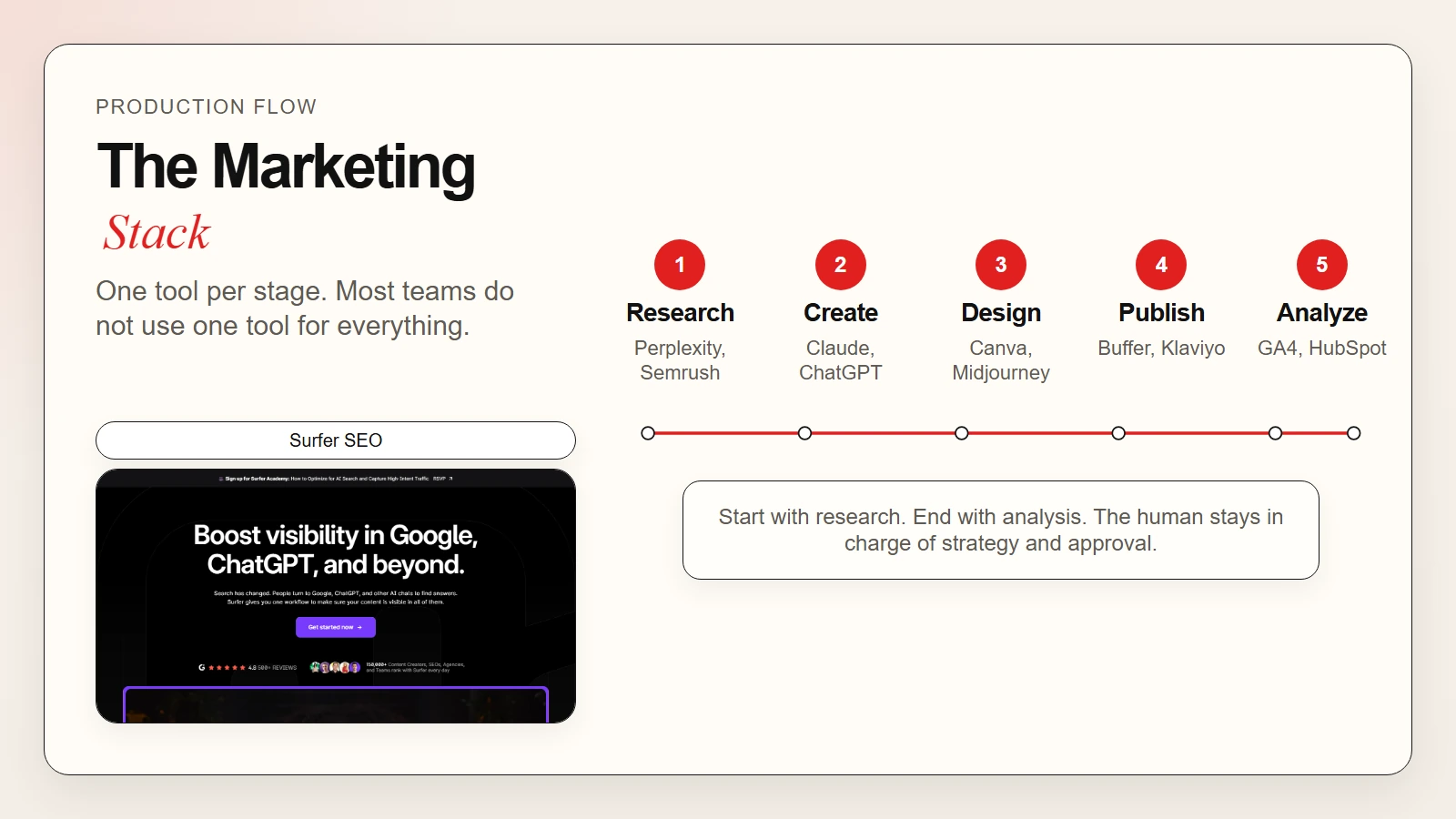 Caption: Most teams use one tool per stage, not one tool for everything.
A practical marketing AI stack
Research stage: Perplexity or Semrush for topic and keyword research
Content stage: Claude or ChatGPT for drafting; Surfer SEO for optimization
Design stage: Canva AI for social graphics; Midjourney or DALL-E for blog visuals
Publishing stage: Buffer or Hootsuite for social scheduling; Klaviyo or Mailchimp for email
Analysis stage: Google Analytics 4 for web metrics; HubSpot or Sprout Social for funnel and social metrics
Scenario: launching a product campaign
Here is how a team might use AI tools across a two-week product launch.
Week one:
- Use Perplexity to research competitor messaging and customer questions
- Use Surfer SEO to build a content brief for the launch landing page
- Use Claude to draft the landing page copy and email sequence
- Use Canva AI to create social post variations and ad creatives
Week two:
- Use Buffer to schedule the social campaign
- Use Klaviyo to send the launch email to segmented lists
- Use Google Analytics 4 to monitor traffic and conversion
- Use ChatGPT to draft a post-launch summary for stakeholders
Remember: AI drafts the first version. The marketer owns the strategy, the tone, and the final yes or no. For workflow discipline, see how to use AI workflows for research, notes, meetings, and planning.
 Caption: Match one tool to one bottleneck before building a full stack.
How to Choose Your First AI Marketing Tool
The easiest way to waste budget is to buy a tool before you know which task it should improve. Start with the task that slows you down every week.
Use this decision table
| If your biggest bottleneck is… | Start with… | Because… |
|---|---|---|
| Writing blog posts, ads, or emails | ChatGPT or Claude | Fast, flexible, and low cost to test |
| Creating social graphics at scale | Canva AI | Templates plus AI speed without a design hire |
| Generating original images | Midjourney or DALL-E | Best-in-class image generation for marketing visuals |
| SEO content optimization | Surfer SEO or Clearscope | Data-driven briefs that match current search results |
| Social media scheduling and analytics | Buffer or Sprout Social | Scheduling plus AI suggestions in one platform |
| Email segmentation and personalization | Klaviyo | Predictive features built for ecommerce email |
| Research and competitive scanning | Perplexity | Cited web search that speeds up topic prep |
Beginner checklist
- Pick one recurring task, not ten possible tasks
- Know what good output looks like before you test
- Commit to one week of real use before judging the tool
- Review every AI-generated piece before it ships
- Track time saved versus time spent editing
Common Mistakes Marketing Teams Make With AI
| Mistake | What goes wrong | Better move |
|---|---|---|
| Using AI for final copy without editing | Tone misses, facts slip, brand voice drifts | Treat AI output as a first draft |
| Chasing every new tool | Team learns nothing deeply | Pick three to five tools and master them |
| Ignoring copyright in AI images | Generated images may carry legal risk | Use Adobe Firefly or verify licensing terms |
| Skipping strategy for speed | Content volume rises, quality falls | Set editorial standards before scaling |
| Trusting AI analytics summaries blindly | AI can misattribute cause and effect | Cross-check with your own judgment |
FAQ
What are the best AI tools for marketing professionals?
The best AI tools for marketing professionals depend on the job. ChatGPT and Claude are strong for content. Canva AI, Midjourney, and DALL-E are strong for visuals. Surfer SEO and Clearscope are strong for SEO. Buffer and Sprout Social are strong for social media. Klaviyo and Mailchimp are strong for email.
Can AI replace marketing teams?
No. AI speeds up drafting, design, and analysis, but strategy, brand judgment, creative direction, and relationship management still need people. AI is an accelerator, not a replacement.
Are AI marketing tools worth the cost?
Most marketing teams see a return when they match the tool to a real bottleneck. Free tiers are usually enough to test. Paid tiers make sense when the time saved exceeds the subscription cost.
How do I keep AI-generated content on-brand?
Write a short brand-voice guide and include it in your prompts. Review every piece before publishing. Use the same human editor for consistency. Do not rely on default AI tone.
What is the safest way to start using AI in marketing?
Pick one recurring task, such as writing social captions or resizing images. Test one tool for one week. Review output carefully. Only expand your stack after the first task works.
Conclusion
The top AI tools for marketing professionals are not the ones with the most hype. They are the ones that match the jobs you do every week. Content teams need strong drafting and SEO tools. Social teams need fast design and scheduling. Email teams need segmentation and personalization. Analytics teams need summaries that point toward action.
Start small. Pick one task. Test one tool. Keep a human review step in place. That is how AI tool curiosity becomes real marketing momentum.