
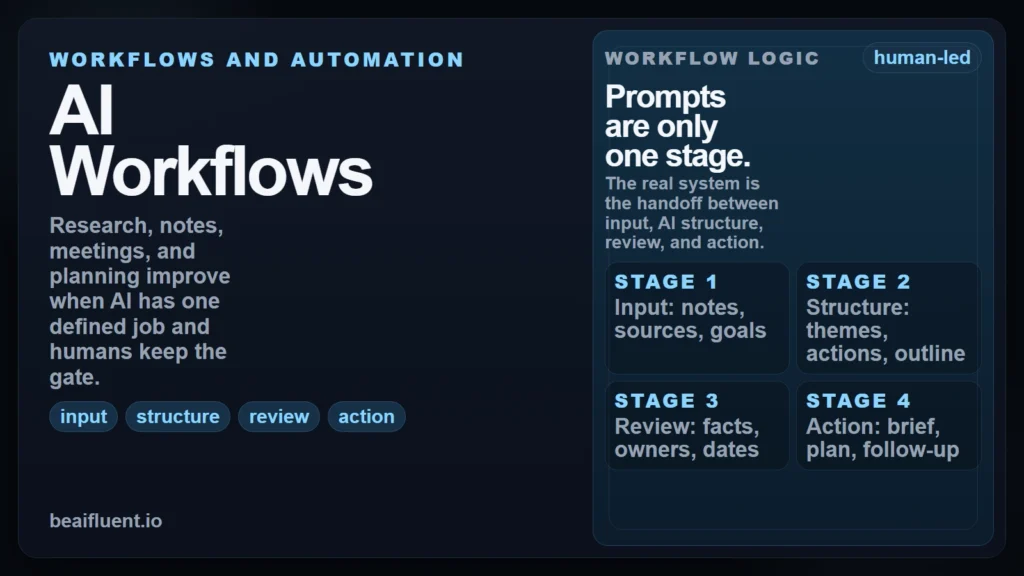
The best way to use AI workflows for research, notes, meetings, and planning is to stop thinking in one-off prompts and start thinking in repeatable stages: collect the right input, ask AI to structure it, review the result, and turn it into a clear next action. In its April 10, 2026 guide “Writing with ChatGPT”, OpenAI frames effective knowledge-work use as Plan -> Draft -> Revise -> Package and explicitly says the model works best when you provide context and constraints and treat the output as a draft to review, not a final authority. That aligns with NIST’s July 26, 2024 Generative AI Profile, which says trustworthiness considerations need to be built into the design, use, and evaluation of AI systems.
That is the real shift. A good workflow does not ask AI to “handle everything.” It gives AI a specific role inside a process that still has human judgment, verification, and ownership. This guide shows how to use AI workflows well across four common tasks: research, notes, meetings, and planning.
Key Takeaways
- AI workflows work best when they turn messy inputs into structured drafts, not when they replace review and decision-making.
- The core pattern is simple:
input -> structure -> review -> action. - Research, note-taking, meeting follow-up, and planning are strong AI use cases because they are information-heavy and format-sensitive.
- Clear instructions, context, and output constraints produce better results than vague “summarize this” prompts.
- The workflow becomes reliable only when you add review gates for facts, owners, dates, and next steps.
Table of Contents
- What an AI workflow actually is
- Where AI helps most across research, notes, meetings, and planning
- How to use AI workflows in 7 steps
- Worked example: from meeting notes to a weekly plan
- Four mini-workflows you can reuse
- Checklist: is your workflow reliable?
- Common workflow mistakes that lower quality
- FAQ
What an AI Workflow Actually Is
An AI workflow is a repeatable sequence for turning raw material into a usable result. The important word is not AI. It is workflow. If the process changes every time, the quality changes every time too.
For this site, the cleanest definition is: an AI workflow is a structured handoff between human context and model output. You decide the goal, the input, the constraints, and the review standard. The model helps with transformation, organization, draft generation, or extraction. Then a human approves what happens next.
At a broader level, this is part of AI fluency: not just knowing that AI can produce text, but knowing how to use it inside real work with good judgment.
| Stage | What happens | Good AI job | Human checkpoint |
|---|---|---|---|
| Input | You gather notes, sources, transcripts, or tasks | Normalize format and identify themes | Did you include the right material? |
| Structure | The model organizes information | Summarize, cluster, outline, extract actions | Is anything important missing or distorted? |
| Review | You test the output against reality | Flag ambiguity, missing fields, or contradictions | Are the facts, owners, and dates actually correct? |
| Action | The output becomes usable work | Draft a brief, checklist, summary, or plan | Is the final next step appropriate and responsible? |
If an AI output does not lead to a clear human review step, you do not have a real workflow yet. You have a polished guess.
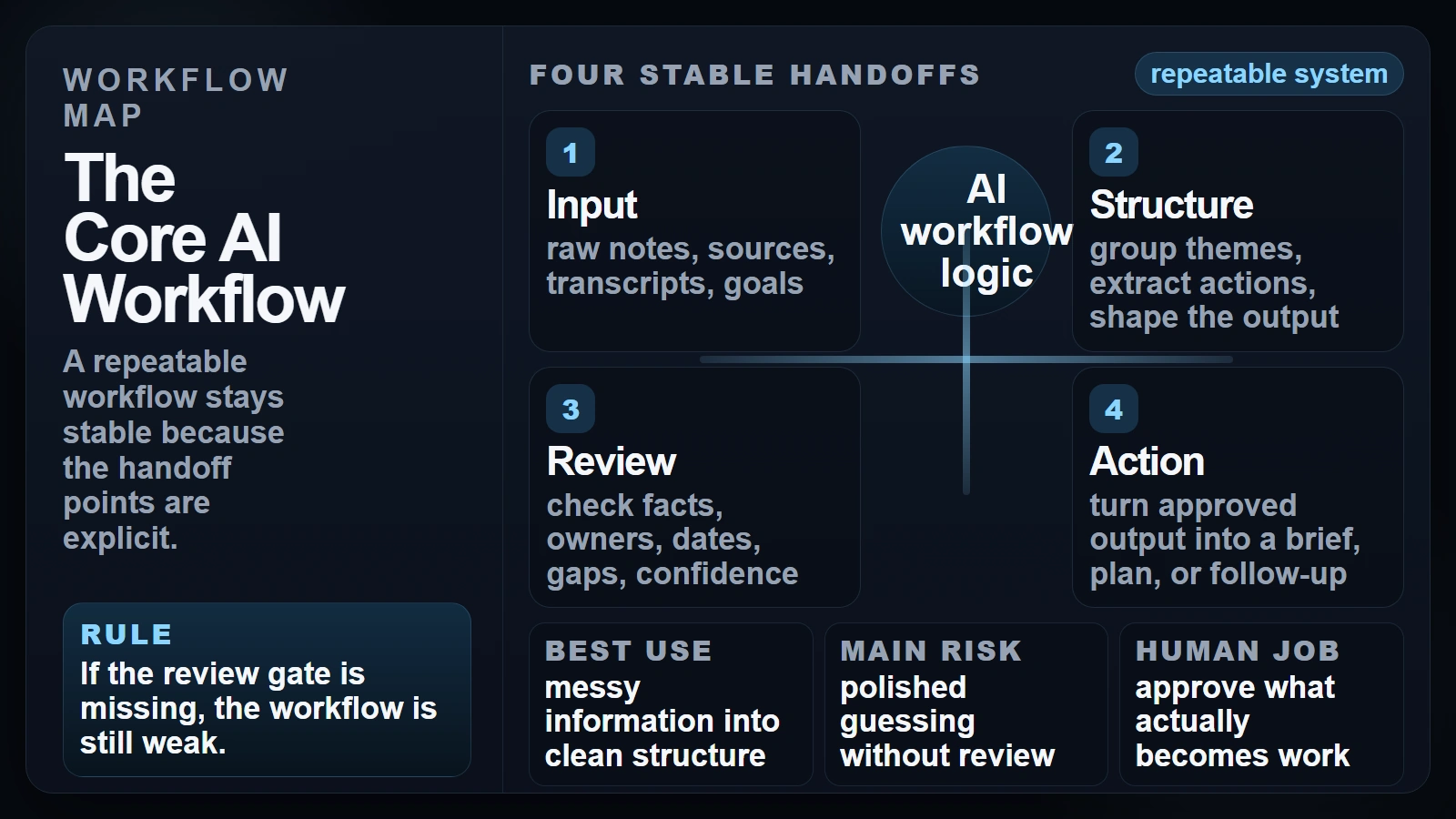 Caption: A repeatable workflow stays stable because the handoff points are explicit.
Where AI Helps Most Across Research, Notes, Meetings, and Planning
These four tasks respond well to AI because they are mostly about processing and communicating information. That pattern shows up in current research. A 2025 paper, “Working with AI: Measuring the Applicability of Generative AI to Occupations”, analyzed 200,000 anonymized Bing Copilot conversations and found that the most common and successful AI-assisted activities involved information work: creating, processing, and communicating information.
That does not mean all four tasks should be automated the same way. Each one has a different failure mode, so each one needs a different review gate.
| Task | Best input | Strong AI output | Keep the human in charge of |
|---|---|---|---|
| Research | Source-backed notes, excerpts, and a question | Theme map, summary, comparison points, missing questions | Source quality, factual accuracy, final interpretation |
| Notes | Rough bullets, transcript chunks, screenshots, highlights | Clean summary, grouped notes, glossary, key takeaways | What matters most and what should be ignored |
| Meetings | Agenda, transcript, rough notes, current deadlines | Decisions, action items, open questions, follow-up draft | Owners, deadlines, political nuance, commitments |
| Planning | Goals, constraints, task list, deadlines, dependencies | Prioritized plan, timeline, weekly schedule, draft brief | Tradeoffs, sequencing, staffing, final commitments |
If you are very early in the learning curve, How to Start Using AI as a Complete Beginner is the best companion read because it strips this down to one tool, one task, and one review rule.
The demand for this kind of workflow discipline is practical, not theoretical. In Microsoft’s April 2025 Work Trend Index, 53% of leaders said productivity must increase, while 80% of the global workforce said they lacked enough time or energy to do their work. That gap is exactly where structured AI assistance helps most: not by removing thinking, but by reducing low-value friction in information-heavy work.
How to Use AI Workflows in 7 Steps
The strongest AI workflows are simple enough to repeat and strict enough to trust. Anthropic’s prompt engineering guidance says Claude performs better when instructions are clear, explicit, and structured as sequential steps with defined output constraints (Anthropic). Google’s prompt design guide makes the same point from another angle: clear instructions, added context, and consistent examples improve output quality (Google).
1. Start with the output, not the model
Ask first: what should exist at the end of this workflow?
That might be:
- a one-page research brief
- a cleaned note set with key takeaways
- a meeting action table
- a weekly plan with priorities
The output decides the workflow. If you skip this step, the model will choose the format for you, and generic output is usually the result.
2. Separate source material from instructions
Keep three buckets apart: raw input, prompt instructions, and final output format.
For example:
- raw input: transcript, notes, links, screenshots
- instructions: what to extract, what to ignore, what not to invent
- output format: bullets, table, brief, checklist, timeline
This single habit prevents a lot of quality problems because it becomes easier to see what came from evidence and what came from model inference.
3. Add context and constraints before asking for a summary
Tell the model what job it is doing. Audience, deadline, level of detail, allowed assumptions, and banned behaviors matter more than clever phrasing.
Useful constraints include:
- “Do not invent owners or deadlines.”
- “If the source is unclear, label it as unknown.”
- “Return a table with
Task | Owner | Deadline | Dependency.” - “Use only the notes provided.”
This is where most weak workflows fail. They ask for a summary before they explain what a good summary looks like.
4. Ask for structure before polish
For research and planning, structure usually matters more than writing quality in the first pass. Ask AI to:
- group themes
- extract decisions
- surface open questions
- identify missing data
- propose a draft outline
OpenAI’s April 10, 2026 writing guide says longer pieces usually work better when you request a structure or outline first, then iterate with specific revision feedback instead of broad “make it better” requests (OpenAI).
5. Add a review gate for the task’s main risk
Every workflow needs one main question that a human must answer before the output moves forward.
- Research: are the claims supported by the sources?
- Notes: did the summary drop anything important?
- Meetings: are the owners and deadlines correct?
- Planning: does this schedule match real constraints?
If you are tempted to trust polished wording too quickly, Are AI Tools Accurate? is the right companion read. Smoothness is not proof.
6. Convert the output into action
An AI workflow should end with a usable artifact, not with “interesting text.”
Good action formats include:
- task table
- decision memo
- next-step checklist
- briefing note
- weekly plan
- follow-up email draft
This is the difference between summarization and workflow design. The first stops at compression. The second ends in execution.
7. Save the workflow and improve it after real use
The best AI workflows are not written once. They are revised after use.
After each run, ask:
- what field was often missing?
- what instruction was too vague?
- where did the model over-assume?
- what output format made review easiest?
Once those answers are clear, save the workflow as a reusable prompt or template. That is how one helpful chat becomes a repeatable system.
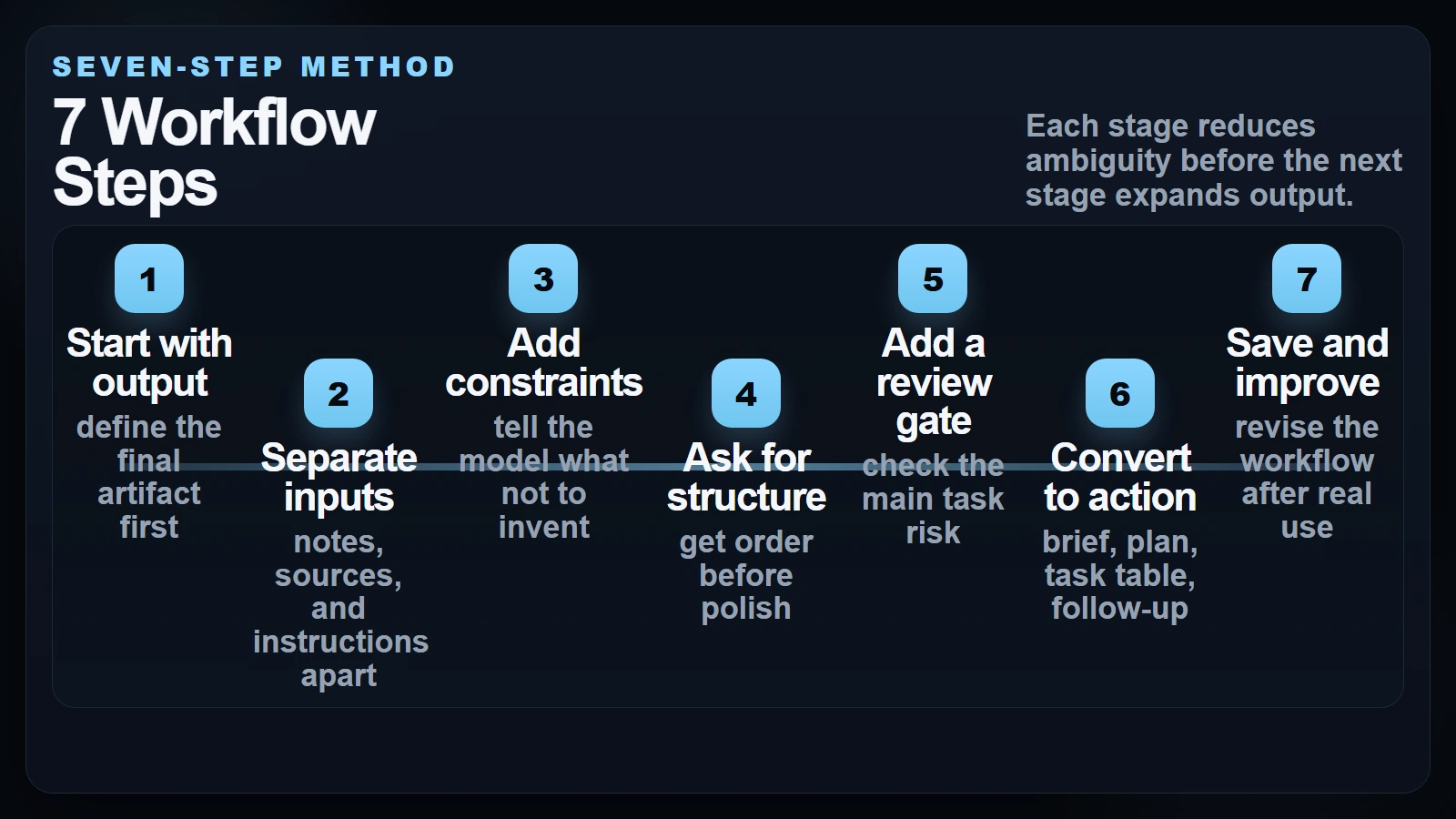 Caption: Each stage reduces ambiguity before the next stage expands output.
Worked Example: From Meeting Notes to a Weekly Plan
A concrete example makes the whole idea easier to see. Imagine you just finished a 45-minute project meeting. You have rough notes and maybe a transcript. What you actually need is not “a summary.” You need decisions, open questions, owners, and a plan for the week.
Here is a simple version of that workflow.
Step A. Collect the real meeting input
Include:
- agenda
- rough notes or transcript
- current deadline
- known project owners
- any existing task list
Do not ask AI to compensate for missing context you could have supplied directly.
Step B. Extract decisions and actions first
Use a prompt like this:
Using the meeting notes below, return:
1. decisions made
2. open questions
3. action items in this format: Task | Owner | Deadline | Dependency

Rules:
- use only the notes provided
- if an owner or deadline is missing, write "unassigned" or "date missing"
- do not invent commitments

Notes:
[paste]
That gives you a reviewable structure instead of a vague recap.
Never let the model assign ownership, deadline certainty, or stakeholder agreement unless those details are explicitly present in the notes.
Step C. Turn the action list into a weekly plan
Once the action table is reviewed, run a second prompt:
Turn this reviewed action list into a Monday-Friday work plan.

Return:
- top 3 priorities
- work that depends on other teams
- what should happen this week
- what should wait until next week

Constraints:
- do not change owners
- flag overloaded days
- keep the output realistic for one work week

Action list:
[paste reviewed table]
At this stage the model is no longer guessing about what happened in the meeting. It is working from a cleaned artifact you already approved.
Step D. Package the result for follow-through
Now the workflow can end in one of three formats:
| If you need… | Final AI-assisted output |
|---|---|
| Team alignment | follow-up email with decisions and next steps |
| Personal execution | weekly priority plan |
| Manager visibility | one-page status update with risks and blockers |
This is why good workflows often use AI twice: once to extract structure, and once to package approved information into a usable deliverable.
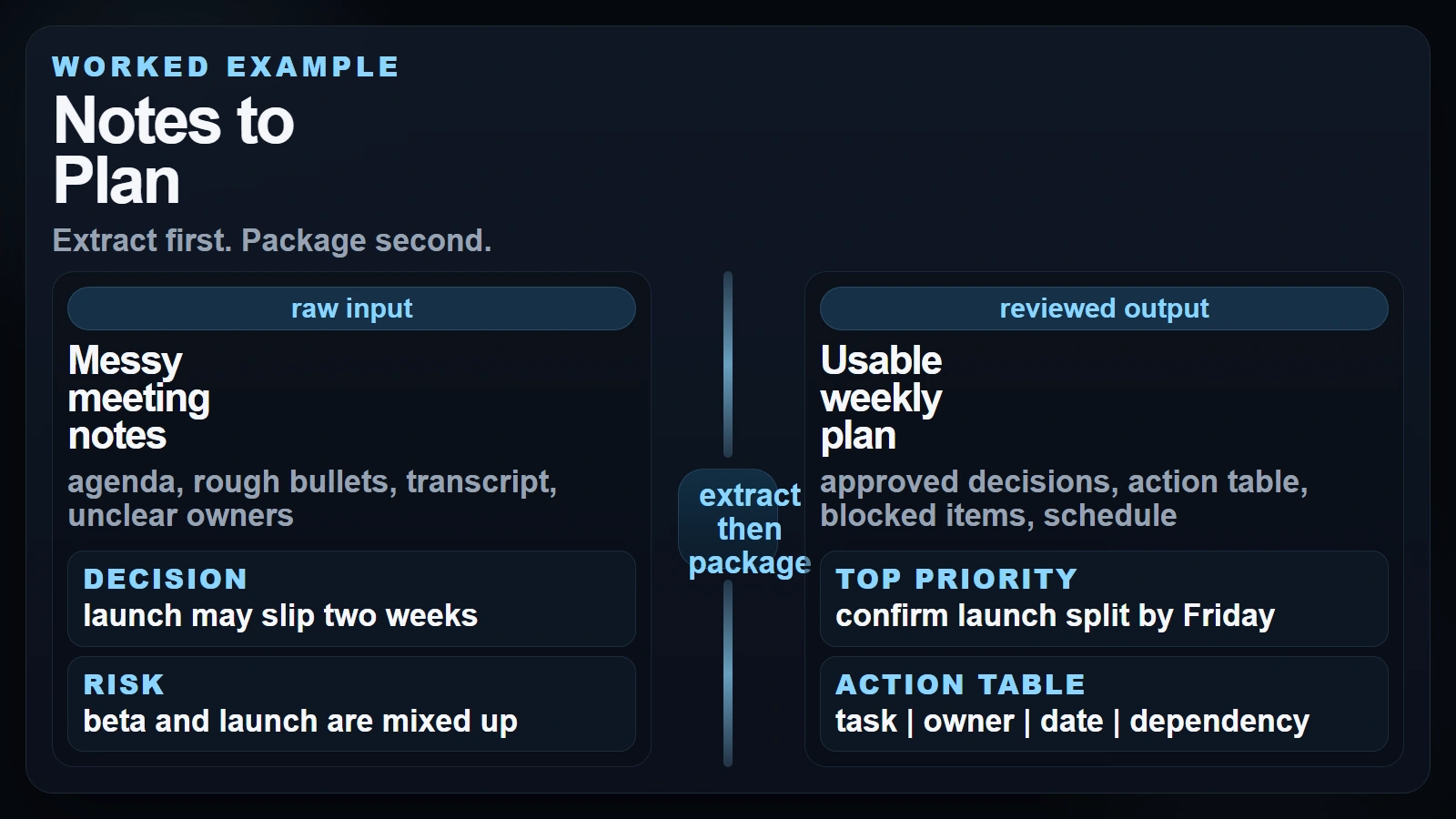 Caption: Extract first. Package second.
Four Mini-Workflows You Can Reuse
You do not need a giant system to get value. Most people only need a few strong patterns they can reuse every week.
Research workflow
Use this when you have several articles, notes, or source excerpts and need a usable summary without losing source control.
- Gather source-backed notes and keep each source clearly labeled.
- Ask AI to group themes, compare viewpoints, and surface missing questions.
- Verify claim-heavy lines against the original source before you reuse them.
If your source packet is long, chunking becomes important. Understanding what AI tokens are helps when long transcripts, PDFs, or research packets start pushing context limits.
Notes workflow
Use this when your notes are messy, personal, or half-finished and you need them to become usable later.
- Paste the notes and ask for grouped themes or topic buckets.
- Request
key points,questions, andnext stepsas separate sections. - Edit the result so your own emphasis stays visible.
This works especially well for lecture notes, reading notes, brainstorm sessions, and self-study logs.
Meeting workflow
Use this when the real goal is follow-up, not documentation.
Google’s current AI note-taking guidance for Google Meet says Gemini can capture real-time notes, action items, and key decisions, but it also recommends reviewing and editing AI-generated notes for accuracy. That is the right mental model even if you use another tool: let AI capture and structure, then let humans confirm.
A clean meeting workflow is:
- extract decisions and open questions
- turn actions into a reviewed task table
- draft the follow-up email only after the table is approved
Planning workflow
Use this when you already know the goals but need help sequencing work.
- Give AI your goals, deadlines, dependencies, and available time.
- Ask for a priority plan or weekly map, not just a task dump.
- Review tradeoffs manually before committing to the plan.
Planning is where AI can sound smart while still being unrealistic. It does not know your real calendar pressure, politics, or hidden dependencies unless you tell it.
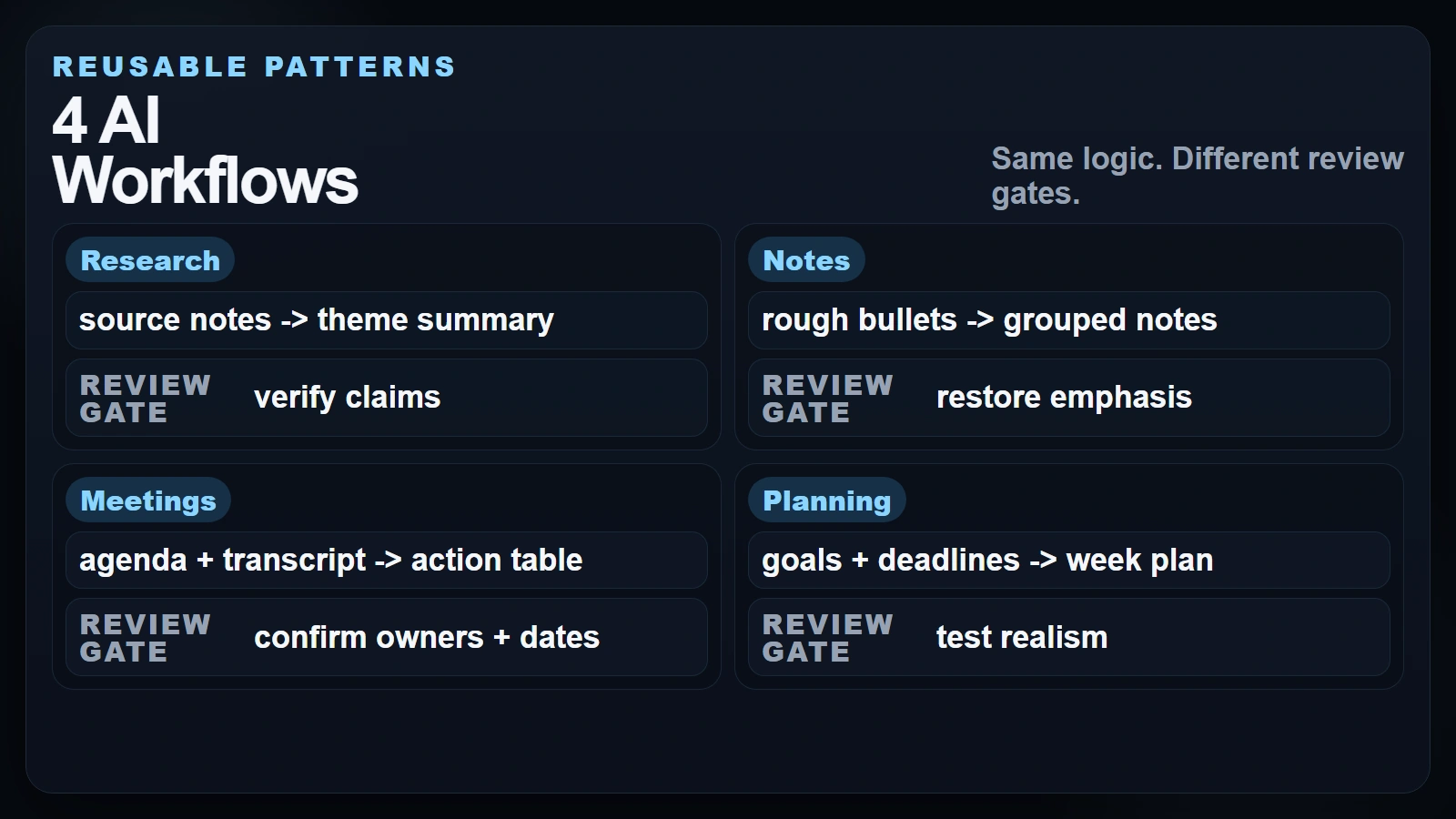 Caption: Same logic. Different review gates.
Checklist: Is Your Workflow Reliable?
Before you reuse an AI workflow, run this short reliability check.
- [ ] I know the exact output I want before I prompt.
- [ ] Raw notes or sources are separate from the instruction block.
- [ ] I told the model what it must not invent.
- [ ] The output format is explicit.
- [ ] Missing information is labeled, not guessed.
- [ ] A human checks facts, owners, dates, and commitments before sharing.
- [ ] The workflow ends in a usable action format such as a brief, table, checklist, or plan.
- [ ] I revised the workflow after seeing where it failed in real use.
If several boxes are unchecked, the system may still feel helpful, but it is not stable enough to trust under pressure.
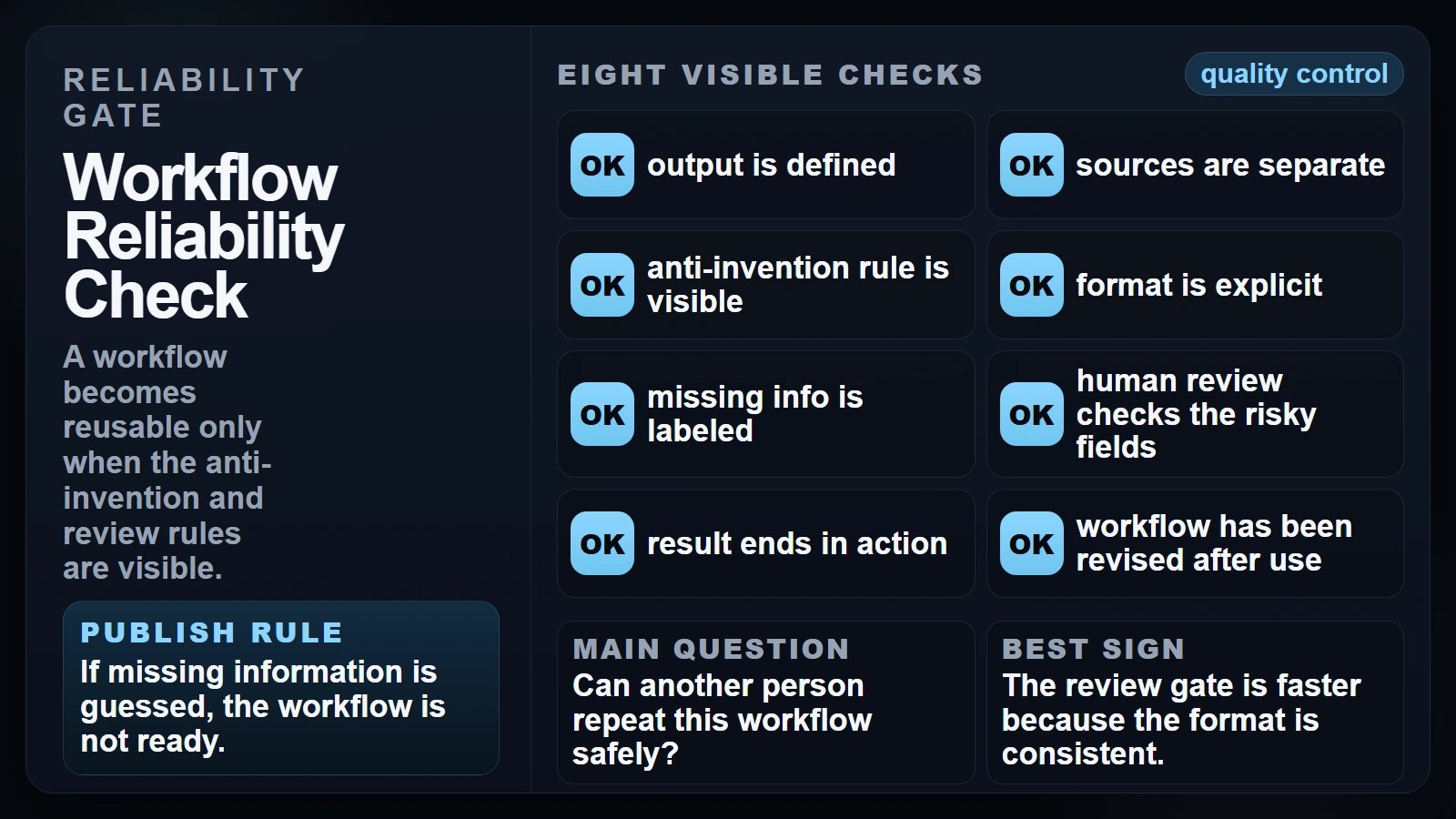 Caption: A workflow becomes reusable only when the anti-invention and review rules are visible.
Common Workflow Mistakes That Lower Quality
Most workflow failures are not model failures. They are process failures.
Letting AI define the task
If you start with “summarize this” and stop there, the model ends up choosing what matters. That is risky in research, meetings, and planning because the important detail is often the exact thing a generic summary compresses away.
Treating source-backed notes and model output as the same thing
Research notes, meeting transcripts, and generated text should not blend together into one undifferentiated block. Once that line disappears, verification gets harder and confidence becomes less earned.
Using one pass when the task really needs two
Many workflows improve sharply when you separate extraction from packaging. First get the decisions, actions, or themes. Then turn that reviewed material into a brief, email, memo, or weekly plan.
Skipping the realism check in planning
AI is very good at producing clean-looking plans. It is not automatically good at noticing that one person has twelve hours of work scheduled into a four-hour day, or that a dependency is politically blocked even if it looks simple on paper.
FAQ
What is an AI workflow in simple terms?
An AI workflow is a repeatable process that gives AI a specific job inside a larger task. Instead of one vague prompt, you move through clear stages such as input, structure, review, and action.
What are the best tasks for beginner AI workflows?
Research summaries, cleaned note sets, meeting follow-ups, and weekly planning are strong starting points because they are useful, easy to review, and naturally structured.
Should I automate my whole meeting summary process?
Usually no. It is fine to automate capture, extraction, and draft formatting. You should still review decisions, owners, deadlines, and politically sensitive wording before sending anything out.
How do I stop AI from making up details in notes or plans?
Use explicit constraints such as “use only the notes provided” and “if information is missing, label it as unknown.” Then review the fields where invented certainty would hurt most.
Is one prompt enough for a good workflow?
Sometimes, but two-stage workflows are often better. First extract structure from the raw material. Then use the reviewed output to create the final deliverable.
Conclusion
If you want to know how to use AI workflows well, the answer is not to ask bigger questions. It is to design better handoffs. Start with the output you need, separate raw material from instructions, add explicit review gates, and end in a concrete action.
That approach works especially well for research, notes, meetings, and planning because those tasks are already structured around turning messy information into decisions. AI helps with the transformation step. Humans still own the standard.
If you want the simplest everyday version of this mindset, How Can a Regular Person Use AI? is a good next read.
Sources
- OpenAI Academy: Writing with ChatGPT
- Anthropic Prompt Engineering: Be Clear and Direct
- Google Gemini API: Prompt Design Strategies
- NIST AI 600-1: Generative AI Profile
- Microsoft Work Trend Index 2025: The Year the Frontier Firm Is Born
- Working with AI: Measuring the Applicability of Generative AI to Occupations
- Google Workspace: AI Note Taking