
Social media management in 2026 is no longer about logging into five platforms and posting manually. AI tools now handle scheduling across channels, generate captions and visuals, and surface analytics that tell you what actually works. The best platforms combine all three functions — scheduling, writing, and analytics — into a single workflow.
In this guide, we compare the top AI social media tools: Buffer, Hootsuite, Sprout Social, Later, and AI-first platforms like Ocoya and Apaya. We cover what each tool does best, how much it costs, and which one fits your team size and workflow.
Key Takeaways
- Buffer is the best budget option for solopreneurs and small teams who need simple scheduling with AI-assisted captions.
- Hootsuite excels at enterprise multi-account management and social listening via Talkwalker integration.
- Sprout Social leads on analytics depth, sentiment analysis, and CRM integration — at a premium price.
- Later is the top choice for visual-first brands focused on Instagram, TikTok, and Pinterest.
- AI-first platforms like Ocoya and Apaya generate full posts including graphics, but require more oversight for brand voice.
What to Look for in an AI Social Media Tool
Before choosing a platform, define your actual workflow. A solo creator has different needs than a mid-sized agency or an enterprise brand team.
Here are the features that matter most:
- Cross-platform scheduling. Check which networks are supported. All major tools cover Facebook, Instagram, X, LinkedIn, and TikTok. Pinterest and YouTube support varies.
- AI content generation. Some tools rewrite captions. Others generate full posts with images. Know the difference.
- Analytics and reporting. Look for engagement tracking, optimal posting time suggestions, and exportable reports.
- Social listening. Monitoring brand mentions, competitor activity, and trending topics requires dedicated tools or higher-tier plans.
- Team collaboration. Approval workflows, user roles, and client management become critical as teams grow.
Additionally, consider pricing structure. Buffer charges per channel. Sprout Social charges per seat. Hootsuite hides enterprise pricing behind sales calls. Match the pricing model to your actual usage pattern.
The Top 5 AI Social Media Tools Compared
1. Buffer — Best Budget Scheduling with AI Captions
Buffer built its reputation on simplicity. It is a scheduler first, with AI features that assist rather than replace human judgment. The AI Assistant generates caption variations, rephrases text in different tones, and suggests hashtags.
Why it stands out:
- Clean, intuitive interface with minimal learning curve.
- AI Assistant generates caption drafts and rewrites existing text.
- Optimal posting time suggestions per channel based on historical data.
- Engagement prediction indicators that flag posts likely to perform well.
- Charges per channel, not per user, making it affordable for small teams.
Pricing: Free plan covers 3 channels with 10 scheduled posts each. Essentials at $6 per month per channel. Team at $12 per month per channel.
Best for: Freelancers, creators, and small businesses that already produce their own content and need a reliable, affordable publishing pipeline.
Limitation: AI writing is basic compared to dedicated content platforms. Buffer will not generate full posts from scratch with brand voice consistency.
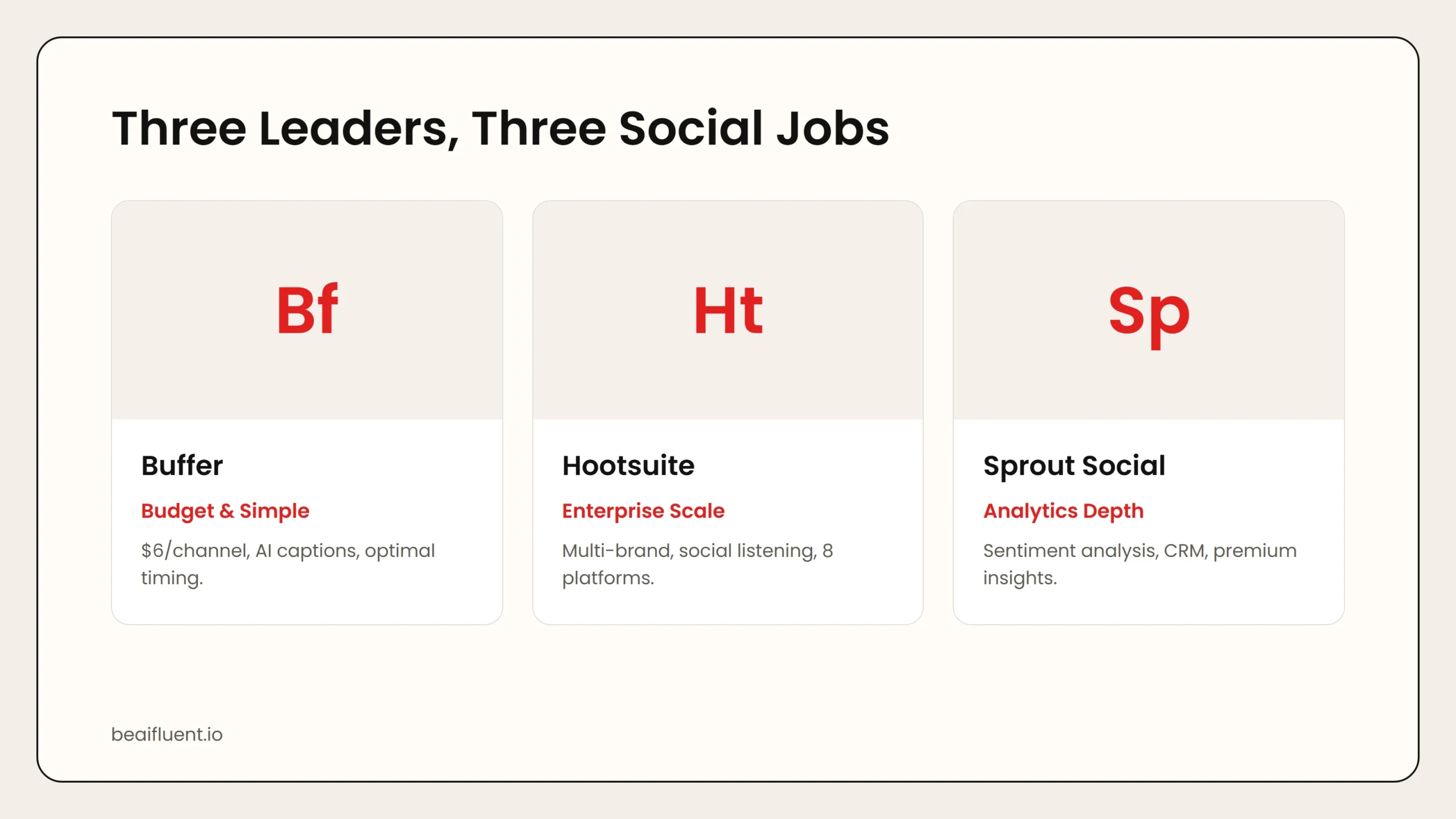 Caption: Buffer wins on simplicity and price. Hootsuite dominates enterprise scale. Sprout Social leads on analytics depth and CRM integration.
2. Hootsuite — Best for Enterprise Multi-Account Management
Hootsuite is the most comprehensive platform for teams managing many profiles across multiple brands. It includes advanced scheduling, comprehensive analytics, team collaboration features, and social listening via its OwlyGPT AI and Talkwalker integration.
Why it stands out:
- Supports the broadest range of social platforms.
- Enterprise approval workflows and role-based permissions.
- Social listening via Talkwalker integration.
- OwlyGPT AI for content suggestions and engagement insights.
- White-label reporting available on Enterprise plans.
Pricing: Professional starts at $99 per month. Team at $249 per month. Enterprise pricing requires a sales call, with annual contracts typically starting above $1,000 per month.
Best for: Teams managing 20 or more profiles, agencies with multiple clients, and organizations that need compliance and audit trails.
Limitation: The interface is more complex than Buffer. Solo operators and small teams often pay for features they never use.
3. Sprout Social — Best for Analytics and Sentiment Analysis
Sprout Social combines scheduling, social listening, CRM, and analytics in one premium platform. Its AI layer analyzes conversation sentiment, identifies emerging trends, and surfaces actionable insights from engagement data.
Why it stands out:
- AI-powered sentiment analysis across all social conversations.
- Automated insight summaries that highlight trends and anomalies.
- Smart inbox prioritization based on message urgency and influence.
- CRM integration with Salesforce and HubSpot.
- Best-in-class mobile app for managing social on the go.
Pricing: Standard starts at $249 per seat per month. Professional at $399 per seat. Advanced at $499 per seat. No free plan.
Best for: Mid-market and enterprise marketing teams that need to tie social media performance to business outcomes, and organizations requiring compliance and CRM integration.
Limitation: The most expensive tool on this list by a significant margin. Content creation AI is less developed than scheduling and analytics AI.
4. Later — Best for Visual-First Brands
Later is focused primarily on visual content and has become the go-to tool for Instagram, TikTok, and Pinterest-heavy brands. Its visual calendar makes planning content grids intuitive, and it includes a link-in-bio page builder.
Why it stands out:
- Visual content calendar optimized for Instagram grid planning.
- Link-in-bio page builder for driving traffic from profiles.
- AI caption writer optimized for visual platforms.
- Strong TikTok and Reels scheduling with auto-publish.
Pricing: Free tier available. Starter at $16.67 per month. Growth at $50 per month. Scale at $133.33 per month.
Best for: Lifestyle brands, food businesses, fashion labels, and anyone with a strong visual content strategy.
5. Ocoya — Best AI-First All-in-One Platform
Ocoya is built around AI from the ground up. It generates captions, creates graphics, and schedules posts across platforms. Unlike traditional schedulers that bolted on AI features, Ocoya was designed for businesses that want automation at every step.
Why it stands out:
- AI generates full posts including text and suggested visuals.
- Built-in AI image generation and template library.
- E-commerce integration for product-focused social posts.
- AI learns brand voice over time for more consistent output.
Pricing: Bronze starts at $15 per month. Silver at $39 per month. Gold at $79 per month. Diamond at $159 per month.
Best for: Small businesses and e-commerce brands that want to reduce the time from product update to social post.
Limitation: AI-generated content requires human review for brand accuracy and cultural sensitivity. The learning curve for brand voice training takes time.
Side-by-Side Comparison
| Tool | Free Tier | Starting Price | Best For | AI Strength |
|---|---|---|---|---|
| Buffer | 3 channels, 10 posts | $6/channel/mo | Small teams, budget focus | Caption rewriting, optimal timing |
| Hootsuite | 30-day trial | $99/mo | Enterprise, multi-brand | Social listening, OwlyGPT |
| Sprout Social | 30-day trial | $249/seat/mo | Analytics-driven teams | Sentiment analysis, CRM integration |
| Later | 1 social set | $16.67/mo | Visual-first brands | Visual calendar, link-in-bio |
| Ocoya | Limited trial | $15/mo | AI-first automation | Full post generation, brand voice |
Use this table to match your budget and workflow. If you are solo and bootstrapped, start with Buffer. If analytics drive your strategy, evaluate Sprout Social. If visuals are your primary format, test Later.
How to Choose the Right Tool for Your Use Case
Different users need different capabilities. Here is a practical matching guide:
- Solo creator or freelancer → Buffer Free or Essentials ($6/channel). Simple, affordable, covers the basics.
- Small business with visual products → Later Starter or Growth. The visual calendar and link-in-bio drive real traffic.
- Agency managing multiple clients → Hootsuite Team or Sprout Social Professional. White-label reports and multi-account management justify the cost.
- Enterprise with compliance needs → Sprout Social Advanced or Hootsuite Enterprise. Audit trails, CRM integration, and governance features are non-negotiable.
- E-commerce brand wanting automation → Ocoya Silver or Gold. AI-generated product posts scale with your catalog.
Tip: Start with free trials. Buffer and Later have genuinely useful free tiers. Sprout Social and Hootsuite offer 30-day trials. Test your actual workflow before committing to annual contracts.
A Simple Workflow for AI-Powered Social Media Management
Follow these steps to integrate AI into your social media workflow without losing authenticity:
- Plan your content calendar. Use AI to suggest topics based on trending conversations in your industry.
- Draft with AI, edit with judgment. Let AI generate caption variations, then edit for brand voice and specificity.
- Schedule for optimal times. Use the AI-suggested posting times, but verify against your own historical data.
- Monitor engagement with AI assistance. Let smart inbox features prioritize urgent messages, but respond personally.
- Review analytics weekly. Use AI-generated insight summaries to spot trends, then make human decisions about strategy.
- Disclose AI assistance. Research shows 91 percent of consumers expect transparency about AI use in marketing.
Warning: AI handles repetitive tasks well, but strategy, brand voice, crisis management, and authentic community engagement still require human judgment. Posting unlabeled AI content is the number one social media turn-off among users.
Common Mistakes to Avoid
Even with powerful tools, users make predictable errors:
- Trusting AI captions without editing. AI-generated text often sounds generic. Always add brand-specific details and tone.
- Over-automating engagement. Auto-replies and AI-generated comments alienate audiences. Use AI for triage, not conversation.
- Ignoring platform-specific formats. A caption that works on LinkedIn will fail on TikTok. Adapt content per platform, even when scheduling in bulk.
- Paying for unused enterprise features. A solo operator on Sprout Social wastes $200 per month. Match the tool to the team.
- Neglecting analytics review. Scheduling tools make posting easy, but without weekly analytics review, you are posting into the void.
Frequently Asked Questions
Can AI completely automate social media marketing?
Not effectively. AI handles scheduling, basic content generation, and performance tracking. But strategy, brand voice, crisis management, and authentic community engagement still require human judgment.
How much do AI social media tools cost?
Pricing ranges from free (Buffer, Later) to $6 per channel per month (Buffer Essentials) to $249 per seat per month (Sprout Social Standard). Enterprise platforms like Hootsuite can exceed $1,000 per month.
Which tool has the best AI for writing captions?
Ocoya and Apaya generate full posts including graphics. Buffer and Sprout Social offer caption rewriting and variation generation. For the most natural-sounding AI text, pair any scheduler with a dedicated AI writing tool.
Do I need to disclose AI-generated social media content?
Consumer expectations increasingly demand transparency. Many brands now add subtle disclosures or “AI-assisted” labels to maintain trust.
Which social platforms have the best AI tool support?
Facebook, Instagram, LinkedIn, and X receive the most robust AI tool integration. TikTok support is growing. Pinterest and emerging platforms often have limited features.
Sources
- Buffer pricing and features
- Hootsuite plans and pricing
- Sprout Social pricing
- Later pricing
- Ocoya pricing
- Apaya AI social media tools
If you want to improve your AI writing workflow for social captions, our guide on AI prompts for everyday work covers first-draft techniques. For broader automation workflows, see how to use AI workflows for research, notes, meetings, and planning.