
Finance teams spend too much time copying data between spreadsheets, checking formulas for errors, and manually building reports that are outdated before they are shared. AI finance tools change that equation. They connect directly to your ERP and accounting systems, automate data consolidation, and use machine learning to spot trends and anomalies humans might miss.
In this guide, we compare the top AI finance tools: Datarails, Cube, Vena, and Planful. We cover what each platform does best, how much it costs, and which one fits your team size and complexity.
Key Takeaways
- Datarails is the best Excel-native platform for mid-market teams that want to keep their spreadsheets while automating consolidation.
- Cube offers the fastest implementation and transparent pricing, making it ideal for teams that need results in weeks, not months.
- Vena is the top choice for Microsoft-centric organizations that want deep Excel and Dynamics 365 integration.
- Planful serves large enterprises with complex multi-entity consolidation and regulatory reporting requirements.
- AI features across all platforms include automated variance analysis, anomaly detection, and machine-learning-based forecasting.
What to Look for in an AI Finance Tool
Before choosing a platform, assess your current workflow pain points. Teams drowning in manual Excel consolidation need different solutions than teams struggling with multi-currency forecasting.
Here are the features that matter most:
- ERP integration. The tool must connect cleanly to your accounting system, whether that is NetSuite, Sage Intacct, QuickBooks, or Microsoft Dynamics.
- Excel compatibility. Many finance teams want to keep working in Excel while adding automation. Not all tools support this equally.
- AI forecasting capabilities. Machine learning models can improve forecast accuracy by identifying patterns in historical data.
- Collaboration and workflow. Multi-user input, approval chains, and version control prevent the chaos of emailed spreadsheet attachments.
- Implementation timeline and cost. Enterprise FP&A tools can take 3 to 6 months to deploy. Factor implementation fees into total cost.
Additionally, consider the pricing model. Some platforms charge per user. Others include unlimited users but limit integrations. Transparent pricing is rare in this category — most vendors require custom quotes.
The Top 4 AI Finance Tools Compared
1. Datarails — Best Excel-Native FP&A for Mid-Market
Datarails is built for finance teams that live in Excel. It preserves your existing spreadsheets while automating data consolidation, reporting, and variance analysis. The AI layer answers management questions about financial scenarios in seconds.
Why it stands out:
- Native Excel interface with cloud data storage and automated consolidation.
- AI-powered forecasting with machine learning models.
- Automated variance analysis and commentary generation.
- Anomaly detection and real-time alerting.
- Implementation typically faster than enterprise EPM solutions.
Pricing: Custom quotes based on tier and user count. FP&A Professional starts around $6,000 to $24,000 per year for 2 users. FP&A Premium at $24,000 to $96,000 per year for 5 users. FP&A Expert at $96,000 to $300,000-plus per year for 15 users. Total first-year costs typically reach 2 to 3 times the base subscription after implementation and training.
Best for: Mid-market companies with 100 to 250 employees that use Excel heavily and want AI-driven insights without abandoning their workflows.
Limitation: Designed for small to mid-sized businesses, not large enterprises with complex global consolidation needs.
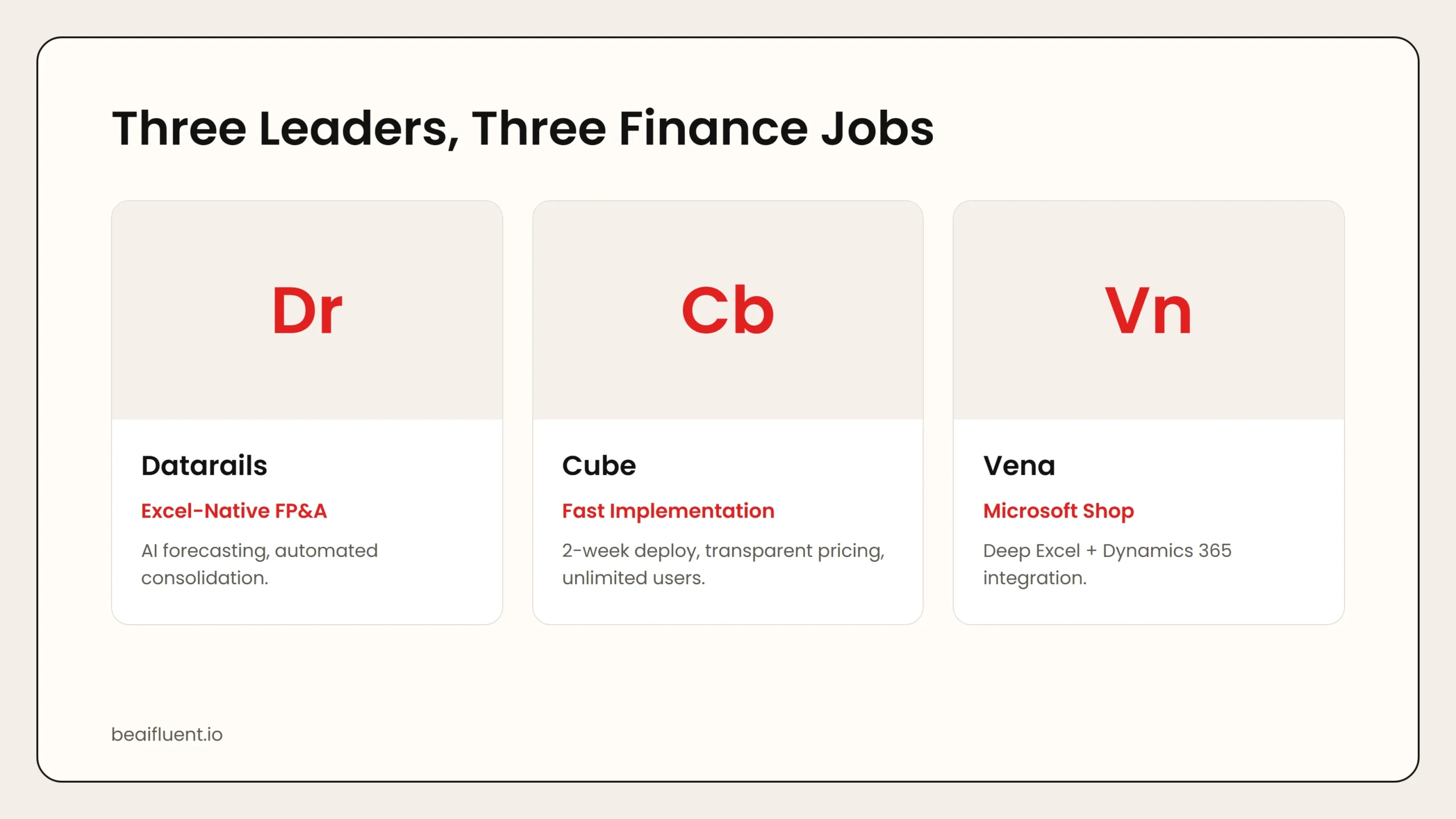 Caption: Datarails preserves Excel workflows with AI automation. Cube delivers the fastest implementation with transparent pricing. Vena dominates Microsoft-centric environments.
2. Cube — Best for Fast Implementation and Transparent Pricing
Cube offers a compelling alternative for mid-market companies prioritizing speed and pricing clarity. It connects to ERPs and spreadsheets, providing centralized data with a deployment timeline measured in weeks rather than months.
Why it stands out:
- Transparent published pricing rather than custom quotes.
- Unlimited users on all plans.
- Implementation claimed at 2 weeks versus 3 to 6 months for competitors.
- Works with both Excel and Google Sheets.
- Strong multi-entity support for growing companies.
Pricing: Starts around $38,400 per year with unlimited users.
Best for: Companies that want to move fast, avoid opaque pricing, and need a tool that finance teams can adopt without IT dependency.
Limitation: Less mature AI forecasting capabilities compared to Datarails. Better for reporting and consolidation than predictive analytics.
3. Vena — Best for Microsoft-Centric Organizations
Vena is a financial planning and analysis platform that centralizes budgeting, forecasting, reporting, and consolidation within an Excel-connected interface. It is ranked as the most usable CPM platform in 2026 for teams standardized on Microsoft.
Why it stands out:
- Deep Excel and Microsoft Dynamics 365 integration.
- Defined workflows for task assignment, input collection, and audit trails.
- What-if modeling and statistical analysis for scenario planning.
- Graphical data presentation and simulation tools.
- Strong security templates and version control.
Pricing: Custom quotes. Third-party sources indicate starting prices around $5,000 per month, with first-year costs typically exceeding $60,000 including implementation.
Best for: Microsoft-centric organizations with deep Excel integration needs where user adoption is a top priority.
Limitation: Complex report writing can frustrate users. Mac users may experience performance slowdowns. Higher cost than competitors for comparable functionality.
4. Planful — Best for Enterprise Multi-Entity Consolidation
Planful provides end-to-end financial performance management for large companies. It handles budgeting, forecasting, close process automation, and reporting with AI-powered insights through Planful Predict.
Why it stands out:
- Planful Predict generates AI insights with real-time, data-driven recommendations.
- Automated financial close reconciliations.
- Multi-entity consolidation for complex organizational structures.
- Workforce planning that aligns staffing with business goals.
- Cash flow forecasting based on customizable drivers.
Pricing: Custom quotes. No published pricing. Typically positioned for mid-market to enterprise.
Best for: Large enterprises with 10 or more entities, complex regulatory requirements, and the need for unified financial planning across departments.
Limitation: Implementation requires longer setup and often multi-year contracts. Support has historically received mixed reviews, though improvements are reported.
Side-by-Side Comparison
| Tool | Starting Price | Users | Best For | Excel Approach |
|---|---|---|---|---|
| Datarails | $6K–$24K/year | 2–15 | Mid-market, AI-first FP&A | Native Excel with cloud storage |
| Cube | ~$38K/year | Unlimited | Fast implementation, transparent pricing | Excel + Google Sheets |
| Vena | $60K+ first year | Custom | Microsoft-centric organizations | Deep Excel + Dynamics 365 |
| Planful | Custom quote | Custom | Enterprise multi-entity consolidation | Platform-first, Excel secondary |
Use this table to narrow your search. If you are a mid-market Excel team, start with Datarails or Cube. If you are a Microsoft shop, evaluate Vena. If you are a large enterprise, compare Planful against Anaplan and OneStream.
How to Choose the Right Tool for Your Use Case
Different organizations need different capabilities. Here is a practical matching guide:
- Small finance team (2–3 people) on Excel → Datarails FP&A Professional. Preserves existing workflows while adding automation.
- Growing company needing fast deployment → Cube. Two-week implementation and unlimited users reduce time to value.
- Microsoft shop with Dynamics 365 → Vena. The integration depth justifies the premium for organizations deeply invested in the Microsoft ecosystem.
- Enterprise with complex consolidation → Planful or Anaplan. Multi-entity support and regulatory compliance features are non-negotiable.
- Budget-conscious team wanting AI forecasting → Datarails Premium. The AI suite adds machine learning forecasting at a lower total cost than enterprise alternatives.
Tip: Request demos from at least two vendors. Most FP&A tools require custom quotes, so use the evaluation process to negotiate implementation caps and price protection for multi-year agreements.
A Simple Workflow for AI-Powered Financial Reporting
Follow these steps to integrate AI into your finance workflow without disrupting month-end close:
- Map your data sources. Identify which ERP, CRM, and spreadsheet data feeds into your reports.
- Connect integrations. Set up automated data pulls from your primary systems to eliminate manual copying.
- Build automated reports. Use the platform’s report builder to create standardized monthly and quarterly packages.
- Enable AI forecasting. Train machine learning models on 12 to 24 months of historical data for baseline predictions.
- Set anomaly alerts. Configure real-time notifications for variances exceeding your defined thresholds.
- Review and refine monthly. AI improves with feedback. Adjust forecast assumptions and report layouts based on user input.
Warning: AI finance tools reduce manual work but do not eliminate the need for financial judgment. Always review AI-generated forecasts and variance explanations before presenting to leadership. Machine learning models can miss structural changes in the business that historical data does not capture.
Common Mistakes to Avoid
Even with powerful platforms, finance teams make predictable errors:
- Underestimating implementation costs. First-year costs typically run 2 to 3 times the base subscription. Budget for implementation, training, and integration work.
- Skipping data quality cleanup. AI models are only as good as the data they learn from. Clean your historical data before training forecasts.
- Over-customizing reports. Highly customized reports are harder to maintain. Start with standard templates and customize only where necessary.
- Ignoring user adoption. The best tool is worthless if the team keeps working in standalone spreadsheets. Invest in training.
- Trusting AI forecasts blindly. Machine learning identifies patterns, not causal relationships. Always apply business context to AI predictions.
Frequently Asked Questions
How much do AI finance tools cost?
Pricing ranges from approximately $6,000 per year for small-team solutions like Datarails Professional to $60,000 or more for first-year enterprise deployments like Vena. Most vendors use custom quotes based on user count, integrations, and modules.
Can AI replace financial analysts?
No. AI automates data consolidation, report generation, and pattern detection. Financial analysts still provide strategic judgment, scenario modeling, and business context that AI cannot replicate.
How long does implementation take?
Cube claims 2-week deployments. Datarails typically requires 3 to 6 months. Vena averages around 5 months. Enterprise platforms like Planful can take 6 to 12 months for full deployment.
Do these tools work with QuickBooks or Xero?
Most mid-market tools integrate with NetSuite, Sage Intacct, and QuickBooks Online. Enterprise platforms typically focus on larger ERPs. Verify your specific accounting system integration before purchasing.
Which tool has the best AI forecasting?
Datarails and Planful lead on AI-powered forecasting with machine learning models. Cube focuses more on reporting and consolidation than predictive analytics. Vena offers scenario modeling but less mature ML forecasting.
Sources
If you want to understand AI reliability before applying it to financial decisions, our guide on are AI tools accurate covers how to evaluate AI outputs. For free tools to start with, see best free AI tools.