
Design used to require years of training in color theory, typography, and composition. In 2026, AI design tools let anyone create professional visuals in minutes. The best platforms do not just generate images. They enforce brand consistency, suggest layouts, remove backgrounds, and resize assets for every platform automatically.
In this guide, we compare the top AI design tools for non-designers: Canva AI, Adobe Firefly, Figma AI, Looka, and Microsoft Designer. We cover what each tool does best, how much it costs, and which one fits your workflow.
Key Takeaways
- Canva AI is the best all-in-one design platform for non-designers creating marketing assets, social posts, and presentations.
- Adobe Firefly is the safest choice for commercial work thanks to IP indemnification and integration with Photoshop and Illustrator.
- Figma AI now serves non-designers through Figma Make and Figma Buzz for rapid prototyping and branded asset generation.
- Looka generates complete brand kits including logos, business cards, and social profiles from a single prompt.
- Microsoft Designer is the best free option for quick social graphics powered by DALL-E 3.
What to Look for in an AI Design Tool
Before choosing a tool, identify what you actually need to create. A founder launching a brand has different needs than a marketer producing weekly social content.
Here are the features that matter most:
- Template library and customization. Pre-built templates speed up workflow, but flexibility matters for brand differentiation.
- AI image generation quality. Tools vary significantly in artistic quality, text rendering accuracy, and commercial safety.
- Brand kit enforcement. Consistent colors, fonts, and logos across all outputs prevent off-brand content.
- Format coverage. Social posts, presentations, print materials, and video require different export formats and dimensions.
- Commercial rights and IP safety. Some AI-generated images carry copyright risk. Commercially safe tools offer indemnification.
Additionally, consider the learning curve. Canva and Microsoft Designer prioritize accessibility. Figma and Adobe tools offer more power but require more time to master.
The Top 5 AI Design Tools Compared
1. Canva AI — Best All-in-One Design Platform
Canva is the most accessible AI design platform available. Its Magic Studio suite includes AI image generation, background removal, Magic Eraser, Magic Expand, and Magic Design, which generates complete layouts from text prompts. The constraint is a feature: Canva’s layout system prevents the spacing and alignment errors that produce unprofessional output from untrained hands.
Why it stands out:
- Magic Design generates presentations, social templates, and documents from prompts in seconds.
- Brand Kit enforces consistent colors, fonts, and logos across all team outputs.
- 140 million-plus templates across every design format.
- Real-time team collaboration with shared Brand Kits.
- Covers every content format from social media to print in one subscription.
Pricing: Free plan with core templates and limited Magic Studio credits. Pro at $15 per month. Teams at $10 per user per month with a 3-user minimum.
Best for: Marketing teams, content creators, and small businesses that need to produce professional visuals across every format without hiring a designer.
Limitation: AI image generation quality is below dedicated generators like Midjourney for complex or highly artistic imagery. The 500 shared AI credits per month on Pro can deplete for high-volume generation.
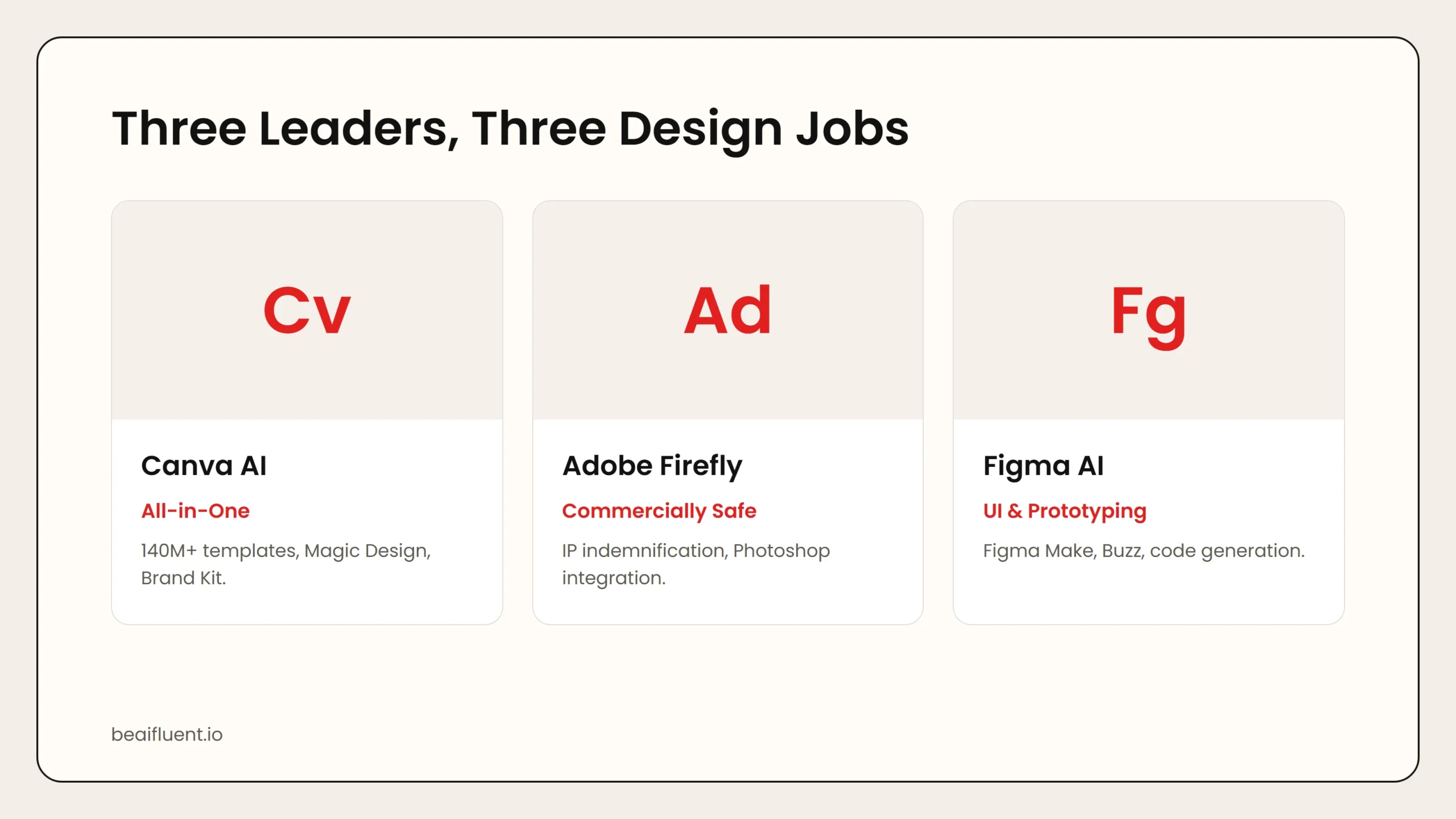 Caption: Canva dominates all-in-one visual production. Adobe Firefly wins on commercial safety and creative suite integration. Figma AI serves product teams and rapid prototyping.
2. Adobe Firefly — Best for Commercially Safe AI Generation
Adobe Firefly matters because every image it generates is designed to be commercially safe. Use them in ads, on products, and in client work without copyright worries. Firefly integrates directly into Photoshop, Illustrator, and Adobe Express, making it a natural choice for teams already in the Adobe ecosystem.
Why it stands out:
- Commercially safe image generation with IP indemnification.
- Generative Fill inside Photoshop for seamless image editing.
- Text-to-image, generative recolor, and text effects.
- Integration with Illustrator and Adobe Express.
- 25 free credits monthly, with paid plans for higher volume.
Pricing: Free plan with 25 monthly credits. Standard at $9.99 per month includes 2,000 premium credits with unlimited standard generations.
Best for: Businesses that need commercially licensed AI images and anyone already paying for Adobe Creative Cloud.
3. Figma AI — Best for UI Prototyping and Branded Assets
Figma has long been the industry standard for professional UI design. In 2026, Figma AI opened professional design to non-designers through features like Figma Make, which generates app layouts from text prompts, and Figma Buzz, which lets marketers create brand-consistent assets at scale.
Why it stands out:
- Figma Make generates interactive prototypes from text descriptions.
- Figma Buzz enables bulk generation of branded marketing assets from locked templates.
- Auto-rename layers and AI-powered design suggestions save hours.
- Dev Mode AI generates code from designs, bridging design and development.
- Real-time multiplayer editing for team collaboration.
Pricing: Free plan with 3 files and unlimited drafts. Professional at $15 per editor per month. Organization at $45 per editor per month. Enterprise at $75 per editor per month. AI credits range from 500 to 4,250 monthly depending on plan.
Best for: Founders, product managers, and marketing teams who need app mockups, website prototypes, or branded asset generation without hiring a designer.
Limitation: AI image generation is less capable than dedicated tools like Midjourney. The learning curve for non-designers is steeper than Canva.
4. Looka — Best for Logo and Brand Kit Generation
Looka generates professional logos based on your preferences, plus matching business cards, social media profiles, and brand guidelines. Browse and preview for free. Pay only when you are ready to download.
Why it stands out:
- Generates complete brand kits from a single set of preferences.
- Includes logo, business cards, social profiles, and brand guidelines.
- One-time purchase options rather than ongoing subscriptions.
- Fast turnaround from concept to downloadable assets.
Pricing: Browse and generate for free. Basic Logo at $20 one-time for a low-resolution file. Premium Logo at $65 for high-resolution with unlimited changes. Brand Kit subscription at $96 per year includes the logo plus all branded templates.
Best for: New businesses needing a professional logo and brand identity without the $500 to $2,000 freelancer price tag.
5. Microsoft Designer — Best Free Option for Social Graphics
Microsoft Designer is a free AI-powered design tool that generates social graphics, invitations, and digital postcards from text prompts. It uses DALL-E 3 for image generation and offers a simple interface with no subscription required.
Why it stands out:
- Completely free with no subscription required.
- DALL-E 3 integration for high-quality image generation.
- Simple interface optimized for quick social graphics.
- Direct sharing to social platforms and download in multiple formats.
Pricing: Free.
Best for: Individuals and small businesses that need occasional social graphics without any budget for design tools.
Limitation: Limited template library compared to Canva. No brand kit enforcement or team collaboration features.
Side-by-Side Comparison
| Tool | Free Tier | Starting Price | Best For | AI Strength |
|---|---|---|---|---|
| Canva AI | Yes (limited) | $15/mo | All-purpose visual production | Magic Design, Brand Kit, 140M+ templates |
| Adobe Firefly | 25 credits/mo | $9.99/mo | Commercially safe images | IP indemnification, Photoshop integration |
| Figma AI | Yes (3 files) | $15/editor/mo | UI prototyping, branded assets | Figma Make, Figma Buzz, code generation |
| Looka | Browse free | $20 one-time | Logo and brand kit | Complete brand identity from preferences |
| Microsoft Designer | Unlimited | Free | Quick social graphics | DALL-E 3 integration, zero cost |
Use this table to match your needs and budget. For comprehensive marketing design, choose Canva. For commercial safety, choose Adobe Firefly. For brand identity on a budget, choose Looka.
How to Choose the Right Tool for Your Use Case
Different creators need different capabilities. Here is a practical matching guide:
- Marketing team producing content at volume → Canva Pro or Teams. The template library and Brand Kit enforce consistency across all outputs.
- Designer in the Adobe ecosystem → Adobe Firefly Standard. Commercial safety and Creative Cloud integration justify the cost.
- Founder building an app or website → Figma Professional. Figma Make generates prototypes from text prompts without coding.
- New business needing a logo → Looka Premium Logo or Brand Kit. One-time pricing and complete brand assets.
- Individual needing occasional graphics → Microsoft Designer. Free, fast, and powered by DALL-E 3.
Tip: Most designers need one tool from each category rather than multiple tools covering the same function. A common stack is Canva Pro for visual production, Adobe Firefly for commercial image generation, and Figma for UI work. Total cost: approximately $40 per month.
A Simple Workflow for AI-Powered Design
Follow these steps to integrate AI into your design workflow without sacrificing quality:
- Define your brand basics. Lock in colors, fonts, and logo before using any AI tool. Inconsistent inputs produce inconsistent outputs.
- Generate concepts with AI. Use Magic Design, Figma Make, or Looka to explore directions quickly.
- Refine with human judgment. AI layouts are a starting point. Adjust spacing, hierarchy, and alignment manually.
- Enforce consistency with Brand Kits. Store approved assets in Canva Brand Kit or Figma libraries to prevent drift.
- Export for every platform. Use Magic Resize or similar features to generate platform-specific dimensions automatically.
- Review commercial rights. Confirm that generated images are safe for your intended use before publishing ads or products.
Warning: AI design tools accelerate production but do not replace design thinking. Strategy, user research, brand consistency, and final polish still require human judgment. Teams using AI tools report shipping 40 to 60 percent faster, not cutting headcount.
Common Mistakes to Avoid
Even with powerful AI tools, non-designers make predictable errors:
- Relying on AI layouts without review. AI-generated spacing and alignment often need manual adjustment for professional results.
- Using generic templates without customization. The same Canva templates appear everywhere. Customize colors, fonts, and imagery to differentiate your brand.
- Ignoring commercial rights. Not all AI-generated images are safe for commercial use. Verify licensing before using images in ads or products.
- Overusing AI image generation. The 500 monthly AI credits on Canva Pro deplete quickly. Reserve AI generation for tasks that truly need it.
- Skipping brand kit setup. Without locked brand colors and fonts, every design drifts slightly off-brand.
Frequently Asked Questions
Can AI design tools replace human designers?
No. AI tools accelerate specific parts of the design process — concept exploration, asset generation, and resizing. Strategy, user research, brand consistency, and final polish still require human judgment.
Which AI design tool is best for beginners?
Canva is the most beginner-friendly platform, with a gentle learning curve, extensive templates, and built-in guidance. Microsoft Designer is the best free alternative.
Are AI-generated images safe for commercial use?
It depends on the tool. Adobe Firefly offers IP indemnification for generated images. Canva and Microsoft Designer provide commercial rights on paid plans. Midjourney requires a paid plan for commercial use. Always verify licensing terms.
How much do AI design tools cost?
Pricing ranges from free (Microsoft Designer) to $9.99 per month (Adobe Firefly Standard) to $15 per month (Canva Pro, Figma Professional). Enterprise plans run higher.
What is the best AI design tool stack?
Most teams need one tool per category: Canva Pro for visual production, Adobe Firefly for commercial image generation, and Figma for UI work. Total cost: approximately $40 per month.
Sources
- Canva Magic Studio features
- Adobe Firefly pricing
- Figma AI features and pricing
- Looka brand kit generator
- Microsoft Designer
If you want to learn more about AI image generation specifically, our guide on best AI image generators compared breaks down Midjourney, DALL-E, and Stable Diffusion. For prompt engineering tips, see how to write better image prompts.