
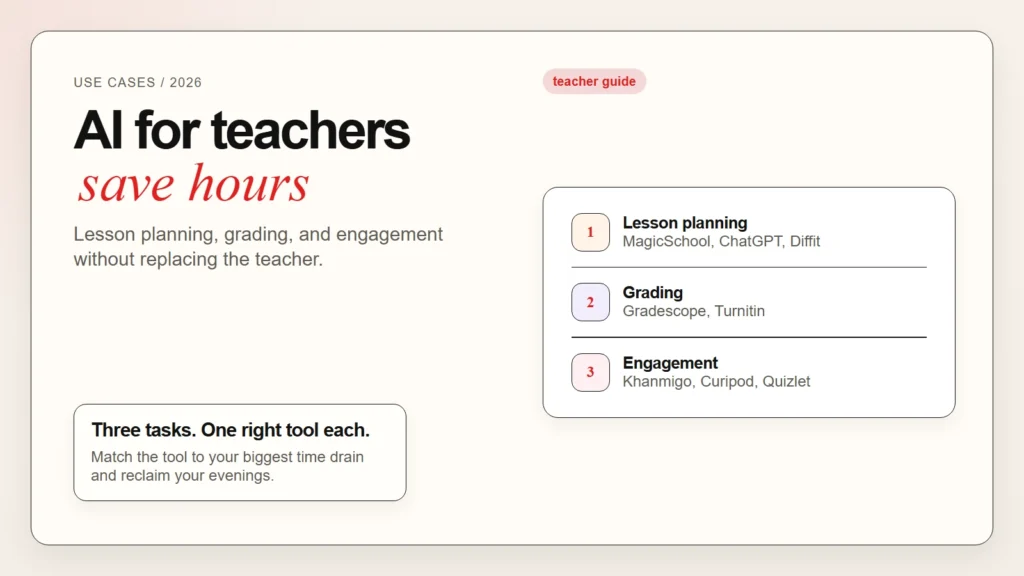
Teachers work longer hours than most people realize. Between planning lessons, grading assignments, and keeping students engaged, the workload can feel endless. AI tools will not replace a good teacher, but they can remove the repetitive tasks that eat up your evenings and weekends.
This guide covers the best AI tools for teachers in 2026. You will find practical options for lesson planning, grading, and student engagement. Every tool on this list is either free or offers a strong free tier for educators. If you are new to AI, start with our guide on how to start using AI as a complete beginner. For a student-focused perspective, see our guide on how to use Claude as a student.
Key Takeaways
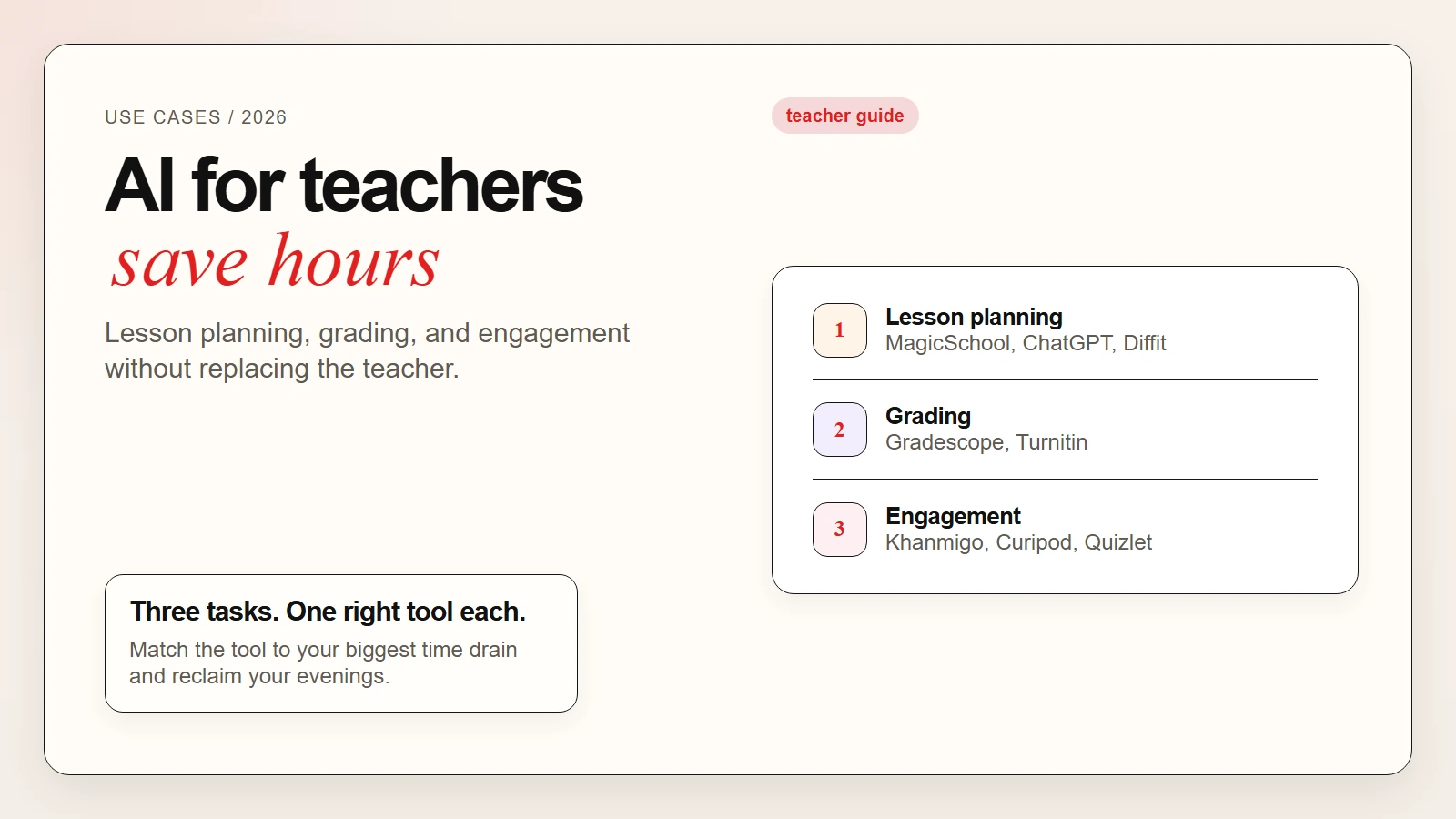
- AI tools for teachers save time on repetitive tasks like planning, grading, and feedback.
- Lesson planning tools such as ChatGPT, Claude, and MagicSchool AI can generate standards-aligned activities in minutes.
- Grading tools like Gradescope use AI to group similar answers and speed up feedback.
- Engagement tools such as Khanmigo, Quizlet, and Curipod help students learn through interactive AI tutoring and quizzes.
- Canva for Education offers free AI design tools for posters, presentations, and visual aids.
- The best approach is to start with one task, test one tool, and expand only after you see real time savings.
What AI Tools Can and Cannot Do for Teachers
AI tools are powerful assistants, but they are not substitutes for teaching judgment. Here is where they help and where they fall short.
What AI does well:
- Generate lesson outlines and activity ideas based on standards
- Create differentiated materials for students at different levels
- Draft rubrics, quiz questions, and discussion prompts
- Group similar student answers to speed up grading
- Provide instant feedback to students through AI tutors
What AI does poorly:
- Read classroom dynamics and emotional cues
- Build genuine relationships with students
- Adapt in real time to unexpected teachable moments
- Guarantee factual accuracy without human review
Key takeaway: AI handles preparation and repetition. You handle connection, judgment, and adaptation.
For a realistic look at where AI is reliable and where it fails, read our guide on are AI tools accurate.
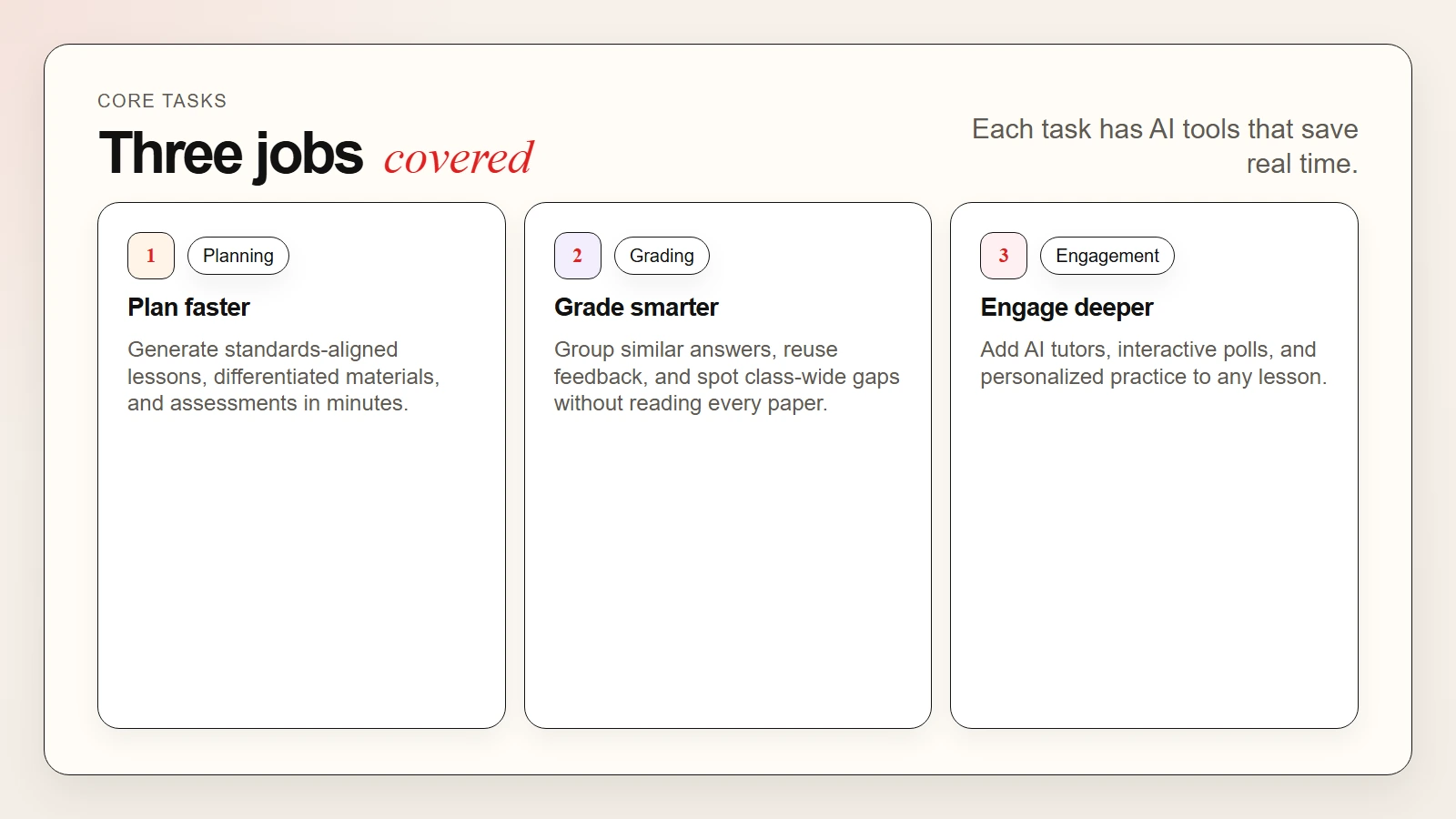 Caption: AI tools for teachers cover lesson planning, grading, engagement, and classroom materials without replacing the teacher.
AI Tools for Lesson Planning
Lesson planning is one of the most time-consuming parts of teaching. These tools help you plan faster while keeping your personal teaching style intact.
1. ChatGPT and Claude
ChatGPT and Claude are the most flexible lesson planning assistants. Both have free tiers that can generate lesson outlines, differentiate activities, and suggest assessments.
What you get for free:
- Unlimited GPT-4o mini on ChatGPT Free
- Generous daily messages on Claude Free
- Ability to paste standards and get aligned activities
- Differentiation for struggling and advanced students
Best prompts for lesson planning:
- “Create a 45-minute lesson plan about photosynthesis for seventh graders aligned with NGSS standards. Include a hook, direct instruction, hands-on activity, and exit ticket.”
- “Rewrite this reading passage at a fourth-grade reading level.”
- “Generate five discussion questions about World War II that require critical thinking, not just recall.”
For more prompting techniques, see our guide on advanced prompting techniques: chain-of-thought, few-shot and more.
2. MagicSchool AI
MagicSchool AI is built specifically for teachers. It generates lesson plans, rubrics, IEP goals, newsletters, and behavior intervention plans.
What you get for free:
- Over sixty teacher-specific AI tools
- Standards-aligned lesson plan generator
- IEP goal writer and accommodation suggester
- Parent email draft generator
- Safe for student data with a teacher-focused privacy policy
Best for: Teachers who want pre-built education templates instead of writing prompts from scratch.
3. Diffit
Diffit creates leveled reading passages, questions, and activities on any topic. You enter a topic or paste a link, and Diffit generates materials at multiple reading levels.
What you get for free:
- Leveled reading passages with comprehension questions
- Vocabulary lists with definitions
- Activities like summarizing and question generation
- Support for English language learners
Best for: Differentiating reading materials quickly for mixed-ability classrooms.
AI Tools for Grading and Feedback
Grading takes hours. These tools use AI to speed up the process while keeping feedback meaningful.
4. Gradescope
Gradescope, owned by Turnitin, uses AI to group similar student answers. Instead of grading thirty essays one by one, you grade one version of each answer type and apply feedback to the whole group.
What you get:
- AI-assisted answer grouping for quizzes and exams
- Rubric-based grading that applies consistently
- Feedback reuse across similar responses
- Analytics showing where the class struggled
Best for: Large classes with repetitive question types such as math problems, short answers, and code assignments.
5. Turnitin AI Detection and Feedback Studio
Turnitin is best known for plagiarism detection. Its Feedback Studio now includes AI-generated draft comments and similarity reports.
What you get:
- Plagiarism and AI-generated text detection
- Comment libraries for common feedback
- Voice comments for personal tone
- Draft similarity reports before final submission
Best for: High school and college instructors who need academic integrity checks plus fast feedback.
Warning: AI detection tools are not perfect. They can flag human-written text as AI and miss AI-generated text that has been edited. Always review detection results before accusing a student of misconduct.
AI Tools for Student Engagement
Engaged students learn better. These tools use AI to make lessons more interactive and personalized.
6. Khanmigo
Khanmigo is Khan Academy’s AI tutor. It guides students through problems with questions instead of giving direct answers.
What you get for free:
- Socratic tutoring in math, science, and humanities
- Practice recommendations based on student performance
- Teacher dashboard showing student progress
- Safe, monitored interactions designed for kids
Best for: Teachers who want students to get extra help outside class without giving away answers.
7. Quizlet
Quizlet now includes AI-generated study sets, practice tests, and flashcards. The free tier covers most study modes.
What you get for free:
- AI-generated flashcards from any text
- Practice tests with multiple question types
- Study modes including matching and gravity games
- Class sharing for group study
Best for: Vocabulary review, test preparation, and self-paced student practice.
8. Curipod
Curipod turns any lesson into an interactive presentation with AI-generated polls, drawings, and word clouds.
What you get for free:
- Interactive slide builder with AI suggestions
- Student response tools like polls and drawings
- Lesson templates for common topics
- Real-time feedback during class
Best for: Making lectures and direct instruction more interactive.
9. Edpuzzle
Edpuzzle lets teachers add questions and voice comments to videos. The AI features suggest question placement and auto-grade multiple-choice responses.
What you get for free:
- Video editing with embedded questions
- Auto-grading for multiple-choice questions
- Student progress tracking
- Integration with Google Classroom and Canvas
Best for: Flipped classroom models and video-based homework.
AI Tools for Classroom Materials
10. Canva for Education
Canva for Education is free for K-12 teachers and includes AI design tools. You can create posters, infographics, presentations, and worksheets.
What you get for free:
- Magic Write for captions and descriptions
- AI image generation for custom visuals
- Thousands of education templates
- Class sharing and assignment features
Best for: Visual aids, student projects, and classroom displays.
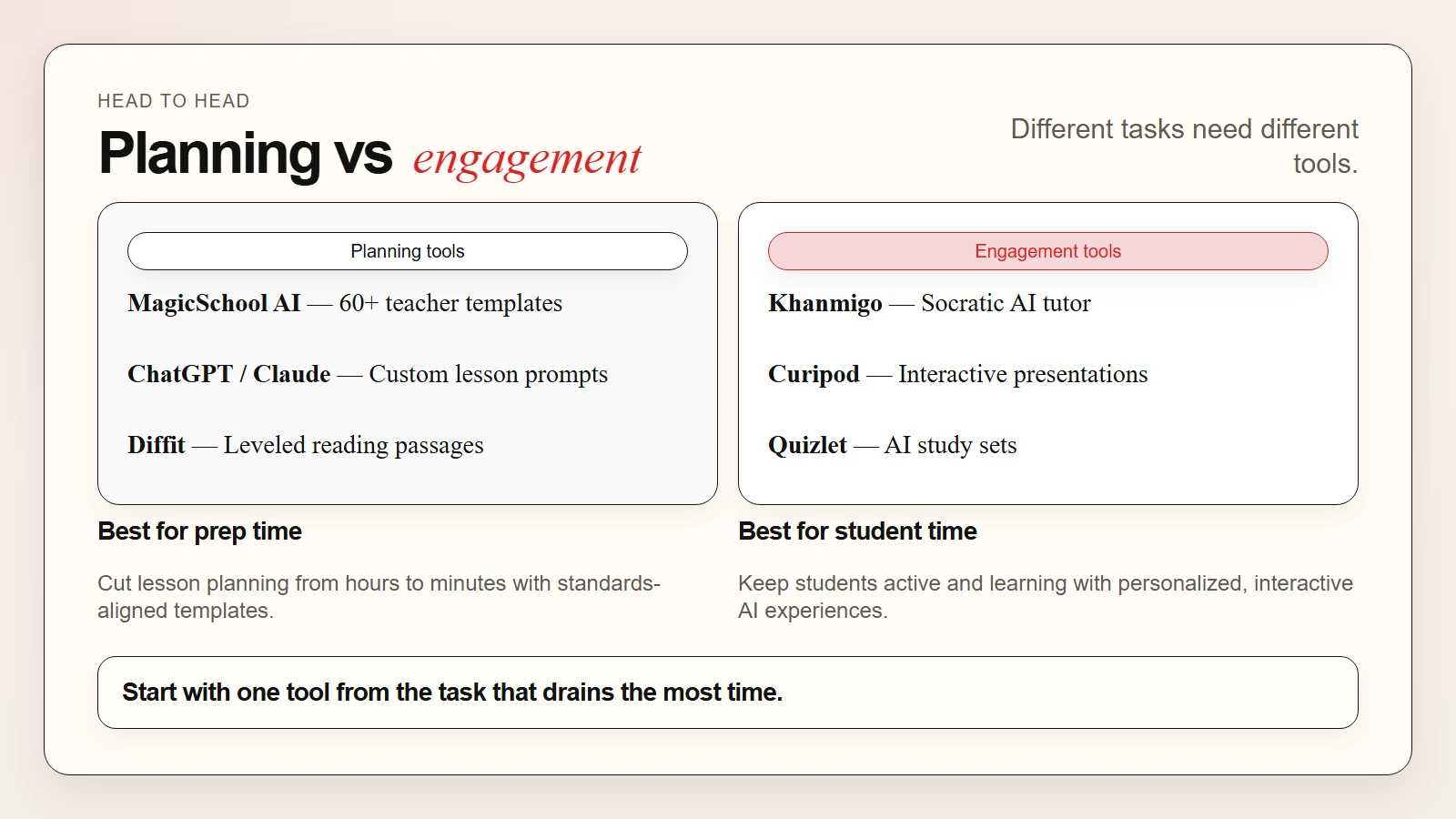 Caption: ChatGPT and MagicSchool lead on planning. Gradescope leads on grading. Khanmigo and Curipod lead on engagement.
Tool Comparison Table
| Task | Best Free Tool | What It Does | Free Limit to Know |
|---|---|---|---|
| Lesson planning | ChatGPT / Claude | Generates outlines, activities, and assessments | Message caps on advanced models |
| Standards-aligned plans | MagicSchool AI | Pre-built teacher templates for lessons and rubrics | Unlimited basic tools |
| Differentiated reading | Diffit | Leveled passages and questions | Generous monthly limit |
| Grading similar answers | Gradescope | Groups answers for batch feedback | Free for individual teachers |
| Plagiarism checking | Turnitin | Similarity and AI text detection | Institution license required |
| AI tutoring | Khanmigo | Socratic math and science help | Free for all Khan Academy users |
| Study sets | Quizlet | Flashcards and practice tests | Ads in free tier |
| Interactive lessons | Curipod | Polls, drawings, and live responses | Limited presentations monthly |
| Video lessons | Edpuzzle | Embedded questions in videos | Storage and video limits |
| Classroom design | Canva for Education | Posters, slides, and infographics | Free for verified teachers |
Use-Case Matching Table
| Your Need | Best Tool | Why It Fits |
|---|---|---|
| Plan a lesson in ten minutes | MagicSchool AI | Pre-built templates save prompt-writing time |
| Differentiate reading levels | Diffit | Generates leveled versions automatically |
| Grade a large class faster | Gradescope | Groups similar answers for batch grading |
| Give students extra tutoring | Khanmigo | Socratic method without giving answers away |
| Make lectures interactive | Curipod | Built-in polls and student response tools |
| Create visual aids | Canva for Education | Free templates designed for classrooms |
| Check for plagiarism | Turnitin | Industry-standard similarity detection |
| Build study materials | Quizlet | AI-generated flashcards from any topic |
| Add questions to videos | Edpuzzle | Auto-grades multiple-choice responses |
| Draft parent emails | ChatGPT or MagicSchool | Generates professional communication quickly |
A Simple Workflow for Teachers
Here is a practical workflow you can try this week:
- Pick one task that takes too long. Lesson planning, grading, or material creation are common starting points.
- Choose one tool from this guide. Match the tool to the task using the tables above.
- Use it for a real lesson. Do not run test prompts. Plan an actual class or grade a real assignment.
- Compare the time spent. Note how long the task took with AI versus your usual method.
- Adjust and save what works. Keep a folder of your best prompts, templates, or rubrics.
- Share with a colleague. Teaching is collaborative. Swap discoveries with your team.
This workflow takes about one hour the first time. After that, each repetition becomes faster because you already know what works.
For a broader workflow system, see our guide on how to use AI workflows for research, notes, meetings, and planning.
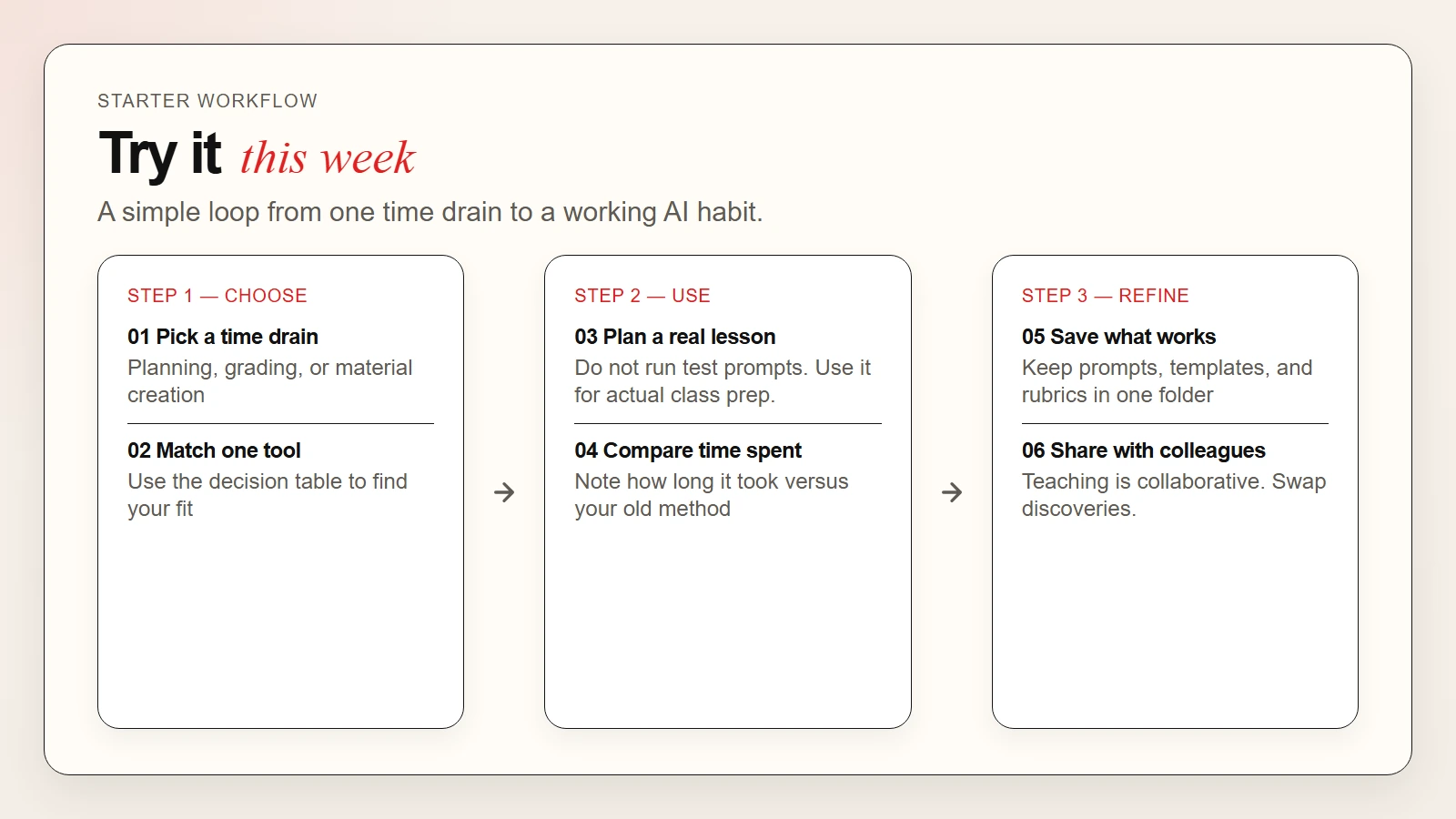 Caption: A six-step workflow from picking a time drain to sharing what works with colleagues.
Common Concerns About AI in Education
Will AI replace teachers?
No. AI handles preparation and repetition. It cannot build relationships, read a room, or make moral judgments. The teachers who use AI will simply have more time for the parts of teaching that matter most.
Is it cheating if students use AI?
That depends on your policy. Some teachers embrace AI as a research and brainstorming tool. Others restrict it. The key is to set clear expectations and teach students how to use AI responsibly rather than banning it outright.
Is student data safe with AI tools?
Check each tool’s privacy policy before entering student names, grades, or assignments. Tools built for education like MagicSchool AI and Khanmigo have stronger student data protections than general consumer AI apps.
What if the AI gives wrong information?
Always review AI-generated content before using it in class. AI can hallucinate facts, misquote sources, and generate outdated information. Verify names, dates, and scientific claims against trusted sources.
FAQ
Which AI tool is best for lesson planning?
MagicSchool AI is the fastest because it has pre-built teacher templates. ChatGPT and Claude are the most flexible if you prefer writing custom prompts.
Can AI grade essays fairly?
AI can speed up grading by grouping similar answers and suggesting comments. However, final grades and nuanced feedback still need human review.
Are these tools free for teachers?
Most tools on this list offer free tiers or free education accounts. Canva for Education, Khan Academy, and MagicSchool AI are entirely free for teachers.
Can elementary teachers use these tools?
Yes. Tools like Khanmigo, Diffit, and Canva for Education work well for elementary grades. Always preview AI-generated content for age appropriateness.
How do I start without getting overwhelmed?
Pick one task and one tool. Use it for a week. Only add a second tool after the first one feels natural.
What about AI detection?
AI detection is unreliable. Turnitin and other tools flag AI-generated text, but they also produce false positives. Use detection as one signal among many, not as proof of misconduct.