
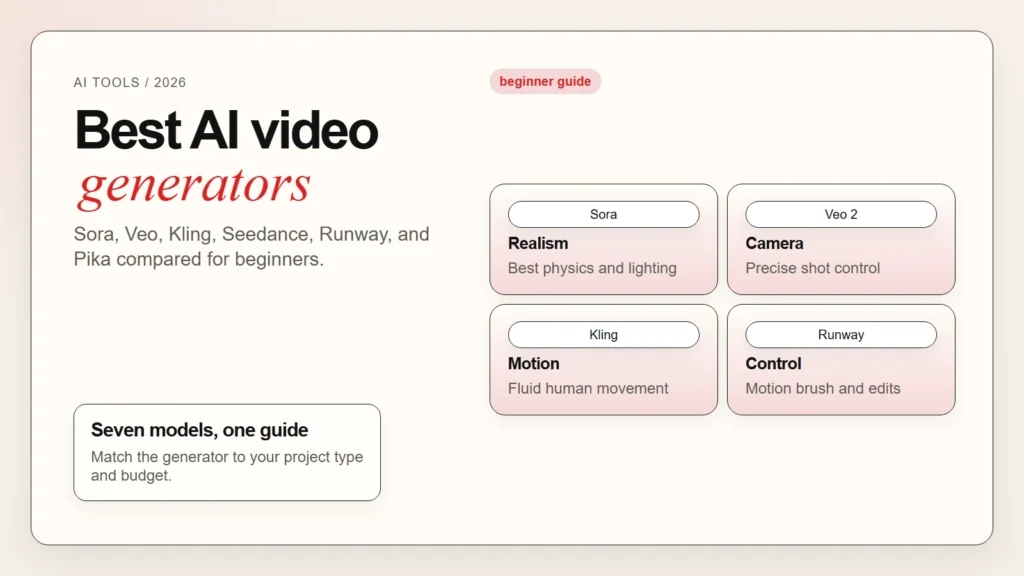
AI video generation moved fast in 2025 and 2026. The best AI video generators can now turn a short text prompt into a realistic scene, animate a still image into motion, or extend a few seconds of footage into a full clip. OpenAI’s Sora, Google’s Veo, Kling, Seedance, Runway, and Pika are the leading models right now. However, they are not all the same. Some excel at cinematic realism, while others are faster, cheaper, or better at character consistency.
This article is for beginners who want a clear comparison of the top AI video generation tools. You will learn what each model does best, how to access it, what the free tier looks like, and how to match a tool to your actual project. If you are completely new to AI tools, start with our guide on how to start using AI as a complete beginner first.
Key Takeaways
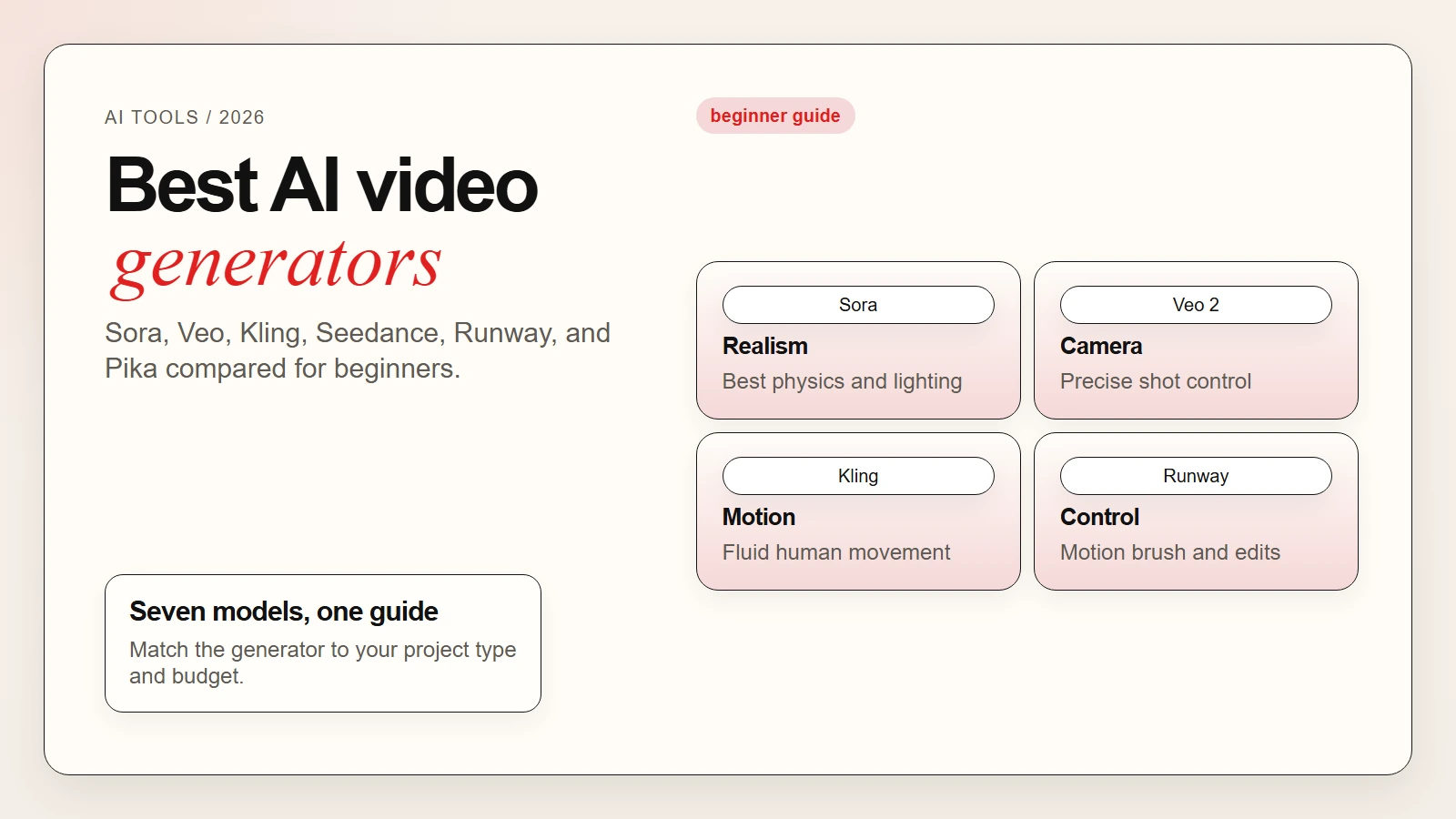
- The best AI video generator depends on your goal: Sora and Veo for realism, Kling for physics and motion, Seedance for speed and access, Runway for creative control, Pika for stylized output.
- Most tools work through text prompts, image uploads, or both. The quality of your prompt matters as much as the model itself.
- Free tiers exist but are limited by credits, resolution, or wait times. Plan to upgrade for serious projects.
- AI video editors like Descript and CapCut are still essential for polishing, captioning, and finishing generated clips.
- Commercial rights vary by platform. Check terms before using generated video for client or monetized work.
What AI Video Generators Actually Do
An AI video generator creates moving footage from a text description, a still image, or a short input clip. The underlying model predicts what frames should come next, then renders them into a coherent video sequence.
Text-to-video is the most common mode. You type a description like “a red sports car drifting on a wet mountain road at dusk,” and the model generates a short clip. The length, resolution, and realism depend on the specific tool and your prompt quality.
Image-to-video starts with a still photo and animates it. This is useful when you already have a concept image from Midjourney, Stable Diffusion, or DALL-E and want to bring it to life.
Video-to-video takes an existing clip and transforms it. Some tools let you change the style, extend the duration, or modify elements while keeping the motion intact.
Key takeaway: Generators create footage you do not have. Editors polish footage you already have. Most projects need both.
For a deeper look at how AI image generation connects to video, read our guide on how to write better image prompts.
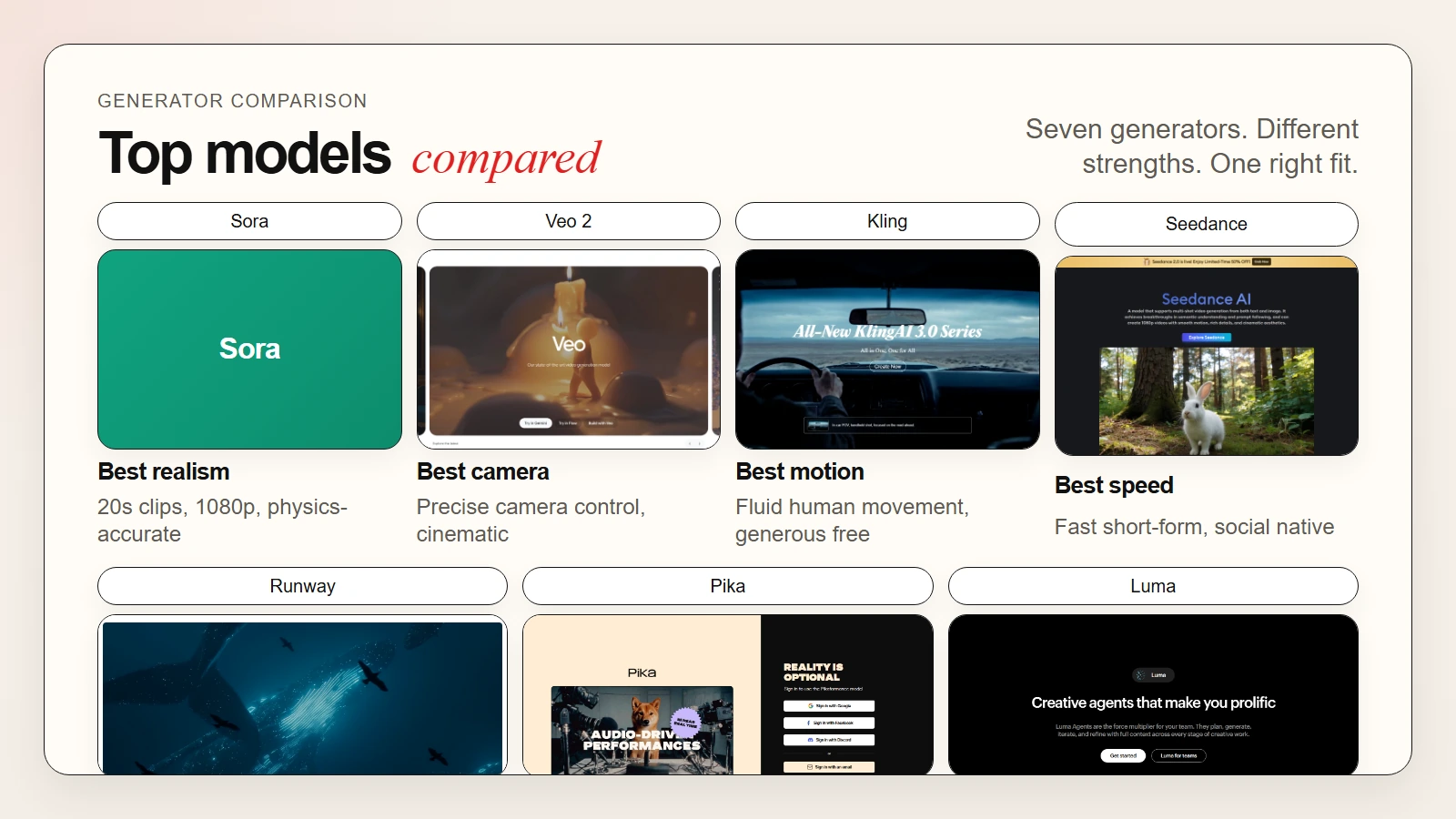 Caption: Sora and Veo lead on realism. Kling and Seedance offer strong value. Runway gives the most creative control.
The Best AI Video Generators in 2026
These are the leading models available right now. Each one has a different strength, so the right choice depends on what you are making and how much control you need.
1. OpenAI Sora
Sora is OpenAI’s flagship text-to-video model. It produces some of the most realistic and physically coherent footage of any consumer-facing tool. Scenes include accurate lighting, reflections, and object permanence that earlier models struggled with.
What you get:
- Text-to-video generation up to 1080p resolution
- Video generation up to 20 seconds per clip
- Image-to-video animation
- Video remixing and blending
- Storyboard-style sequence planning
- Available through ChatGPT Plus and Pro subscriptions
Where it falls short:
- No standalone free tier; requires ChatGPT Plus ($20/month) or Pro ($200/month)
- Generation queues can be long during peak times
- Limited direct camera control compared to Runway
- Character consistency across multiple clips is improving but not perfect
Best for: Filmmakers, creative professionals, and anyone who needs the highest realism and physical accuracy.
2. Google Veo 2
Google Veo 2 is Google’s most advanced video generation model. It excels at cinematic quality, natural motion, and understanding complex camera directions in prompts.
What you get:
- Text-to-video and image-to-video generation
- Strong camera control language (dolly in, rack focus, aerial shot)
- High-resolution output with good motion smoothness
- Integrated into Google AI tools and Vertex AI for enterprise
- Available through Video FX and select Google Labs experiments
Where it falls short:
- Limited public access compared to Sora; rolling out gradually
- Free tier is restricted to waitlist and experimental users
- Enterprise pricing through Vertex AI is opaque for individuals
- Fewer community tutorials and prompt resources than Runway or Pika
Best for: Google ecosystem users, enterprise teams, and creators who want precise camera control.
3. Kling AI
Kling AI from Kuaishou is one of the strongest alternatives to Western models. It is known for excellent physics simulation, fluid human motion, and generous free tiers.
What you get:
- Text-to-video and image-to-video generation
- Strong human figure and facial expression rendering
- Good physics and object interaction
- Generous daily free credits
- Video extension and editing features
Where it falls short:
- Interface is less polished than Runway or Sora
- Community and English-language support are smaller
- Advanced features can require higher-tier plans
- Some generated clips show subtle artifacts on complex scenes
Best for: Budget-conscious creators, animators, and anyone who needs good human motion without a high subscription cost.
4. Seedance
Seedance from ByteDance is built for speed and accessibility. It generates clips quickly and offers a streamlined workflow for social content creators.
What you get:
- Fast text-to-video generation
- Image-to-video with motion control
- Optimized for short-form content (15 to 30 seconds)
- Integration with ByteDance’s creative ecosystem
- Competitive pricing and free tier
Where it falls short:
- Shorter maximum clip lengths than Sora or Veo
- Less cinematic control than Runway
- Newer model with fewer advanced features
- Enterprise and commercial terms are still evolving
Best for: Social media creators, short-form content producers, and TikTok-native workflows.
5. Runway Gen-3 Alpha
Runway Gen-3 Alpha is the most mature creative platform for AI video. It combines generation with editing, motion brushes, and camera controls in one interface.
What you get:
- Text-to-video and image-to-video
- Motion brush for directing movement in specific regions
- Camera controls (pan, tilt, zoom, orbit)
- Green screen and inpainting tools
- Video extension and frame interpolation
- 720p on standard plans, 1080p on higher tiers
Where it falls short:
- Realism is strong but slightly behind Sora and Veo on complex physics
- Credit system can feel expensive for heavy users
- Best features require the Standard or Pro plan
- Free tier is limited to 125 credits that refresh monthly
Best for: Creative professionals, designers, and filmmakers who want the most control over motion and composition.
6. Pika 2.0
Pika focuses on speed, stylization, and ease of use. It is one of the fastest ways to go from prompt to clip, and it handles anime, illustration, and stylized output especially well.
What you get:
- Fast text-to-video and image-to-video
- Strong stylized and animated output
- Pikaffects for applying effects to existing video
- Scene ingredients for adding objects and characters
- Active community and frequent updates
Where it falls short:
- Photorealism is not as strong as Sora or Veo
- Shorter default clip lengths
- Free tier includes watermarks and lower priority
- Less suited for serious cinematic work
Best for: Social media creators, animators, and anyone who wants fast, stylized output over photorealism.
7. Luma Dream Machine
Luma Dream Machine from Luma AI offers fast generation with strong 3D-aware motion. It is particularly good at maintaining object coherence across frames.
What you get:
- Free tier with daily generations
- Fast turnaround times
- Strong 3D spatial understanding
- Good for product shots and architectural motion
- Simple, clean interface
Where it falls short:
- Shorter maximum video length than Sora or Runway
- Fewer editing and camera controls
- Community features are minimal
- Enterprise licensing is less established
Best for: 3D artists, product visualizers, and creators who need fast drafts without complex setup.
 Caption: CapCut offers the most generous free tier. Kling and Pika have the best free generator plans.
Side-by-Side Comparison
Use this table to compare the top generators at a glance.
| Tool | Best For | Max Length | Resolution | Free Tier | Paid Start Price |
|---|---|---|---|---|---|
| Sora | Realism, physics | 20 seconds | Up to 1080p | Via ChatGPT Plus | $20/month (ChatGPT Plus) |
| Veo 2 | Camera control, cinema | Varies | Up to 1080p | Limited waitlist | Enterprise/Vertex AI |
| Kling | Human motion, value | 10 seconds | Up to 1080p | Daily free credits | ~$8/month equivalent |
| Seedance | Speed, short-form | 15 seconds | Up to 1080p | Free tier available | ~$10/month |
| Runway Gen-3 | Creative control | 16 seconds | 720p to 1080p | 125 credits/month | $15/month |
| Pika 2.0 | Stylized, fast output | 4 seconds | Up to 720p | Daily free gens | $8/month |
| Luma Dream Machine | 3D motion, drafts | 5 seconds | Up to 720p | Daily free gens | Free tier generous |
The Best AI Video Editors for Beginners
Generated footage still needs finishing. These AI-assisted editors help you cut, caption, and polish clips without learning professional software.
1. Descript
Descript edits video by editing text. You upload footage, Descript transcribes it, and you delete words to remove the corresponding video segments.
What the free plan includes:
- 1 hour of transcription per month
- Basic video and audio editing
- Filler word removal (“um,” “uh”)
- Screen recording and multitrack editing
- 720p export resolution
Where the free plan falls short:
- 1 hour of transcription limits long-form projects
- 720p export cap on free tier
- AI voice cloning and overdub are paid features
- Advanced collaboration tools require a team plan
Best for: Podcasters, YouTubers, and interview editors who work with talking-head footage.
2. CapCut
CapCut is a free mobile and desktop editor with powerful AI features. It is heavily optimized for short-form social content.
What the free plan includes:
- Unlimited video editing on mobile and desktop
- Auto-captions with accurate speech recognition
- Background removal without a green screen
- AI effects, filters, and transitions
- 4K exports at no cost
Where the free plan falls short:
- Some premium effects require CapCut Pro
- Desktop version has fewer AI features than mobile
- Cloud storage is limited without a subscription
- Commercial licensing for some music tracks is unclear
Best for: TikTok creators, Instagram Reels makers, and anyone editing short-form social video.
3. Adobe Premiere Pro with Firefly
Adobe Premiere Pro is professional editing software with Firefly AI features that reduce the learning curve. AI-powered text-based editing, color matching, and auto-reframe help beginners finish faster.
What you get:
- Text-based editing similar to Descript
- AI color correction and matching
- Auto-reframe for different aspect ratios
- Speech-to-text captions
- Generative extend for lengthening clips
Where beginners may struggle:
- No permanent free tier; subscription required after trial
- Full feature set is overwhelming for simple projects
- Hardware requirements are higher than browser-based tools
- Firefly generative features consume generative credits
Best for: Creators who want room to grow from beginner to professional workflows.
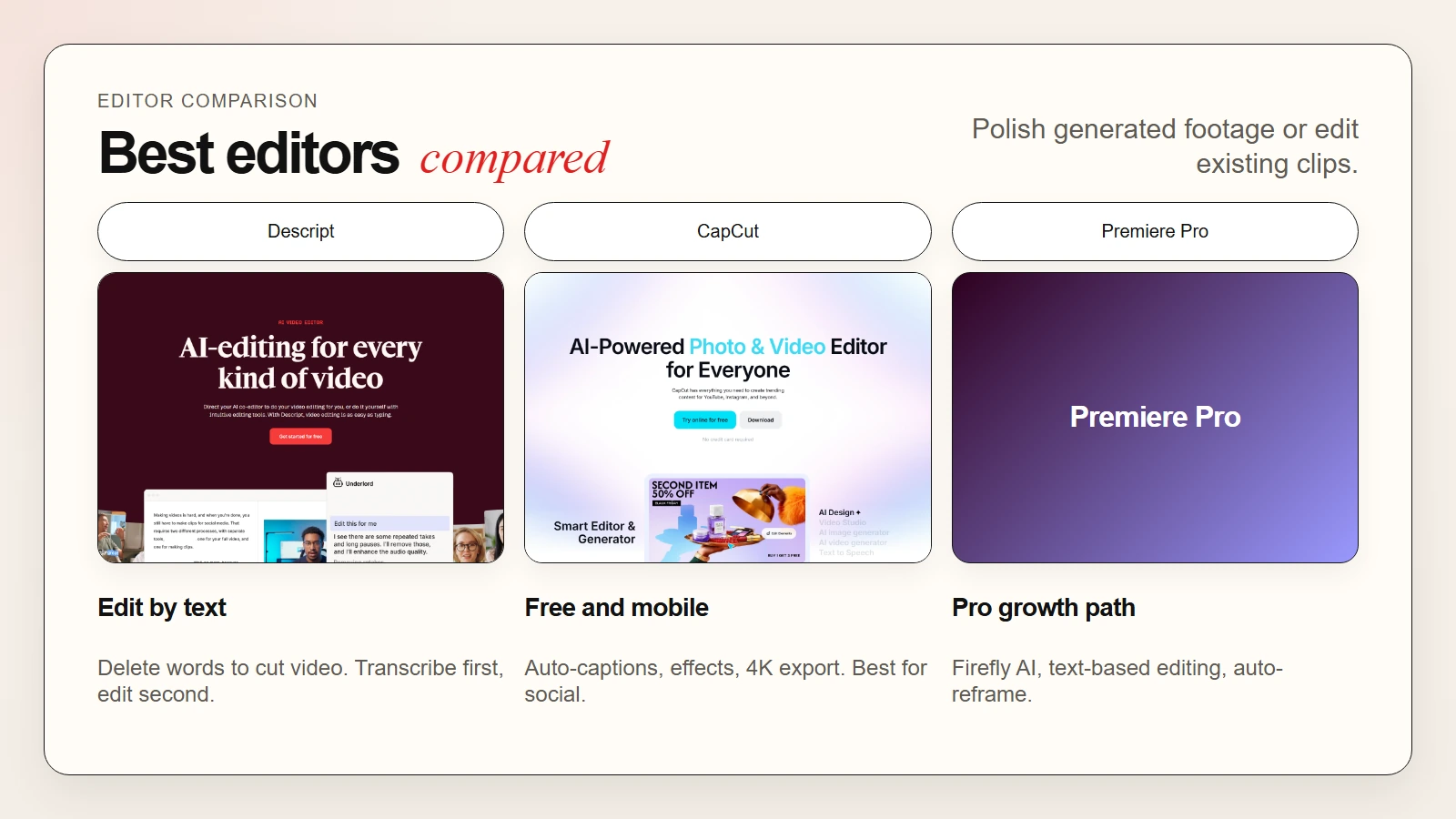 Caption: Descript edits by text. CapCut is free and mobile-first. Premiere Pro offers the most growth potential.
Pricing and Free Tier Comparison
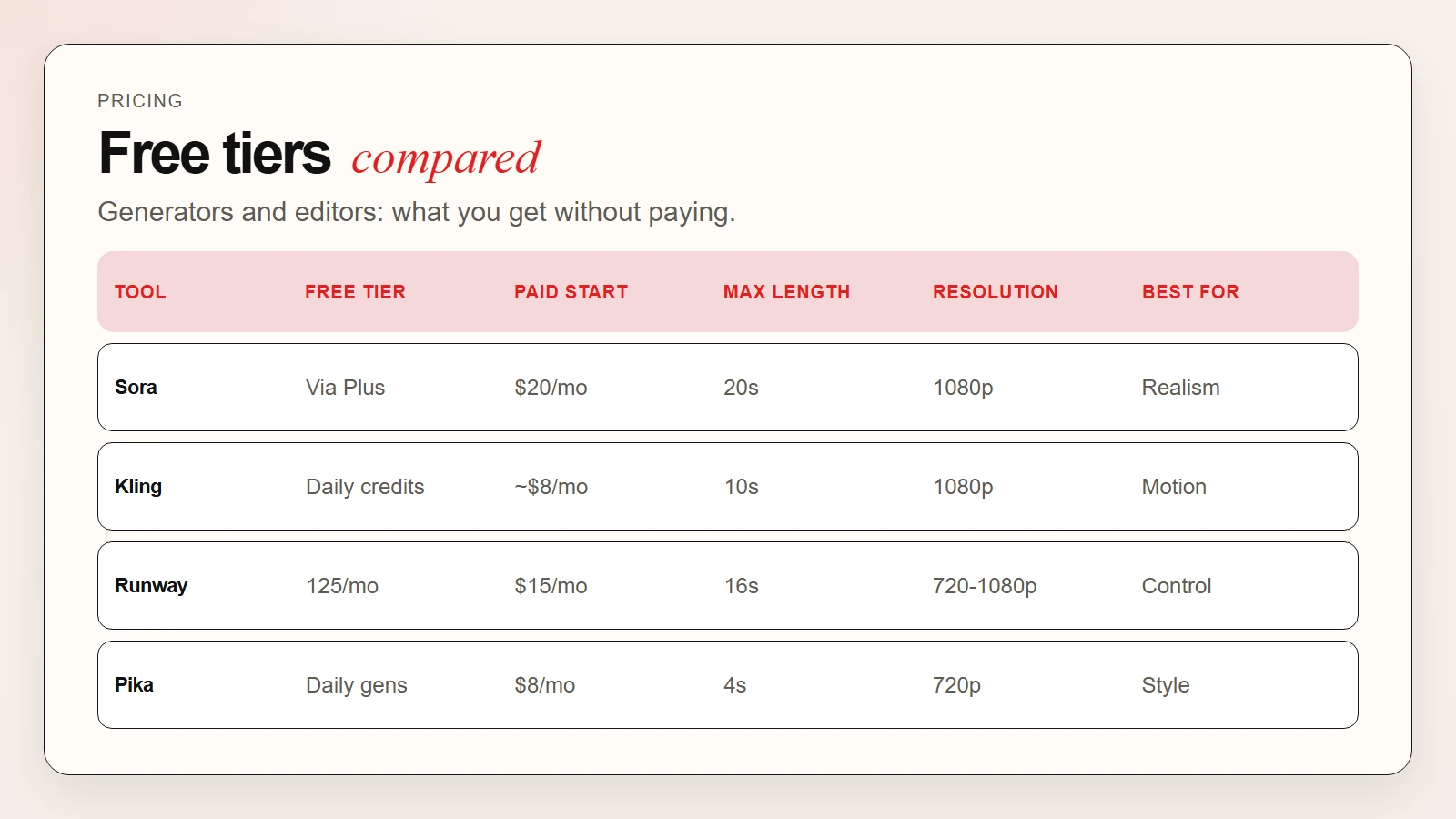
Use this table to compare free limits and paid starting prices for generators and editors.
| Tool | Type | Free Tier | Paid Start Price | Best For |
|---|---|---|---|---|
| Sora | Generator | Via ChatGPT Plus | $20/month | Highest realism |
| Veo 2 | Generator | Limited waitlist | Enterprise | Camera control |
| Kling | Generator | Daily credits | ~$8/month | Human motion, value |
| Seedance | Generator | Free tier | ~$10/month | Fast short-form |
| Runway | Generator | 125 credits/month | $15/month | Creative control |
| Pika | Generator | Daily gens | $8/month | Stylized output |
| Luma | Generator | Daily gens | Free tier generous | 3D drafts |
| Descript | Editor | 1 hr transcription/month | $12/month | Text-based editing |
| CapCut | Editor | Unlimited | $8/month (Pro) | Social short-form |
| Premiere Pro | Editor | 7-day trial | $23/month | Pro growth path |
Caption: CapCut offers the most generous free tier. Kling and Pika have the best free generator plans.
Note: Prices are current as of May 2026. AI video tool pricing changes frequently. Always check the vendor’s pricing page before signing up.
How to Choose the Right AI Video Tool
Picking a tool depends on three questions: what you are making, how realistic it needs to be, and how much you want to spend.
Match the tool to your output type
- Cinematic realism: Sora or Veo. Both lead on physical accuracy and lighting.
- Character animation and human motion: Kling or Runway. Kling excels at fluid body motion. Runway offers more manual control.
- Stylized or anime content: Pika. It handles illustration-style output better than photorealistic models.
- Social media speed: Seedance or Pika. Both generate fast and are built for short-form.
- 3D product or architecture: Luma Dream Machine. Its spatial understanding is stronger for object-focused motion.
- Editing existing footage: CapCut for social, Descript for talking-head, Premiere Pro for professional growth.
Match the tool to your workflow stage
- No footage at all: Start with a generator. Sora or Runway for quality, Kling or Pika for volume.
- Raw footage to polish: Use CapCut or Descript to edit faster.
- Image to animate: Runway, Kling, and Luma all handle image-to-video well.
- Style transfer: Pika and Runway offer the strongest video-to-video style options.
Match the tool to your budget
- Zero budget: Kling, Pika, and Luma offer the most generous free tiers for generation. CapCut is fully free for editing.
- Under $20/month: Runway, Seedance, and Pika fit here. Descript and CapCut Pro are also in this range.
- Under $25/month: Sora via ChatGPT Plus ($20/month) unlocks the most realistic generator.
If you need a broader view of free AI tools, see our guide to the best free AI tools for writing, research, coding, and data analysis.
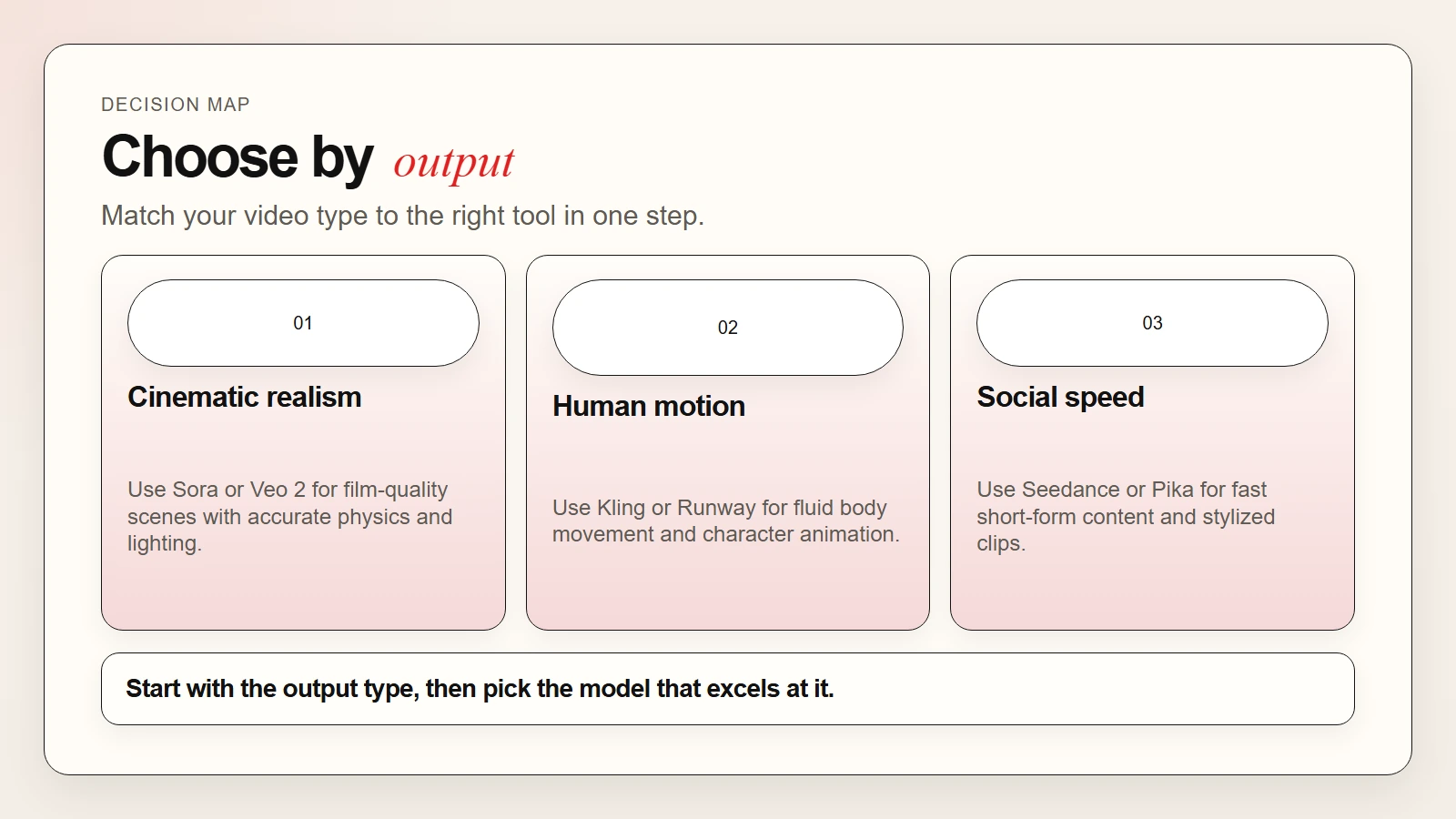 Caption: Match your video type to the right tool.
How to Write Better AI Video Prompts
The quality of your output depends heavily on your prompt. Here is a simple formula that works across Sora, Runway, Veo, and Kling.
Prompt formula:
[Subject] + [Action] + [Environment] + [Lighting] + [Camera movement] + [Mood]
Example:
A woman in a red coat walks through a rainy Tokyo street at night. Neon signs reflect in puddles. Slow dolly shot from behind. Moody, cinematic atmosphere.
Tips that improve results:
- Be specific about camera movement: “dolly in,” “aerial shot,” “rack focus,” “static wide.”
- Describe lighting clearly: “golden hour,” “harsh midday sun,” “soft overcast.”
- Mention materials and textures: “wet concrete,” “foggy glass,” “velvet fabric.”
- Keep prompts under 100 words for best results.
- Use reference images when the tool supports image-to-video.
Pro tip: Most models struggle with text in video. Avoid prompts that require readable signs, labels, or logos. Add those in post-production with CapCut or Premiere Pro.
For a deeper guide on image and visual prompting, read how to write better image prompts.
Common Beginner Mistakes to Avoid
These mistakes waste more time than choosing the “wrong” tool.
Expecting perfection from free tiers. Free plans are useful for testing, but they usually cap resolution, add watermarks, or limit generation time. Plan to upgrade once you know a tool fits your workflow.
Writing vague prompts. “A beautiful scene” produces generic results. Instead, describe the subject, action, lighting, and camera move specifically.
Ignoring the editing step. Generated clips rarely come out perfect. Plan time for trimming, captioning, and sound design in CapCut or Descript.
Using generated video without checking rights. Some free tiers reserve license rights for the platform. If you are creating content for business or monetization, check the terms of service first.
For more on accuracy and verification, read are AI tools accurate?.
A Simple First-Week Plan
If you are unsure where to start, follow this plan.
Day 1: Sign up for Kling or Luma. Generate one text-to-video clip with a simple prompt.
Day 2: Try Runway’s free tier. Upload one image and animate it with the motion brush.
Day 3: Test Pika. Generate a stylized clip and compare the look to Kling’s output.
Day 4: Open CapCut. Import your best generated clip and add auto-captions.
Day 5: Try Descript. Record a 60-second voiceover and remove filler words automatically.
Day 6: If you have ChatGPT Plus, test Sora. Compare the realism to your earlier clips.
Day 7: Pick one generator and one editor. Plan your first real project.
Frequently Asked Questions
What is the best AI video generator for beginners?
Kling AI and Luma Dream Machine are the best starting points because both offer generous free tiers and fast results. Once you understand prompting, upgrade to Runway for control or Sora via ChatGPT Plus for realism.
What is the difference between Sora and Veo?
Sora produces highly realistic scenes with strong object permanence and physics. Veo 2 offers more precise camera control and integrates with Google’s creative tools. Both lead the market, but Sora is more accessible to individual users right now.
Can I use AI-generated video for YouTube monetization?
Yes, if your plan includes commercial rights. Most paid tiers allow monetized content. However, YouTube requires disclosure of significantly modified or synthetic content. Always check the platform’s AI content policy before publishing.
Are free AI video generators good enough?
Free tiers are excellent for learning and testing. However, they usually limit resolution, clip length, or monthly usage. For professional work, a paid plan is necessary to unlock HD exports, longer clips, and commercial rights.
How long can AI video generators create?
Most tools generate clips between 4 and 20 seconds. Sora reaches 20 seconds. Runway and Kling typically produce 10 to 16 seconds. For longer content, generate multiple clips and stitch them together in an editor.
Can AI video generators create characters consistently?
Character consistency is improving but still challenging. Runway and Sora handle it better than most, but maintaining the same face or outfit across multiple clips usually requires careful prompting or reference images.
Do I still need a video editor if I use an AI generator?
Yes. Generators produce raw clips. You still need an editor for trimming, adding music, captions, transitions, and sound design. CapCut and Descript are the best beginner-friendly options.
Key Takeaways
- Sora leads on realism and physics. Access it through ChatGPT Plus or Pro.
- Veo 2 offers the best camera control but has limited public access.
- Kling delivers excellent human motion and value with a generous free tier.
- Seedance is optimized for fast, short-form social content.
- Runway Gen-3 gives the most creative control with motion brushes and camera tools.
- Pika is the best choice for stylized, animated, or social content.
- Luma Dream Machine is ideal for fast 3D-aware drafts and product motion.
- Always pair a generator with an editor: CapCut for social, Descript for talking-head, Premiere Pro for professional growth.
You do not need professional gear to start making video with AI. Pick one generator from this list, write one detailed prompt, and generate your first clip this week. For a broader look at how AI tools fit into everyday work, see our guide to the top AI tools for everyday work and how they are being used.