
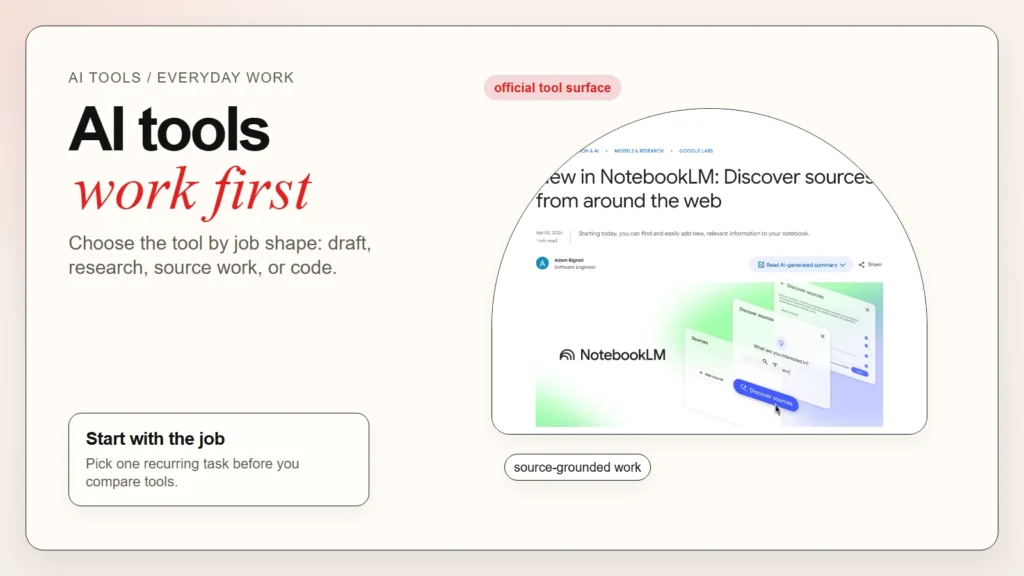
If you want the short answer, AI tools are software products that use AI models to help with a real task, such as writing, research, summarizing, planning, coding, or file analysis. As of April 22, 2026, the most common beginner examples are ChatGPT, Claude, Microsoft Copilot, Perplexity, NotebookLM, and GitHub Copilot. They are not all the same. Some are general assistants. Some are better for source-backed research. Some are built around documents. Some are built around code.
That distinction matters because most people do not need “the smartest AI.” They need the right tool shape for the job in front of them. Current workplace adoption data also shows why this matters now: Microsoft’s 2025 Work Trend Index says 45% of employees use AI regularly and 20% save at least one hour per day, while McKinsey’s 2025 State of AI survey says 71% of organizations regularly use generative AI in at least one business function.
If you are still building the foundation, start with what AI fluency means in practice, then how to start using AI as a complete beginner. Tool choice matters, but judgment still matters more.
Key Takeaways
- AI tools are best understood by job, not by hype. Chat assistants, research tools, source-grounded notebook tools, and coding copilots solve different problems.
- The most useful beginner examples are ChatGPT and Claude for general drafting, Perplexity and NotebookLM for research-heavy work, Microsoft Copilot for browser and Microsoft-shaped workflows, and GitHub Copilot for coding.
- Most people use more than one tool in practice: one to search, one to think, one to draft, and one to check.
- The safest way to start is to pick one recurring task and test one tool against it for a week.
- If you need a pricing-focused comparison, Best Free AI Tools and Top AI Tools for Writing, Research, Coding, and Data Analysis is the better companion guide.
What Counts as an AI Tool?
When beginners ask “what are AI tools examples,” they usually mix together models, apps, copilots, and workflow tools. That creates confusion fast. A model is the underlying system. A tool is the product you actually use to get work done.
What this means: You do not choose AI by benchmark alone. You choose it by the kind of work surface you need: chat, search, notebooks, documents, spreadsheets, browser context, or editor context.
| Tool type | What it does | Common examples | Best first use |
|---|---|---|---|
| General assistant | Helps you brainstorm, draft, rewrite, summarize, and reason through tasks | ChatGPT, Claude, Microsoft Copilot | Writing, planning, email, meeting follow-up |
| Research assistant | Searches the web and returns source-backed answers | Perplexity, ChatGPT Search, Copilot Chat | Fast topic scans, fact-finding, source collection |
| Source-grounded notebook | Works from the files and sources you provide | NotebookLM, project notebooks in Gemini | Reading packs, interview transcripts, study materials |
| Coding copilot | Assists inside the editor or terminal with code | GitHub Copilot, Codex, Claude Code | Code completion, repo help, refactoring, review |
| Workflow tool | Connects AI to a repeatable process | AI workflows inside docs, chat, or agent tools | Research notes, action plans, recurring admin work |
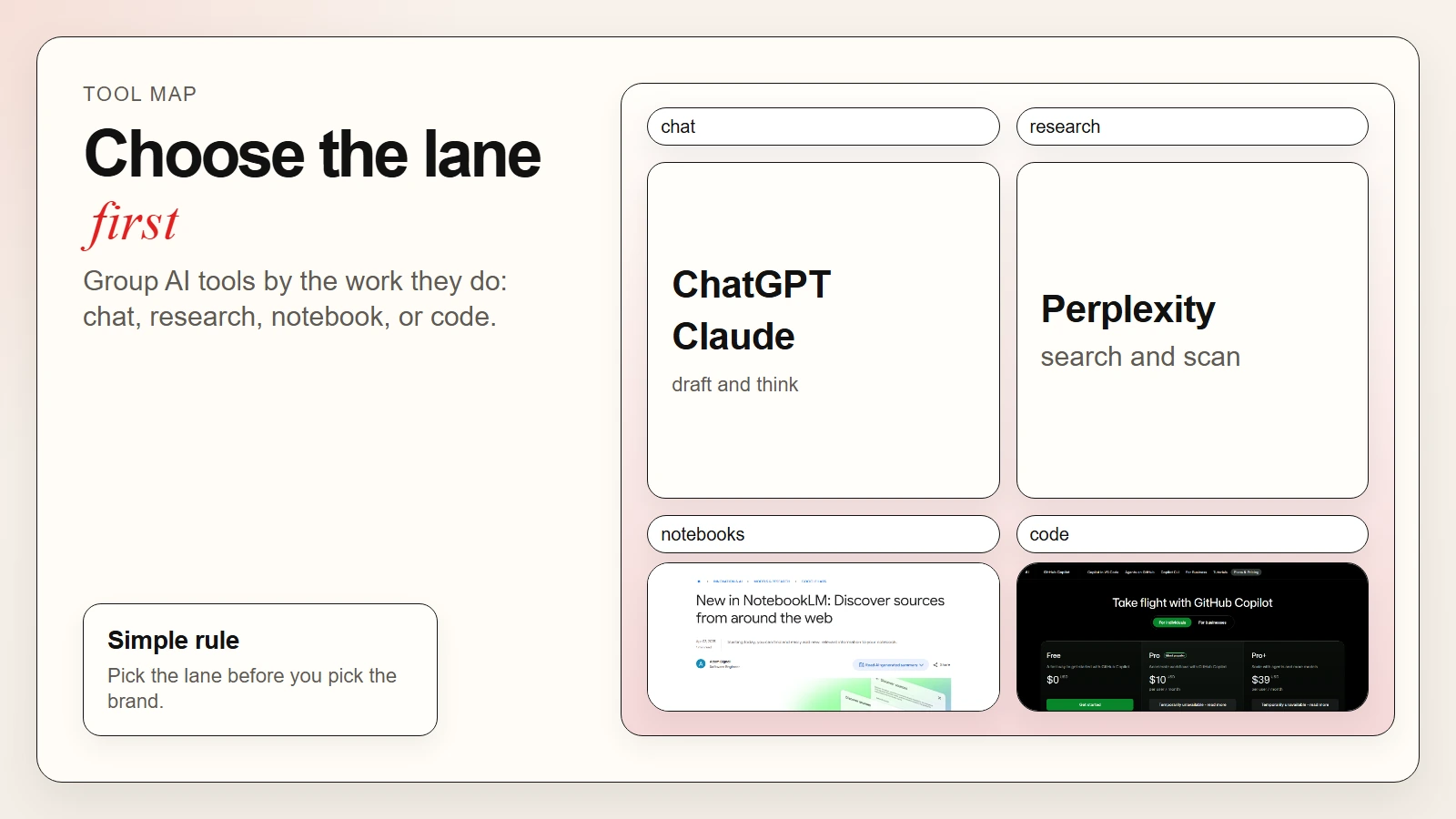 Caption: The useful distinction is not best AI but best tool shape for the job.
Examples of AI Tools beginners recognize fastest
The most recognizable examples in everyday work right now are:
- ChatGPT for general drafting, analysis, and mixed-format work. OpenAI’s ChatGPT pricing page shows current access across tools such as Apps and Codex, with deeper features on paid tiers.
- Claude for thoughtful writing, document work, and structured analysis. Anthropic’s public Claude plans page lists writing, content creation, image analysis, code generation, data visualization, and web search in the product.
- Microsoft Copilot for browser-grounded help and Microsoft-shaped work. Microsoft’s support documentation says the free version is meant for general Q&A, writing, brainstorming, summarizing, and web-based tasks.
- Perplexity for cited web research. Perplexity’s plan guide positions the free plan for light exploration and the paid plan for heavier research and file analysis.
- NotebookLM for source-grounded study and project research. Google’s NotebookLM source discovery update explains how the product can gather, summarize, and keep sources inside one notebook.
- GitHub Copilot for coding in editor and terminal workflows. GitHub’s Copilot plans page explains that Copilot Free currently includes 2,000 completions and 50 chat requests, which is enough for testing whether editor-native AI help fits your workflow.
A tool example is only useful if you connect it to a real job. “Use ChatGPT” is vague. “Use ChatGPT to turn messy notes into a one-page status update” is actionable.
How AI Tools Work in Simple Terms
Most everyday AI tools follow the same basic pattern. You give them an input, they predict a useful response, and then the product wraps that response in features such as web search, file uploads, citations, code execution, or document context.
Why it matters: The magic is usually not in one perfect answer. The value comes from the loop: ask, inspect, refine, and verify.
A simple mental model
- You give the tool a task.
- The tool uses a model plus any extra context it can access.
- It generates a draft answer, suggestion, summary, or action.
- You review the output and either refine it or verify it.
Worked example: meeting notes to action plan
Imagine you finish a messy project meeting with scattered notes, unclear owners, and three half-decisions.
Input: raw notes, transcript, or a copied agenda.
Tool move: ask for a table with task | owner | deadline | dependency | open question.
Useful output: a clean first-pass action list.
Human job: remove invented tasks, check dates, confirm owners, and decide what actually gets sent.
That is why How to Use AI Workflows for Research, Notes, Meetings, and Planning is a better next read than another generic tool roundup if your real goal is process improvement.
Top AI Tool Examples by Everyday Job
The strongest beginner approach is to choose by the first serious job you want to improve. That is usually more effective than choosing by brand popularity.
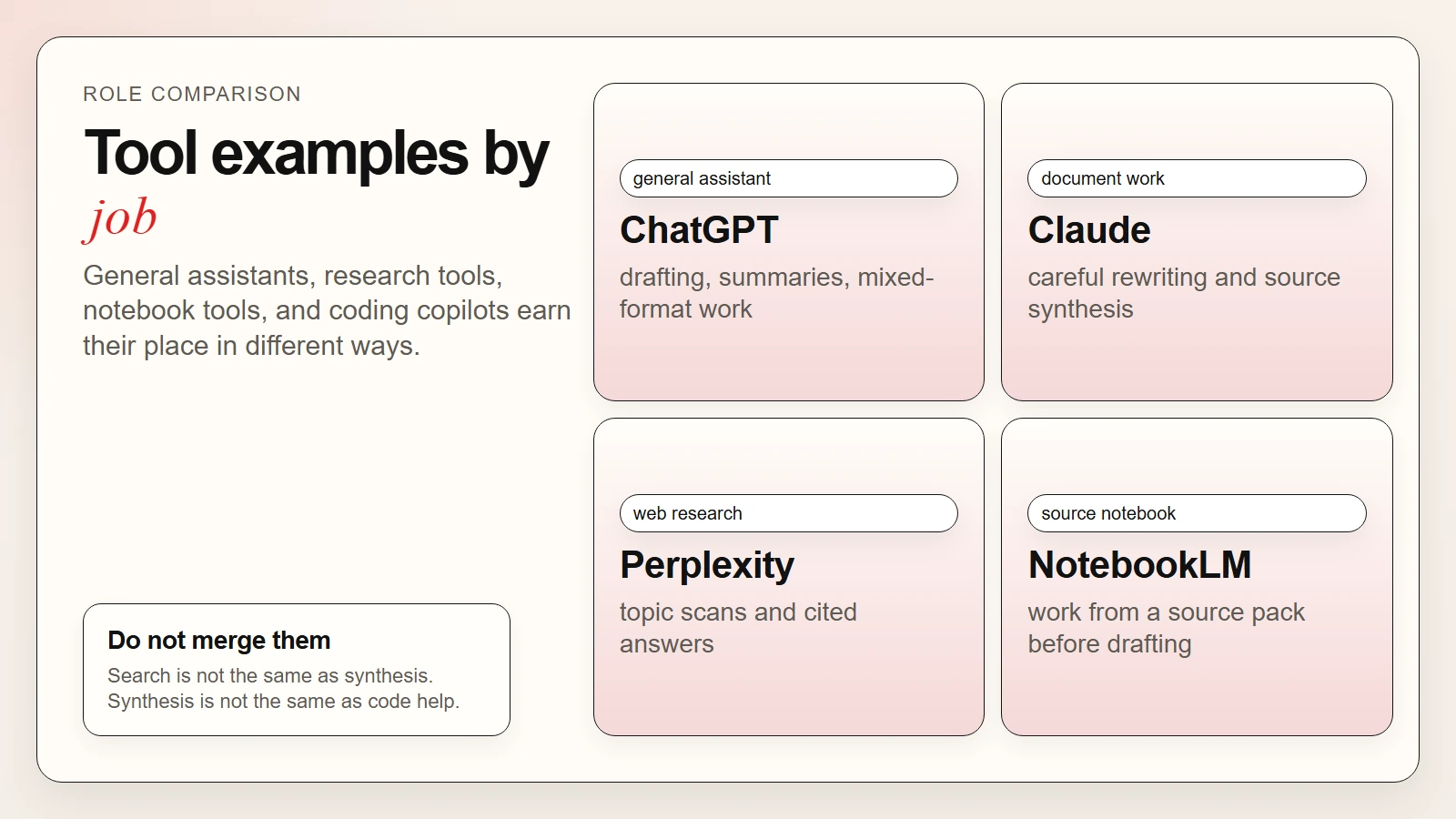 Caption: Different AI tools earn their place by handling different parts of the work.
1. General drafting and thinking: ChatGPT and Claude
For most non-technical users, ChatGPT and Claude are still the clearest entry points. They are flexible enough for writing, outlining, rewriting, summarizing, brainstorming, and basic file analysis.
ChatGPT is a good fit when your work is mixed-format and broad. People use it to:
- turn rough ideas into structured outlines
- rewrite emails and messages for tone
- summarize long notes into a shorter brief
- create first-pass tables, checklists, and templates
Claude is a good fit when your work leans more heavily toward long documents, careful rewriting, and deliberate explanation. People use it to:
- tighten long drafts
- explain dense source material
- compare options in plain language
- turn a document set into a usable summary
If your main concern is reliability rather than convenience, read Are AI Tools Accurate? before you rely on any first draft.
2. Fast web research: Perplexity and Copilot
When the job starts with “find out what current sources say,” research-oriented tools usually make more sense than a blank chat box.
Perplexity is commonly used for:
- scanning a topic fast
- gathering candidate sources
- comparing viewpoints across the web
- getting a shorter research summary before deeper reading
Microsoft Copilot is commonly used for:
- answering browser-grounded questions
- summarizing pages while reading
- turning web context into a simpler explanation
- helping with quick work summaries inside Microsoft-shaped workflows
Do this next: If your research needs to be grounded in your own files instead of only public web results, switch from a search-oriented tool to a source-oriented tool.
3. Source-grounded research and study: NotebookLM
NotebookLM is useful when you are less interested in “search the web for me” and more interested in “help me understand this set of sources.” Google’s 2025 NotebookLM update says the product can now find web sources, bring them into a notebook, and use them with features such as Briefing Docs, FAQs, and Audio Overviews.
People use NotebookLM for:
- reading packs and literature review prep
- interview transcript analysis
- study guides from class materials
- policy or product research from a source set
This is one of the clearest examples of why AI tools are not interchangeable. Perplexity helps you gather sources. NotebookLM helps you work through them.
4. Coding support: GitHub Copilot and coding agents
Coding tools sit in a different category because they are integrated directly into the editor, the repo, or the terminal. GitHub Copilot is still one of the most recognizable examples because it is built for developer workflows first, not general chat first.
People use coding copilots to:
- speed up repetitive code
- explain unfamiliar code blocks
- suggest edits in context
- help with tests, small refactors, and navigation
If you are trying to understand terminal-based coding help rather than editor autocomplete, What Are AI CLIs? Codex, Claude Code, and Gemini CLI Explained is the more specific guide.
How These AI Tools Are Being Used in Practice
In real work, most people do not use one tool for everything. They use a stack. Microsoft’s 2025 Work Trend Index reports that 41% of employees already use AI as a thought partner, which is a useful way to frame everyday usage: AI is often acting as a helper in the middle of a workflow, not as the whole workflow.
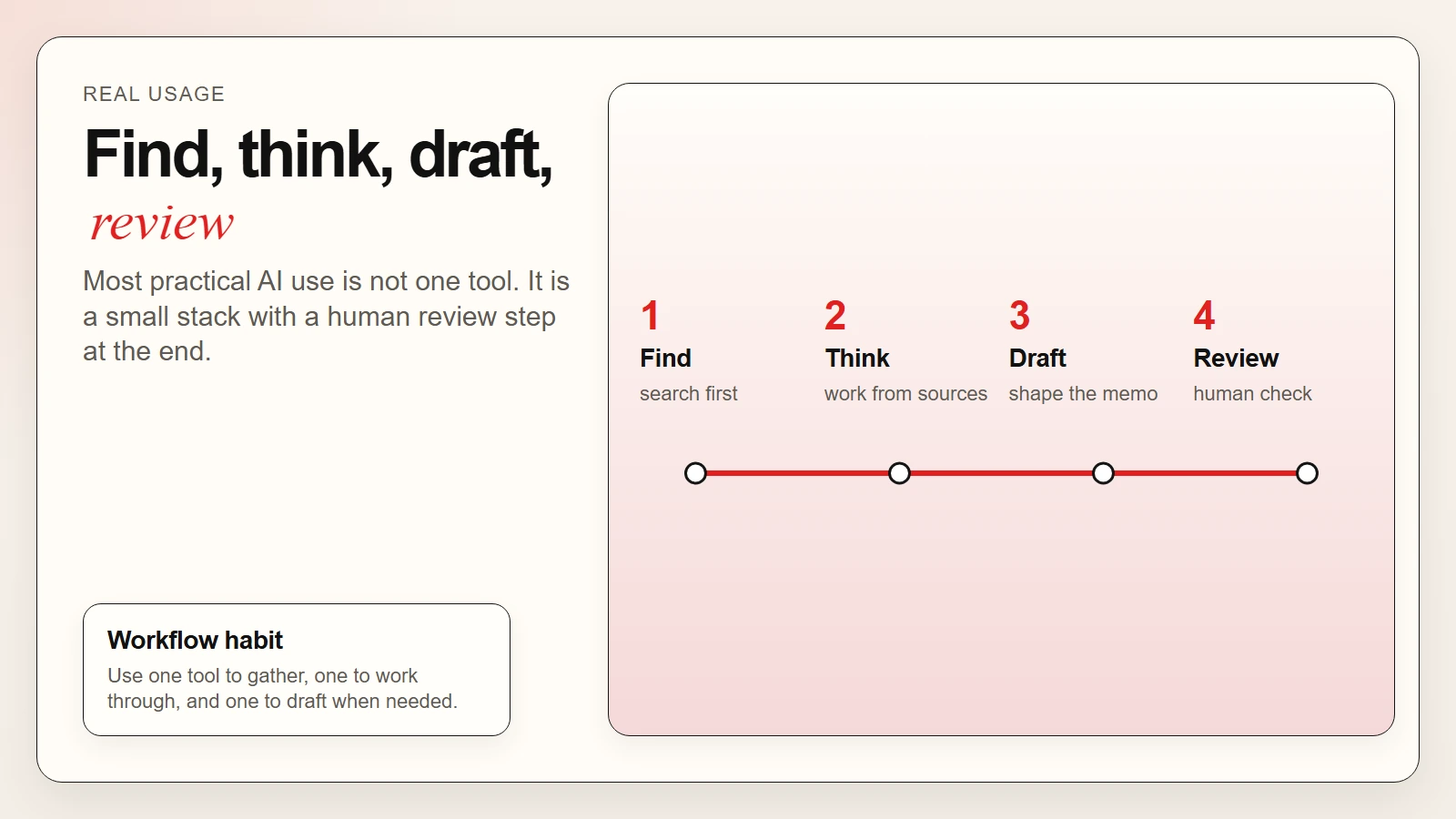 Caption: Most practical AI use looks like a stack: find, think, draft, then review.
Scenario 1: Writing and editing
Typical stack: ChatGPT or Claude -> human editing -> final document
People use AI here to:
- turn a rough idea into an outline
- draft a first version
- rewrite for clarity or tone
- check whether the structure still makes sense
The human still needs to decide what is true, what is appropriate, and what should be cut.
Scenario 2: Research and note synthesis
Typical stack: Perplexity -> NotebookLM or Claude -> final brief
People use AI here to:
- gather a starting source set
- compare what multiple sources are saying
- ask questions against their own sources
- turn findings into a memo or study guide
This is one of the cleanest everyday AI use cases because it combines speed with structure.
Scenario 3: Planning and admin work
Typical stack: ChatGPT or Copilot -> spreadsheet or doc -> human follow-up
People use AI here to:
- summarize a meeting
- draft next steps
- create a timeline or checklist
- rewrite updates for different audiences
The value is not that AI “manages the project.” The value is that it reduces the friction between messy information and a usable first draft.
Scenario 4: Coding and technical troubleshooting
Typical stack: GitHub Copilot -> coding agent or chat -> human review
People use AI here to:
- autocomplete repetitive code
- explain an unfamiliar function
- suggest a test or a fix
- speed up low-level boilerplate
The deeper the task gets, the more review matters. Even a strong coding assistant can still produce code that looks plausible but is wrong, incomplete, or unsafe.
How to Choose Your First AI Tool Without Tool Overload
The easiest way to get overwhelmed is to compare ten tools before you have tested one real workflow. The better move is to start with the task that shows up every week.
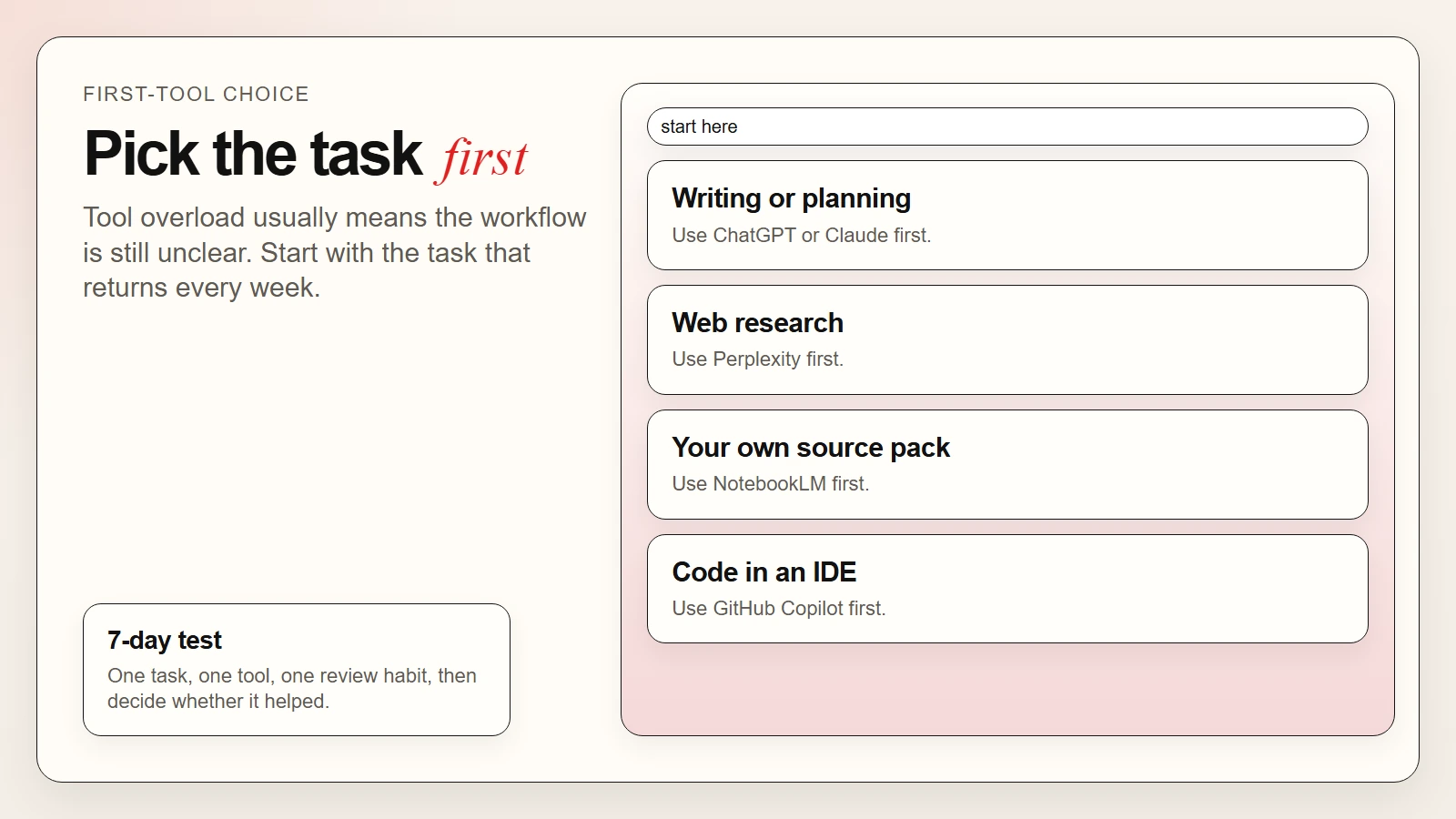 Caption: Choose one recurring task, one tool, and one review habit before adding more complexity.
Use this decision table first
| If your recurring task is… | Start with… | Because… |
|---|---|---|
| General writing, summaries, planning | ChatGPT or Claude | They are the most flexible starting points |
| Web research with citations | Perplexity | It is built around source-backed answers |
| File-based research from your own materials | NotebookLM | It keeps sources inside one notebook workflow |
| Browser-first and Microsoft-shaped tasks | Microsoft Copilot | It fits web and Microsoft productivity habits |
| Code in an IDE | GitHub Copilot | It is designed for editor-native coding help |
Beginner checklist
- Check that you have picked one recurring task, not ten possible tasks.
- Check that you know what a good output should look like before you start testing.
- Check that you are willing to review the output instead of trusting the first answer.
- Check that you can explain why this tool fits your input better than another tool.
- Check that you are testing for one week before you switch products again.
If you keep changing tools before you learn one useful workflow, the real problem is usually not tool quality. It is lack of workflow clarity.
Common Mistakes People Make With AI Tools
These mistakes are more common than choosing the “wrong” brand.
| Mistake | What goes wrong | Better move |
|---|---|---|
| Choosing by hype alone | The tool does not fit the task | Choose by workflow shape |
| Using one tool for every job | Research, writing, and coding get blended badly | Use different tools for different stages |
| Trusting the first answer | Mistakes move straight into real work | Add a review and verification step |
| Testing too many tools at once | You learn nothing deeply | Run one serious 7-day test |
| Confusing search with understanding | You gather sources but never synthesize them | Pair research tools with source-grounded or drafting tools |
FAQ
What are AI tools in simple words?
AI tools are apps or software products that use AI models to help you complete a task such as writing, summarizing, researching, planning, coding, or analyzing files.
What are examples of AI tools for everyday work?
As of April 22, 2026, common examples include ChatGPT, Claude, Microsoft Copilot, Perplexity, NotebookLM, and GitHub Copilot. They solve different kinds of work problems rather than one identical problem.
Which AI tool is best for beginners?
For most beginners, ChatGPT or Claude are the simplest starting points because they can handle many everyday tasks. If your work is mostly research, Perplexity or NotebookLM may be better first choices.
How are AI tools being used at work?
They are being used to draft and edit writing, summarize meetings, gather research, organize notes, analyze source material, and assist with coding. In practice, many people use them as thought partners or first-draft assistants rather than final authorities.
Why are AI tools important?
They matter because they reduce the time needed to go from messy input to usable draft output. They do not remove the need for judgment, but they can reduce low-value friction in writing, research, planning, and technical work.
Should I use one AI tool or several?
Start with one. Once you understand your workflow, it often makes sense to use a small stack, such as one research tool, one drafting tool, and one review habit.
Conclusion
The best way to understand AI tools is not to memorize a giant list. It is to understand the job each tool is built for. General assistants help you draft and think. Research tools help you gather. Notebook tools help you work from sources. Coding copilots help inside technical workflows.
If you want to use AI better, start small: choose one recurring task, test one tool against it, and keep a human review step in place. That is how tool curiosity turns into practical AI fluency.