
AI audio and voice tools have become essential for content creators in 2026. The best AI voice generators can turn text into natural-sounding speech, clone a voice for consistent branding, or translate audio into other languages while keeping the original tone. Meanwhile, AI audio editors can remove filler words, clean up background noise, and transcribe interviews in minutes.
This article compares the top AI audio and voice tools for beginners. You will learn what each tool does best, how much it costs, and which one fits your actual workflow. If you are new to AI tools, start with our guide on how to start using AI as a complete beginner first.
Key Takeaways
- The best AI voice generator depends on your goal: ElevenLabs for realism and cloning, Descript for editing and overdub, Otter.ai for transcription and meeting notes.
- Most tools offer free tiers with credit limits or time restrictions. Test before you upgrade.
- Voice cloning raises ethical and legal questions. Only clone your own voice or voices you have explicit permission to use.
- AI transcription is now accurate enough for rough drafts, but you should still review names, technical terms, and punctuation.
- Audio quality matters for audience retention. Even a simple AI cleanup can make a video or podcast feel more professional.
What AI Audio and Voice Tools Actually Do
An AI voice generator converts text into spoken audio using synthetic voices. Modern models sound surprisingly natural, with correct intonation, pacing, and even emotional expression. You type a script, choose a voice, and export an audio file ready for a video, podcast, or ad.
Voice cloning takes this further. You record a short sample of a voice, and the model learns to speak new text in that same voice. This is useful for consistent branding, multilingual content, or accessibility. However, it also carries risk. Misuse of voice cloning has led to fraud and misinformation, so responsible platforms now require verification before cloning.
AI audio editing covers a different need. Tools like Descript let you edit audio by editing text. Delete a word in the transcript, and the audio removes it automatically. Other tools clean background noise, balance levels, or remove filler words like “um” and “uh” in seconds.
AI transcription turns speech into text. Otter.ai and similar tools can transcribe meetings, interviews, or live events in real time. The output is searchable, shareable, and exportable to formats like Word or subtitles.
Key takeaway: Voice generators create audio you do not have. Audio editors clean audio you already recorded. Transcription tools turn speech into text. Most creators need at least two of these.
For a broader look at AI tools for everyday tasks, read our guide on top AI tools for everyday work and how they are being used.
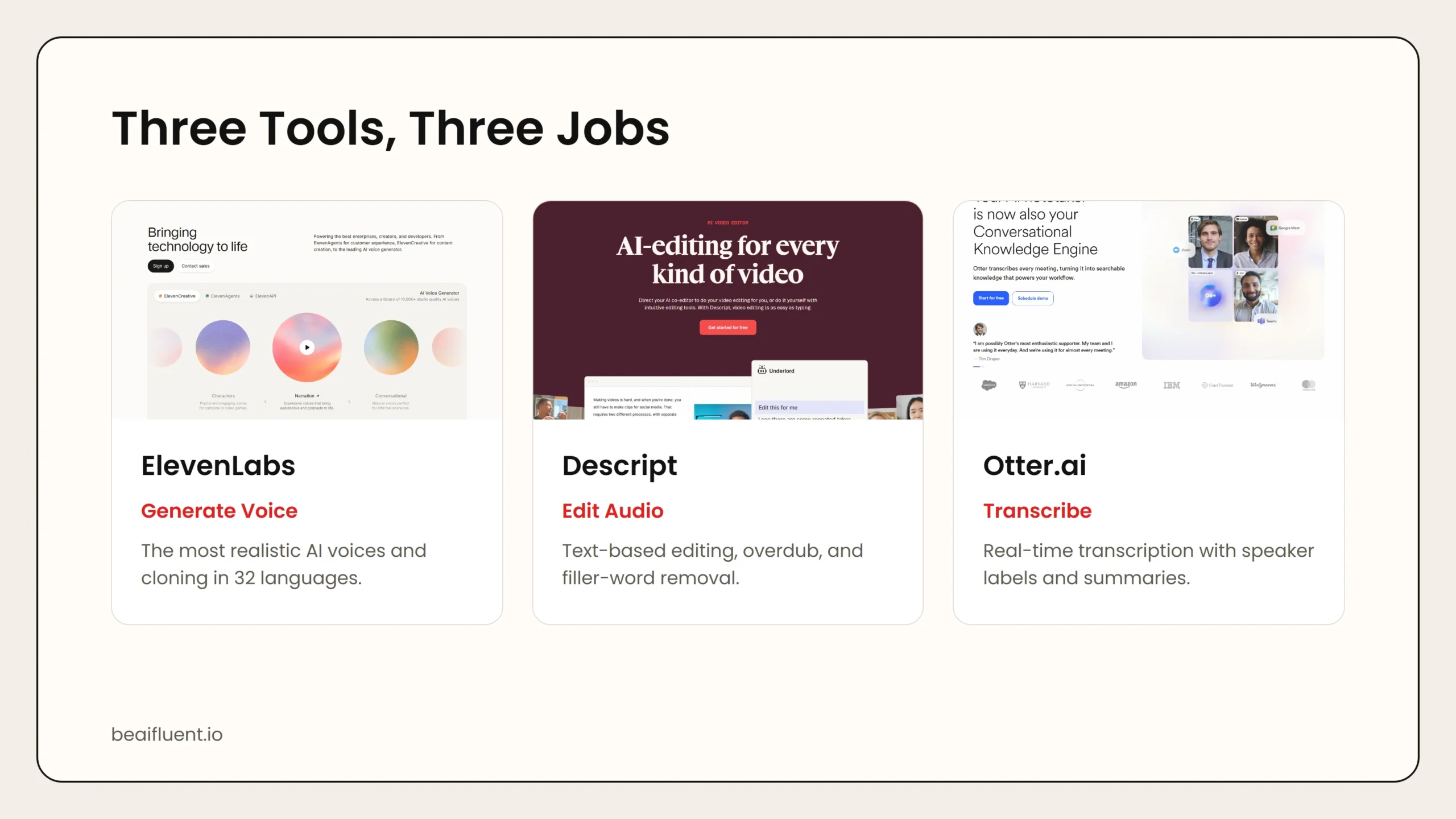 Caption: ElevenLabs leads on voice realism. Descript combines editing and overdub. Otter.ai excels at live transcription.
The Best AI Audio and Voice Tools in 2026
These are the leading tools available right now. Each one serves a different part of the audio workflow, so the right choice depends on what you are making and where your biggest bottleneck is.
1. ElevenLabs
ElevenLabs is widely considered the most realistic AI voice generator on the market. It offers hundreds of pre-made voices in dozens of languages, plus a voice cloning feature that can replicate a speaker from just a few minutes of clean audio.
What you get:
- Text-to-speech in 32 languages with natural intonation
- Voice cloning from short audio samples
- Voice changer and voice modulation tools
- Projects feature for long-form audiobook and video narration
- API access for developers and automation workflows
- Pronunciation editor for custom word handling
Where it falls short:
- No free tier for commercial use; paid plans start around $5 per month
- Voice cloning requires verification for some features
- Highest-quality voices use more credits
- Project workflow can feel complex for simple one-off clips
Best for: YouTubers, podcasters, audiobook creators, and businesses that need consistent branded voiceovers at scale.
2. Descript
Descript is an all-in-one audio and video editor built around AI. Its standout feature is Overdub, which lets you type new text and synthesize it in your own voice. You can also remove filler words, clean up audio, and edit video by editing the transcript.
What you get:
- Overdub voice synthesis in your own voice
- Filler word removal with one click
- Studio Sound for AI-powered noise reduction and leveling
- Text-based audio and video editing
- Screen recording and basic video production
- Collaborative editing and sharing
Where it falls short:
- Overdub requires training on your voice, which takes time
- Free tier is limited to one hour of transcription
- Video editing is good but not as deep as dedicated video editors
- Export options can feel restrictive on lower-tier plans
Best for: Podcasters, video creators, and teams who want to edit audio and video quickly without learning traditional timeline editing.
For a deeper look at AI video generation, see our guide on best AI video generators and editors for beginners.
3. Otter.ai
Otter.ai focuses on AI transcription and meeting intelligence. It records, transcribes, and summarizes conversations in real time. The output includes speaker labels, timestamps, and searchable text you can share with a team.
What you get:
- Real-time transcription for meetings and interviews
- Automatic speaker identification
- AI-generated meeting summaries and action items
- Slide capture during presentations
- Collaboration features like comments and highlights
- Integrations with Zoom, Google Meet, and Microsoft Teams
Where it falls short:
- Accuracy drops with heavy accents or poor audio quality
- Free tier is limited to 300 minutes per month
- Advanced features like custom vocabulary require a paid plan
- Not a voice generator or audio editor
Best for: Journalists, researchers, remote teams, and anyone who needs fast, searchable transcripts from spoken content.
4. Other Notable Tools
Murf.ai is a straightforward AI voice generator with a clean interface and strong commercial-use rights. It is a good alternative to ElevenLabs if you want simpler project management and built-in video syncing.
Play.ht offers realistic voices and a useful WordPress plugin for turning blog posts into audio. It is popular among bloggers and news publishers who want to add audio versions of written content.
Adobe Podcast provides free AI audio enhancement including noise reduction, voice leveling, and microphone check tools. It is ideal for beginners who want better audio quality without paying for a full editing suite.
Resemble AI targets developers and enterprises with advanced voice cloning APIs, emotion control, and real-time voice conversion. It is powerful but has a steeper learning curve than consumer tools.
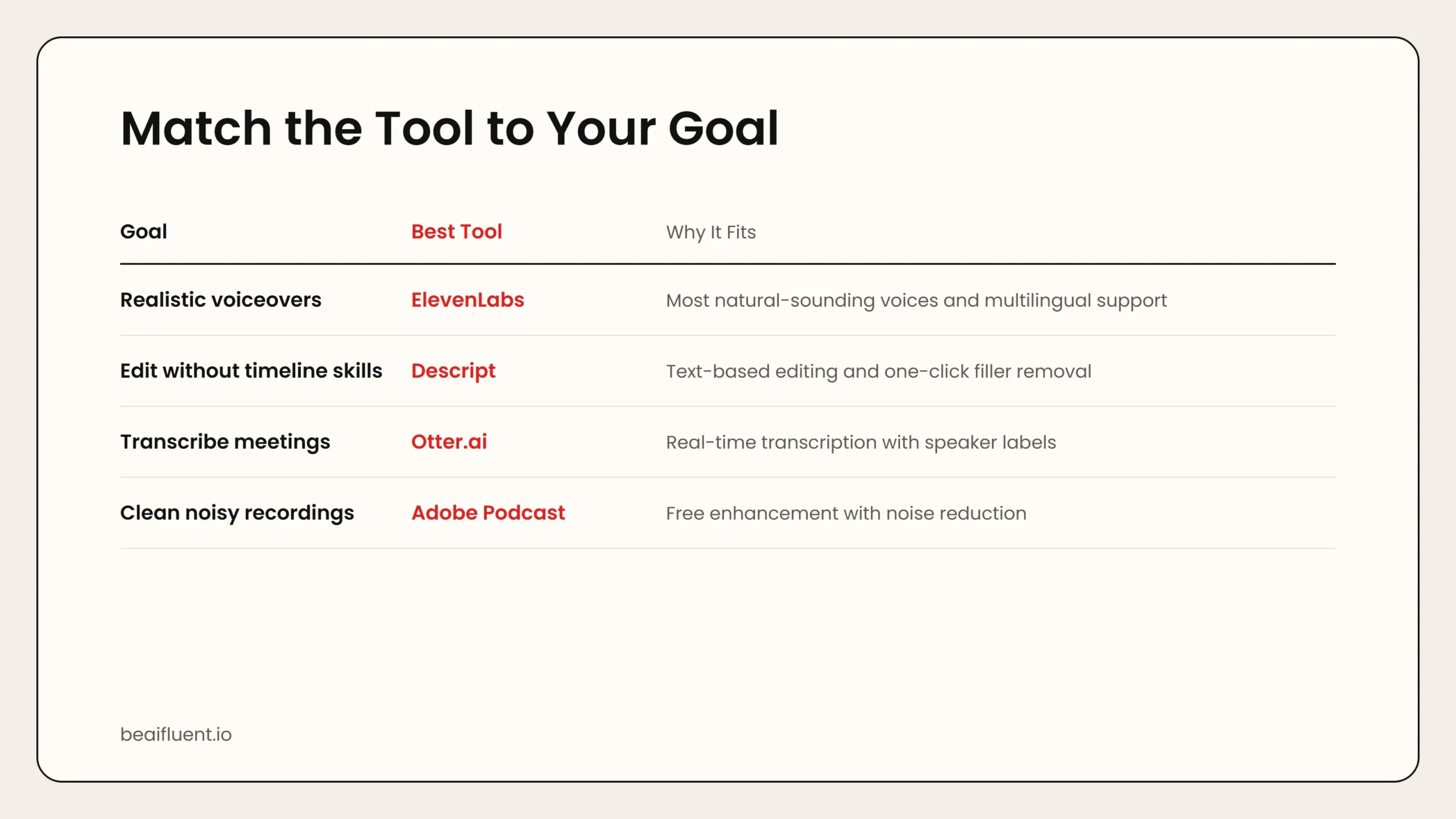 Caption: ElevenLabs creates voice. Descript edits it. Otter.ai transcribes it. Choose based on your workflow bottleneck.
Use-Case Matching Table
| Your Goal | Best Tool | Why It Fits |
|---|---|---|
| Realistic voiceovers for videos | ElevenLabs | Most natural-sounding voices and multilingual support |
| Edit a podcast without timeline skills | Descript | Text-based editing and filler-word removal |
| Transcribe interviews or meetings | Otter.ai | Real-time transcription with speaker labels |
| Clone your own voice for branding | ElevenLabs or Descript | ElevenLabs for scale, Descript for editing integration |
| Turn blog posts into audio | Play.ht | WordPress plugin and simple embed |
| Clean up noisy recordings | Adobe Podcast or Descript | Free enhancement or deep editing |
| Add voice to apps or products | Resemble AI or ElevenLabs API | Developer-friendly APIs with emotion control |
Pricing Comparison
| Tool | Free Tier | Paid Start | Best For |
|---|---|---|---|
| ElevenLabs | 10,000 characters/month | ~$5/month | High-quality voice generation |
| Descript | 1 hour transcription | ~$12/month | Editing and overdub |
| Otter.ai | 300 minutes/month | ~$10/month | Meeting transcription |
| Murf.ai | 10 minutes voice | ~$19/month | Simple commercial voiceovers |
| Play.ht | 5,000 words/month | ~$31/month | Blog-to-audio conversion |
| Adobe Podcast | Unlimited audio enhancement | Free | Noise reduction and leveling |
| Resemble AI | Limited trial | Custom pricing | Enterprise voice cloning |
Prices change frequently, so check each tool’s website for current rates. Most paid plans unlock higher quality, more usage, and commercial rights.
How to Choose the Right Tool
Start with your biggest pain point. If you spend hours recording voiceovers, an AI voice generator like ElevenLabs will save the most time. If you dread editing out mistakes, Descript’s text-based workflow is hard to beat. If you take a lot of meetings or interviews, Otter.ai pays for itself in searchable notes alone.
Next, test the free tier. Every tool on this list offers enough free usage to evaluate quality. Record a short sample, run it through the tool, and listen critically. Does the voice sound natural? Is the transcript accurate enough? Does the edited audio feel professional?
Finally, check the commercial terms. Some free tiers do not allow monetized use. If you run a YouTube channel, podcast, or client business, make sure your plan includes commercial rights.
Warning: Voice cloning is powerful but risky. Only clone voices you own or have written permission to use. Many platforms now require identity verification for cloning. Using cloned voices without consent can violate terms of service and local law.
For a broader comparison of free AI tools, see our guide on best free AI tools and top AI tools for writing, research, coding, and data analysis.
A Simple Starter Workflow
Here is a practical workflow you can use this week:
- Write your script. Start with a clear script for your video, podcast, or voiceover.
- Generate or record audio. Use ElevenLabs for synthetic voice, or record yourself and upload to Descript.
- Edit with AI. Remove filler words in Descript, clean noise with Adobe Podcast, or adjust pacing in Descript’s text editor.
- Transcribe for accessibility. Run the final audio through Otter.ai to create subtitles, show notes, or a blog version.
- Export and publish. Match the format to your platform: MP3 for podcasts, WAV for high-quality video, SRT for subtitles.
This workflow combines three tools, but you can start with just one. Even a single AI audio tool can noticeably improve your content quality.
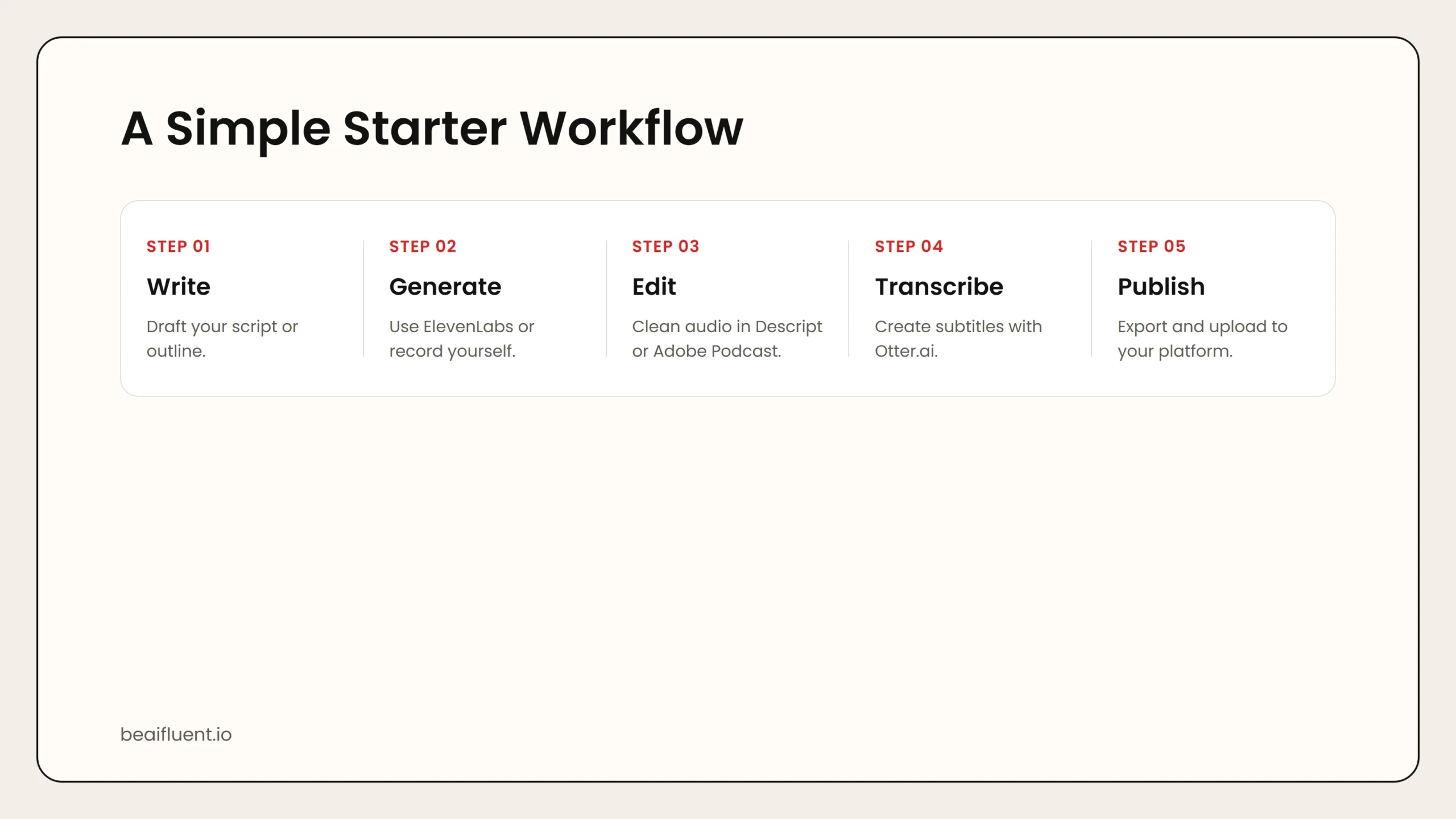 Caption: A simple 5-step workflow from script to published content using AI audio tools.
FAQ
What is the most realistic AI voice generator?
ElevenLabs is widely regarded as the most realistic consumer AI voice generator in 2026, especially for multilingual content and voice cloning.
Can I use AI-generated voices for commercial projects?
Most paid plans allow commercial use, but free tiers often do not. Check the terms of service for each tool before monetizing content.
Is voice cloning legal?
Cloning your own voice is legal. Cloning someone else’s voice without consent is not. Always get written permission before cloning any voice you do not own.
How accurate is AI transcription?
Otter.ai and similar tools reach 90 to 95 percent accuracy in clear audio with standard accents. Accuracy drops with background noise, technical jargon, or strong regional accents.
Can AI audio tools replace a professional editor?
For basic cleanup, filler removal, and transcription, yes. For complex storytelling, sound design, and creative mixing, a human editor still adds value.