
The best AI learning path is not a giant list of random courses. As of April 21, 2026, the strongest approach is simpler: pick one structured learning path, pair it with a small free tool stack, and turn what you learn into public proof of skill. That usually means starting with a beginner-friendly hub or path such as OpenAI Academy, Microsoft Learn’s AI Fluency path, Hugging Face Learn, or Google’s Build and Modernize Applications With Generative AI path, then practicing in tools like Google AI Studio, Hugging Face Spaces, Streamlit Community Cloud, and GitHub Free.
That structure matters because AI learning breaks down when people spend all their time comparing tools and none of their time building. If you want a stronger foundation before you choose a path, start with What Is AI Fluency and Why It Matters and How to Start Using AI as a Complete Beginner. This article assumes you are ready to go one step further and build a path that leads to visible work.
 Caption: The strongest path is not more content. It is one clear starting point, one practical stack, and one public proof artifact.
Key Takeaways
- The best AI learning paths are usually role-based and project-based, not “watch 40 hours of videos and hope for the best.”
- OpenAI Academy, Microsoft Learn, Hugging Face Learn, and Google Skills are four of the strongest official starting points because they combine structured content with practical workflows.
- Free tools matter most when they help you practice in public. Google AI Studio, Hugging Face Spaces, Streamlit Community Cloud, and GitHub Free are especially useful for that.
- A strong AI portfolio project should show the workflow, the review process, and the output, not just the tool names.
- If you only collect courses and certificates, you may feel busy without becoming more employable.
Table of Contents
- What the best AI learning path looks like
- The best AI learning paths to start with
- Free tools that help you practice instead of just watch
- Portfolio projects that prove real AI skill
- A 30-day AI learning roadmap you can actually finish
- How to choose the right path for your goal
- Common mistakes that waste time
- FAQ
What the Best AI Learning Path Looks Like
Most people do not need “the most advanced AI curriculum.” They need a path that gets them from curiosity to repeatable output. The easiest way to think about that is as a three-part system: learn, build, and publish.
| Stage | What you are trying to do | What good progress looks like | What usually goes wrong |
|---|---|---|---|
| Learn | Understand the basics, core workflows, and limits | You can explain what a model, prompt, context, source grounding, and review step actually mean | You binge content and retain very little |
| Build | Practice inside free or low-cost tools | You complete small working experiments, not just notes | You keep opening tools without a clear job |
| Publish | Turn practice into visible proof | You have a demo, README, case study, or public app | You say “I know AI” without showing evidence |
This model also matches how the major learning platforms frame their material. OpenAI said on March 25, 2025 that the next phase of OpenAI Academy included a publicly available, free online hub for AI literacy and practical use (OpenAI). Microsoft’s official AI Fluency learning path is a beginner track with 7 modules that starts with AI basics and moves into generative AI, responsible AI, search, and Copilot use. That is a better pattern than trying to become “good at AI” in the abstract.
The best AI path is not the one with the most content. It is the one that gets you to a finished workflow and a visible artifact fastest.
If you already understand the basics but still feel scattered, How to Use AI Workflows for Research, Notes, Meetings, and Planning is a useful companion because it shows how to turn loose prompting into repeatable systems.
The Best AI Learning Paths to Start With
There is no single best path for every person. The better question is which path best matches your current role, your tolerance for technical depth, and the kind of portfolio project you want to ship next.
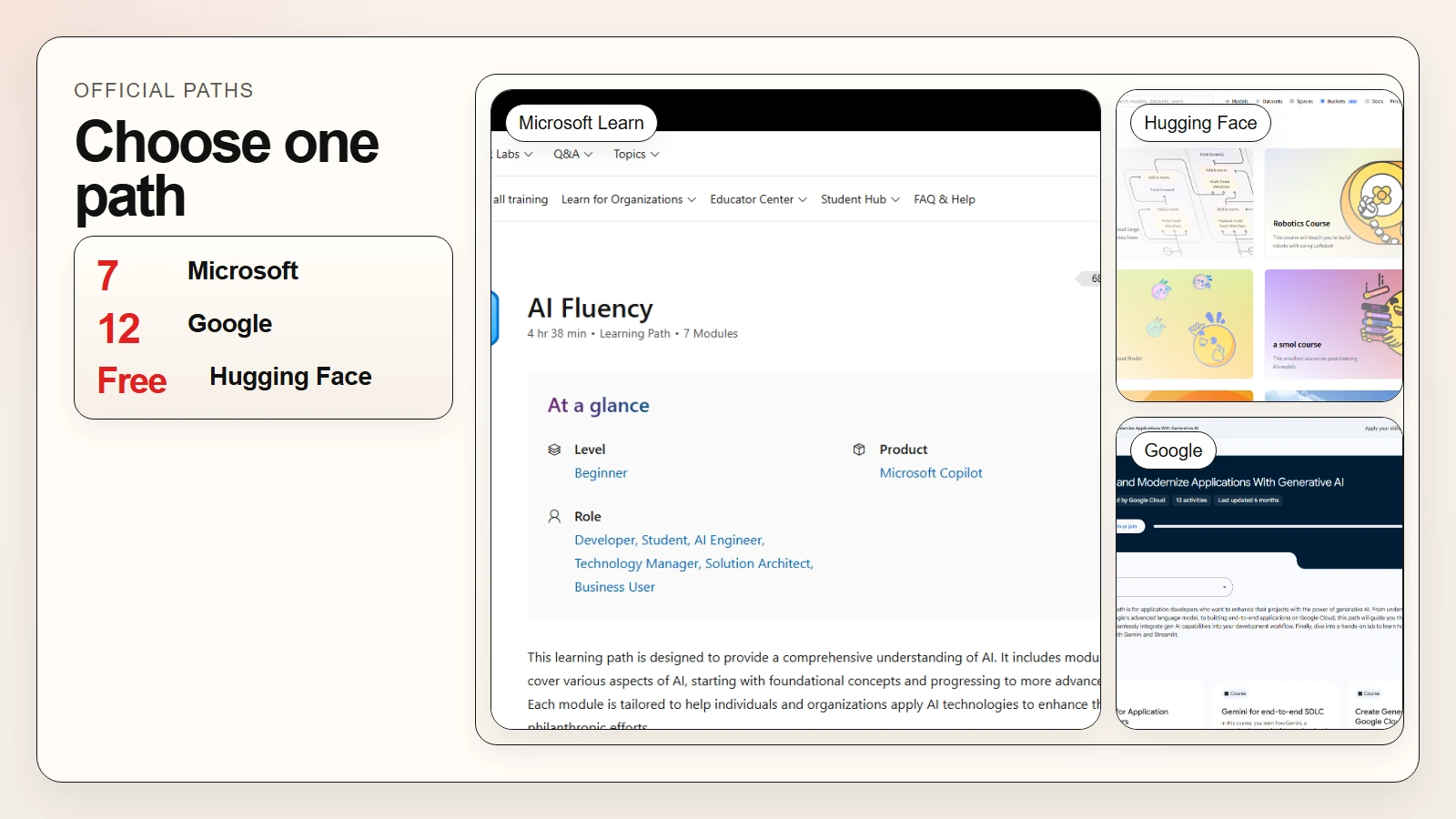 Caption: A source-led mosaic showing one dominant official path surface and two smaller supporting learning-path proofs.
| Learning path | Best for | What the official source supports | Why it is strong |
|---|---|---|---|
| OpenAI Academy | Beginners, educators, professionals, and developers | AI fundamentals, ChatGPT workflows, work, education, building with AI, and Codex guidance | Broadest practical “how people actually use AI” path |
| Microsoft Learn AI Fluency | Beginners and professionals who want a structured first path | A beginner path with 7 modules covering AI basics, generative AI, search, responsible AI, and Copilot | Best for structured first-step progression |
| Hugging Face Learn | Builders, technical learners, and model-curious beginners | LLM course, agents course, computer vision, audio, diffusion, and more | Best for hands-on open-source learning |
| Google Skills generative AI path | Developers and technical learners who want labs | A Google-managed path with 12 activities ending in a Gemini + Streamlit lab | Best for practical lab-style progression |
1. OpenAI Academy
OpenAI Academy is one of the strongest starting points when you need breadth rather than deep specialization. OpenAI’s public Academy page groups content into AI fundamentals, Getting started with ChatGPT, ChatGPT for work, ChatGPT for education, Building with AI, and Codex (OpenAI). That makes it useful for both non-technical readers and people who want to move into more technical workflows later.
The key advantage is that it stays close to real tasks. You are not only learning concepts. You are learning where AI fits in work, education, and product workflows. For many readers, that is the right first layer before they move into more technical material.
2. Microsoft Learn AI Fluency
Microsoft Learn is strongest when you want a structured first path rather than a loose resource library. Its AI Fluency training path is a beginner sequence with 7 modules that covers AI basics, generative AI, search, responsible AI, Copilot, productivity, and “AI for all” themes.
That matters because role-based learning prevents a common failure mode: developers over-learning business content, and non-technical professionals over-indexing on model engineering content they do not need yet. If your real question is “What should a professional in my kind of role learn next?” Microsoft Learn is one of the cleanest starting points.
3. Hugging Face Learn
Hugging Face is a strong second-stage path once you want more hands-on exposure to models, model cards, Spaces, datasets, and agent ecosystems. The Hugging Face Learn hub currently lists courses across LLMs, agents, robotics, audio, computer vision, diffusion, and more (Hugging Face Learn). Its main course also states that it is completely free and without ads (Hugging Face Course).
This path is especially strong if you expect to build a demo, compare open models, or publish a small application later. If you want the repo’s dedicated beginner walkthrough, How to Use Hugging Face as a Beginner pairs well with this section.
4. Google Skills and Google AI Learning Resources
Google Cloud’s training resources page says Google Skills offers more than 3,000 learning resources and hands-on labs that give temporary credentials to actual cloud resources (Google Cloud). Google also has a specific Build and Modernize Applications With Generative AI path with 12 activities that ends in a Gemini plus Streamlit lab. In addition, the Gemini Enterprise Agent Ready program offers 35 monthly learning credits at no cost for learners accessing Google Skills (Google Cloud).
This path is especially useful when you want a more lab-shaped experience. It is less about passive content and more about doing. If you learn best by following short explanations with direct environment access, Google’s training model is worth serious attention.
A fast way to pick between them
Use this simple selector before you sign up for five platforms at once:
- Choose OpenAI Academy if you want the clearest everyday AI starting point.
- Choose Microsoft Learn AI Fluency if you want a structured first-step professional track.
- Choose Hugging Face Learn if you want open-source and builder depth.
- Choose Google Skills if you want labs, cloud practice, and structured exercises.
You can combine them later. Early on, the bigger risk is not missing the perfect path. It is splitting your attention so widely that none of the paths turns into finished work.
Free Tools That Help You Practice Instead of Just Watch
Learning paths help you understand. Free tools help you prove that you can do something with what you learned. That second part matters more than most course collectors admit.
If you want a broader roundup of general-use assistants, read Best Free AI Tools and Top AI Tools for Writing, Research, Coding, and Data Analysis. The shortlist below is narrower. It focuses on tools that make portfolio work easier.
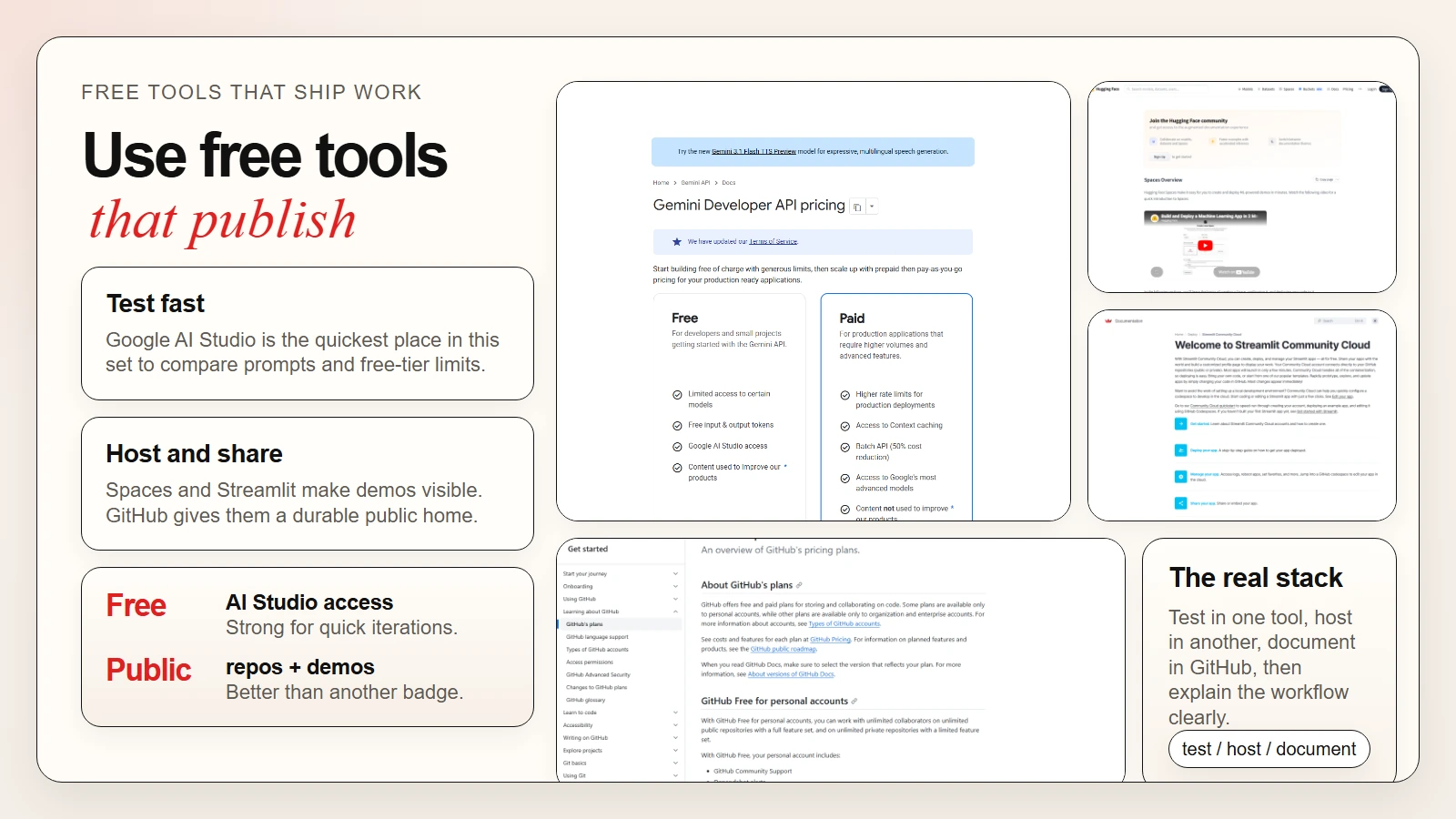 Caption: Free tools matter when they help you test, host, document, and publish work rather than just chat with a model.
| Free tool | Best use | Official detail that matters | Portfolio value |
|---|---|---|---|
| Google AI Studio | Rapid prompt testing and lightweight prototyping | Google lists a free tier for several Gemini API and AI Studio models | Good for fast experiments and prompt comparisons |
| Hugging Face Spaces | Hosting demos and model experiments | Free default environment includes 16GB RAM, 2 CPU cores, and 50GB non-persistent disk | Excellent for public demos and applied ML proof |
| Streamlit Community Cloud | Sharing Python-based data or AI apps | Streamlit says you can create, deploy, and manage apps there “all for free” | Great for simple professional apps and dashboards |
| GitHub Free + GitHub Pages | Repos, READMEs, issue history, and simple public sites | GitHub Free includes unlimited public repositories and GitHub Pages in public repos | Best default home for your proof of work |
Why these tools matter more than another certificate
Each of these tools helps you create evidence:
- a live demo
- a public repo
- a short write-up
- a hosted case study
- a repeatable workflow someone else can inspect
That kind of evidence is more useful than a vague claim like “familiar with AI.” If you are applying for jobs, freelancing, or even trying to justify AI upskilling inside your current role, a public artifact usually carries more weight than a list of course names.
Portfolio Projects That Prove Real AI Skill
A strong AI portfolio project should not try to impress people with complexity first. It should show that you can define a problem, choose a tool, review outputs, and communicate the result clearly.
Four project ideas with real payoff
| Project | What you build | Free stack | What it proves |
|---|---|---|---|
| Source-grounded research brief | A small app or prompt workflow that turns trusted sources into a clean memo | Google AI Studio + GitHub + GitHub Pages | Research discipline, summarization, and source handling |
| Public AI explainer demo | A lightweight interactive demo around a model or workflow | Hugging Face Spaces | You can turn model use into something others can test |
| Notes-to-action workflow app | A simple tool that turns meeting notes into actions, owners, and follow-ups | Streamlit Community Cloud + GitHub | Workflow thinking and practical business value |
| Prompt evaluation lab | A repo that compares prompt versions, outputs, and review criteria | GitHub + optional AI Studio or notebook | Review judgment, not just prompt creativity |
What a hiring manager or client actually wants to see
Before you start building, use this project rubric:
- State the job clearly. Example: “Turn a messy document pack into a 1-page project brief.”
- Show the inputs. Use screenshots, sample files, or short example prompts.
- Show the review method. Explain how you check accuracy, tone, completeness, or formatting.
- Show the output. Give a final brief, a screenshot, or a hosted app.
- Show the limitation. Explain what still needs human review or where the workflow breaks.
A portfolio project becomes credible when it includes judgment. If there is no review step, no boundary, and no explanation of limits, it looks like tool tourism.
A worked example
Imagine you are a non-technical professional who wants to prove you can use AI in a business setting. A good first project is not “build an autonomous agent company.” A better first project is:
Meeting notes to action plan
- Collect a short sample transcript or note set.
- Use AI to draft action items, owners, deadlines, and risks.
- Compare the first AI pass against a human-reviewed final version.
- Host the output as a small Streamlit demo or document the workflow in a GitHub repo.
- Publish a GitHub Pages case study that explains where the AI helped and where human judgment was still required.
That one project demonstrates workflow design, review, communication, and tool use all at once. It is also easier to finish than a vague “AI startup idea.”
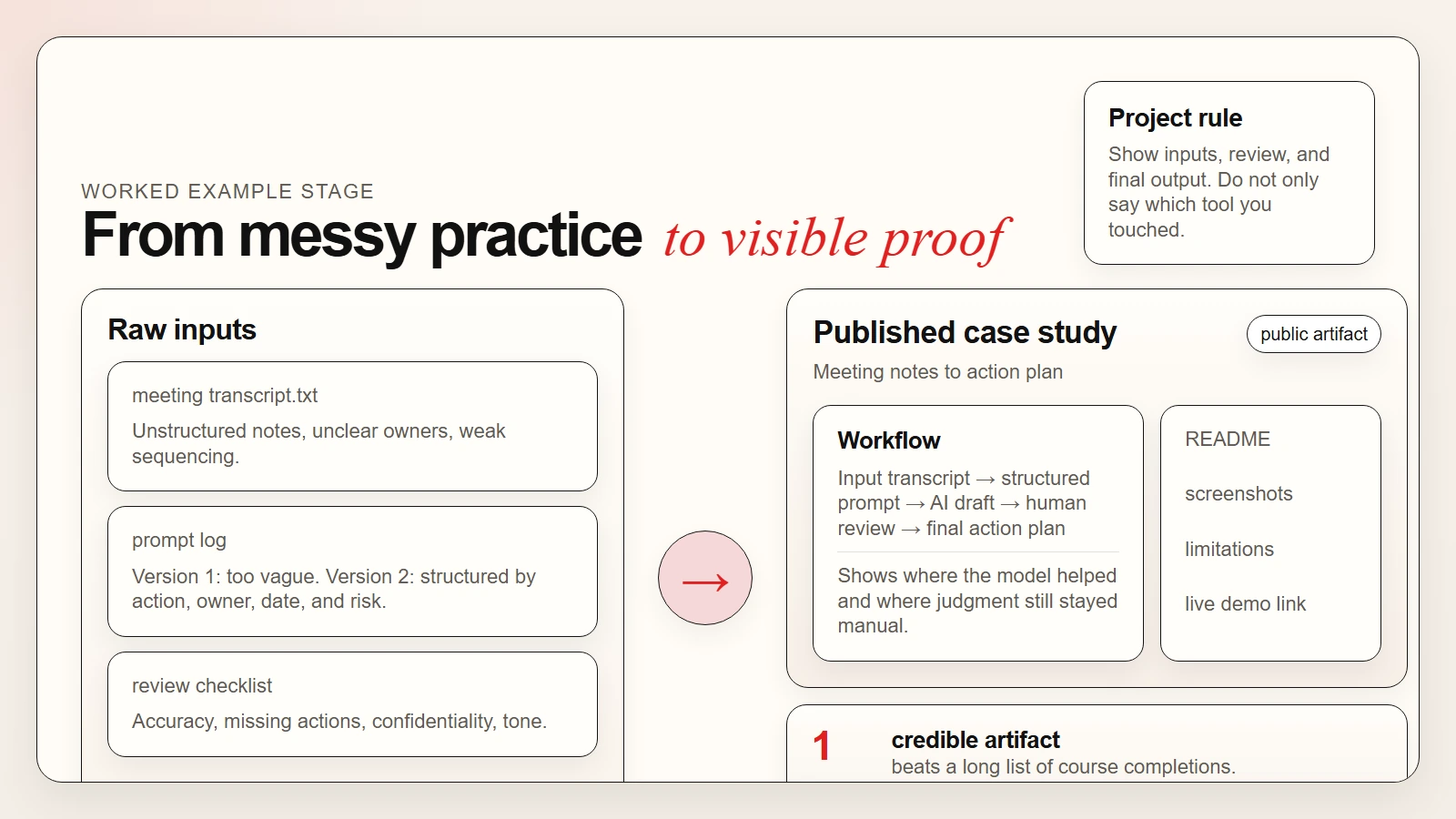 Caption: A credible portfolio project shows inputs, review steps, and a final public output instead of only listing tool names.
A 30-Day AI Learning Roadmap You Can Actually Finish
The point of a roadmap is not to make you feel ambitious. It is to reduce drift. The plan below assumes you are busy and want visible output inside one month.
Week 1: Pick one path and one problem
Start with one primary learning path, not three.
- Use OpenAI Academy if you want broad practical context.
- Use Microsoft Learn if you want a role-based professional route.
- Use Hugging Face Learn if you want builder depth.
- Use Google Skills if you want labs and structured exercises.
At the same time, define one problem you want to solve. Good examples:
- summarize research into a short brief
- turn notes into actions
- compare model outputs for one task
- explain a technical topic more clearly
Week 2: Practice inside one free tool stack
Pick a narrow stack and stay inside it long enough to learn it:
Google AI Studio + GitHubfor rapid prompt experimentsHugging Face Spacesfor public demosStreamlit Community Cloud + GitHubfor practical mini apps
The goal this week is not polish. It is repetition. Run the same job multiple times, improve the prompt or structure, and keep notes on what changed.
Week 3: Build a public artifact
Now convert practice into something visible:
- a repo with a README
- a hosted mini app
- a short case-study page
- a before-and-after comparison write-up
If you need help thinking through what AI should and should not be trusted to do in that workflow, Are AI Tools Accurate? is the right companion article.
Week 4: Refine, explain, and publish
This is where many learners stop too early. Do not only finish the project. Package it.
- Write a short project summary.
- Explain the workflow in plain language.
- Add screenshots.
- State the limits.
- Link to the live demo or repo.
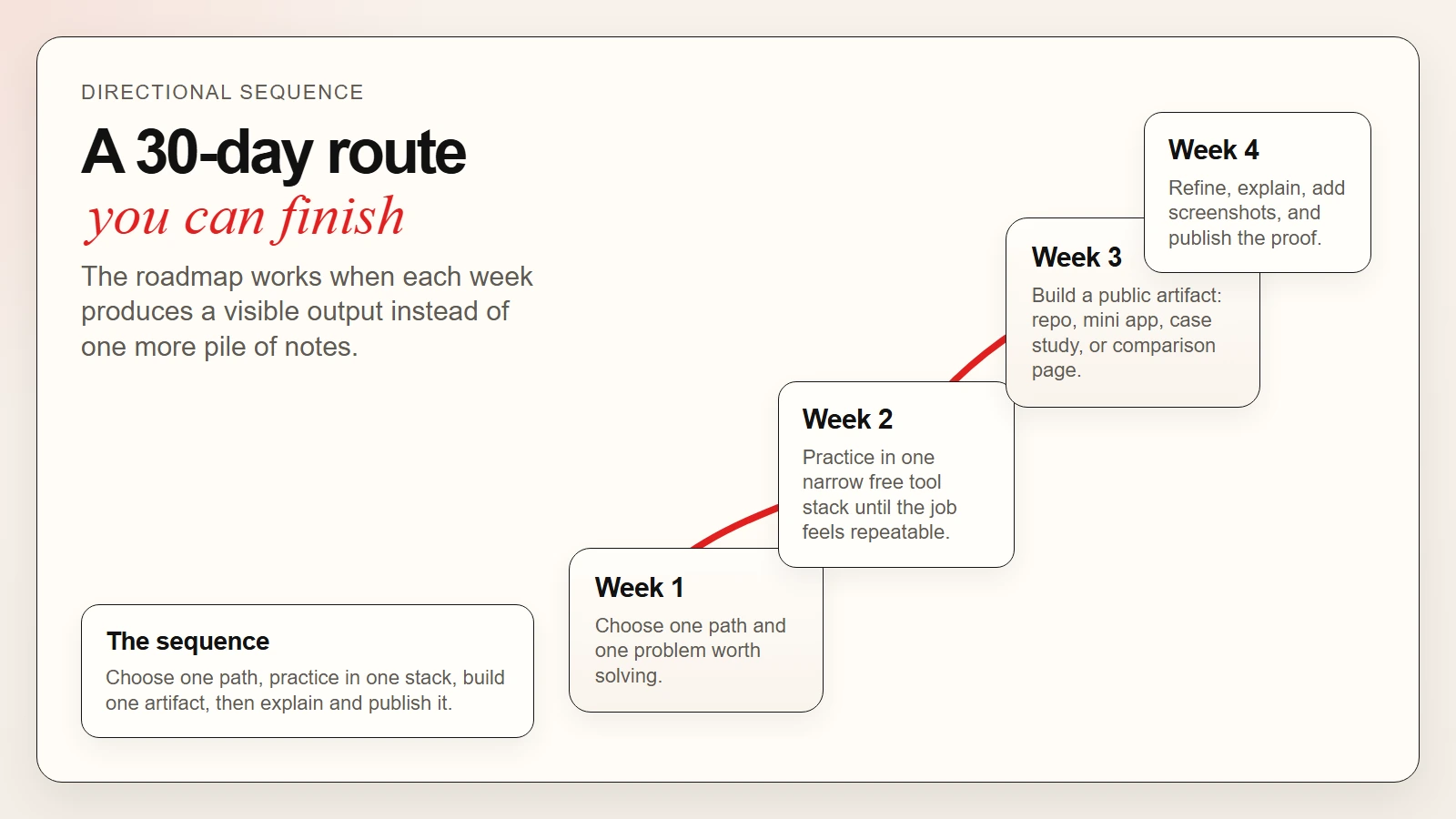 Caption: A useful roadmap gives each week one visible job: choose, practice, build, then publish.
End-of-month checklist
- Yes: I completed one structured learning path or meaningful slice of one.
- Yes: I practiced inside a narrow free tool stack.
- Yes: I built one public artifact people can inspect.
- Yes: I can explain the review process and limitations.
- Yes: I have proof of skill, not just proof of watching.
How to Choose the Right Path for Your Goal
Different readers should optimize for different outcomes. This is where many “best AI course” lists go off the rails. They rank everything together instead of separating the learner goals.
| If you are… | Start with… | Build with… | Then read… |
|---|---|---|---|
| A complete beginner | OpenAI Academy | Google AI Studio + GitHub | How to Start Using AI as a Complete Beginner |
| A knowledge worker | Microsoft Learn or OpenAI Academy | Streamlit or GitHub Pages case studies | How to Use AI Workflows for Research, Notes, Meetings, and Planning |
| A builder or technical learner | Hugging Face Learn or Google Skills | Hugging Face Spaces + GitHub | How to Use Hugging Face as a Beginner and What Are AI CLIs? Codex, Claude Code, and Gemini CLI Explained |
| A career switcher | OpenAI Academy + Microsoft Learn | GitHub Pages portfolio site | How AI Is Being Used in Schools and Careers |
The general rule is simple:
- choose the path that matches your next role
- choose the tool that helps you produce visible work
- choose the project that proves judgment, not just enthusiasm
Common Mistakes That Waste Time
This section matters because AI learners often fail in recognizable ways. The tools are changing fast, but the bad habits are stable.
Mistake 1: Taking too many courses at once
If you subscribe to four learning hubs in the same week, your problem is not access. It is focus. One strong path plus one project is almost always better than five partial paths.
Mistake 2: Confusing free access with a complete workflow
Free tiers are useful, but they are not magical. Google lists free-tier access for several Gemini/AI Studio workflows, Hugging Face Spaces gives free default hardware, and Streamlit Community Cloud is free to deploy on, but each platform still shapes what you can do at scale (Google AI for Developers, Hugging Face, Streamlit).
Mistake 3: Building a portfolio that says too little
“Built with AI” is not enough. Show the task, the inputs, the review rule, and the final result.
Mistake 4: Never documenting the human step
If your project description makes it sound like the AI did everything perfectly, it becomes less credible, not more credible. Readers trust clear boundaries.
Mistake 5: Ignoring the basics
Before you build flashy portfolio work, make sure you understand prompt quality, source review, and realistic model limits. That is the difference between AI literacy and AI fluency, and it is why AI Literacy vs AI Fluency remains such an important companion piece.
FAQ
What is the best AI learning path for beginners?
For most beginners, the best AI learning path is one structured platform plus one small project. OpenAI Academy and Microsoft Learn are strong broad starting points, while Hugging Face Learn and Google Skills are stronger when you want more technical depth.
How can I learn AI for free?
You can learn a lot for free by combining official learning hubs with free practice tools. Good examples include OpenAI Academy, Microsoft Learn, Hugging Face Learn, Google Skills access programs, Google AI Studio, Hugging Face Spaces, Streamlit Community Cloud, and GitHub Free.
What free AI tools are best for portfolio projects?
Hugging Face Spaces, Streamlit Community Cloud, GitHub Free with GitHub Pages, and Google AI Studio are especially useful because they help you host demos, document your work, or share experiments publicly.
What makes a good AI portfolio project?
A good AI portfolio project shows a real problem, a repeatable workflow, a review method, and a final output that someone else can inspect. The strongest projects also explain where human judgment still matters.
Should I focus on courses or projects first?
Start with enough structured learning to avoid flailing, then move into projects quickly. The strongest learning path usually alternates between short learning blocks and visible practice.
Conclusion
The best AI learning paths are the ones that end in proof. That is the central idea to keep.
Use a structured path to learn the concepts. Use a small free tool stack to practice. Then turn that work into a public artifact that shows how you think, how you review, and what you can ship. That is a better route than collecting courses forever, and it is a better signal than listing tool names with no evidence behind them.
If you finish this article with one next step, make it this: pick one path, pick one project, and publish one visible result inside the next 30 days.
Sources
- OpenAI: Scaling the OpenAI Academy
- OpenAI Academy
- Microsoft Learn: AI Fluency
- Google Cloud Training Resources
- Google Skills: Build and Modernize Applications With Generative AI
- Google AI for Developers: Gemini API Pricing
- Hugging Face Learn
- Hugging Face Course
- Hugging Face Spaces Overview
- Streamlit Community Cloud
- GitHub’s Plans