
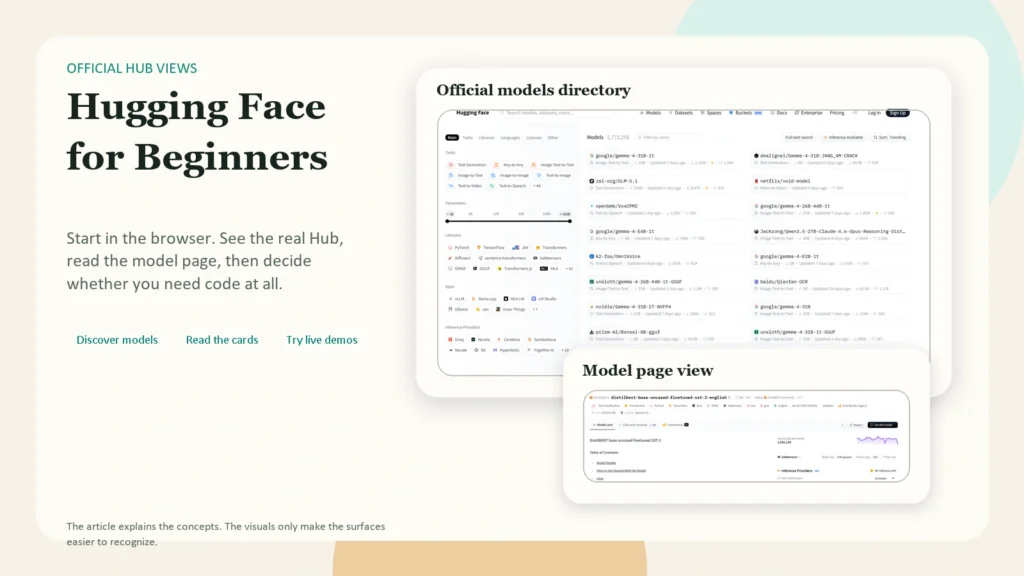
How to Use Hugging Face as a Beginner: Models, Datasets, and Spaces Made Simple
Hugging Face can look intimidating at first because it is not just one AI tool. It is a hub for finding models, datasets, demos, and developer workflows. If you are a beginner, the simplest way to think about it is this: Hugging Face helps you discover AI models, understand what they do, test some of them quickly, and optionally use them in your own projects.
This article is for beginners who want a practical starting point, not a machine learning deep dive. As of April 10, 2026, the official Hugging Face docs still center the platform around three main repository types: models, datasets, and Spaces. The platform is broad, but your first steps do not need to be complicated. You do not need to train a model, rent a GPU, or become an ML engineer to get value from it.
Key Takeaways
- Start by learning the difference between a model, a dataset, and a Space.
- Read the model card before trusting a model, especially its intended uses, limitations, license, and evaluation details.
- If you are non-technical, begin in the browser by searching models and testing demos.
- If you are comfortable with basic Python, start with
huggingface_hub,transformers, and a single small example. - Use the smallest access token that fits the job. For most beginner scripts,
readis safer thanwrite. - You still need human review. Hugging Face helps you access models, but it does not remove the need to verify outputs.
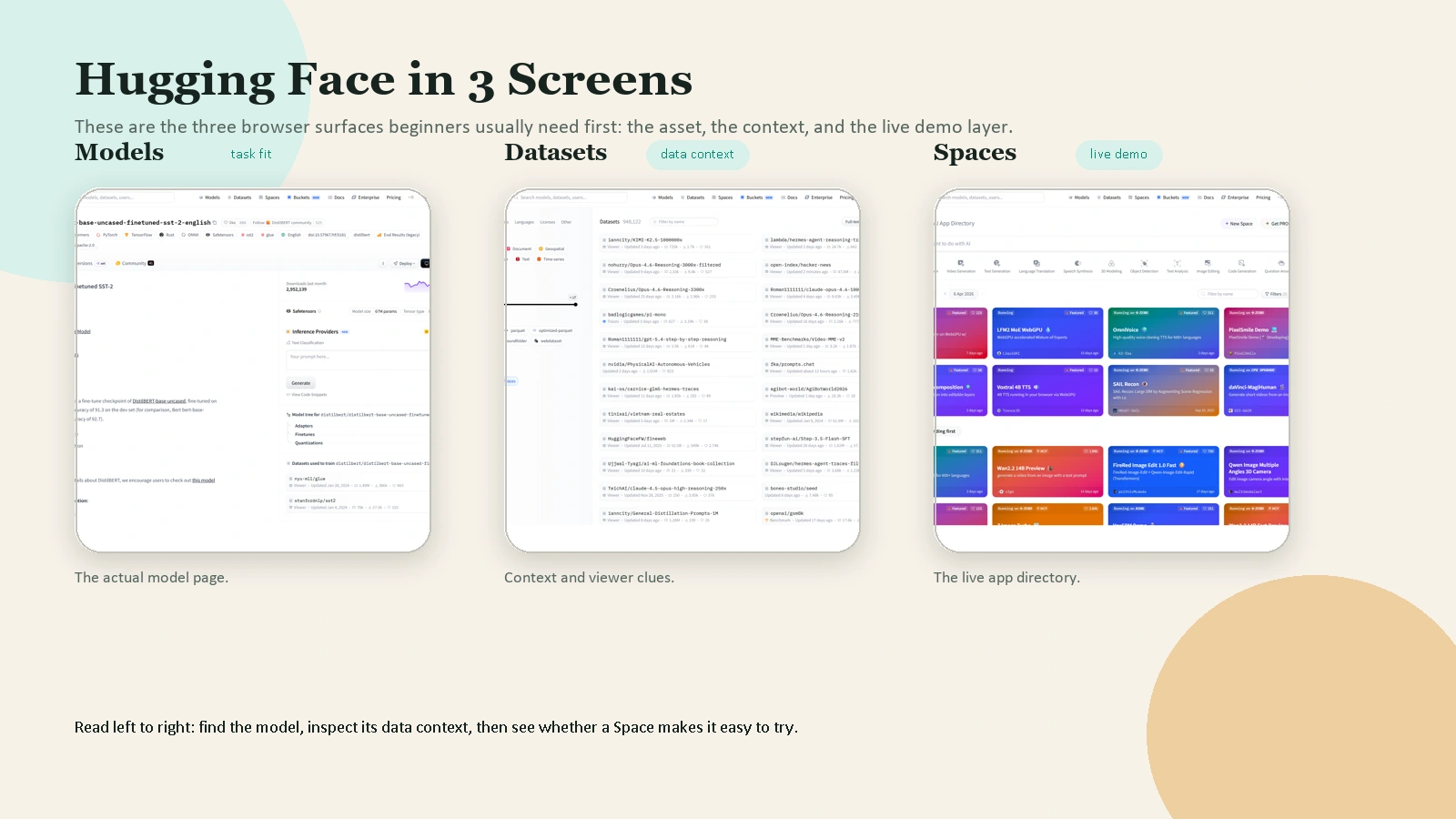 Caption: Beginners usually learn the platform faster when they separate the model page, the dataset surface, and the live demo layer.
Table of Contents
- What is Hugging Face?
- The three things beginners must understand first
- What you can do on Hugging Face without coding
- How to choose a beginner-friendly model
- A simple first workflow in the browser
- A simple first workflow with Python
- How to use Hugging Face Spaces
- Common beginner mistakes
- FAQ
What Is Hugging Face?
According to the official Hub quickstart, the Hugging Face Hub is the go-to place for sharing machine learning models, demos, datasets, and metrics. That is why the platform can feel busy. It serves several different jobs at once.
For a beginner, Hugging Face is most useful in four ways:
- as a search engine for AI models
- as a documentation layer through model cards and dataset cards
- as a gallery of live demos through Spaces
- as a bridge into Python, APIs, or deployment once you are ready
The key mindset shift is this: Hugging Face is not one chatbot. It is an ecosystem. Some pages help you learn. Some help you test. Some help you build.
The official Repositories guide says that models, datasets, and Spaces are all hosted as Git repositories on the Hub. Beginners do not need to master Git on day one, but this detail explains why Hugging Face feels more like a developer platform than a consumer app. Every major asset lives inside a versioned repo.
The Three Things Beginners Must Understand First
If you remember only one section from this article, make it this one.
| Term | Simple meaning | Why it matters |
|---|---|---|
| Model | A trained AI system or checkpoint | This is the thing that generates, classifies, translates, summarizes, or predicts |
| Dataset | A collection of examples used for training or evaluation | This helps you understand where a model learned from and how it was tested |
| Space | A live demo or app hosted on Hugging Face | This is often the easiest way to try a model without writing code |
The official Model Hub page describes the Model Hub as a place to store, discover, and share model checkpoints, with support from over 15 integrated libraries. The official Datasets Overview explains that datasets on the Hub are also repositories and often include a Dataset Viewer so you can inspect the data. The official Spaces Overview explains that Spaces are for creating and deploying ML-powered demos.
Beginners usually get confused because they open a model page and expect a polished app. Sometimes that exists, but often the polished app lives in a Space, while the model page is the underlying building block.
Another important beginner habit is reading the model card. The official Model Cards guide says model cards are simple Markdown README.md files with metadata. They should describe the model, its intended uses, limitations, training details, datasets, and evaluation results. In plain English, the model card tells you whether a model is probably a good fit or a bad fit before you waste time using it.
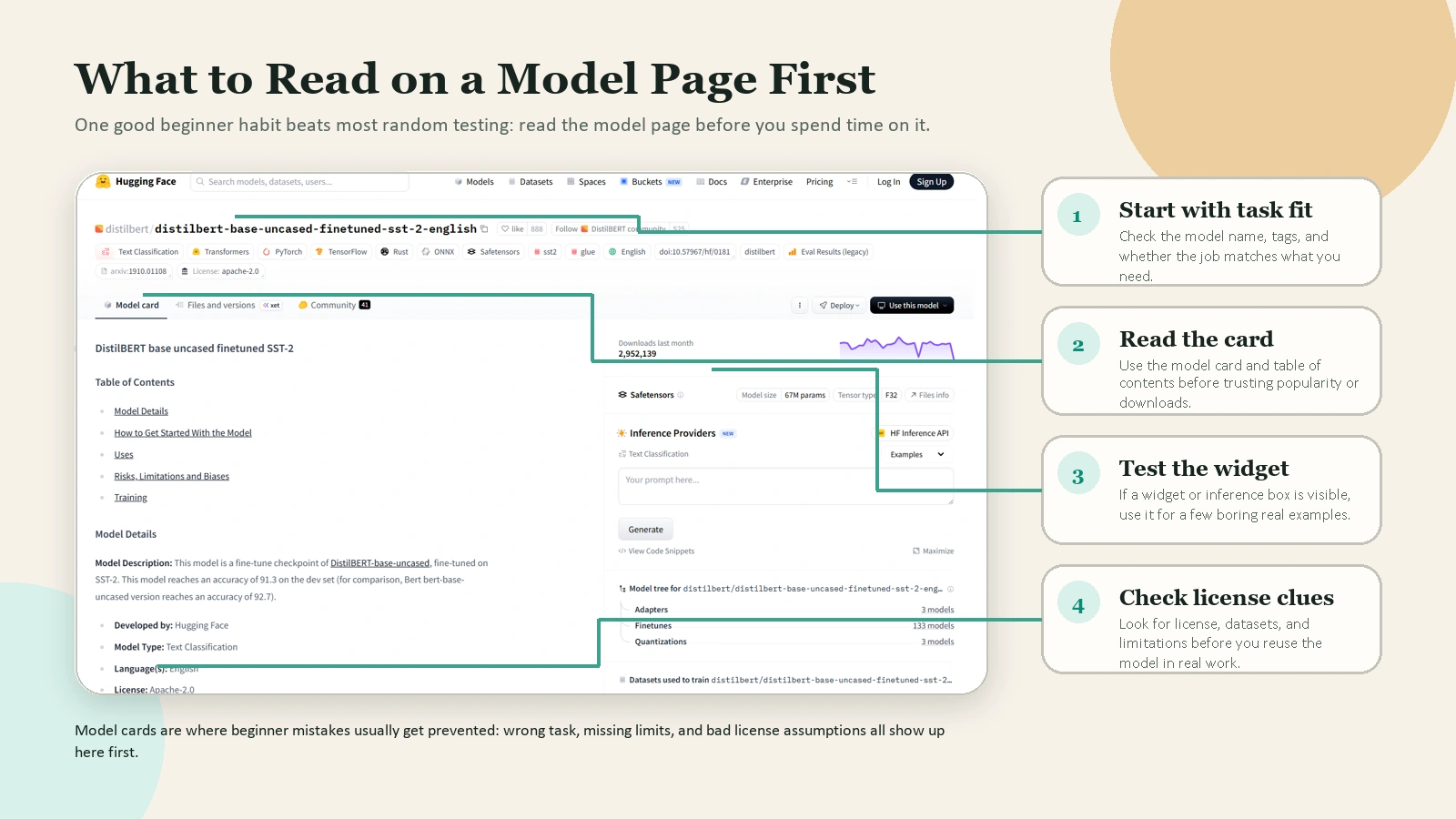 Caption: A model page is more useful than it looks at first glance: start with task fit, then read the card, the widget, and the license clues.
What You Can Do on Hugging Face Without Coding
Many beginners assume Hugging Face only becomes useful once they can write Python. That is not true.
Without writing code, you can already:
- search public models by task, language, license, and popularity
- open model cards and dataset cards
- compare model pages
- inspect some datasets through the viewer
- run live demos in Spaces
- test some models through on-page widgets or playground-style interfaces
This is enough to learn a lot.
The official search guide shows that the Hub supports searching models, datasets, and Spaces directly. The official LLM Course introduction is also a good signal of how Hugging Face wants beginners to learn: start with concepts and practical tools, then move into deeper libraries later.
If you are non-technical, your best first goal is not “build an AI app.” Your best first goal is “learn how to evaluate a model page and test a few demos safely.”
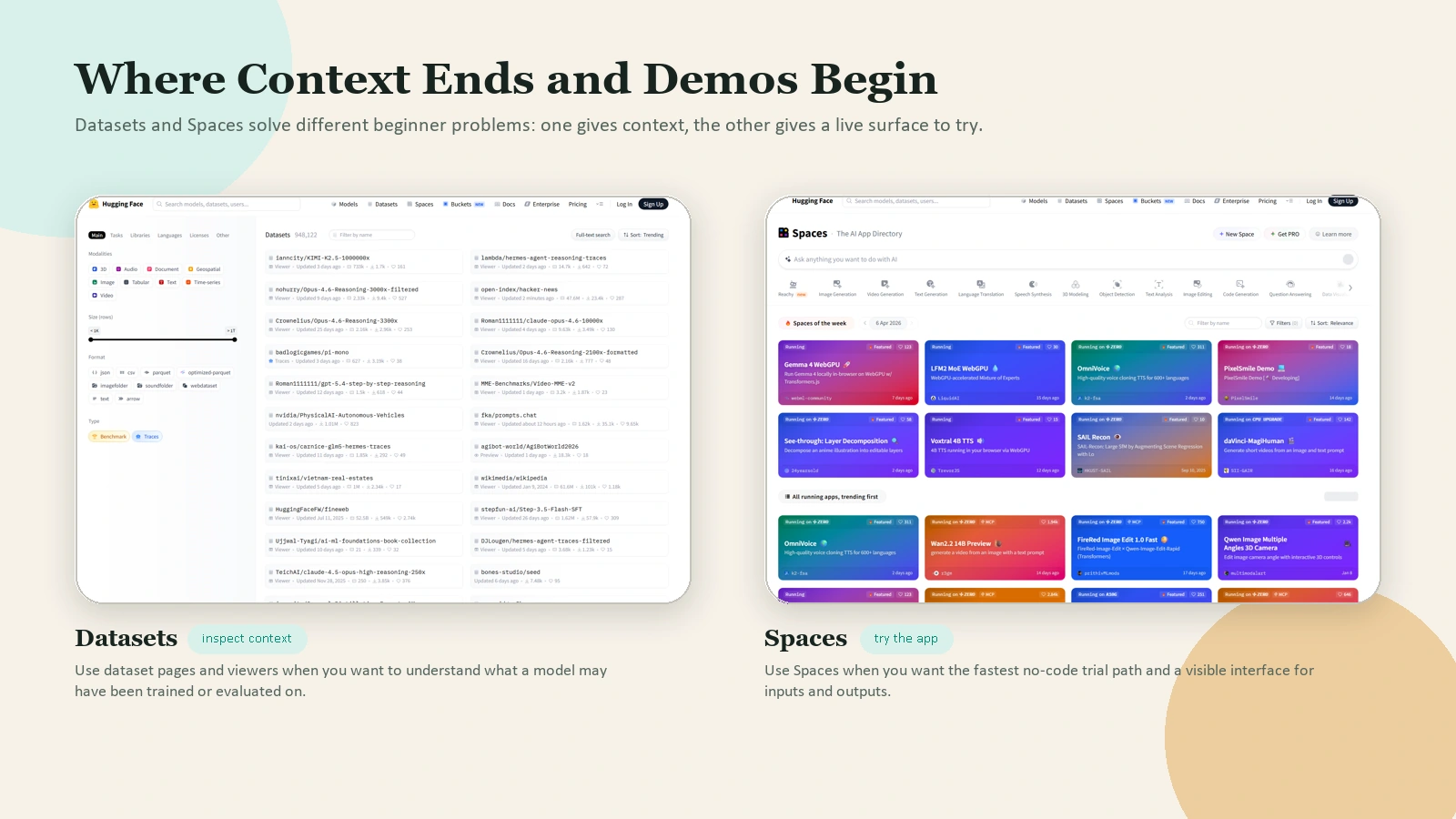 Caption: Datasets help you inspect context. Spaces help you try a live interface. Beginners usually need both.
How to Choose a Beginner-Friendly Model
Beginners often choose the first popular model they see. That is not a reliable method.
Use this checklist instead.
1. Match the model to the task
Do not search for “best AI model” in the abstract. Search for the task:
- text classification
- summarization
- speech recognition
- image captioning
- text generation
The Hugging Face Hub organizes models by task, and the pipeline_tag in model metadata helps determine how the model is categorized and which widget or API path it uses. That is one reason the model card matters so much.
2. Read the model card before using the model
At minimum, check:
- intended use
- limitations
- license
- datasets used
- evaluation results
If the model card is thin, vague, or missing key context, treat that as a warning sign.
3. Prefer a model with a usable example or demo
A beginner-friendly model is easier to learn from when it has:
- clear documentation
- example code
- a visible widget or demo
- an active repo with understandable files
4. Keep hardware expectations realistic
Some models are easy to test. Others are too large for a casual laptop workflow. Do not assume every popular model is practical for your setup.
5. Treat downloads and likes as signals, not proof
A model can be popular and still be a poor fit for your task, your hardware, or your license requirements.
A Simple First Workflow in the Browser
If you are new, this is the best place to start.
Step 1. Create an account
You can browse a lot of public Hugging Face content without signing in, but an account becomes useful once you want to save tokens, create repos, or work with private resources. The official quickstart explains that authentication is needed in many common cases such as private repos, uploads, and creating pull requests.
Step 2. Search for a task, not a model brand
Instead of searching for a random model name, search for the task you want to solve. For example:
- “sentiment analysis”
- “speech to text”
- “image captioning”
- “summarization”
This keeps you focused on use case first.
Step 3. Open a model page and read the card
Before you test anything, look for:
- what the model is for
- what inputs it expects
- what outputs it returns
- what it should not be used for
- what license it uses
This habit will save you more time than any shortcut.
Step 4. Test the model if a widget or demo is available
Some models can be tried directly from the model page, and some are easiest to try through a linked Space. Use these lightweight tests to answer one question: “Does this model behave roughly how I expected on simple inputs?”
Do not judge a model from one dramatic demo prompt. Test it with a few small, boring, realistic examples.
Step 5. Compare the model with a second option
Do not stop at the first result. Try at least two models for the same task. This gives you a feel for tradeoffs in speed, quality, instruction-following, or output style.
Step 6. Save the repo URL and your notes
A good beginner habit is to save:
- the model URL
- the task
- what worked
- what failed
- whether you would use it again
That simple note-taking habit turns random exploration into real learning.
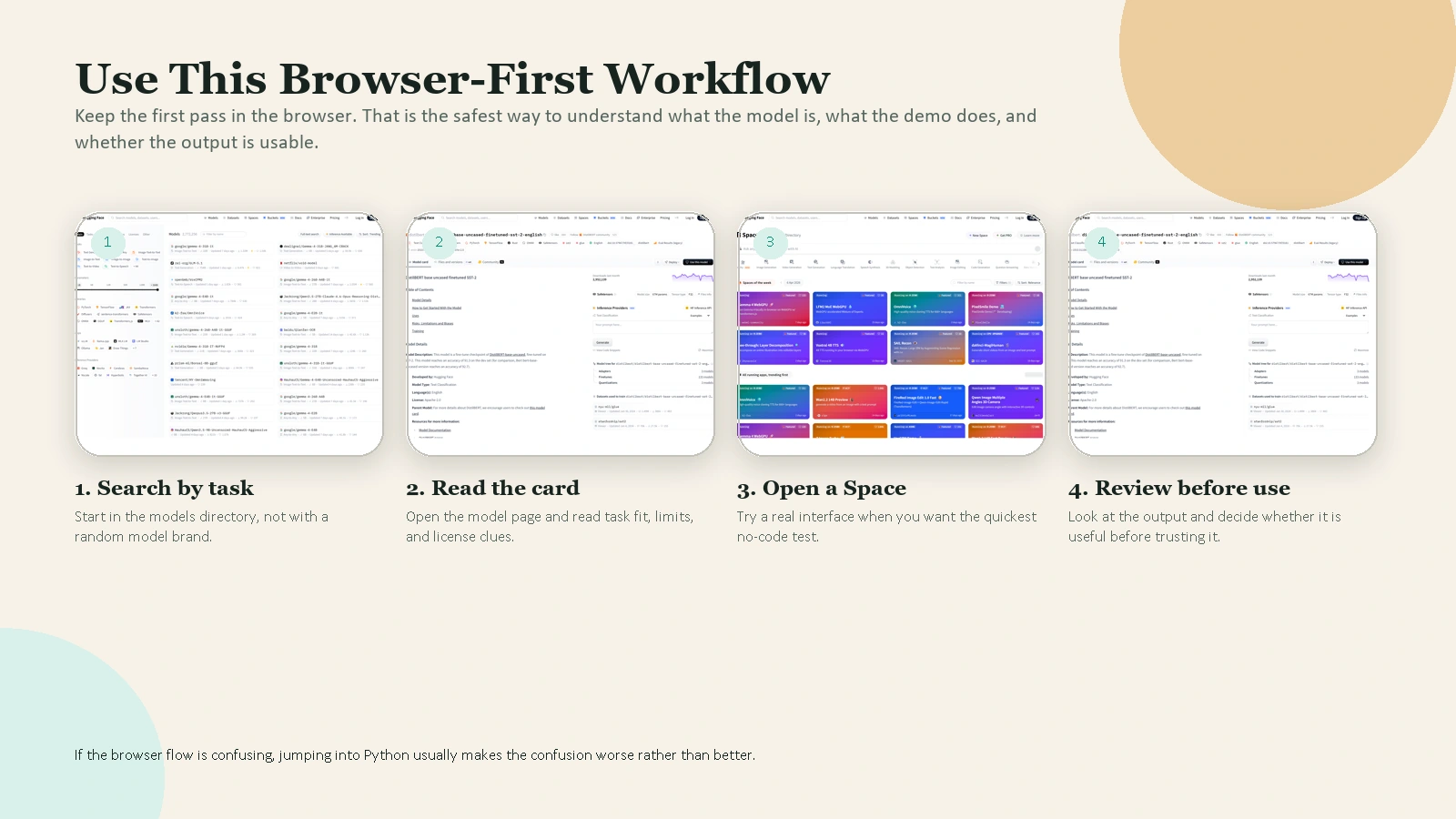 Caption: Search by task, read the model card, open a real demo, then review the output before you trust it.
A Simple First Workflow With Python
Once the browser flow makes sense, you can try a minimal Python workflow.
1. Install the basics
pip install --upgrade huggingface_hub transformers
The official quickstart uses pip install --upgrade huggingface_hub as the starting point. For many beginner model experiments, adding transformers is enough.
2. Log in only if you need authenticated access
If you plan to access private or gated resources, or want a consistent local setup, log in with the CLI:
hf auth login
The official quickstart shows hf auth login as the easiest authentication route. It also notes that tokens can have read or write permissions. The official User Access Tokens guide adds a third option, fine-grained, and recommends using the smallest scope that fits the job.
For beginners, the safest rule is simple:
- use
readif you only need to download or infer - use
writeonly if you need to push or edit repos - use
fine-grainedwhen you want tighter production access
3. Try one very small example
from transformers import pipeline

classifier = pipeline(
    "sentiment-analysis",
    model="distilbert/distilbert-base-uncased-finetuned-sst-2-english",
)

result = classifier("Hugging Face makes more sense now.")
print(result)
This is a good beginner example because:
- the task is easy to understand
- the output is short
- the model is explicit
- you can test it with your own sentences
After you run it, do not stop at “it works.” Change the input and learn what breaks.
4. Learn the CLI for discovery
The official CLI guide shows that you can search directly from the terminal:
hf models ls --search "sentiment" --sort downloads --limit 5
hf datasets ls --search "imdb" --limit 5
hf spaces ls --search "summarizer" --limit 5
This is useful because it reinforces the core structure of the platform:
hf modelshf datasetshf spaces
Once those three categories feel natural, Hugging Face becomes much easier to navigate.
How to Use Hugging Face Spaces
Spaces are where Hugging Face feels most approachable for beginners.
The official Spaces Overview says you can create and deploy ML-powered demos in minutes. It also says the Hub offers three SDK options for Spaces:
- Gradio
- Docker
- static HTML
If you are only exploring, use Spaces as a demo gallery. Open a Space, try the app, and observe:
- what the input looks like
- how the output is presented
- whether the task matches a real need you have
If you are building, Gradio is usually the easiest beginner entry point because it gives you a quick path from Python function to usable interface.
The same Spaces doc also gives a helpful reality check on hardware. By default, each Space gets 16 GB RAM, 2 CPU cores, and 50 GB of non-persistent disk space for free. That is enough for many lightweight demos, but not enough for every serious model. This is why beginners should not assume all models are equally easy to host.
One more useful detail from the official docs: Spaces support public, protected, and private visibility. That matters if you eventually want to share a demo without exposing all of its source code publicly.
Common Beginner Mistakes
Treating Hugging Face like one single product
It is an ecosystem. A model page, a dataset page, and a Space do different jobs.
Skipping the model card
The model card often tells you more than the demo does. Read it.
Choosing a model because it is popular
Popularity is not the same as fit.
Using a token with more access than you need
If you only need read access, do not create a write token out of habit.
Jumping straight into giant models
Start with small tasks and simple examples. Learn the workflow before you chase performance.
Trusting output without review
Hugging Face gives you access to models. It does not guarantee that a model output is correct, safe, or appropriate for your use case.
FAQ
Do I need to know Python to use Hugging Face?
No. You can learn a lot by browsing model pages, reading model cards, testing demos in Spaces, and comparing results in the browser. Python becomes useful when you want repeatable local workflows, automation, or app building.
Is Hugging Face free?
Some parts are free, especially public browsing and lightweight usage, but not everything is free. For example, the official Spaces docs list a free default CPU tier, then paid hardware upgrades beyond that. Treat Hugging Face as a platform with both free and paid paths.
Do I need a GPU to get started?
No. Many beginner learning tasks do not require a GPU. A browser-first workflow, small inference examples, and lightweight Spaces exploration are enough for your first steps.
What is the difference between a model and a Space?
A model is the underlying AI asset. A Space is a hosted app or demo that may use one or more models. If you want to try something quickly, a Space is often the easier entry point.
When should I use a Hugging Face token?
Use a token when you need authenticated access, such as private repos, gated resources, uploads, or programmatic workflows. If you only need public browsing, you may not need one yet.
Conclusion
The best way to use Hugging Face as a beginner is to stop thinking of it as one confusing AI website and start thinking of it as a structured ecosystem: models for capability, datasets for context, and Spaces for demos.
Start small. Read model cards. Test a few boring real-world examples. Then move into Python only after the browser workflow makes sense. That sequence will teach you faster than jumping straight into advanced model repos or giant demos.
If you want a practical next step, pick one simple task this week, such as sentiment analysis, summarization, or speech-to-text, and evaluate two models plus one Space for that task. That is enough to build real Hugging Face fluency.
Future Internal Link Opportunities
No live internal targets were available from article-wordpress-tracking.csv on April 10, 2026, so these remain future link opportunities rather than in-body links.
- /blog/best-ai-tools-for-everyday-work
- /blog/how-to-use-ai-for-research-without-losing-accuracy
- /blog/how-to-review-ai-output-before-you-trust-it
- /blog/how-to-write-better-prompts-for-everyday-work