
The best way to use Claude as an accountant is to start with the standard Claude product first, not Claude Code first. For most accountants, the right sequence is: create a Claude account, learn the basics of Claude on web or desktop, use projects and file uploads for routine work, then move into Claude Cowork or Claude Code only when you actually need multi-step file work or more advanced automation.
That matters because many accountants are hearing about Claude Code before they have a clean everyday Claude workflow. In practice, most finance teams get value earlier from simpler tasks like summarizing policy documents, drafting commentary, organizing audit requests, and comparing exports. Claude Cowork and Claude Code can help later, but they are not the first thing every accountant needs.
This guide explains how to use Claude as an accountant, how to make a Claude account, how to download and use the basics of Claude Desktop, when Cowork and Claude Code start to make sense, and which accounting tasks are a good fit across that progression.
Key Takeaways
- Start with a normal Claude account and the core chat and project workflow before moving into Cowork or Claude Code.
- Claude Desktop is useful for accountants because it keeps Claude closer to your files, projects, and repeated workflows.
- Projects are available even on free Claude accounts, and the Help Center says free users can create up to five projects (How can I create and manage projects?).
- As of April 19, 2026, the Claude Help Center says Cowork is available on paid Claude plans inside Claude Desktop (Install Claude Desktop).
- Claude Code is best treated as an advanced option for accountants who need structured file inspection, CSV cleanup, and repeatable terminal-based workflows.
- No part of Claude should replace accounting judgment, sign-off, or controlled review.
Table of Contents
- What Claude is useful for in accounting
- How to create a Claude account
- How to download and use the basics of Claude Desktop
- When to use Claude chat, projects, Cowork, and Claude Code
- Best accounting tasks for Claude
- Claude Code skills that are useful for accountants
- A simple accountant workflow in Claude
- Worked example: month-end close support
- Accountant safety checklist
- FAQ
What Claude Is Useful for in Accounting
Claude is not accounting software. It does not replace your ERP, close process, tax workflow, or approval chain. What it can do well is help you work through accounting material faster and more clearly.
What this means: for most accountants, Claude is useful for:
- summarizing accounting guidance and policy documents
- turning rough notes into cleaner memos or checklists
- comparing exported files and highlighting likely issues
- drafting variance commentary and internal reporting notes
- organizing audit requests, evidence lists, and open items
- turning recurring finance work into repeatable prompts or playbooks
That makes Claude a strong support tool for preparation, explanation, and organization. It is weaker at final decisions, unsupported interpretations, and anything that requires unquestioned numeric trust.
If you are still early in your AI learning curve, it helps to understand the broader progression from basic use to practical use. What Is AI Fluency and Why It Matters is useful background if you want the bigger picture behind this workflow.
How to Create a Claude Account
Before you think about Claude Desktop, Cowork, or Claude Code, you need a normal Claude account.
According to Anthropic’s Help Center, anyone in a supported location can access the free version of Claude by going to claude.ai and signing up with an email address, while paid plans like Pro add more usage and extra features (What is the Pro plan?). Anthropic also says users must be at least 18 years old to create and use a Claude account (Minimum age requirement access restriction).
Step-by-step account setup
- Go to
claude.ai. - Enter your email address and choose the email login flow.
- Open the secure login email Anthropic sends you.
- Click the login link on the same device, or use the verification code if you opened the email on a different device.
- Complete sign-in and start with the free account unless you already know you need paid features.
Anthropic’s login article says the email flow works across Claude web, Claude Desktop, and Claude mobile, which is helpful because you can keep the same account as you move between devices (Logging in to your Claude account).
Start with one Claude account and one clear use case. Do not complicate the setup by mixing Claude chat, Claude Console, and Claude Code before you know which one you actually need.
How to Download and Use the Basics of Claude Desktop
For many accountants, Claude Desktop is the best next step after a Claude account because it gives you a more durable working environment than one-off browser chats.
Anthropic’s current desktop install article says you can download Claude Desktop from the Claude downloads page, choose the right installer for macOS or Windows, open the installer file, launch Claude, and sign in with your account (Install Claude Desktop).
Basic Claude Desktop setup
- Go to claude.com/download.
- Download the correct desktop installer for your operating system.
- Install the app and open it.
- Sign in with the same Claude account you already created.
- Start with regular chat and file upload workflows before enabling more advanced features.
What to do first in Claude Desktop
Claude Desktop is most useful when you make it less like random chat and more like a controlled work area.
Do this first:
- create one project for a recurring accounting workflow
- upload reference material you reuse often
- keep one chat for one task instead of mixing everything together
- attach copies or exports, not live system records
- save prompts that actually produce useful outputs
Anthropic’s projects article says projects are available to all users, including free users, and that uploaded project knowledge can be reused across chats inside the project (How can I create and manage projects?).
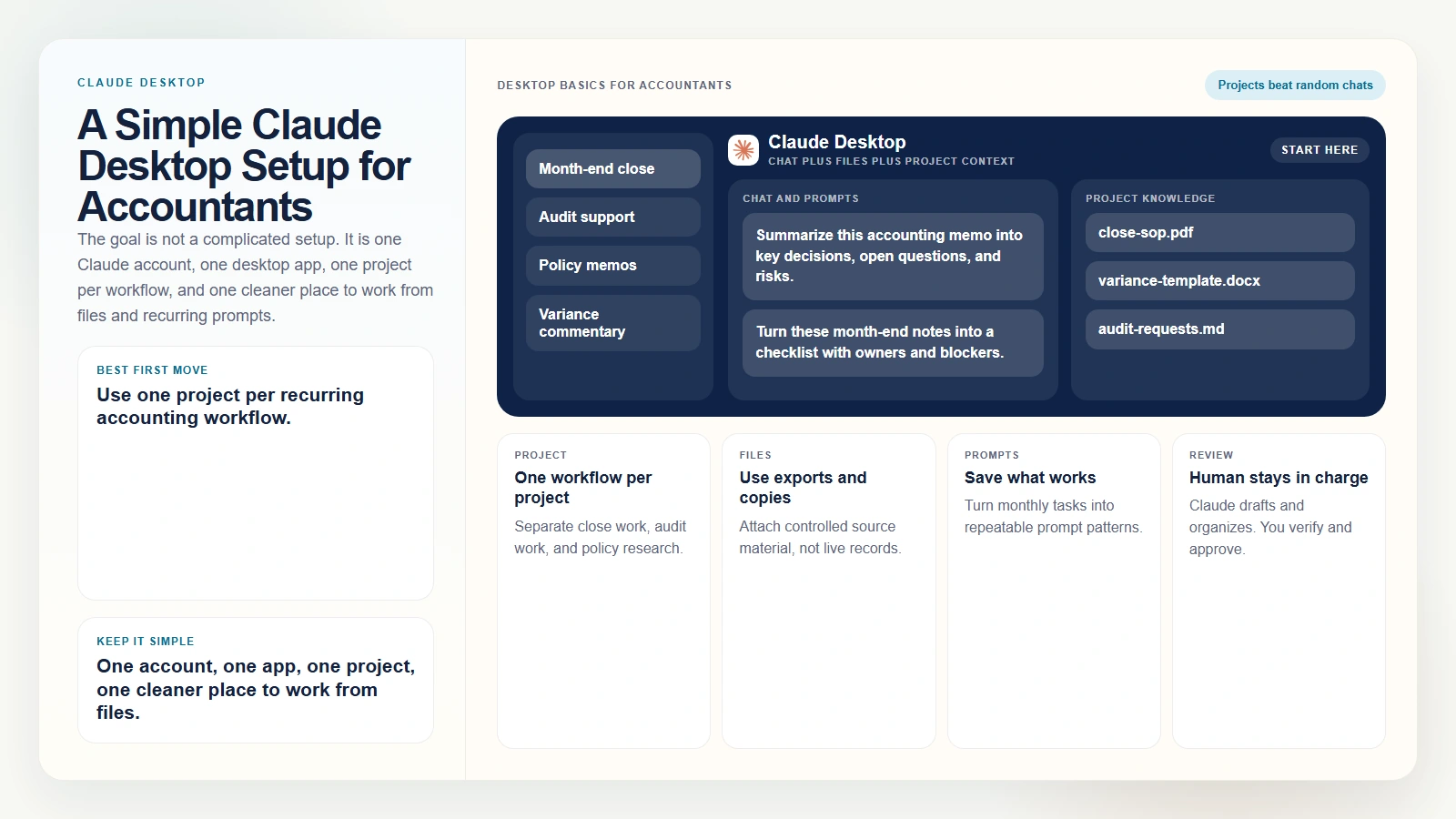 Caption: The goal is not a complicated setup. It is one Claude account, one desktop app, one project per workflow, and one cleaner place to work from files and recurring prompts.
A simple accountant desktop setup
| Desktop element | Why it helps an accountant |
|---|---|
| One project per workflow | Keeps reconciliations, audit work, and policy analysis separate |
| Project knowledge | Stores recurring guidance, SOPs, or memo templates |
| File attachments | Lets you work from exported reports and reference docs |
| Saved prompt patterns | Makes repeat monthly work less inconsistent |
Why it matters: Claude Desktop does not magically improve output on its own. The improvement comes from better structure. One project for month-end close, one for audit support, and one for policy research is already better than throwing everything into a single ongoing chat.
When to Use Claude Chat, Projects, Cowork, and Claude Code
This is where many accountants get confused. Claude is now more than one surface, and not every surface is meant for the same kind of work.
| Surface | Best for | Accountant example |
|---|---|---|
| Claude chat | Fast drafting, summarizing, rewriting, and one-off questions | Rewrite commentary, summarize guidance, clean up an email |
| Claude projects | Repeated work with shared context | Keep one audit support project with recurring instructions and reference files |
| Claude Cowork | Multi-step desktop work in a visual interface | Organize folders, work through a document packet, prepare a report with connected tools |
| Claude Code | Advanced file-based or terminal-based workflows | Compare CSVs, inspect folders, draft cleanup logic, or run a repeatable structured workflow |
Where Cowork fits
As of April 19, 2026, Anthropic’s desktop install article says Cowork is available for paid Claude plans in Claude Desktop. The same article describes Cowork as bringing Claude Code’s agentic capabilities into a visual interface, which matters for knowledge workers who do not want to live in a terminal (Install Claude Desktop).
For accountants, Cowork makes more sense than Claude Code when:
- you want a visual desktop workflow
- the work involves folders, documents, and connected tools
- you want Claude to help with a multi-step task without typing terminal commands
- you still want explicit approvals and human review
If you want the full product-level explanation, Claude Cowork for Beginners is the closer companion guide.
Where Claude Code fits
Claude Code is a later-stage option. Anthropic describes it as an agentic coding tool that can read files, edit files, run commands, and work across a codebase or project folder (Claude Code overview). For accountants, that does not mean “become a developer.” It means Claude Code can become useful when your accounting work is structured enough to behave like a file-based workflow.
That often looks like:
- comparing trial balance exports
- checking formatting problems in large CSV files
- turning recurring folder work into repeatable playbooks
- summarizing documentation across several files
- drafting recon logic before you review and approve it
Claude Code is best when the task is narrow, the files are controlled, and the result is easy for you to review. If you are not there yet, stay in normal Claude chat or Claude Desktop projects first.
If you want the broader CLI context, AI CLIs like Codex, Claude Code, and Gemini CLI explains where Claude Code sits relative to other terminal-first tools.
Best Accounting Tasks for Claude
Claude is strongest when the task is structured, file-based, and reviewable. That is true whether you are using Claude chat, projects, Cowork, or Claude Code.
| Task | Best Claude surface to start with | Human review still needed |
|---|---|---|
| Policy and memo summarization | Chat or project | Verify the interpretation yourself |
| Management commentary drafting | Chat or project | Check numbers, tone, and claims |
| Audit support organization | Project or Cowork | Confirm completeness and evidence quality |
| Close checklist creation | Project or Cowork | Validate owners, timing, and approval logic |
| CSV cleanup and normalization | Claude Code | Confirm headers, data types, and dropped rows |
| Reconciliation support | Claude Code or Cowork | Approve logic and investigate mismatches |
| Variance analysis | Project, Cowork, or Claude Code | Check materiality and business context |
What this means: start on the simplest surface that can do the job. If a normal Claude chat inside a project can handle the work, you do not need Claude Code yet.
Claude Code Skills That Are Useful for Accountants
If you eventually move into Claude Code, one useful feature is its skill system. Anthropic’s skills docs say a skill is a reusable instruction package stored in a SKILL.md file, and Claude can invoke relevant skills automatically or you can run them directly yourself (Skills, Commands).
For an accountant, a skill is basically a saved playbook.
Useful Claude Code skill ideas for accountants:
recon-reviewfor comparing two exports and surfacing unresolved mismatchescsv-cleanupfor checking headers, dates, blanks, and duplicate rowsclose-checklistfor turning raw notes into a month-end task listvariance-commentaryfor drafting management commentary with labeled assumptionspolicy-summarizerfor converting long accounting guidance into plain-English notesaudit-pbc-helperfor organizing request lists and missing support
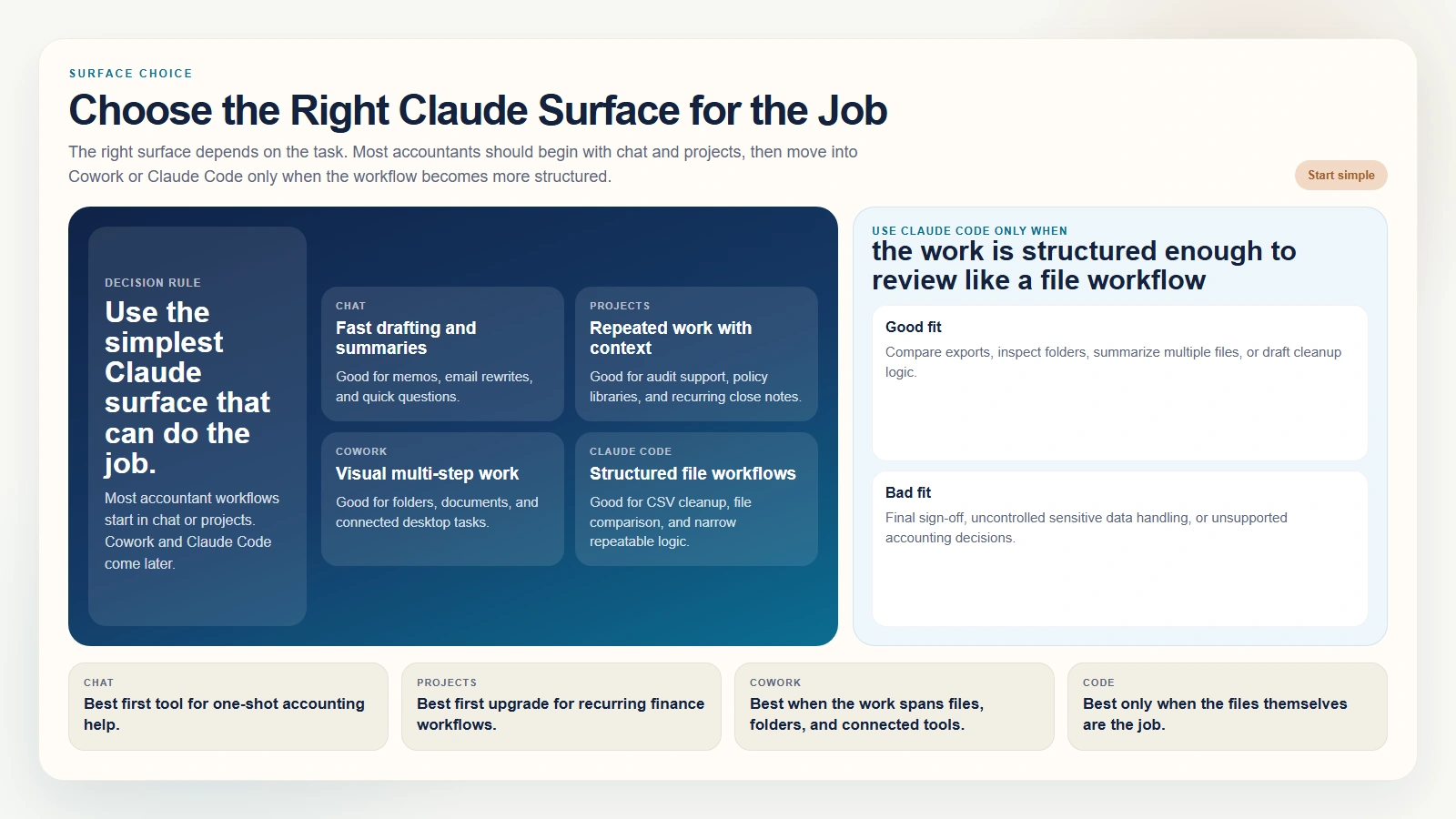 Caption: The right surface depends on the task. Most accountants should begin with chat and projects, then move into Cowork or Claude Code only when the workflow becomes more structured.
The best accountant skills are narrow and repeatable. They should not say “do accounting.” They should define one workflow clearly enough that you can review it every time.
Which skills should stay manual-only
If you create Claude Code skills for accounting work, keep these manual-only:
- anything that writes or edits files
- anything that drafts cleanup scripts
- anything that prepares external-facing financial commentary
- anything that touches sensitive payroll or client data
That keeps the skill system useful without weakening control.
A Simple Accountant Workflow in Claude
The safest way to start using Claude as an accountant is a staged workflow, not an all-at-once tool jump.
Stage 1. Start in Claude chat or a Claude project
Use normal Claude first for:
- summarizing a policy document
- drafting a commentary paragraph
- turning rough notes into a close checklist
- organizing audit requests into clearer categories
Stage 2. Move repeated work into a project
Once the workflow repeats, create a project for it. Add your standard instructions, recurring templates, and non-sensitive reference documents.
Stage 3. Use Cowork for multi-step desktop tasks
If the workflow needs Claude to work through documents, folders, or connected tools in a more guided visual way, Cowork becomes more useful than plain chat.
Stage 4. Use Claude Code for structured file work
Only move into Claude Code when:
- the task is strongly file-based
- the workspace is clean
- you understand the output well enough to review it
- your privacy and approval setup are already sorted out
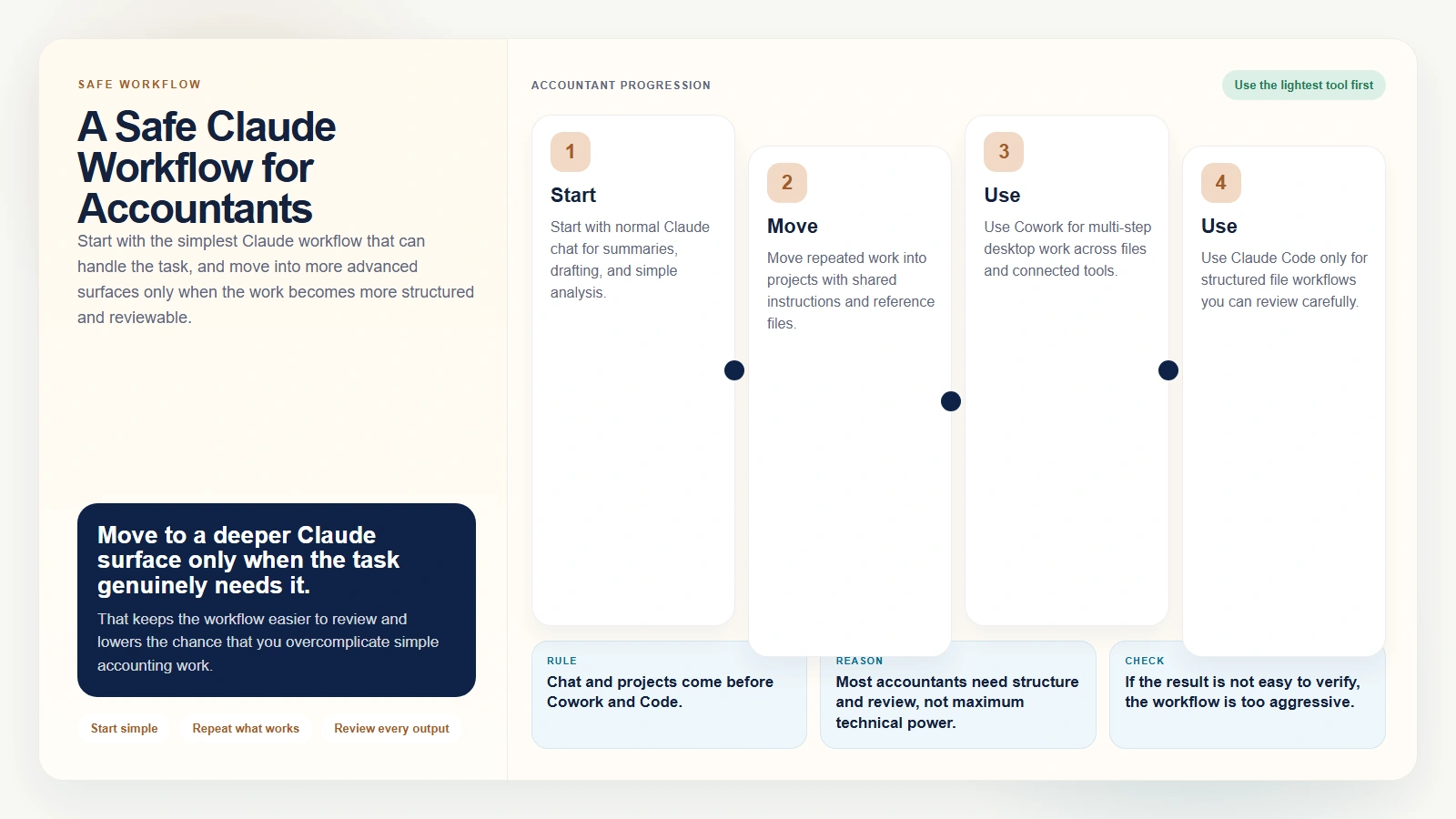 Caption: Start with the simplest Claude workflow that can handle the task, and move into more advanced surfaces only when the work becomes more structured and reviewable.
One good starter prompt
Review the exported files in this folder and summarize what changed, which rows look inconsistent, and which follow-up questions I should answer before I trust the numbers. Do not edit files yet.
That prompt works because it tells Claude to inspect first, summarize first, and avoid changing anything before you review the logic.
Worked Example: Month-End Close Support
A practical accountant use case for Claude is month-end close support.
Scenario: you have:
- current-month trial balance export
- prior-month trial balance export
- open-items reconciliation export
- rough controller notes
- one accounting policy memo
Your goal is not to let Claude “close the books.” Your goal is to reduce manual sorting, summarizing, and first-draft work.
A good surface choice for each part
- Use Claude chat or a project to summarize the policy memo and rough notes.
- Use Claude Desktop for a cleaner recurring workspace around the close process.
- Use Cowork if the task becomes a multi-step document and folder workflow.
- Use Claude Code only if you need structured file comparison or repeatable CSV work.
What you can ask Claude to do
- summarize large account movements between periods
- flag rows that appear in one export but not another
- draft a variance commentary outline
- turn rough notes into an action list
- organize open items by issue type
What you should still do yourself
- confirm all material variances with source records
- investigate exceptions instead of trusting the label Claude gives them
- check that signs, mappings, and totals are correct
- keep final approvals, filings, and sign-off outside the AI workflow
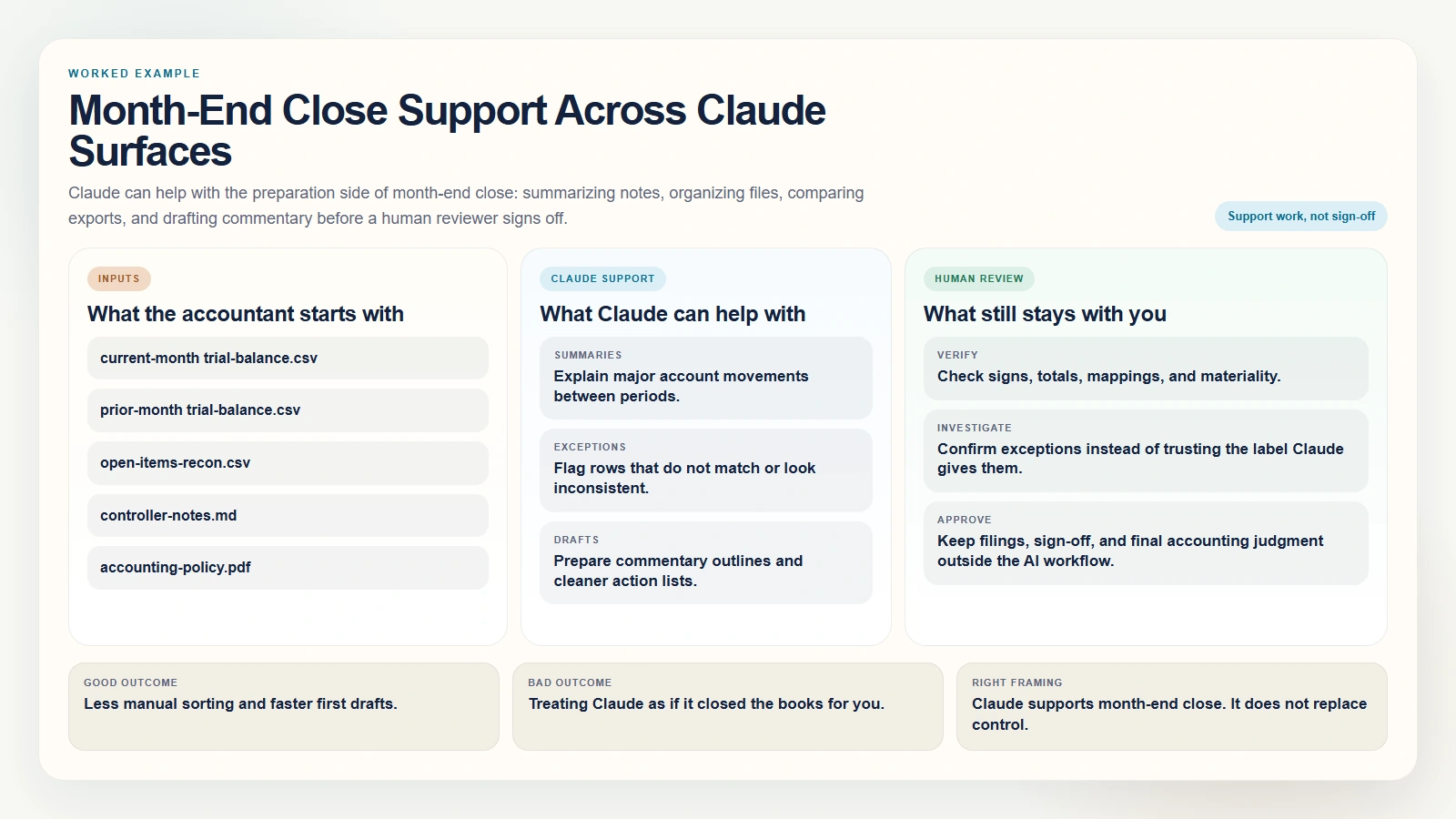 Caption: Claude can help with the preparation side of month-end close: summarizing notes, organizing files, comparing exports, and drafting commentary before a human reviewer signs off.
The right success metric is not “Claude handled month-end.” The right success metric is “Claude reduced manual preparation work without weakening control.”
Accountant Safety Checklist
If you want to use Claude as an accountant responsibly, run through this checklist before using real work material.
- [ ] The task is based on copies, exports, or approved documents rather than live source-of-truth records.
- [ ] I know whether I am using free Claude, a paid Claude plan, Cowork, or Claude Code.
- [ ] I understand which surface is appropriate for this task.
- [ ] Sensitive information has been removed or approved for this environment.
- [ ] Claude is being used for drafting, organization, comparison, or summary work, not final judgment.
- [ ] I will manually verify totals, assumptions, mappings, and interpretations.
- [ ] I can explain the logic behind the output without relying on Claude’s wording.
If your team is still calibrating trust in AI outputs generally, Are AI Tools Accurate? is the right companion read because the core problem is the same: polished wording is not proof.
FAQ
Do I need Claude Code to use Claude as an accountant?
No. Most accountants should start with normal Claude chat, projects, and Claude Desktop basics. Claude Code is a later-stage option for structured file workflows.
Is Claude Desktop useful for accountants?
Yes. Claude Desktop is useful because it makes it easier to keep recurring workflows, files, and projects organized in one place instead of relying only on one-off browser chats.
Do I need a paid Claude plan?
Not necessarily to get started. Anthropic says people in supported locations can sign up for the free version with an email address, while paid plans add more usage and features (What is the Pro plan?). But Cowork currently sits behind paid Claude plans in the desktop app (Install Claude Desktop).
When should an accountant use Cowork?
Use Cowork when the task is more than a simple chat response and you want Claude to help with a multi-step desktop workflow across files, folders, or connected tools in a visual interface.
When should an accountant use Claude Code?
Use Claude Code when the task is strongly file-based and structured, such as comparing CSV exports, drafting cleanup logic, or running a repeatable workflow you can inspect carefully. It is not the right first step for most accountants.
Conclusion
If you want to use Claude as an accountant, begin with the simplest version of the workflow that can help you. Create a Claude account. Learn Claude Desktop basics. Use projects for recurring work. Then move into Cowork or Claude Code only when the task truly needs a more advanced surface.
That sequence is better than starting with the most technical option. Most accountants do not need terminal-first AI on day one. They need a reliable way to summarize guidance, organize files, draft commentary, compare exports, and keep review in the loop. Claude can help with that, as long as you keep the work controlled and your accounting judgment stays in charge.