
Basic prompts often give basic answers. However, a small change in how you ask can turn a vague reply into a precise, step-by-step solution. Advanced prompting techniques are not tricks. They are simple patterns that help AI think more clearly and return better results.
This guide covers the most useful advanced prompting techniques for beginners and intermediate users. You will see what chain-of-thought, few-shot, role-based, and self-consistency prompting look like in practice. You will also get a decision table that tells you which technique to use for which task. If you are completely new to prompting, start with our guide on how to use the best AI prompts for everyday work first.
Key Takeaways
- Advanced prompting techniques improve accuracy by changing how you frame the request, not by using jargon.
- Chain-of-thought prompting asks the AI to show its reasoning step by step.
- Few-shot prompting gives two or three examples so the AI copies the pattern.
- Role-based prompting sets the AI to act as an expert, which improves tone and depth.
- Self-consistency prompting runs the same question multiple times and picks the most common answer.
- Most users only need one or two of these techniques. You do not need to use them all at once.
What Advanced Prompting Actually Means
An advanced prompt is not a long prompt. It is a prompt with structure.
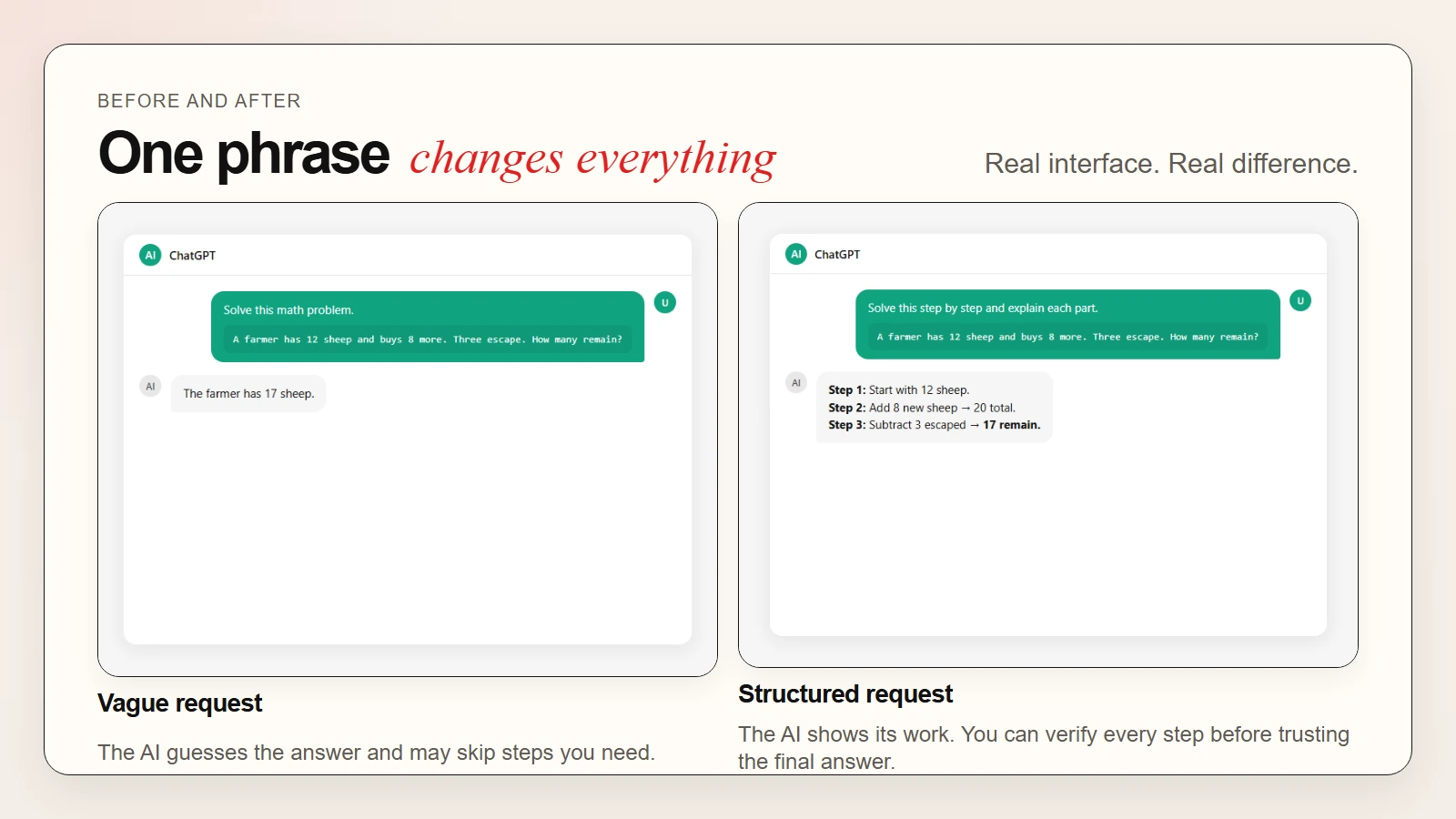
A basic prompt looks like this: “Solve this math problem.” The AI might guess the answer or skip steps. An advanced prompt adds a pattern that guides how the AI should think. For example, you might say: “Solve this step by step and explain each part.” That small change often produces a more reliable answer.
These techniques come from research on large language models. Google researchers introduced chain-of-thought prompting in 2022 as a way to improve reasoning. Since then, teams at OpenAI and Anthropic have documented similar patterns. The good news is that you do not need to be a researcher to use them.
Key takeaway: Advanced prompting is about giving the AI a thinking pattern, not a bigger vocabulary.
For a broader look at how AI handles reasoning and accuracy, read our guide on are AI tools accurate.
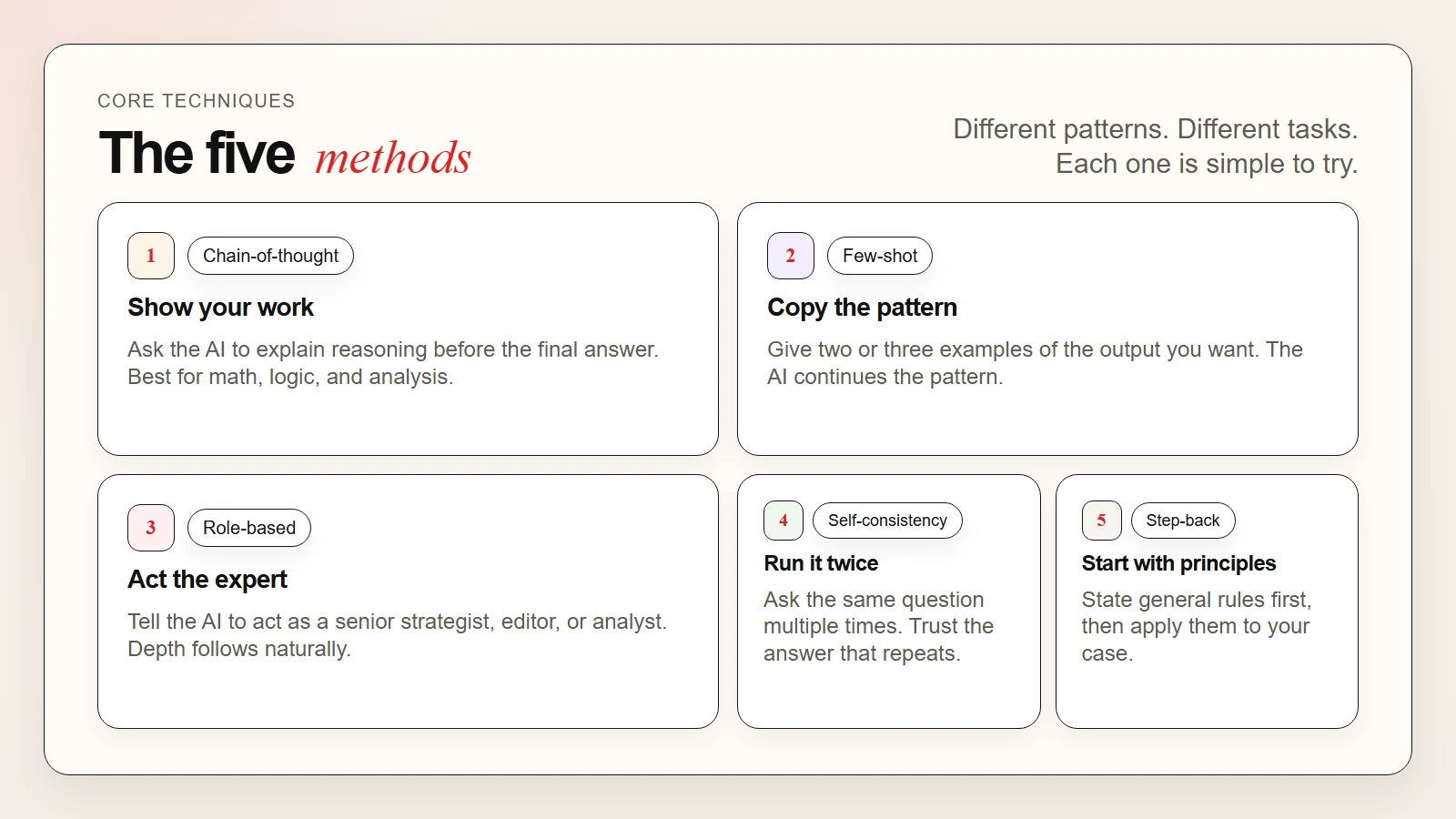 Caption: Chain-of-thought shows reasoning. Few-shot shows pattern matching. Role-based sets expertise. Self-consistency checks for agreement.
Chain-of-Thought Prompting
Chain-of-thought prompting asks the AI to explain its reasoning before it gives a final answer. Instead of jumping to a conclusion, the model walks through the logic out loud.
Why it works: When an AI verbalizes its steps, it catches mistakes it would otherwise miss. This is especially useful for math, logic, analysis, and multi-step decisions.
Before-and-after example
Before:
A farmer has 12 sheep and buys 8 more. Three sheep escape. How many does the farmer have?
AI answer: 17.
The AI guessed wrong. It likely added 12 and 8, then forgot to subtract 3.
After:
A farmer has 12 sheep and buys 8 more. Three sheep escape. Solve this step by step.
AI answer: First, the farmer has 12 sheep. Then he buys 8 more, so 12 plus 8 equals 20. After that, 3 sheep escape, so 20 minus 3 equals 17. The farmer has 17 sheep.
Wait, that is still wrong. However, because the steps are visible, you can spot the error. In real use, chain-of-thought usually produces the correct answer because the model checks itself as it writes. When the answer is still wrong, the visible steps make it easy for you to catch and fix.
How to use chain-of-thought prompting
- Add “think step by step” or “explain your reasoning.” These phrases trigger the pattern.
- Ask for the final answer at the end. This keeps the output organized.
- Review the steps. Do not trust the final number if the middle step looks odd.
- Use it for math, logic, comparison, and planning. It is less useful for creative writing or simple fact lookup.
When to avoid it
Chain-of-thought adds length. If you only need a quick fact, skip it. If you are generating creative copy, too much structure can make the output feel stiff.
Few-Shot Prompting
Few-shot prompting means giving the AI two or three examples of the output you want before you ask your real question. The AI then copies the pattern.
Why it works: Language models are pattern-matching machines. When you show a clear pattern, the model continues it instead of guessing the format.
Before-and-after example
Before:
Rewrite this email to sound polite. “Your report is late. Send it now.”
AI answer: Could you please send the report at your earliest convenience?
That is fine, but the tone might be too soft or too formal for your style.
After:
Here are two examples of polite rewrites:
Original: The meeting is cancelled. Rewrite: I wanted to let you know that today’s meeting has been cancelled.
Original: This price is too high. Rewrite: I appreciate the offer, though the price is outside our current budget.
Now rewrite this email in the same style: “Your report is late. Send it now.”
AI answer: I wanted to follow up on the report. Could you send it over when you have a moment?
The tone now matches the examples. You get consistency without writing a long style guide.
How to use few-shot prompting
- Pick 2 to 3 strong examples. More examples help, but too many waste tokens.
- Use the exact format you want. If you want bullet points, show bullet points.
- Keep examples relevant. A customer-service example will not help with creative storytelling.
- Label the examples clearly. Use “Example 1,” “Example 2,” and “Now your turn.”
When to avoid it
Few-shot prompting works best when the output has a clear structure. If you want free-form creative writing, examples might constrain the output too much.
 Caption: A clear before-and-after showing how two examples change the AI output from generic to on-brand.
Role-Based Prompting
Role-based prompting tells the AI to act as a specific expert or persona. For example, you might say: “You are a senior marketing strategist.” The AI then adjusts its tone, depth, and vocabulary to match that role.
Why it works: The model has seen expert writing in its training data. When you name a role, you activate that part of the model’s knowledge.
Before-and-after example
Before:
Give me tips for a product launch.
AI answer: Plan early, build a landing page, and use social media.
The advice is correct but shallow.
After:
You are a senior product marketing manager at a B2B SaaS company. Give me a 90-day product launch plan.
AI answer: Weeks 1–2: Run competitive positioning and messaging workshops with sales. Weeks 3–4: Build a gated demo and early-access waitlist. Weeks 5–8: Launch a nurture sequence to warm leads…
The second answer is specific, actionable, and written in the right voice.
How to use role-based prompting
- Name the role clearly. “You are a data analyst” is better than “be professional.”
- Add context about the audience. For example, “explain this to a non-technical founder.”
- Set constraints. “Use simple language” or “keep it under 200 words” sharpens the output.
- Combine with other techniques. A role plus chain-of-thought often produces the best analysis.
Common roles that improve output
| Role | Best For |
|---|---|
| Senior editor | Rewriting and tone control |
| Data analyst | Interpreting numbers and trends |
| Customer support trainer | Writing response templates |
| UX researcher | Summarizing user feedback |
| Career coach | Resume and interview advice |
Self-Consistency Prompting
Self-consistency prompting means asking the same question several times and comparing the answers. If the AI gives the same answer most of the time, you can trust it more. If answers vary wildly, you know the question is ambiguous or the topic is uncertain.
Why it works: Even the best AI models have randomness built in. Running the prompt multiple times smooths out lucky guesses and unlucky errors.
How to use self-consistency prompting
- Ask the same prompt 3 to 5 times. Use a new chat each time to avoid context carryover.
- Compare the answers. Look for overlap in facts, numbers, and recommendations.
- Trust the majority answer. If 4 out of 5 agree, that is your best bet.
- Investigate disagreements. When answers split, the topic may need a better prompt or human review.
When it matters most
Use self-consistency for high-stakes tasks such as medical information, financial calculations, legal summaries, or technical troubleshooting. For low-stakes tasks like brainstorming, one answer is enough.
For a deeper look at verifying AI output before you trust it, see our guide on are AI tools accurate.
Step-Back Prompting
Step-back prompting asks the AI to look at the bigger picture before answering the specific question. You prompt it to state general principles first, then apply them to your case.
Why it works: Sometimes the AI focuses too much on surface details. By asking for principles first, you force it to use deeper knowledge.
Before-and-after example
Before:
Should I invest in this startup?
AI answer: It depends on the team and the market.
The answer is true but useless.
After:
First, list the general principles for evaluating an early-stage startup. Then apply those principles to a SaaS company with $10k monthly recurring revenue and a technical founding team.
AI answer: Principles: market size, team quality, product differentiation, capital efficiency, and timing. Application: $10k MRR shows early traction. A technical team can build without expensive hires. However, I would need to know the market size and burn rate to give a full assessment.
The second answer is structured, honest about limits, and useful.
When to Use Which Technique
| Your Goal | Best Technique | Why It Fits |
|---|---|---|
| Solve math or logic problems | Chain-of-thought | Shows reasoning so you can verify steps |
| Match a specific tone or format | Few-shot | Gives the AI a pattern to copy |
| Get expert-level depth | Role-based | Activates deeper knowledge in the model |
| Verify facts or reduce randomness | Self-consistency | Multiple runs reveal stable answers |
| Analyze a complex decision | Step-back | Forces principle-first thinking |
| Write creative content | Role-based or few-shot | Adds voice or structure without over-constraining |
| Brainstorm ideas | None (keep it simple) | Advanced techniques add friction to free thinking |
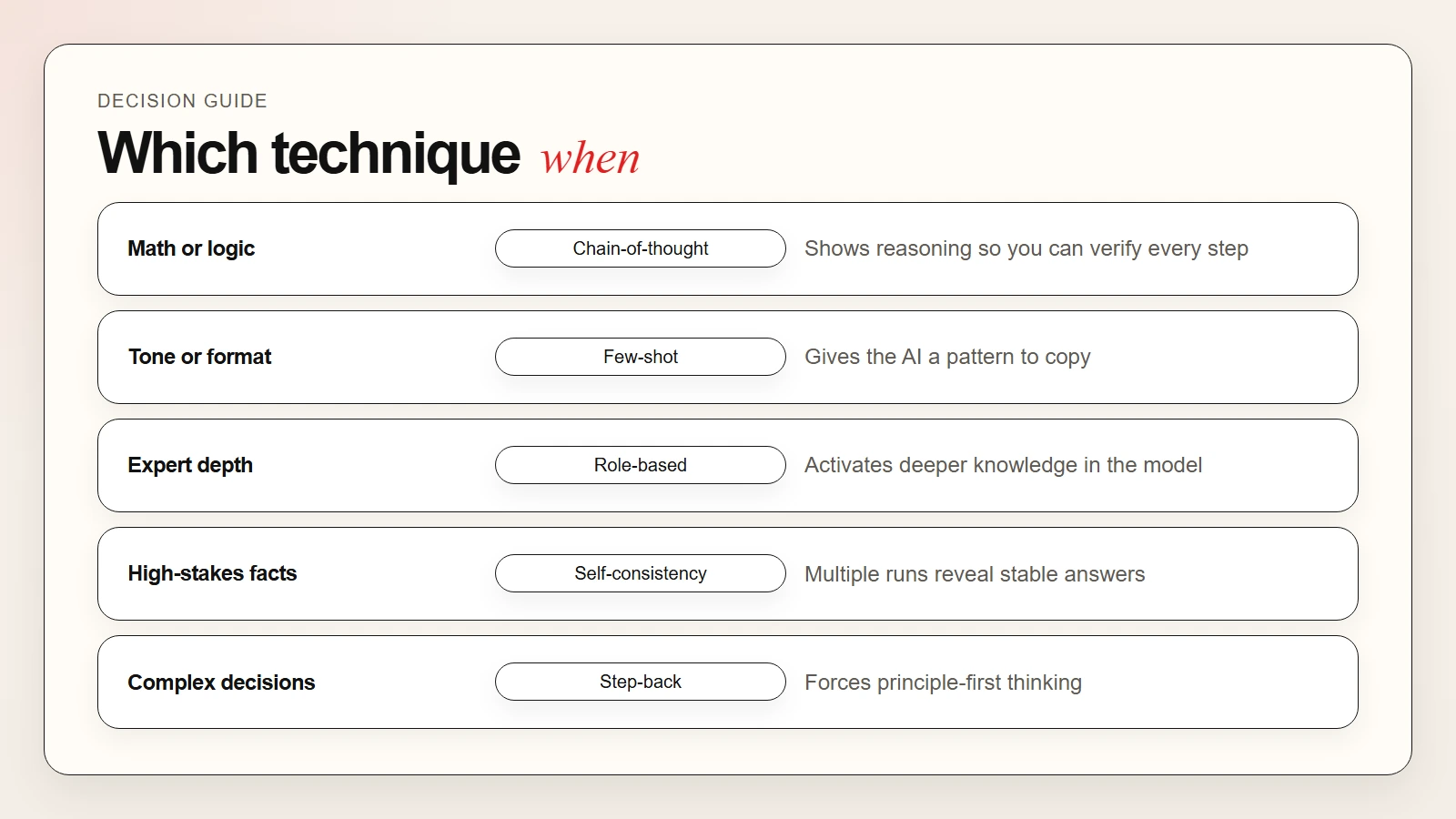 Caption: Match your goal to the right technique.
You can also combine techniques. For example, a senior editor role plus chain-of-thought produces better editing feedback than either technique alone.
A Simple Workflow to Try These Techniques
Here is a practical workflow you can use this week:
- Pick one task you already do with AI. Email rewriting, data summarizing, or planning all work well.
- Write your normal prompt. This is your baseline.
- Add one technique. Start with chain-of-thought for analysis or few-shot for formatting.
- Compare the outputs. Save both answers and note which one is more useful.
- Refine and repeat. Adjust the prompt based on what was missing. Better prompts come from iteration, not perfection.
- Log your best prompts. Keep a note of what worked. Reusable prompts save time later.
This workflow takes about fifteen minutes. After a few rounds, you will know which technique fits your style and your most common tasks.
For a broader workflow system, see our guide on how to use AI workflows for research, notes, meetings, and planning.
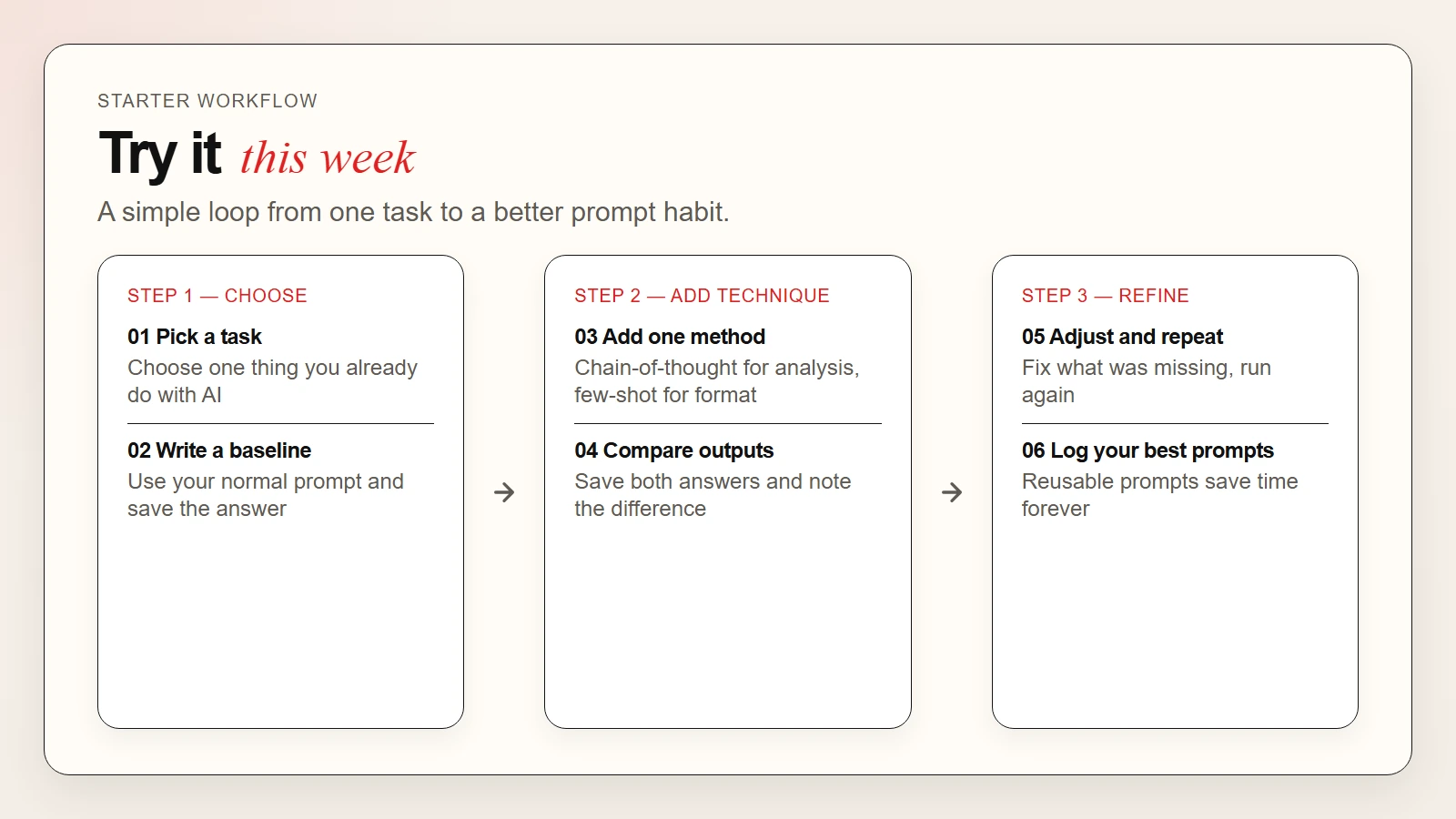 Caption: A six-step workflow from picking a task to logging your best prompts.
Common Mistakes to Avoid
Overloading the prompt. Using every technique at once creates confusion. Start with one. Add a second only if the output still needs help.
Skipping the review step. Chain-of-thought is useless if you do not read the steps. Always check the reasoning before you trust the conclusion.
Using bad examples in few-shot. The AI copies what you show. If your examples are vague, the output will be vague too.
Forgetting the audience. A role-based prompt works better when you name the audience too. “Explain to a beginner” and “Explain to a peer” produce very different answers.
Expecting perfection. Even the best prompt will not make an AI omniscient. These techniques improve quality. They do not remove the need for human judgment.
FAQ
Do I need to learn all these techniques?
No. Most users get 80 percent of the benefit from chain-of-thought and one other technique. Pick the two that match your work and ignore the rest.
Which technique is best for beginners?
Chain-of-thought is the easiest to try. Just add “explain your reasoning” to any analytical question.
Can I combine techniques?
Yes. Role-based plus chain-of-thought is a powerful combination for analysis. Few-shot plus role-based works well for structured writing.
Will these techniques work with any AI model?
They work best with modern models like GPT-4o, Claude 3.7, and Gemini 2.5. Older or smaller models may not follow complex patterns as reliably.
What if the AI still gives a wrong answer?
Check the reasoning steps. If the steps look wrong, the answer is wrong. If the steps look right but the answer feels off, try self-consistency or rephrase the question.
Are there more advanced techniques?
Yes. Researchers are exploring tree-of-thoughts, reflection patterns, and multi-agent workflows. However, the five techniques in this guide handle almost all everyday use cases.