
Machine translation has moved far beyond the awkward, literal outputs of a decade ago. In 2026, AI translation tools produce text that reads naturally, preserves context, and handles idioms with surprising skill. But not all tools are equal. Some excel at European languages. Others cover 130-plus languages but sacrifice nuance. Some are free. Others charge enterprise rates.
In this guide, we compare the top AI translation tools: DeepL, Google Translate, Microsoft Translator, and Smartcat. We cover what each tool does best, how much it costs, and which one fits your language pairs and workflow.
Key Takeaways
- DeepL leads on translation quality for European and major Asian languages, with natural-sounding output and terminology control.
- Google Translate covers 130-plus languages for free, making it unbeatable for breadth and casual use.
- Microsoft Translator offers the most generous free tier and the lowest API costs, ideal for developers and budget-conscious teams.
- Smartcat combines AI translation with human review workflows for professional localization projects.
- API pricing ranges from $10 per million characters (Microsoft) to $25 per million (DeepL), with Google in the middle at $20 per million.
What to Look for in an AI Translation Tool
Before choosing a tool, define your actual needs. A traveler translating menus has different requirements than a legal team localizing contracts.
Here are the features that matter most:
- Language coverage. Check whether your specific language pairs are supported. DeepL covers 31 languages. Google covers 130-plus.
- Translation quality. Quality varies by language pair. DeepL consistently wins benchmarks for European languages. Google leads for low-resource languages.
- Document handling. Some tools preserve formatting in Word, PDF, and PowerPoint files. Others output plain text only.
- API and integration. Developers need REST APIs, SDKs, and webhook support. Business users need CMS and helpdesk integrations.
- Data privacy. Free tools may store your text for model training. Enterprise plans offer encryption, zero-retention policies, and on-premise deployment.
Additionally, consider cost structure. Per-character API pricing favors low-volume, unpredictable usage. Per-seat subscriptions work better for teams with steady translation needs.
The Top 4 AI Translation Tools Compared
1. DeepL — Best for Translation Accuracy
DeepL has earned its reputation as the accuracy benchmark for machine translation. Its proprietary neural engine consistently produces translations that read naturally rather than mechanically. In benchmark tests, DeepL ranks first in 65 percent of tested language pairs, with particular strength in European languages.
Why it stands out:
- Superior fluency and natural language output, especially for European language pairs.
- Formality control toggles between formal and informal address.
- Glossary support enforces consistent terminology across documents.
- Document translation preserves formatting in DOCX, PPTX, and PDF files.
- CAT tool integrations for professional translator workflows.
Pricing: Free tier allows unlimited text translation and 3 document translations per month. Starter at $10.49 per month includes 5 documents and 1 million characters. Advanced at $34.49 per month includes 20 documents and unlimited text. Ultimate at $68.99 per month includes 100 documents. API Pro charges $5.49 per month base plus $25 per million characters.
Best for: Business documents, marketing copy, legal content, and any text where tone and precision matter.
Limitation: Language coverage is limited to 31 languages. No offline mode. No real-time conversation translation.
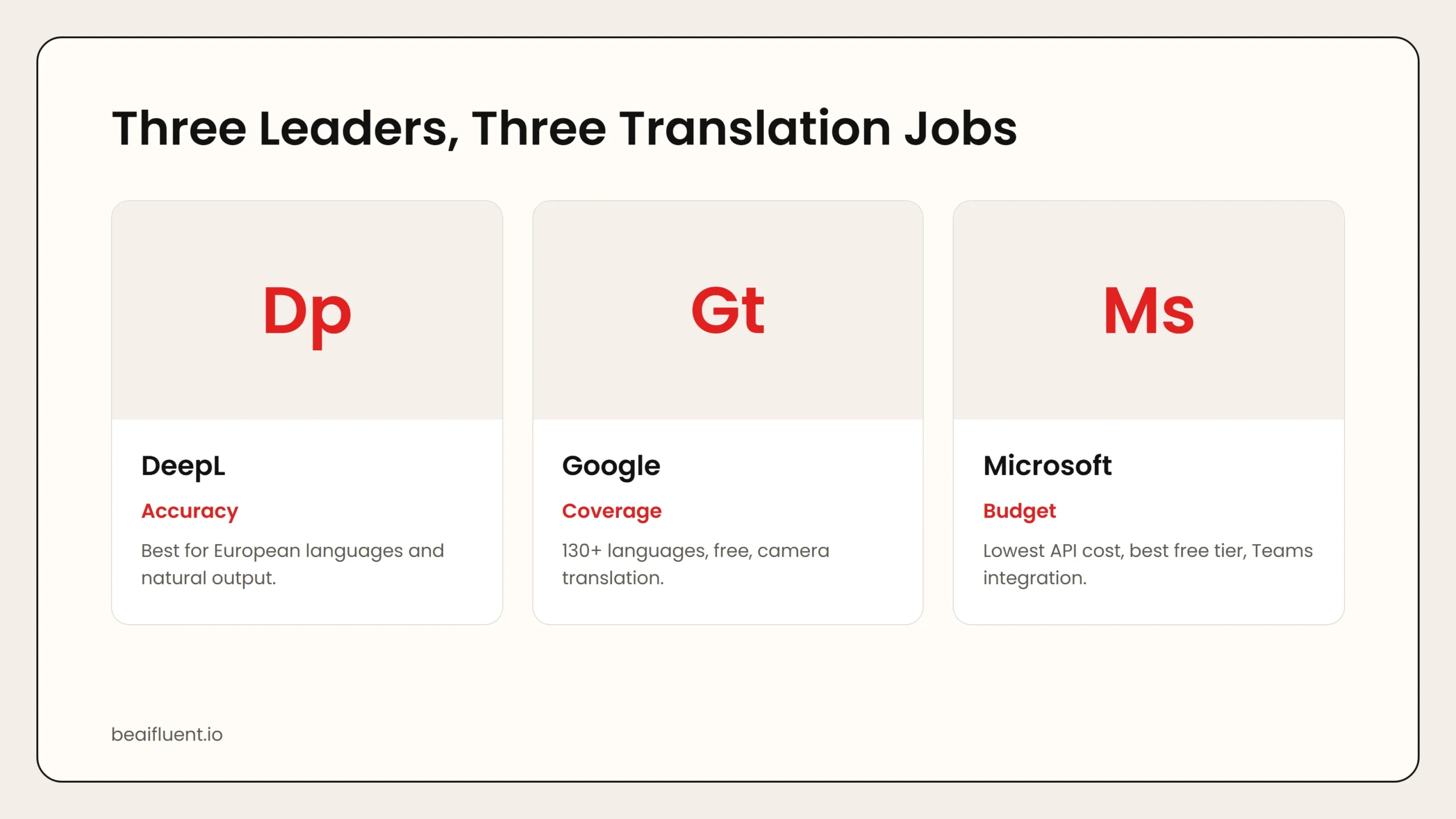 Caption: DeepL wins on accuracy for supported languages. Google Translate dominates language coverage. Microsoft Translator leads on API pricing and free tier generosity.
2. Google Translate — Best for Language Coverage
Google Translate remains the most accessible translation tool in the world. It supports over 130 languages, including many regional dialects and low-resource languages that competitors ignore. For travelers, casual users, and businesses serving global markets, this breadth is unmatched.
Why it stands out:
- 130-plus languages, the widest coverage of any major translation tool.
- Camera translation for signs, menus, and documents via mobile app.
- Offline translation packs for travel without internet access.
- Real-time conversation mode for bilingual dialogue.
- Free for unlimited text translation.
Pricing: Free for personal use. Google Cloud Translation API charges $20 per million characters after a 500,000-character free tier. LLM Translation mode costs $10 input plus $10 output per million characters. Document translation starts at $0.08 per page.
Best for: Travelers, casual users, customer support teams covering many languages, and developers building multilingual apps.
Limitation: Quality lags behind DeepL for European languages. Business documents often require heavy editing. Privacy concerns for sensitive content on the free tier.
3. Microsoft Translator — Best for Developers and Budget Teams
Microsoft Translator offers the best value for developers and organizations that need reliable translation at scale. Its free tier includes 2 million characters per month with no expiration, the most generous among major providers. API pricing starts at $10 per million characters, the lowest in the market.
Why it stands out:
- Most generous free tier: 2 million characters per month.
- Lowest API cost: $10 per million characters.
- Real-time speech translation for live conversations.
- Group conversation translation with up to 100 participants.
- Native integration with Microsoft Teams, Azure, and Office 365.
Pricing: Free tier: 2 million characters per month. Paid API: $10 per million characters up to 250 million, with volume discounts beyond that. Custom Translator for fine-tuned models adds $10 per million characters. S1 tier for custom features at $40 per month.
Best for: Developers, startups, teams already using Microsoft infrastructure, and anyone who needs high-volume translation on a budget.
Limitation: Translation quality is slightly behind DeepL for European languages. Requires an Azure account, adding setup complexity.
4. Smartcat — Best for Professional Localization Workflows
Smartcat is not just a translation engine. It is a complete localization platform that combines AI translation, human editing, project management, and vendor marketplace access. For organizations that need professional-grade localization at scale, Smartcat bridges the gap between raw machine translation and polished human output.
Why it stands out:
- Combines AI translation with integrated human review workflows.
- Marketplace of 500,000-plus translators and editors.
- Project management tools for large-scale localization campaigns.
- Supports 280-plus languages through combined AI and human network.
- Collaborative editor with translation memory and terminology management.
Pricing: Free tier for individual translators. Paid plans start at $49 per user per month for teams. Marketplace translation services priced per word based on language pair and complexity.
Best for: Enterprises, game studios, software companies, and any organization that needs to localize content across many languages with quality assurance.
Limitation: More complex than single-purpose translation tools. Cost scales with volume and human review requirements.
Side-by-Side Comparison
| Tool | Free Tier | API Price (per 1M chars) | Languages | Best For |
|---|---|---|---|---|
| DeepL | Unlimited text, 3 docs/mo | $25 | 31 | Accuracy, European languages |
| Google Translate | Unlimited text | $20 | 130+ | Coverage, travel, casual use |
| Microsoft Translator | 2M chars/mo | $10 | 100+ | Budget, developers, Teams integration |
| Smartcat | Individual use free | Per-word marketplace | 280+ | Professional localization |
Use this table to narrow your search. If you translate primarily between European languages, start with DeepL. If you need global coverage, use Google. If you are building an app or running a Microsoft shop, evaluate Microsoft Translator.
How to Choose the Right Tool for Your Use Case
Different users need different capabilities. Here is a practical matching guide:
- Traveler or casual user → Google Translate free. Offline packs, camera translation, and 130-plus languages cover every scenario.
- Business professional translating documents → DeepL Starter or Advanced. The natural output and glossary features reduce editing time.
- Developer building a multilingual app → Microsoft Translator API. The lowest cost and most generous free tier keep infrastructure costs down.
- Enterprise localizing software or games → Smartcat. The combination of AI speed and human review quality delivers publishable results.
- Team using Microsoft Teams for global meetings → Microsoft Translator. Real-time conversation translation integrates natively.
Tip: Test your actual content before committing. All four tools offer free tiers or trials. Run a sample document through each and compare the output for your specific language pairs.
A Simple Workflow for AI Translation
Follow these steps to integrate AI translation into your workflow without sacrificing quality:
- Identify your priority language pairs. Quality varies dramatically by pair. Test each tool with your actual content.
- Start with AI, then edit. Use DeepL or Google for the first draft. Always have a fluent speaker review for nuance and cultural appropriateness.
- Build a glossary. For business content, create a terminology list to ensure consistent translation of brand names, product terms, and technical vocabulary.
- Preserve formatting. Use document translation features for Word and PDF files rather than copying plain text.
- Review API costs at scale. A startup translating 10 million characters per month pays $100 with Microsoft, $250 with DeepL, or $200 with Google.
- Verify privacy settings. For confidential documents, use enterprise plans with zero-retention policies. Avoid free tiers for legal, medical, or financial content.
Warning: AI translation handles straightforward text well but struggles with cultural context, humor, and highly specialized jargon. Always have a human review critical documents before publication.
Common Mistakes to Avoid
Even with powerful tools, users make predictable errors:
- Trusting AI translation for legal or medical documents. These require certified human translators. AI output is a starting point, not a final product.
- Ignoring formality levels. Many languages distinguish between formal and informal address. DeepL’s formality control helps, but review is still essential.
- Using free tiers for confidential content. Free tools may store and analyze your text. Use enterprise plans with explicit privacy guarantees.
- Not testing your specific language pair. A tool that excels at English-to-German may produce poor results for English-to-Thai.
- Skipping the glossary step. Inconsistent terminology across documents looks unprofessional and confuses readers.
Frequently Asked Questions
Is DeepL better than Google Translate?
For European languages and major Asian languages, DeepL consistently produces more natural translations. Google Translate covers 130-plus languages versus DeepL’s 31, making it the better choice for breadth.
How much do AI translation tools cost?
Personal use is free on Google Translate and DeepL. API pricing ranges from $10 per million characters (Microsoft) to $25 per million (DeepL). Enterprise localization platforms like Smartcat charge per word for human-reviewed content.
Can AI translation replace human translators?
Not for critical or creative content. AI handles straightforward text, emails, and internal documents well. Legal contracts, marketing copy, and literature still require human expertise for nuance and cultural accuracy.
Which tool is best for real-time conversation?
Microsoft Translator and Google Translate both offer real-time conversation modes. Microsoft integrates directly with Teams for business meetings. Google works best for casual travel conversations.
Are AI translation tools safe for confidential documents?
Enterprise plans from DeepL, Microsoft, and Smartcat offer encryption and data retention controls. Avoid free tiers for sensitive content. Always review the provider’s privacy policy.
Sources
- DeepL official site and pricing
- Google Cloud Translation API pricing
- Azure AI Translator documentation
- Smartcat platform
If you are new to AI tools, our guide on best free AI tools covers the top no-cost options across categories. For writing assistance, see AI prompts for everyday work.