
Legal work has always been document-heavy. Attorneys read cases, draft contracts, review discovery, and verify citations for hours every day. The best AI tools for lawyers in 2026 do not replace judgment, but they dramatically speed up the mechanical parts of the job. Research that took three hours now takes thirty minutes. Contract review that required an all-nighter now finishes by dinner.
In this guide, we compare the top legal AI tools across three core workflows: legal research, contract drafting and review, and due diligence. Every tool on this list is used by real law firms and legal departments today.
Key Takeaways
- Harvey AI leads on enterprise legal automation across research, drafting, and due diligence.
- CoCounsel (Thomson Reuters) offers the strongest legal research because it connects directly to Westlaw.
- Spellbook is the best choice for transactional lawyers who draft and review contracts in Microsoft Word.
- Lexis+ AI provides research accuracy backed by Shepard’s Citations validation.
- Luminance dominates document review for due diligence and M&A data rooms.
What to Look for in a Legal AI Tool
Before choosing a platform, understand your firm’s primary workflow. Litigators need research and brief drafting. Transactional attorneys need contract review and clause generation. Corporate legal teams need bulk document analysis and compliance monitoring.
Here are the features that matter most:
- Citation accuracy. Legal AI must verify every case citation. Hallucinated citations can lead to sanctions.
- Jurisdiction coverage. US law varies by state. A tool trained on general data may miss local nuances.
- Document drafting quality. Contract AI should generate market-standard language, not generic text.
- Data security and privilege protection. Client documents are privileged. Look for SOC 2 certification, AES-256 encryption, and zero data retention options.
- Integration with existing tools. Research tools should connect to Westlaw or Lexis. Contract tools should live inside Word.
Additionally, consider firm size. Enterprise platforms like Harvey AI require significant budgets and onboarding. Solo practitioners and small firms may prefer more accessible alternatives.
Warning: AI hallucinations are now a sanctionable offense in federal court. Always verify every case citation, statute reference, and factual claim before filing. Treat AI output as a first draft, not a final work product.
The Top 5 AI Legal Tools Compared
1. Harvey AI — Best for Enterprise Legal Automation
Harvey AI is the legal AI platform that large law firms and Fortune 500 legal departments mention first. Built on frontier models including GPT-4o and Claude 4 Opus, it handles research, drafting, bulk document analysis, and multi-step workflow automation through custom Workflow Agents.
Why it stands out:
- Assistant surface for research and drafting with legal reasoning.
- Vault for bulk document analysis in due diligence and compliance reviews.
- Knowledge module for firm-specific document access and precedent retrieval.
- Workflow Agents automate multi-step legal processes without coding.
- Dedicated in-house solution serving 500+ corporate legal teams as of March 2026.
Pricing: Enterprise-only, approximately $1,000+ per seat per month with a 20-seat minimum. Most firm-wide deployments run $50,000 to $100,000+ per year.
Best for: Am Law 100 firms, large in-house legal departments, and M&A practices that need comprehensive legal automation across multiple workstreams.
Privacy note: Harvey offers enterprise-grade security with zero data retention options. Confirm your specific contract terms before uploading client documents.
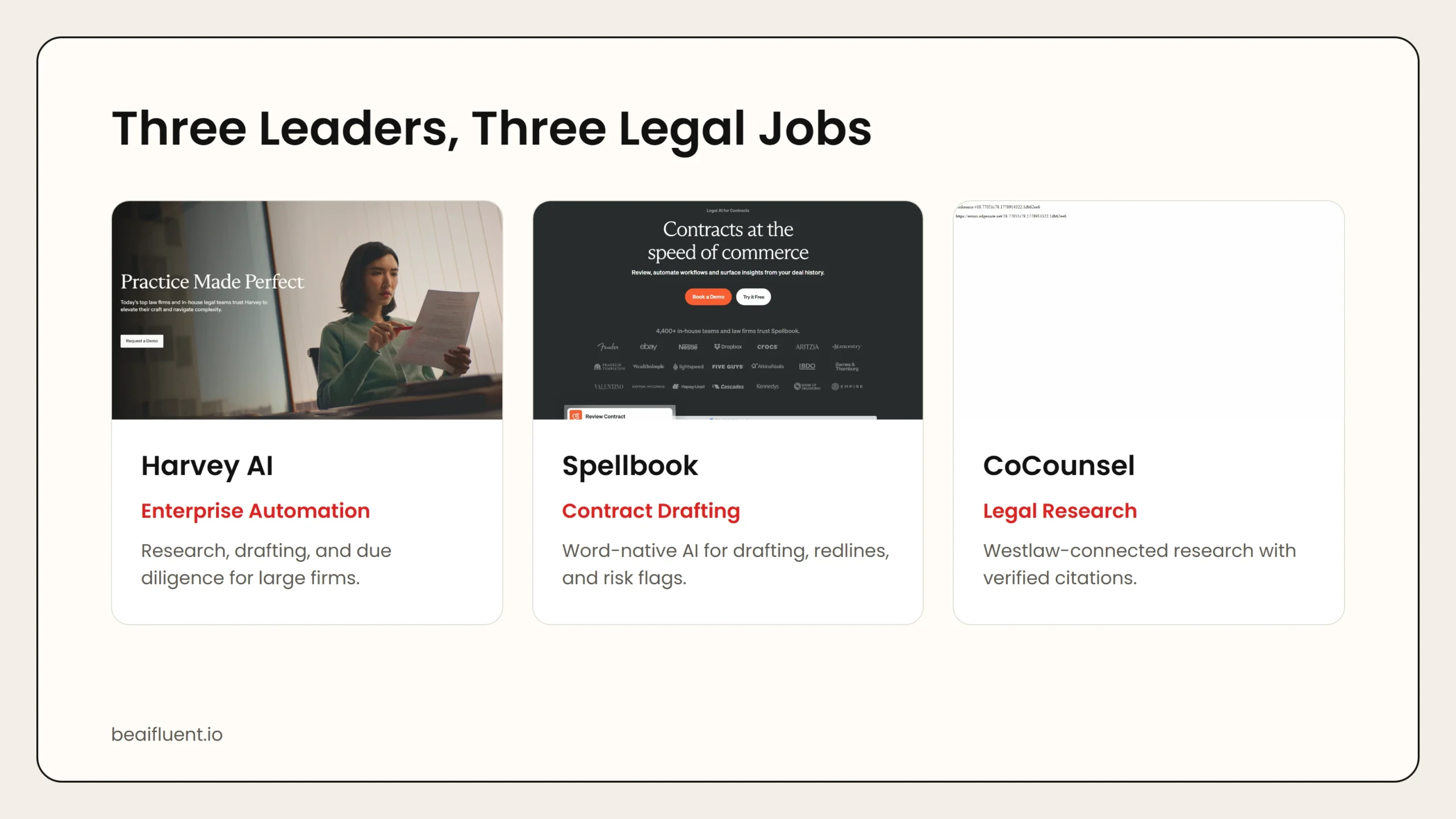 Caption: Harvey AI leads on enterprise automation. CoCounsel wins on research accuracy through Westlaw. Spellbook dominates contract drafting inside Word.
2. CoCounsel (Thomson Reuters) — Best for Legal Research
CoCounsel is built on Casetext technology, which Thomson Reuters acquired for $650 million in 2023. The standalone Casetext platform was discontinued in April 2025, and CoCounsel now operates within the Westlaw ecosystem. Its core advantage is direct access to the Westlaw database, which means citations link to real, current cases rather than training data snapshots.
Why it stands out:
- Research answers include properly linked citations to live Westlaw documents.
- Handles document review, deposition preparation, contract analysis, and brief drafting.
- No hallucinated cases because it retrieves real precedents before summarizing.
- Serves more than 10,000 law firms and corporate legal departments.
Pricing: CoCounsel Core at $225 per user per month. Bundled with Westlaw through enterprise subscription pricing.
Best for: Firms already using Westlaw that want integrated AI research without adding a separate vendor. Solo to mid-market practices that need serious legal AI at predictable pricing.
Privacy note: CoCounsel processes documents through Thomson Reuters cloud infrastructure. Verify that your client confidentiality agreements permit cloud-based legal AI processing.
3. Spellbook — Best for Contract Drafting and Review
Spellbook lives inside Microsoft Word, which makes it the lowest-friction AI tool for transactional lawyers. It drafts contracts, generates redlines, flags risks, and suggests market-standard language without requiring attorneys to leave their existing workflow.
Why it stands out:
- Native Word plugin means zero workflow change for most lawyers.
- Benchmarks feature compares proposed terms against aggregated industry standards.
- Spellbook Associate chains drafting and review into an agentic workflow.
- Used by thousands of legal teams across multiple countries.
Pricing: Multiple tiers available, approximately $100 to $200 per user per month for individual and team plans.
Best for: Transactional lawyers, corporate counsel, and in-house teams whose primary work is contract drafting, review, and negotiation.
Privacy note: Spellbook processes document text through cloud AI services. Review their data handling policies for confidential client agreements.
4. Lexis+ AI — Best for Research Accuracy
Lexis+ AI is LexisNexis’s AI research and drafting platform, enhanced by Protege, a personalized AI assistant. Every answer is grounded in LexisNexis’s proprietary content and validated in real time by Shepard’s Citations, which flags whether a case remains good law.
Why it stands out:
- Character-level citation verification through Shepard’s Citations.
- Real-time validation ensures cases have not been overturned or distinguished.
- Independent testing has reported higher citation accuracy than competing platforms.
- Covers regulatory updates, multi-state surveys, and deal comparisons.
Pricing: Requires a LexisNexis subscription. Enterprise pricing based on firm size and usage.
Best for: Research-heavy practices where citation accuracy is non-negotiable, including appellate practices and litigation support teams.
Privacy note: Lexis+ AI processes queries through LexisNexis infrastructure. Firms with strict data residency requirements should confirm server locations.
5. Luminance — Best for Due Diligence and Document Review
Luminance is a specialist tool for M&A due diligence and large-scale document review. It uses AI to read, classify, and flag documents in data rooms at speeds no human team can match. If your practice involves reviewing thousands of contracts for a single transaction, Luminance is purpose-built for that job.
Why it stands out:
- AI reads and classifies documents in data rooms automatically.
- Flags anomalies, missing clauses, and deviation from standard language.
- Learns from each review to improve accuracy on future transactions.
- Trusted by top M&A practices and corporate development teams.
Pricing: Enterprise quote only. Typically deployed on a per-matter or annual subscription basis.
Best for: M&A lawyers, corporate development teams, and any practice that reviews large document sets for transactions or compliance audits.
Privacy note: Luminance processes documents in the cloud. For highly sensitive transactions, confirm encryption standards and data residency before uploading.
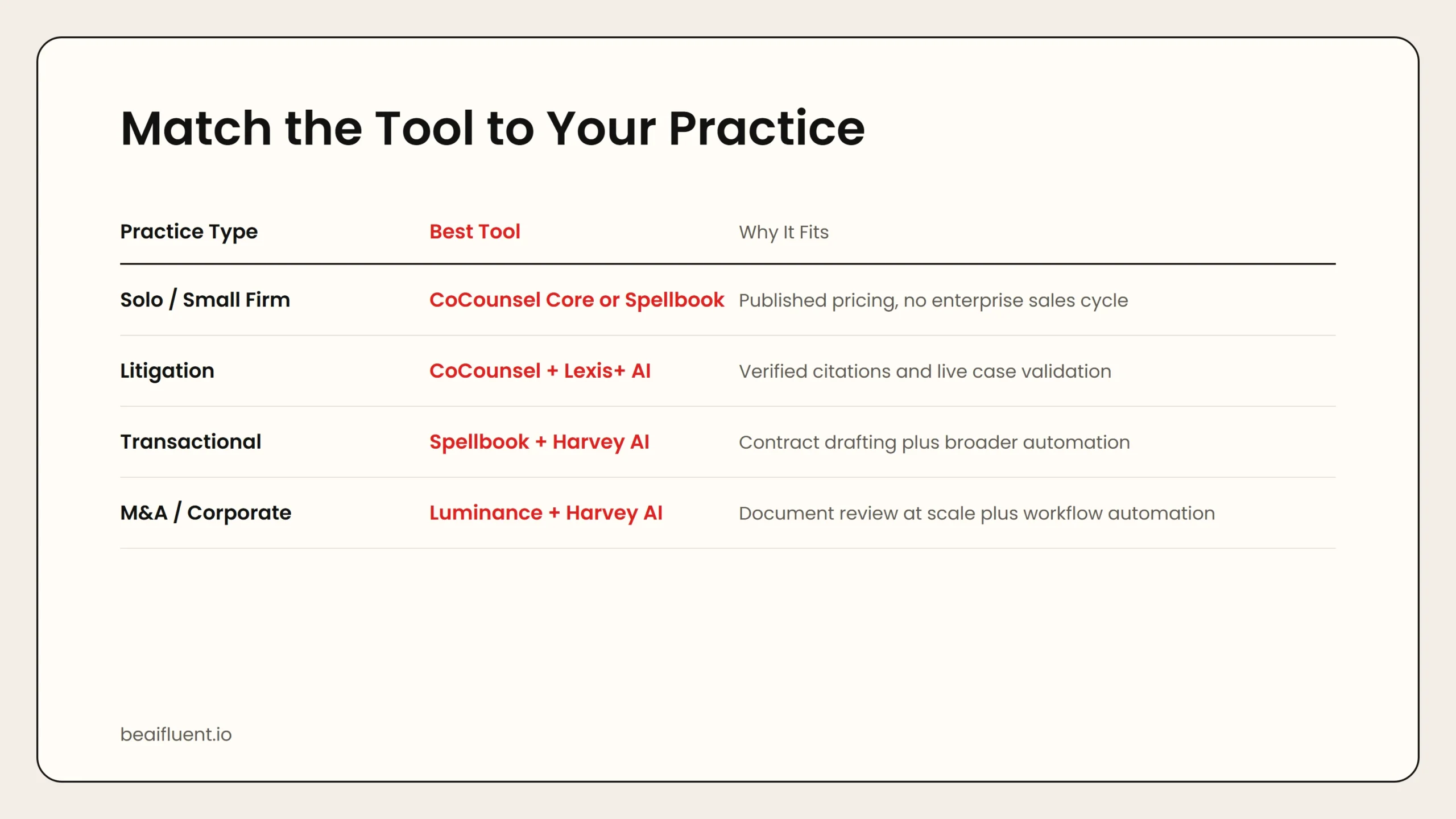 Caption: Solo practitioners start with Spellbook or CoCounsel Core. Litigation teams need CoCounsel and Lexis+ AI. M&A shops use Luminance and Harvey AI.
Side-by-Side Comparison
| Tool | Starting Price | Best For | Core Strength | Integration |
|---|---|---|---|---|
| Harvey AI | ~$1,000+/seat/mo | Enterprise automation | Multi-step workflow agents | Custom |
| CoCounsel | $225/mo | Legal research | Live Westlaw citations | Westlaw |
| Spellbook | ~$100–200/mo | Contract drafting | Native Word plugin | Microsoft Word |
| Lexis+ AI | Enterprise | Research accuracy | Shepard’s validation | LexisNexis |
| Luminance | Enterprise quote | Due diligence | Data room automation | Custom |
Use this table to match your firm’s size and workflow to the right tool. Solo practitioners should start with Spellbook or CoCounsel Core. Large firms should evaluate Harvey AI and Lexis+ AI.
How to Choose the Right Tool for Your Practice
Different legal practices need different AI support. Here is a quick matching guide:
- Solo practitioner or small firm → CoCounsel Core or Spellbook. Both offer published pricing and do not require enterprise sales cycles.
- Litigation-focused firm → CoCounsel for research, Lexis+ AI for citation accuracy. Add Lex Machina for litigation analytics if budget allows.
- Transactional practice → Spellbook for contract work. Harvey AI if you also need broader automation across compliance and due diligence.
- M&A or corporate development → Luminance for document review, Harvey AI for workflow automation across the deal lifecycle.
- In-house legal team → Harvey AI for breadth, CoCounsel for research, Spellbook for contract volume.
Tip: If your firm is already on Westlaw, start with CoCounsel before evaluating standalone alternatives. The integrated citation linking is a genuine advantage that no competitor can match.
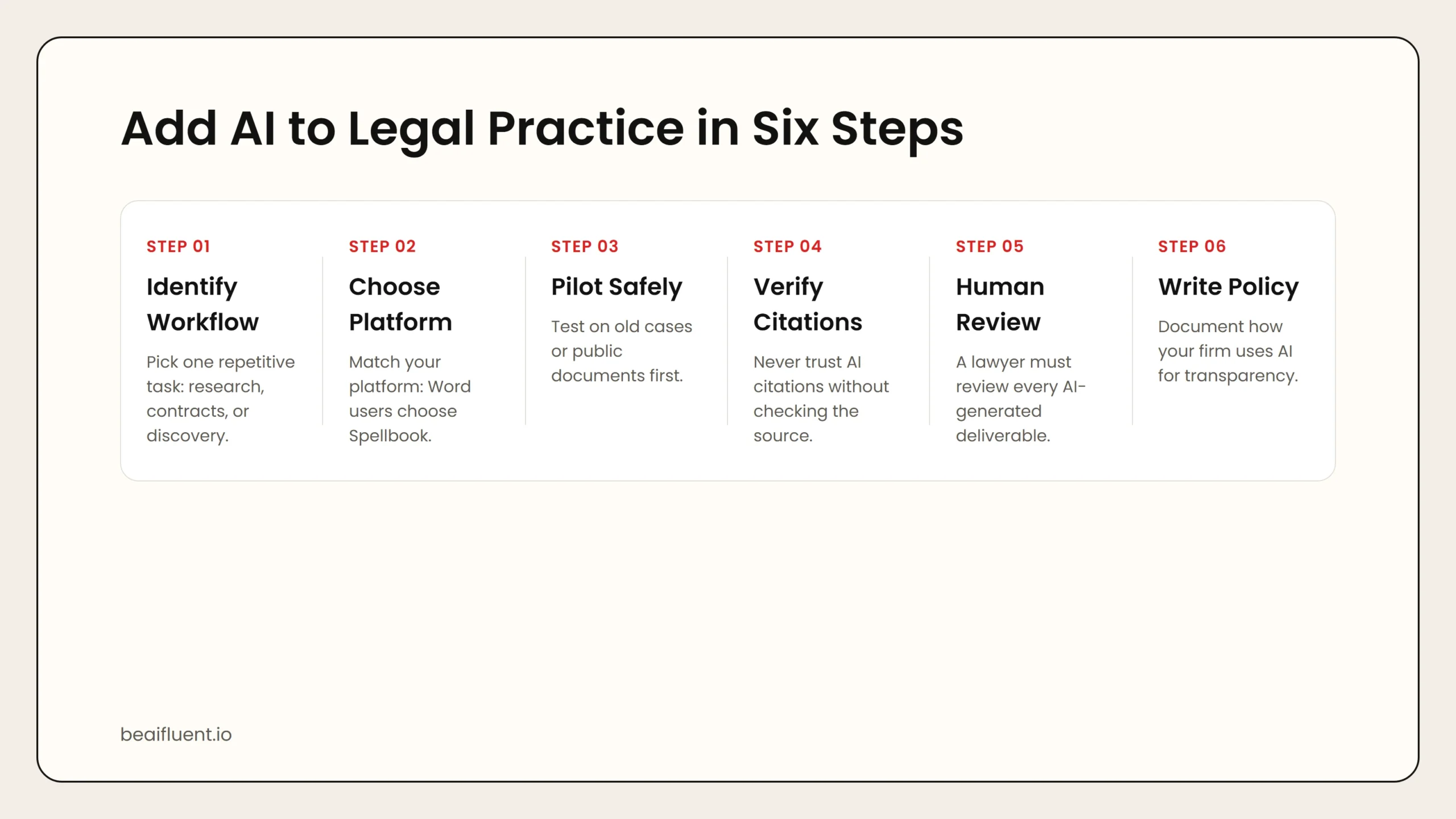 Caption: Identify a workflow, choose a platform, pilot safely, verify citations, require human review, then document your AI use policy.
A Simple Workflow for Adding AI to Legal Practice
Follow these steps to introduce legal AI without risking client outcomes:
- Identify one repetitive workflow. Common starting points are initial contract review, research memos, or discovery document sorting.
- Choose a tool that fits your platform. Word users choose Spellbook. Westlaw subscribers choose CoCounsel. Enterprise teams evaluate Harvey AI.
- Run a pilot on non-client material. Test the tool on old contracts, past research questions, or public documents before touching client work.
- Verify every citation and factual claim. Never trust an AI-generated citation without checking the source. This is not optional.
- Review output for tone and accuracy. AI may generate legally plausible but strategically wrong advice. A human lawyer must review every deliverable.
- Document your AI use policy. State bars increasingly require transparency about AI assistance. Create a written policy for your firm.
Warning: Several state bars now require lawyers to disclose AI use to clients. ABA Formal Opinion 512 confirms that lawyers may use AI when they verify outputs and protect confidentiality. Stay current with your jurisdiction’s specific rules.
Common Mistakes to Avoid
Even experienced lawyers make errors when adopting AI. Avoid these pitfalls:
- Trusting hallucinated citations. AI legal tools have confidently cited non-existent cases. Verify every source before filing.
- Using contract tools for litigation research. Spellbook is excellent for contracts but not designed for case law analysis. Match the tool to the task.
- Ignoring data security. Uploading client documents to a free AI chatbot may waive privilege. Use only SOC 2-certified legal AI platforms.
- Skipping the pilot phase. Rolling out enterprise legal AI without testing creates adoption resistance and wasted budget.
- Failing to train staff. Paralegals and associates need clear guidance on what AI can and cannot do. Unsupervised use creates liability.
Frequently Asked Questions
Can AI replace lawyers?
No. AI handles research, drafting, and document review faster than humans, but strategic advice, client counseling, and courtroom advocacy require human judgment. AI is a tool, not a substitute.
Is using AI for legal research ethical?
Yes, with diligence. ABA Formal Opinion 512 (July 2024) confirms that lawyers may use AI when they verify outputs, protect client confidentiality, and apply professional judgment. Several state bars have issued companion guidance.
Which legal AI tool has the best citation accuracy?
Lexis+ AI and CoCounsel lead on citation accuracy because they validate against live legal databases. Independent testing has reported higher accuracy for Lexis+ AI on specific citation tasks.
How much do legal AI tools cost?
Costs range from $100 per month for Spellbook to $1,000+ per seat per month for Harvey AI. Enterprise platforms like Luminance and Lexis+ AI use custom pricing. CoCounsel Core at $225 per month offers the best price-to-capability ratio for most firms.
Can small firms afford legal AI?
Yes. Spellbook and CoCounsel Core are priced for solo and small firm budgets. Avoid enterprise-only platforms unless your practice volume justifies the investment.
Sources
- Harvey AI official site
- Thomson Reuters CoCounsel
- Spellbook official site
- Lexis+ AI
- Luminance official site
- ABA Formal Opinion 512
If you are evaluating AI across your entire organization, our guide on how to teach your team AI fluency can help you roll out tools responsibly. For a broader look at AI accuracy and verification, see are AI tools accurate.