
Generic marketing is expensive. When you send the same message to everyone, most people ignore it. However, writing a unique email for every lead is not realistic either. Thankfully, there is now a middle path. You can use Claude to analyze your products, identify the problems they solve, and group your audience into segments. If you are new to Claude, our Claude Cowork beginner guide covers the basics of projects and document uploads. Then you can match each segment to the right offer automatically.
This guide walks through a practical workflow you can set up in one afternoon. It works for creators, coaches, agencies, and anyone who sells more than one product or service tier.
Why Generic Messaging Fails
Most businesses have multiple offers. For example, you might sell a $30 ebook, a $300 course, and a $3,000 coaching package. Each offer solves a different problem. More importantly, each offer is right for a different type of buyer.
The person who buys a $30 ebook is usually just starting out. Meanwhile, the person who buys a $3,000 coaching package is further along and needs hands-on help. If you pitch the coaching package to a beginner, you will scare them away. If you pitch the ebook to someone ready for coaching, you will leave money on the table.
The real issue is not having too many products. It is not knowing which problem each person has when they enter your world. Without that information, every message is a guess. And guesses do not convert well.
Key insight: Segmentation is not about being fancy. It is about matching the right problem to the right solution at the right time.
The Framework: Product, Problem, Segment
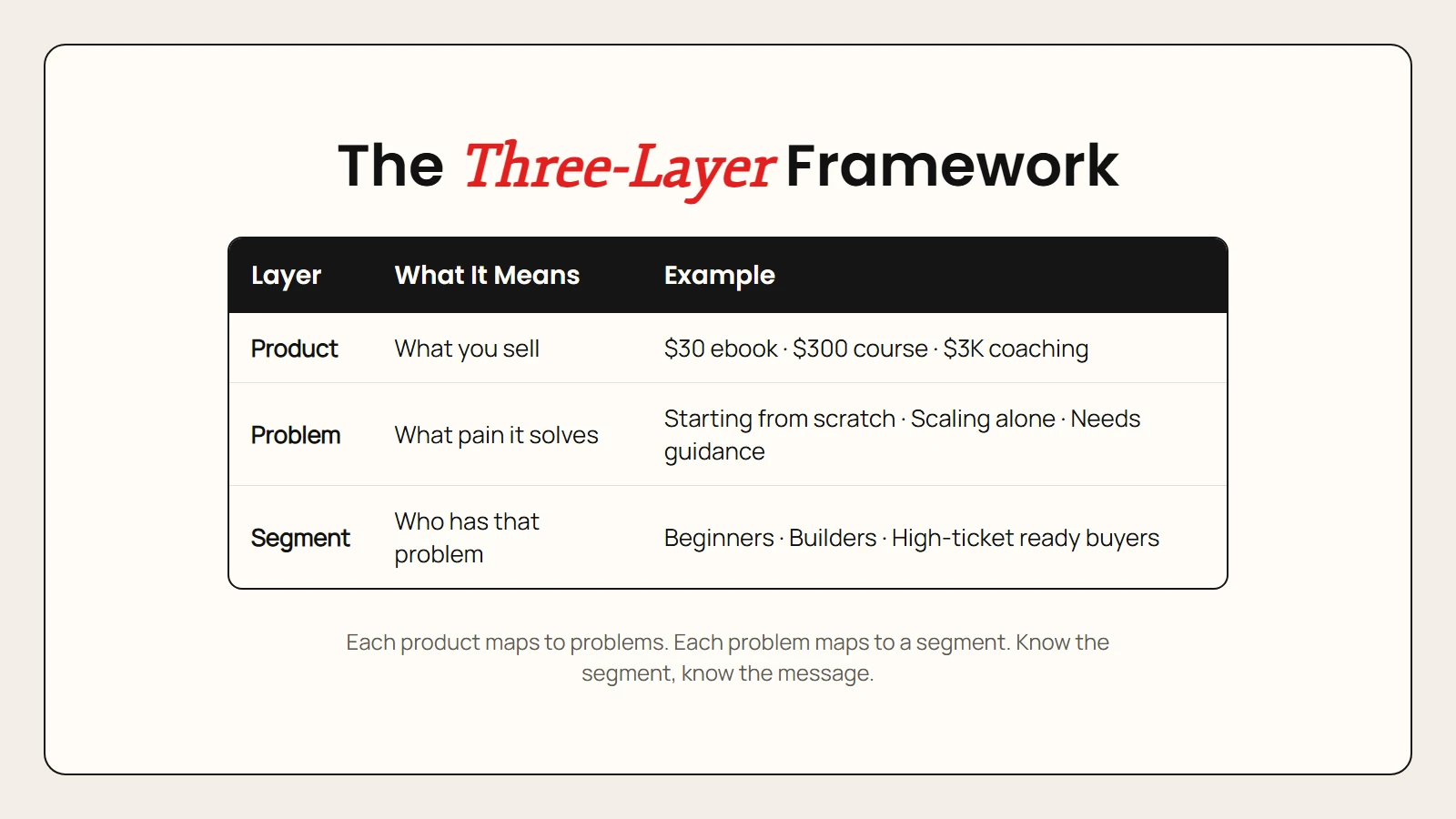
Before you open any tool, you need a simple mental model. Think of your business as three layers:
| Layer | What It Means | Example |
|---|---|---|
| Product | What you sell | $30 ebook, $300 course, $3,000 coaching |
| Problem | What pain it solves | Starting from scratch, scaling alone, needing hands-on guidance |
| Segment | Who has that problem | Beginners, builders, high-ticket ready buyers |
Each product maps to one or more problems. Each problem maps to one audience segment. When you know the segment, you know exactly what to offer.
This framework turns random broadcasting into targeted conversation. Instead of one email blast, you have three or four message tracks. Each track speaks to one segment’s specific situation.
Step 1: Upload Your Product Content to Claude
Claude is the engine that makes this workflow possible. Start by creating a new project in Claude and uploading everything that describes what you sell. This is similar to how you might use other AI tools for everyday work, but focused specifically on marketing segmentation.
Here is what to include:
- Transcripts of every course module
- Notes from sales calls and coaching sessions
- The full text of your ebook or lead magnets
- Any FAQs, testimonials, or case studies
The goal is to give Claude a complete picture of your products and the problems they solve. The more context you upload, the better the output will be.
After uploading, tell Claude to do two things:
- Identify the major problems each product helps people solve.
- Divide those problems into three or four audience segments.
Claude will read through your materials and spot patterns you might miss. For example, it might notice that your $300 course actually solves two different problems for two different groups. That insight alone can double the relevance of your marketing.
Step 2: Build Your Audience Segments
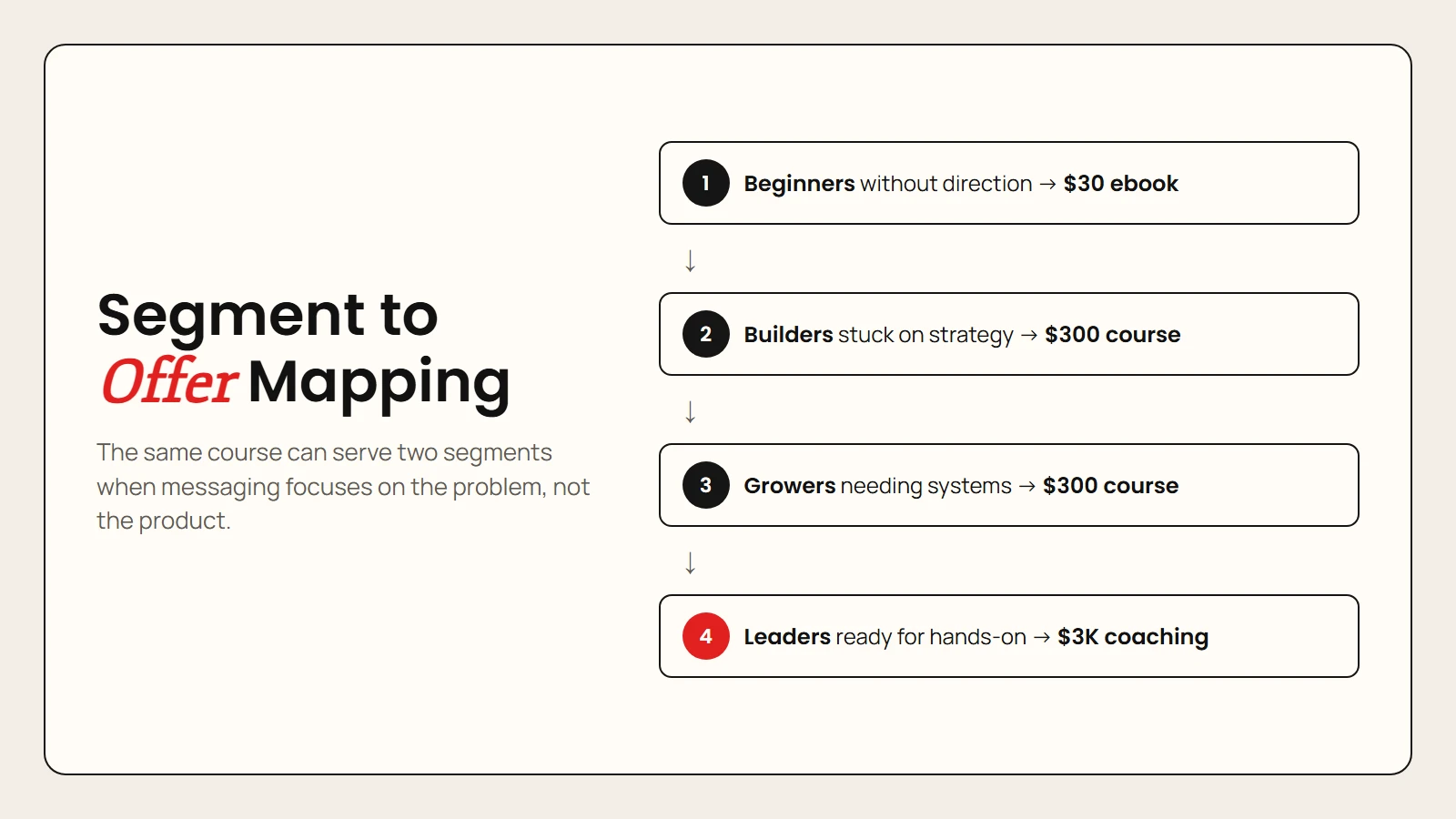
Once Claude finishes analyzing your content, you will have a clear segmentation map. A typical result looks like this:
| Segment | Problem | Best Offer |
|---|---|---|
| Segment 1 | Just starting out, no clear direction | $30 ebook |
| Segment 2 | Has some momentum but stuck on strategy | $300 course |
| Segment 3 | Growing fast but needs systems | $300 course |
| Segment 4 | Ready for intensive, hands-on support | $3,000 coaching |
Notice that the same course can serve two different segments. Segment 2 needs strategy help. Segment 3 needs systems help. Both problems are solved by the same product, but the marketing message for each should be completely different.
This is where most businesses go wrong. They describe the product features instead of the problem the buyer feels. When you lead with the problem, the product sells itself.
Pro tip: Name your segments by problem, not by product. “Beginners without direction” is more useful than “Ebook buyers” because it tells you what message to send.
Step 3: Collect Problem Data from New Leads
Knowing your segments is useless unless you know which segment each new lead belongs to. The simplest way to find out is to ask. Think of it as a mini workflow automation that runs every time someone joins your list.
When someone signs up for your newsletter, redirect them to a short questionnaire. Typeform works well for this, but any form tool will do. Keep it to one or two key questions:
- What is your biggest challenge right now?
- What type of product or service do you currently sell? (if B2B)
The answers give you the data you need to tag each subscriber. You can store this in your CRM, your email platform, or even a simple spreadsheet. The important part is linking the person’s email address to their segment.
Here is what the flow looks like in practice:
- Lead visits your site and opts in for a free guide.
- After confirming their email, they see a short form asking about their main struggle.
- Their answer determines which segment tag they receive.
- Every future email is pulled from the message track for that segment.
This one step transforms your list from a broadcast channel into a matchmaking system.
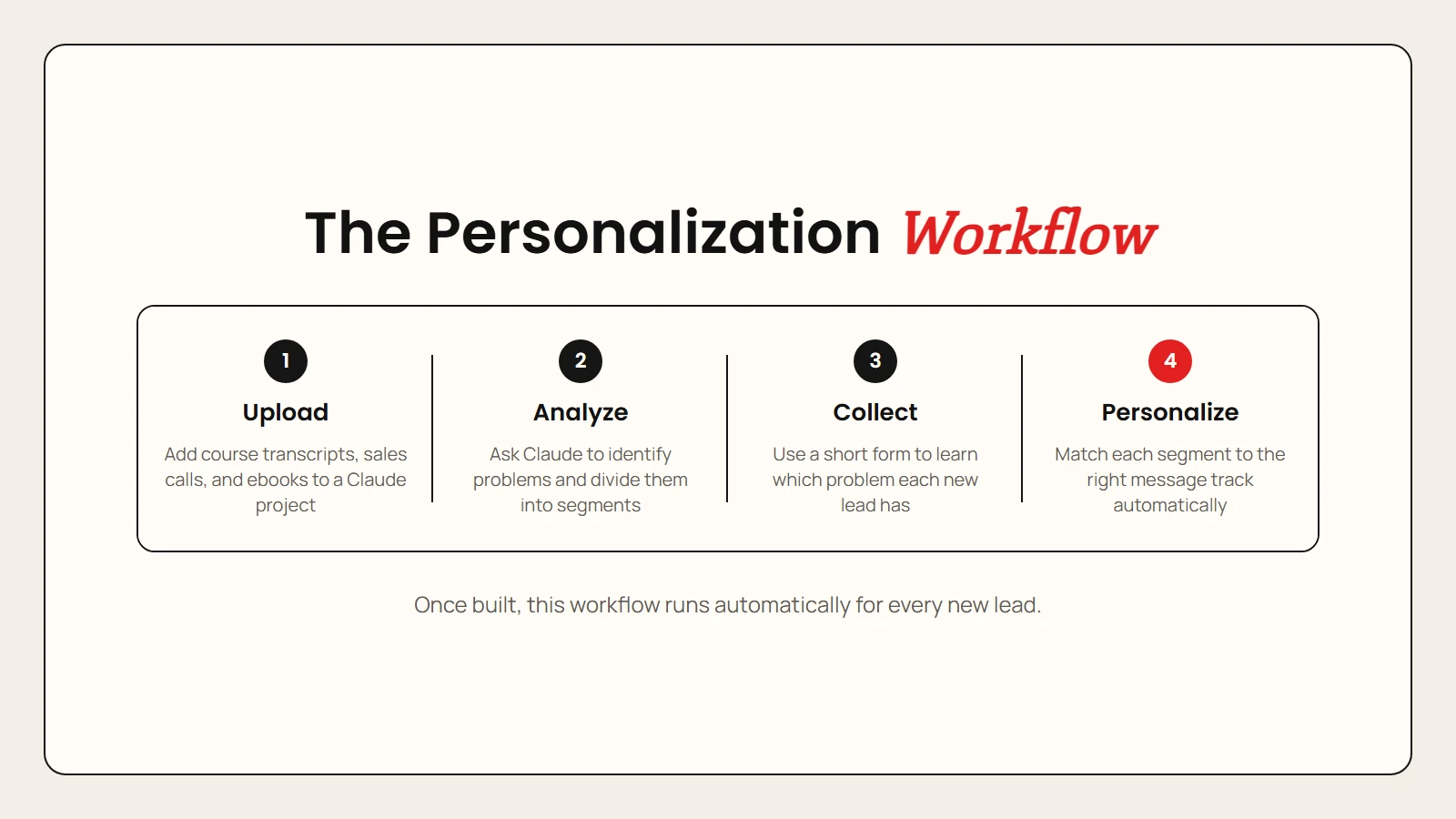
Step 4: Match Segments to Personalized Messages
Now comes the fun part. With segments and tags in place, you can write message tracks that speak directly to each group’s situation.
For Segment 1, your emails might focus on clarity and first steps. For Segment 2, you might share case studies of people who broke through strategy blocks. For Segment 4, you might offer a direct call booking link with a limited-time bonus.
Each message should feel like it was written just for that person. Because in a sense, it was. You are not guessing anymore. You are responding to the exact problem they told you they have.
The result is higher open rates, higher click-through rates, and higher conversion rates. More importantly, you build trust faster because every message feels relevant.
What to Include in Each Message Track
Each segment’s message track should cover:
- The problem: Acknowledge their specific struggle in the first line.
- The proof: Share a brief story or result from someone with the same problem.
- The offer: Introduce the product that solves that exact problem.
- The next step: Give one clear action, such as a link, a reply prompt, or a booking button.
Keep each email short. One problem, one proof point, one offer, one action. That is enough.
Why This Workflow Works
This approach works for three reasons.
First, it uses AI for what AI does best: pattern recognition at scale. Claude can read hundreds of pages of product content and spot the hidden problem-to-product connections that you are too close to see.
Second, it respects the buyer’s intelligence. People know when they are being blasted with generic pitches. When you reference the specific problem they told you about, the message feels like a conversation, not a broadcast.
Third, it scales without adding headcount. Once the segments and message tracks are built, the system runs automatically. New leads fill out the form, get tagged, and enter the right sequence. You do not need a copywriter for every email.
Bottom line: Segmentation turns your marketing from a loudspeaker into a concierge service.
Common Mistakes to Avoid
Even with a great workflow, there are a few traps that catch people.
Asking too many questions: One or two questions is enough. Every extra field reduces completion rates. Ask the minimum you need to assign a segment.
Creating too many segments: Three or four segments is the sweet spot. More than that, and your message tracks become unmanageable. Fewer than that, and you are not really segmenting.
Ignoring the data: If someone tells you they are struggling with systems but you keep sending them beginner content, you break trust. Respect the segment tag and stay consistent.
Forgetting to test: Run a small batch of emails for each segment before scaling. Check open rates, click rates, and replies. Adjust the message based on what the data tells you.
FAQ
Do I need technical skills to set this up?
No. Claude has a simple project interface, and Typeform works with no code. If you can use a web browser, you can build this system.
How long does the initial setup take?
Uploading your content and getting segment recommendations from Claude takes about an hour. Building the form and writing the first message tracks takes another two to three hours. Most people can launch the full system in one afternoon.
What if I only have one product?
Even a single product can solve multiple problems for different people. Use Claude to identify those different problems and create segment-specific messaging around the same offer.
Can I use ChatGPT instead of Claude?
Yes. Any large language model can analyze your content and suggest segments. Claude’s project feature makes it easy to upload documents and keep context across sessions, which is why this guide uses it.
Will this work for service businesses?
Absolutely. Coaches, consultants, agencies, and freelancers often have the most to gain from segmentation because their services are naturally tiered by intensity and price.
Sources
- Anthropic: Claude — Official product page for the AI assistant used in this workflow.
- Typeform — Form builder recommended for collecting audience problem data.
- Neil Patel: Email Segmentation Strategies — Research-backed overview of how segmentation improves email marketing performance.