
How to Start Using AI as a Complete Beginner
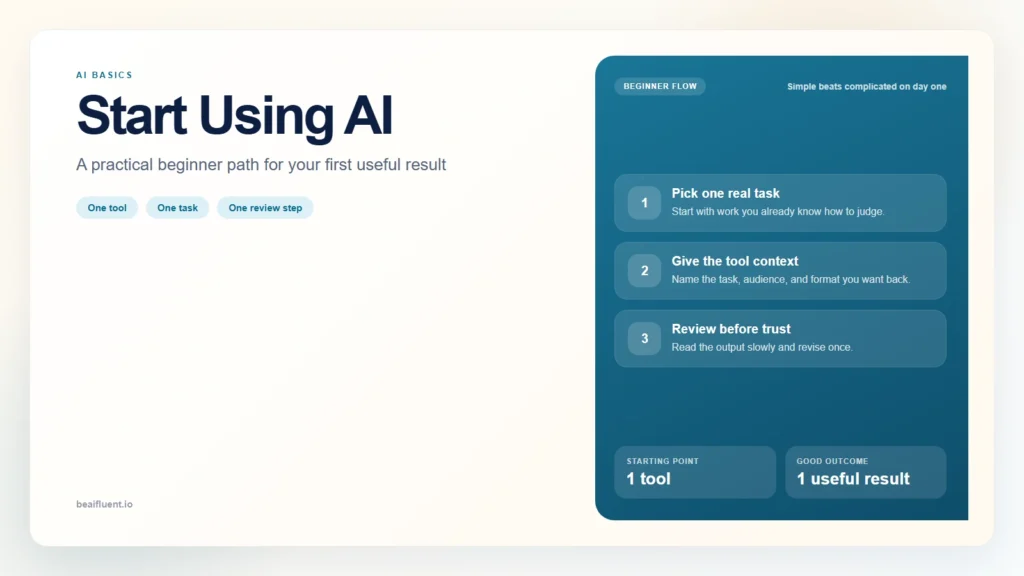
If you are a complete beginner, the best way to start using AI is to pick one simple task, use one general-purpose AI tool, and review the result before you trust it. You do not need to learn coding, memorize prompt formulas, or understand how large language models work before you begin. You need one low-stakes task, one clear instruction, and one review habit.
That matters because most beginners get stuck before they actually start. They read about AI, watch demos, compare tools, and then assume they need to know much more before they can use anything well. In practice, the fastest way to build confidence is to start small and use AI on work you can already judge for yourself.
This guide shows you how to start using AI as a complete beginner, what to try first, how to avoid the most common mistakes, and what a sensible first week of practice looks like.
Key Takeaways
- The easiest way to start with AI for beginners is one tool, one task, and one review step.
- Your first AI task should be low-risk, easy to check, and familiar to you.
- A useful beginner prompt gives the tool context, task, audience, and output format.
- AI is most helpful when it speeds up part of your work, not when it replaces your judgment.
- Beginners improve fastest by repeating one simple workflow several times instead of trying everything at once.
Table of Contents
- Why Complete Beginners Struggle to Start
- What You Need Before Your First AI Session
- Your First 15 Minutes With AI
- What a Good First Prompt Looks Like
- Best Beginner AI Tasks to Try First
- Common Beginner Mistakes
- Your First Week of AI Practice
- FAQ
Why Complete Beginners Struggle to Start
Most complete beginners do not fail because AI is too hard. They fail because the starting advice is usually poor.
The internet is full of extreme examples. One article says AI will transform every part of your work. Another says you need a perfect prompting framework before you can get anything useful. A third shows complicated workflows that make beginners feel late before they have even opened a tool.
That creates three common problems.
First, beginners choose the wrong first task. They start with something too important, too difficult, or too vague. Then the tool gives a mediocre result, and they conclude that AI is not useful.
Second, beginners expect the tool to think for them. They type one short sentence, get generic output, and assume the product is broken. In reality, the tool usually needs more context than that.
Third, beginners skip review. AI can write smooth, confident text even when the content is weak or wrong. If you do not review the result, you will either trust bad output or become afraid to use the tool at all.
The good news is that all three problems are fixable. The right beginner path is simpler than it looks.
What You Need Before Your First AI Session
Before you start, you only need four things.
- One general-purpose AI tool. A beginner does not need five apps. Start with one tool such as ChatGPT, Claude, or Gemini.
- One familiar task. Choose a task you already understand well enough to judge the result.
- Ten to fifteen quiet minutes. Do not try your first session while multitasking.
- A review mindset. Plan to read the whole result and check whether it is actually useful.
That is enough.
You do not need:
- a paid plan on day one
- technical knowledge
- prompt engineering jargon
- a second-brain system
- automation tools
If you are wondering which task to start with, use this rule: pick something useful but reversible. A draft email, outline, summary, or checklist is better than a legal document, client strategy, or medical question.
Your First 15 Minutes With AI
The cleanest way to start using AI as a complete beginner is a short, low-pressure session with a familiar task.
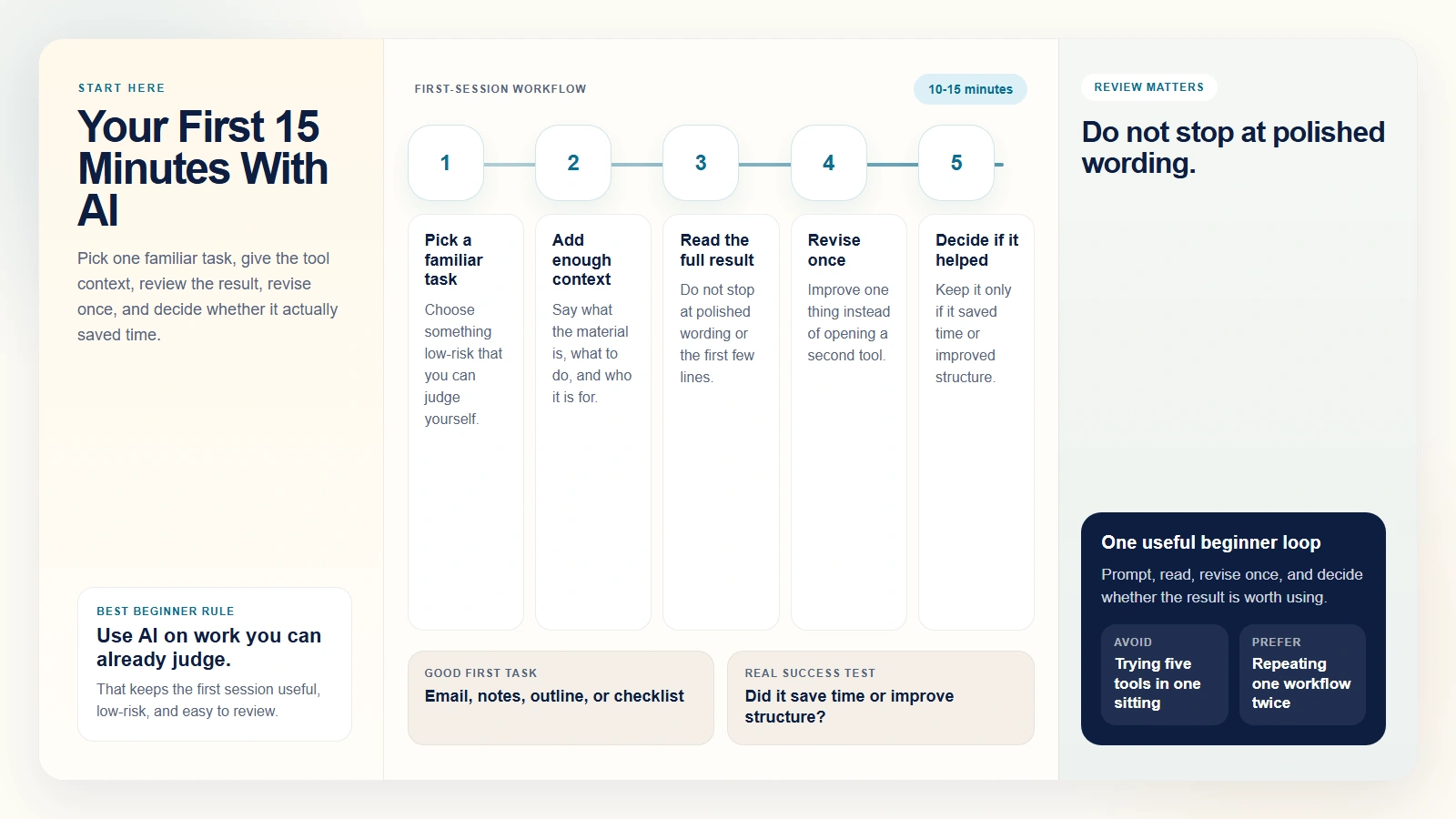
Caption: Pick one familiar task, give the tool context, review the result, revise once, and decide whether it actually saved time.
Here is a practical first session.
Step 1. Pick one task you can judge yourself
Good first options include:
- summarizing your own notes
- rewriting an email draft
- turning a rough idea into a short outline
- creating a checklist for a task you already know how to do
The key is that you already know what a decent result looks like.
Step 2. Tell the tool exactly what the task is
Do not write only: “Help me with this.”
Instead, explain:
- what the material is
- what you want the tool to do
- who the result is for
- what format you want back
That gives the model something concrete to work with.
Step 3. Read the full result slowly
Beginners often scan the first few lines, see that it sounds polished, and stop there. That is the wrong habit. Read all of it. Notice where the wording becomes generic, where details are missing, or where the tool makes assumptions you did not ask for.
Step 4. Revise once
Ask the tool to improve one thing:
- make it shorter
- make it clearer
- make it more professional
- turn it into bullets
- focus it on one audience
This one revision teaches you more than opening a second tool.
Step 5. Decide whether you would actually use it
That is the real beginner test. Do not ask whether the output is amazing. Ask whether it saved time, improved the structure, or gave you a useful starting point.
If the answer is yes, you have already started building AI fluency.
What a Good First Prompt Looks Like
A strong first prompt is specific enough to guide the tool but simple enough that you can still tell what changed in the result.
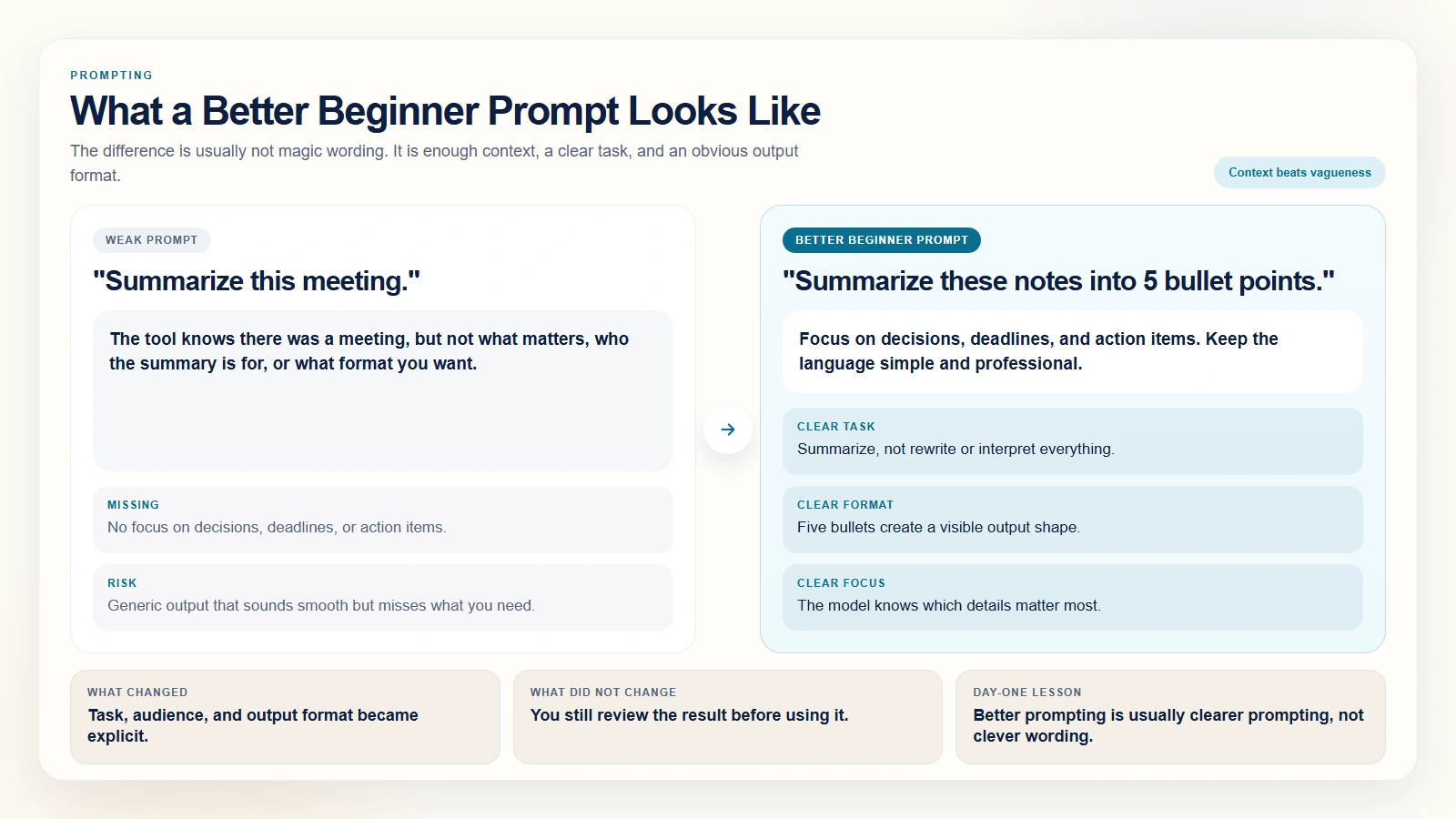
Caption: The difference is usually not magic wording. It is enough context, a clear task, and an obvious output format.
Here is the difference.
Weak prompt:
Summarize this meeting.
That is too vague. It does not tell the model what matters, what format to use, or what to leave out.
Better beginner prompt:
Summarize these meeting notes into 5 bullet points. Focus on decisions, deadlines, and action items. Keep the language simple and professional.
This works better because it gives the tool:
- the task: summarize
- the format: 5 bullet points
- the focus: decisions, deadlines, action items
- the tone: simple and professional
That is enough for a beginner prompt to become useful.
As you improve, you can add context like audience, constraints, and examples. But on day one, clarity matters more than complexity.
Best Beginner AI Tasks to Try First
The best beginner AI tasks are low-risk, easy to review, and already familiar to you.
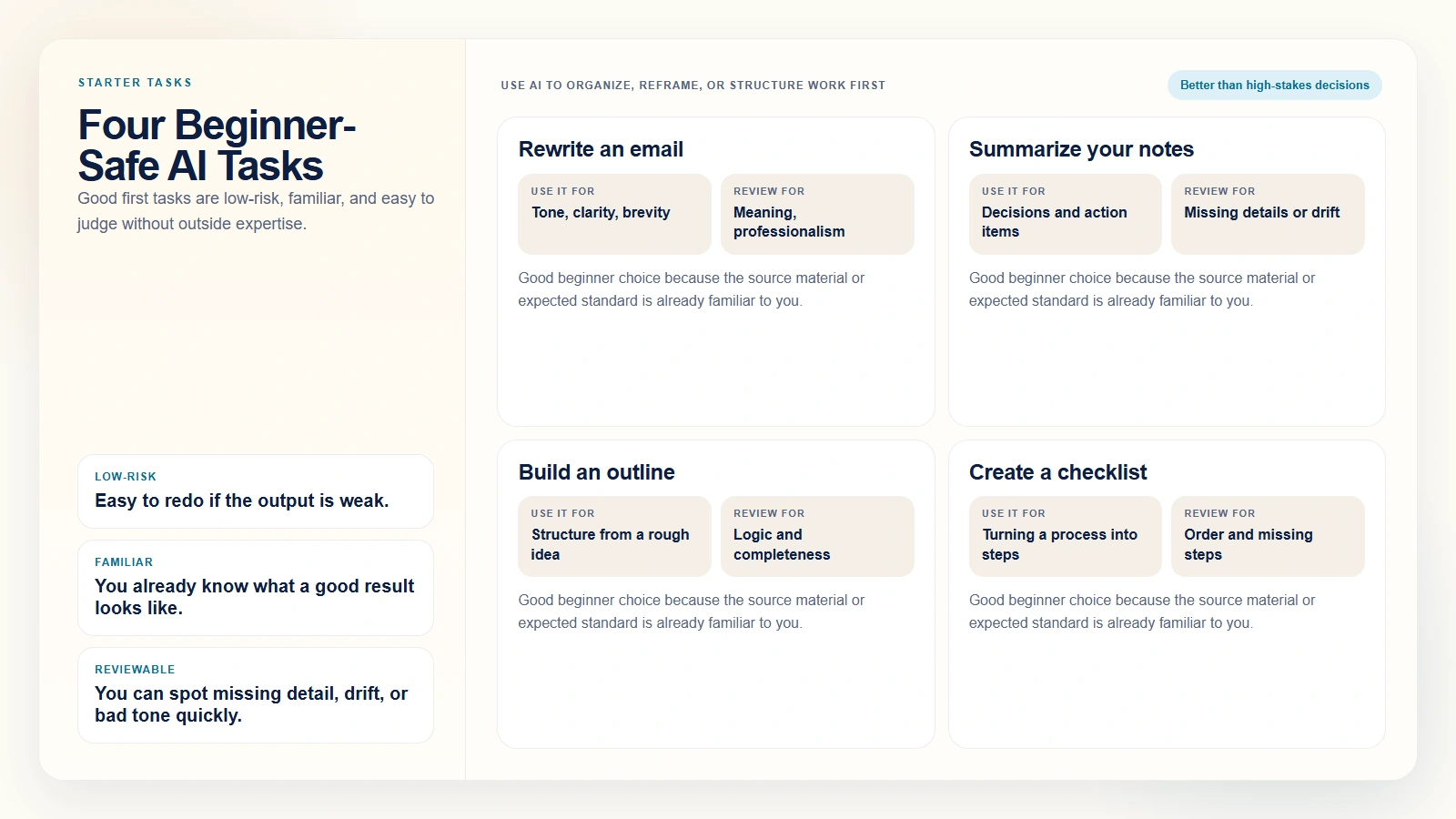
Caption: Good first tasks are low-risk, familiar, and easy to judge without outside expertise.
Here are four good starting points.
1. Rewrite an email draft
If you already wrote the message, AI can help improve tone, structure, or brevity. This is a safe first task because you still know what you mean and can spot bad changes quickly.
2. Summarize notes you created yourself
This is a good first use case because you know the original material. You can tell whether the AI missed something important or added unnecessary filler.
3. Turn a rough idea into an outline
If you have a messy idea for a memo, report, or presentation, AI can structure it into sections. That is often more useful than asking it to write the full thing.
4. Build a checklist for a familiar process
AI is good at turning informal knowledge into a scannable list. If you already know the process, you can correct weak steps and keep what is useful.
These tasks work because they help with organization and first drafts. They do not ask the AI to make high-stakes decisions for you.
Common Beginner Mistakes
Most beginner frustration comes from a few predictable mistakes.
Starting with a high-stakes task
If your first test is something like medical advice, contract review, or a client-facing strategy document, the risk is too high and your confidence drops fast. Start with work that is easy to evaluate and easy to redo.
Using AI for something you do not understand
If you cannot judge the result yourself, you cannot learn from the session. Beginners improve faster when they use AI on familiar work first.
Giving too little context
A vague prompt produces vague output. That does not mean the tool is useless. It means the instruction did not set the task clearly enough.
Trusting polished wording too quickly
This is one of the biggest beginner traps. AI often sounds competent before it is actually accurate. Smooth phrasing is not proof.
Jumping between tools too early
A complete beginner does not need a tool stack. If your first workflow fails, the problem is usually task choice or prompt clarity, not the fact that you chose the wrong app.
Your First Week of AI Practice
If you want to start using AI as a complete beginner without burning out, use a short first-week plan.
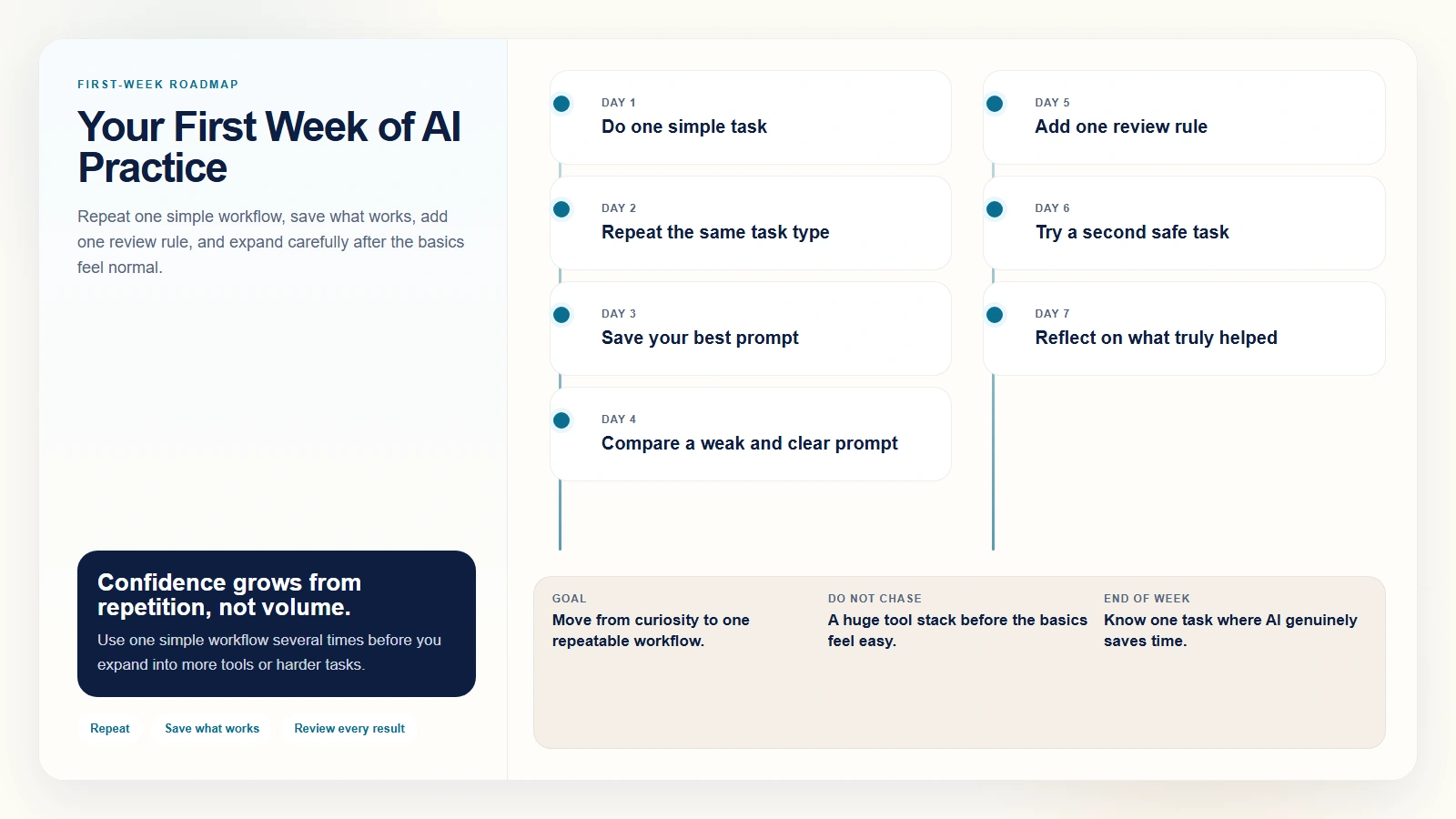
Caption: Repeat one simple workflow, save what works, add one review rule, and expand carefully after the basics feel normal.
Day 1. Do one simple task
Pick one of the four beginner-safe tasks above and complete one full cycle: prompt, result, review, revision.
Day 2. Repeat the same type of task
Do not switch categories yet. Repetition is what makes the learning stick.
Day 3. Save your best prompt
Once you get a result that feels genuinely useful, save the prompt. This is how a one-off experiment becomes a workflow.
Day 4. Compare two versions
Try a weak prompt and a clearer prompt on the same task. Seeing the difference is one of the fastest ways to understand how AI responds to structure.
Day 5. Add one review rule
Choose one rule such as:
- always check facts
- always rewrite the opening
- always shorten the final output
This builds judgment, not just speed.
Day 6. Try a second beginner-safe task
Expand carefully. If you started with email drafting, try note summarization or outline building next.
Day 7. Reflect on what actually saved time
The goal is not to use AI for everything. The goal is to notice where it helped, where it failed, and which task is worth repeating next week.
That first week is enough to move you from “I have read about AI” to “I know one way to use AI productively.”
Why This Beginner Approach Works
This approach works because it teaches the right habits in the right order.
You start with familiar work instead of abstract experimentation. You learn that prompting is about clarity, not magic wording. You build a review habit before the tool becomes invisible. And you create one repeatable workflow before trying to scale to several.
That sequence matters.
According to the 2024 Work Trend Index, 75% of knowledge workers were already using AI at work in 2024, and 66% of leaders said they would not hire someone without AI skills. For beginners, that does not mean becoming advanced overnight. It means building real comfort with everyday AI tasks now, before AI use becomes assumed everywhere.
The OECD also argues in its Skills Outlook 2023 that digital capability and workforce adaptability matter more as tools change faster. In practical terms, that supports a simple point: basic AI skill is no longer optional background knowledge. It is becoming part of modern work readiness.
FAQ
What is the easiest way to start using AI as a beginner?
The easiest way is to choose one general-purpose AI tool and use it on one simple task you already understand, such as rewriting an email or summarizing your own notes. Keep the task low-risk and review the result before you use it.
Do I need to pay for AI tools to get started?
No. A complete beginner can start with a free tier or a low-cost plan. The most important thing on day one is not premium features. It is learning how to choose a task, write a clear prompt, and review the output carefully.
What should I not use AI for as a complete beginner?
Avoid high-stakes tasks where errors could cause harm, such as medical, legal, financial, or sensitive workplace decisions. Also avoid sharing private or confidential information unless you are sure the tool and workflow are appropriate for that data.
How long does it take to get comfortable using AI?
Many beginners can build basic comfort within one week of short, repeated practice. The key is not long study sessions. It is repeating one simple workflow until it feels normal and easy to judge.
What is the best first AI task for a complete beginner?
A strong first task is something low-risk and familiar, like rewriting an email, summarizing your own notes, building an outline from a rough idea, or creating a checklist for a process you already know well.
Conclusion
If you want to know how to start with AI for beginners, the answer is simpler than most people expect. Start with one tool, one familiar task, and one review step. Do not try to master every feature. Do not treat AI like magic. Treat it like a tool you are learning to use with care.
The beginner mistake is waiting until you feel fully ready. The better move is to begin with a task small enough to test safely and useful enough to repeat. That is how complete beginners turn curiosity into confidence.
Suggested Internal Link Opportunities
- /blog/what-is-ai-fluency-and-why-it-matters
- /blog/ai-literacy-vs-ai-fluency
- /blog/how-to-write-better-ai-prompts
- /blog/how-to-review-ai-output-before-you-trust-it
- /blog/common-ai-mistakes-beginners-make
- /blog/how-to-build-ai-skills-in-30-days